Foxwell NT510 Register BMW Battery Guide and Review
As we all know Foxwell NT510 will register a new battery to BMW, but have no idea how to. Here’s the step-by-step tutorial on registering BMW battery with NT510 BMW scanner.
Which BMW models need battery registration?
Here is a list of some BMWs that need battery registration. Always verify with your dealer.
E61, E63, E64, E65, E66, E67, E70, E71, E72, E81, E82, E84, E87, E88, E89, E90, E91, E92, E93, F01, F10.
What you need:
Foxwell NT510 Multi-system scanner
How-to:
Step 1: Replace BMW Battery
Better stick with an AGM (Advanced Glass Mat) battery instead of switching to lead acid batteries if the stock was AGM battery.
Step 2: Register a new battery
Locate the on board diagnostic (OBD – 2) port under the dashboard near your brake pedal. Plug your BMW Foxwell NT510 scan tool into this port.
Turn the key to option II but don’t not start engine. If you have a Push Start button press it a couple of times. Don’t press the brake pedal when you press the start button. All the dashboard lights should turn on.
Register the new BMW battery with NT510:
1.Plug your Foxwell NT510 BMW scanner into the OBD2 port under the dashboard.
2.Turn ignition on, the key to position II. Do not start your car.
3. Select BMW. Scan for VIN. It will automatically look up the VIN number. Once VIN is found press OK.
4. Scroll down to the Body menu 4.
5. Scroll down to Power Supply (Battery) and press Enter.
6. Select option 2 for Battery registration.
In the next screen, you can perform the following.
- Register new battery. Battery replacement is the same as the original.
- Change battery capacity to higher or lower.
- Change battery type between AGM and lead acid battery.
BMW/Mini Cooper Foxwell NT510 battery registration and coding success reviews:
- BMW E60 M5
You can also perform BMW maintenance functions such as registering a new battery, read and clear adaptations, activate and test all of the modules individually, engage the transmission, among many others.
- 2008 BMW E93
Register a new battery -OK
- 2009 BMW 335i (American)
Do battery registration – ok
- BMW E90 328i -OK
- Code a new battery on 08-2011 M3’s
- Can code injectors and new battery on 2008 BMW 135i
- Foxwell NT510 find BMW 90 bad cylinder and I replace one:
http://blog.obdii365.com/2017/10/11/register-bmw-battery-with-foxwell-nt510-scanner/
VAS 5054A ODIS 4.2.3 + Postsetup + Launcher Download
(10.2017) Free download Bluetooth VAS 5054A VAG diagnostic software ODIS-Service 4.2.3 Offboard DiagSetup + Post setup + Launcher and activate ODIS 4.2.3.
Part 1: Free download ODIS-Service 4.2.3 on Mega
ODIS 4.2.3 Offboard DiagSetup:
https://mega.nz/#!5coSwAyb!KfVPxVtmTxTNoXOuWnC4VCtsJpYjFdtRNKmZ-FhGFlc
ODIS 4.2.3 Post setup:
https://mega.nz/#!dcYyWTIb!5hDllZnh8W_2r1-On437ypvusQ4G7-O7FuOCfzqRdLo
AUDI+VW+SKODA+SEAT offboarddiag launcher:
https://mega.nz/#!kAoFlDTJ!gk-dMjiia0_kCQNYKoDgnH-LpjMDYTGkffj_YMjjRwo
Part 2: Where & How to activate ODIS 4.2.3
ODIS 4.2.3 Free Activation:
http://mhhauto.com/Thread-ODIS-S-4-2-3-Activation-keys-Open-to-everyone
(Write your HW ID and you’ll get ODIS activation keys)
ODIS-S 4.1.3 crack: NO Need Activation
http://www.obdii365.com/wholesale/odis-4-13-software-for-vas-5054a.html
It’s the latest crack version tested by professionals. You can use it directly after installation. Works good.
Part 3: ODIS 4.2.3 released notes
ODIS Service 4.2.3 *
Year / Release Date : 2017 *
Version : 4.2.3
System requirements : Windows 7, Windows 10
Language : Multilanguage
Description : ODIS Service – Offboard Diagnostic Information System Service for VAG Group (Audi , VW, Seat, Skoda, Lamborgini, Bentley) can be installed on VAS 5054B, VAS 5052A, VAS 6150, VAS 6150A, VAS 6150B, VAS6154, VAS 6160 or on standard stationary or portable computers and used with VAS5054A, VAS 5055, CarDAQ-Plus , iFlash, PassThru SAE J2534. Extras.
http://blog.obdii365.com/2017/10/09/odis-4-2-3-postsetup-launcher-download/
VAS6154 WiFi vs. VAS 5054A Bluetooth VAG Diagnostic Tool
VAG diagnostic tool Wifi VAS6154 differs from Bluetooth VAS 5054a interface at outlook, PCB, communication method, vehicle coverage, programming, etc, and they share same software version ODIS 4.1.3.
Here we go in details.
Part 1. The differences:
1) Wifi VAS6154 Outlook VS Bluetooth VAS5054 outlook
2) Firmware / PCB: VAS6154 has a upgraded hardware compare with VAS 5054A.
Attach best Quality VAS 5054A PCB (SP33-C)
Attach Wifi VAS6154 PCB (Built with wireless network technology):
Usually VAS6154 can communicate via wireless network and USB module.
But in some countries the user can only use VAS6154 by pluging USB to the car, since in these contries the wireless network module can not be permitted, they are: Australia, Bosnia and Herzegovina, Brazil, Canada, Switzerland, Cyprus, Czech, Danmark, Estonia, Finland, Greece, Hongkong, Israel , India, Ireland, Italy, Lativia, Mexico, Netherland, New Zealand, Poland, Russia, Argentina, Korea, Singapore, SLOVENIA, Turkish, Ukraine, UAE, the United States, the United Kingdom.
3) Communication method:
VAS 6154a communicate via USB or Wifi
VAS5054a communicate via USB or Bluetooth
Attach VAS5054a Bluetooth adapter
4) Vehicle coverage:
VAS6154 vehicle coverage: VW Audi Skoda cars since 2000 year.
VAS 5054 vehicle coverage: VW Audi Skoda Seat Bentley Lamborghini (only VAS5054A interface VAS-PC V19 software is compatible with Seat Bentley Lamborghini).
5) Remote programming:
To use VAS-PC software to perform remote programming, you go for VAS5054A or VAS5055 head is good choice.
To perform OBDII diagnostic and online programming, you go for VAS 6154 head clone.
Part 2. The similarities:
Newest crack ODIS 4.13 is compatible with both VAS 6154 interface and VAS 5054A interface.
1). ODIS 4.1.3 Software what works:
– Estimated remaining times are shown for ECU flash operations.
– Diagnostic protocol contains interruptions of GFF sessions, extended measurement values, improved ECU communication view,
– The measured value display has been improved.
– One message box will be shown at the beginning of the test drive mode.
– GFF hotfixes can be integrated during diagnostic sessions.
– Danger messages have been revised.
– Stopping of diagnostic sessions may be interrupted.
– Automatic deletion of autosave diagnostic protocols after successful transmission.
– Selection of PassThru diagnostic hardware has been improved.
– ODIS Service Software update has been stabilized.
2) ODIS 4.13 is Multilanguage available:
English, Japanese, Portuguese, Romanian, Korean, Dutch, Polish, Turkish, Spanish, French, Italian, Croatian, Danish, German, Swedish, Finnish, Slovenian, Czech, Russian, Greek, Chinese.
That’s all.
Xhorse VVDI2 V4.7.0 Key Programmer Software Free Download
*** Require firmware V4.7.0
************************************************* *********************
===== VAG V4.7.0 =====
1. Improvement for new NEC+24C64 dashboard after 2014.06, support new VDO dashboard. Now we support following cars:
VW T5 2014.06-2016
VW T6 2015.06-2017
VW Sharan 2014.06-
VW Passat 2014.06-2016
VW Caddy 2014.06-2017
VW Jetta 2014.06-2016
VW Scirocco 2014.06-
VW Tiguan 2014.06-
VW Touran 2014.06-
VW EOS 2014.06-
VW CC 2014.06-2016
VW Golf 2014.06-
VW Amarok 2014.06-
Skoda Yeti 2014.06-
Seat Alhambra 2014.06-
Audi A1 2014.06-
Audi Q3 2014.06-
2. Bugfix===== BMW V4.7.0 =====
1. Bugfix
===== Porsche V4.7.0 =====
1. Bugfix
===== PSA V4.7.0 =====
1. Bugfix
===== Transponder Programmer V4.7.0 =====
1. Bugfix
===== J2534 V4.7.0 =====
1. Bugfix
===== Online Upate Tool V4.7.0 =====
1. Bugfix
===== Quick Start V4.7.0 =====
1. Bugfix
https://mega.nz/#!zwYHFLwZ!7dJQAZObu84PNYO6OMhgso-GV-tXHe2T2C8Ln2CkIAs
http://www.obdii365.com/info/xhorse-vvdi2-key-programmer-update-to-v470-2017-09-29-47517.html
DIY Add Parameters in BMW NCS Dummy Software
In order to code the DMB driving lock in the E series, I added the parameters and modified the data value to FF, so I added the parameters many times, so I applied the additional method.
When replacing a battery with an amp that is higher than the original amp, sometimes I need to add a parameter to set the proper ampere .... I do not have to .... But, I want to ....
I can not see the 100 amperes parameter in BMW coding software NCS Dummy.
first
If you search for KLASSE_BATTERIE to set the battery
(First picture) KLASSE_BATTERIE - Select BATTERY TYPE, right click on it and select Add parameter to modify the added parameters .... (second, third picture)
Edit the data (fourth picture) .... The modification here seems to be the menu order. 01, 02, 03, ....... 09,0A.0B, 0C.0D, ......
In the DMB lock, I modified the setting value to FF ..... It seems that the order is not so important here. So it makes sense that some people do not need to set it up.
I think the battery should be reset.
Finally (in the fifth figure), press the Module Functions button to select the Update Module.
When you start to update the module, you will be notified that you can not revert anymore.
Now go back and load the modified module and you will see the modified 100 amperes.
I have added two parameters: 100 amps in general and 100 amps in AGM batteries.
www.obdii365.com
How to use Digimaster 3 to change Cherokee 2004 odometer
Here is the guide to change mileage on a Grand Cherokee 2004 by using Yanhua YH digimaster 3 odometer correction tool.
Device to use: Yanhua Digimaster III or Car Key Master CKM100
You need to remove dashboard to change KM on this model
Remove the rear cover of the instrument cluster and find CPU MC68HC12 B32
Open digimaster3 software, select Dash Programmer->Chrysler->Grand Cherokee-> Year 2002-
Follow digimaster wiring connection
If above ICP adapters don’t work, please change another type of ICP adapter
Make sure you connect well follow the wiring diagram
Connect ICP Adapter with Digimaster 3, click Next
Select Change KM or reset KM, here we select Change KM
The operation will cost 2 tokens (Digimaster 3 comes with 200 free tokens in default)
Digimaster 3 will display current mileage: 187900KM
Confirm the current mileage and press OK to save original mileage data
Digimaster III will ask to enter new odometer you want (Unit: KM)
Press YES to confirm
Change odometer success
http://www.obdii365.com/wholesale/odometer-correction-tools/
Renault CAN CLIP V171 Full Free on Mega
Renault and Dacia diagnostic tool Renault CAN CLiP latest version 171 iso full multilanguagedownload on Mega:
https://mega.nz/#!yUBEkBiB!os-2_bOnMCiQcF3nP8ZNVPruGdYBJS2vS9HrTtuqPsE
https://mega.nz/#F!FEhj2JQC!FQV-vsYAOqYQUiSTTYwqJQ
Renault CAN Clip v171 [09.2017]
Size: 1.90 GB
Type: Renault Diagnostic Tool.
Region: All Region
Language: English (Multilangual)
Version: v171
Developer: SPX
Platform: WinXP, Vista, Windows7
Year: 09.2017
Password: NOT required!
Tested or not: Testing by professionals working for obdii365.com
Result: Renault CLIP 171 test report will be updated here
How to choose:
Renault CLIP software v170 is best for your CANCLIP interface, the newest CLIP version tested! Works great. Here is the CANCLIP 170 test report:
http://blog.obdii365.com/2017/08/17/renault-can-clip-170-iso-download-how-to-install/
Tips of how to choose a CAN CLIP interface:
http://blog.obdii365.com/2016/12/09/renault-can-clip-v162-cheapest-and-best-quality/
Renault CAN CLIP reviews:
http://blog.obdii365.com/2016/12/20/renault-can-clip-diagnosis-clone-reviews/
Renault CAN CLIP diagnostic interface FAQs:
Q1: Can Clip for Renault all four indicator light flash, but when I enter the diagnosis menu, the CAN indicator light off and can’t establish connection, while the other three ones go on flashing. What should I do?
A1: there are two solutions: 1) try to install the software on a laptop (PC), no connection with power. 2) Try to diagnose K-line protocol car, if it works, but can’t diagnose CAN BUS car, advice you return back to us for check.
Q2: How can I change English into French?
A2: When install the can clip renault software, you can select the French, but after you complete installation you cannot change the language. So, you have to uninstall the software and reinstall it, during installation, select language French.
Q3: I try to open Can Clip CD in several different computers, nothing in the CD.
A3: Check whether it has the carving trace at the back of CD, or if the CD Boot Sector is broken.
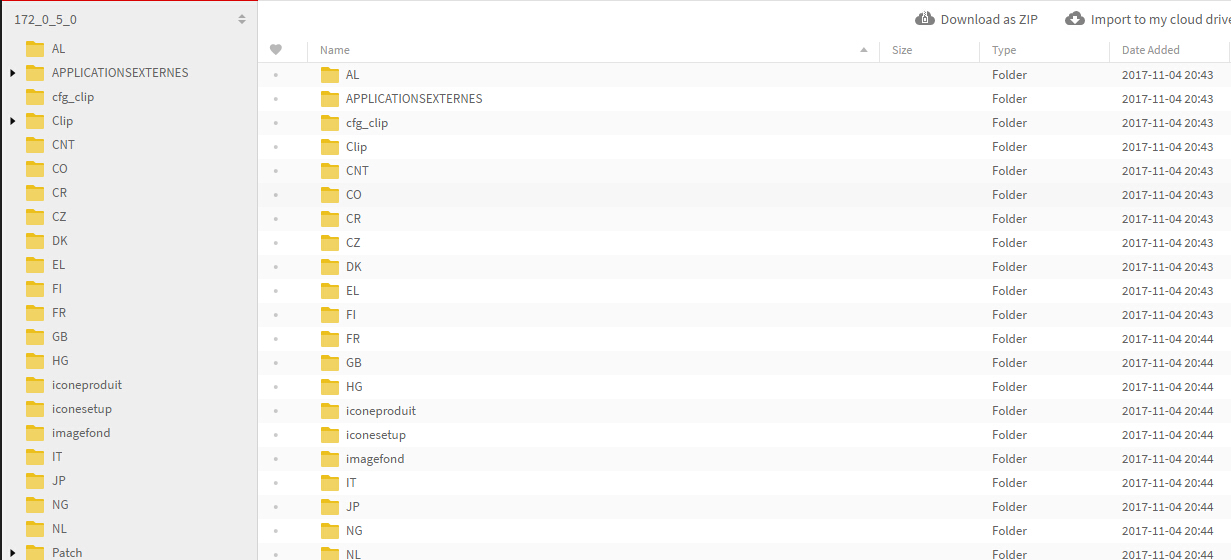
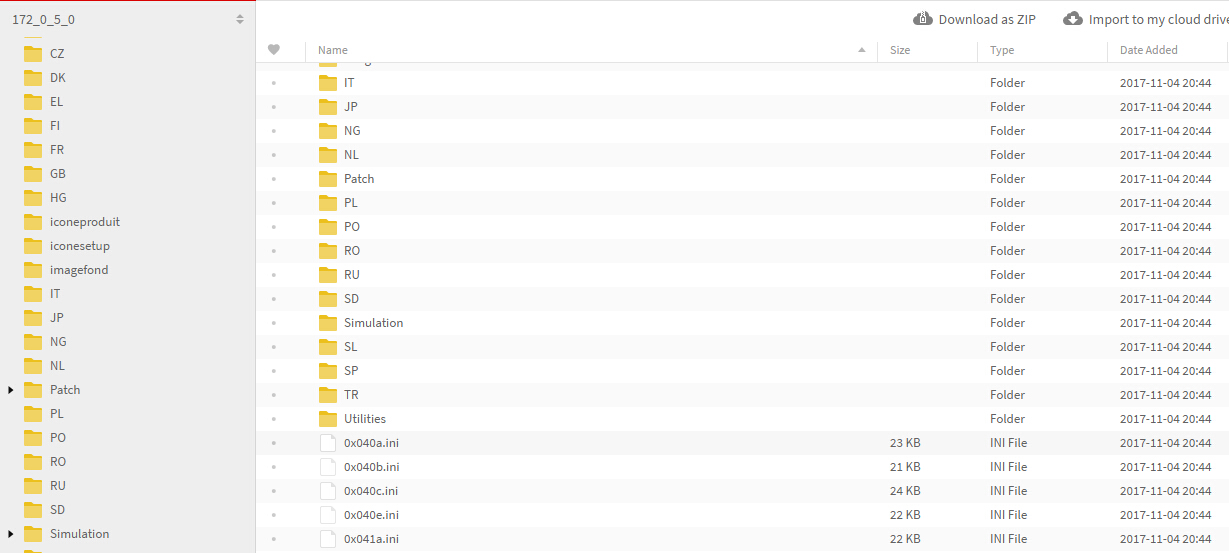
Q4: Connected to the car and four lights are lit Prompted for this content: 5800 window, units of measurement appear 104 Error 5800: Please check the power supply is connected, the normal connection indicator light red flashes. If it is any problem of these two situations: reconnect, wait about 10 seconds before verification.
A4: Please follow the next two instructions to solve the problem:
1) The installed software can’t run in your computer system stably, there is no communication between the software and the device.
2). the computer USB interface does not work, try to use another one.
Q5: Does CAN Clip for Renault support analyze and test the status of Renault Megane II 2003 year up, and test the switch of electric windows?
A5: yes, it can do.
Q6: Can it do my car NENAULT of 1995? Thanks.
A6: Yes, it can do Renault cars before 1996, but please tell me your car information in details, and then I can check for you!
Q7: I try to install the CAN clip software on different computers, but it always shows me this error reading “SPX CLIP Registration Client” as the following picture shows.
A7: Please follow our video or PDF instruction to correctly step-by-step install the software, and also install the software on the computer with XP operation system, better American English Professional version system.
Q8: Does Renault Can clip work with Renault Megage 2 Phase 2 2008-2010? Can it read out and set Wheel valve information? Can make key and support wiper blade?
A8: Renault CAN clip only support diagnosing, it can’t make key.
VAG R250 VW Audi Dashboard Programmer Software Download
Free Download VAG R250 VW Audi Dashboard Programmer Software
https://mega.nz/#!Lgky0ZKQ!OZ43R64JGc3DMSwphDjEx0Q7QtD1qZLYiw0YWTm627E
Operating System:
Windows 98/Windows ME/Windows XP.
How to use VAG R250 programmer?
You only need to solder few wires to the board, read the original value and then write the new value with no limitations at all.
Note:
This VAG R250 interface can program also the VW Golf 5 and new Audi A3/TT 2007 made after June 2006 featuring Micronas CDC3217 and 2432 memory.
Xentry OpenShell InstallShield Wizard was interrupted (solved)
Provide solution to MB Star diagnostic SD Connect C4 V2017.9 Xentry OpenShell XDOS installation error “The InstallShield Wizard was interrupted before Xentry Diagnostics Openshell could be completely installed.”
Attach installation error picture:
Possible reasons:
1- from virus
2- or Microsoft Message Queue Service is not enable
Please make sure you do like these tips:
- You need absolute clean windows. choose win 7 32bit
- Click to show you the log file and read that. It will be specified what has gone wrong with your install.
- Be sure to run your install with administrator rights and have enough room on your HDD.
Finally, the problem is solved.
it was the Microsoft Message Queue Service not enabled now is installing fine.
Thanks to http://www.obdii365.com engineer who helped me solve the problem, thumb up for their service.
http://blog.obdii365.com/2017/09/21/fixed-xentry-openshell-installshield-wizard-interrupted/
V2017.9 BMW ICOM ISTA-D 4.06 ISTA-P 3.62 for Windows 7
Latest V2017.9 BMW ICOM software HDD comes with free BMW Engineer Software for Windows 7 operating system.
Software version:
ISTA-D 4.06.31
ISTA-P 3.62.1.003
VIN: 2017.06.12
Not connected 9000 days remaining
Software Including:
BMW ETK: 2017.08
BMW KSD: 08.2017 Multilanguage
BMW FSC Navigation Code Generator
BMWAiCoder for BMW Coding
With free BMW Engineer Software (INPA, NCS, WinKFP, E-Sys 3.27.1, e-sys plus 3.27.1, Ediabas tool32 61.5, BMW FSC code generator, newly added Dr.gini B020 diagnostic software, BMW AiCoder.
Dr.gini B020 diagnostic software requires Ediabas properly installed and functional with a communication interface ( ICOM, ICOM Next, ENET, PASSTHRU or K+DCAN ),
the BMW manufactured before 2003 are not supported.
Multi-language available in diagnosing, programming and TIS diagram circuit: English, German, Spanish, Russian, Simplified Chinese
Dual-core processor, better above I3; over 4G of memory
Support Model:
It is recommended to use Lenovo ThinkPad: T61, T400, T410, T420, T430, X61, X200, X201, X220 X230 and other laptop with Intel chipset, such as I3 I5 / I7 series.
Foxwell NT510, SDD or i930 scanner which is better for Jaguar
1. VXDIAG VCX NANO for Jaguar Land Rover diagnostic scanner
I noticed these on flea bay recently all being sold from china at around $100 to $110. They come with a cracked version of JLR SDD (mine came with version 141) and include all the config files.
2. Foxwell NT510 Multi-System Scanner
3. Drew Mongoose or JLR Mangoose SDD clone
I turned off the break window sensor as every time the weather turns stormy, the alarm goes off.
4. iCarsoft i930
Free Download Scania SDP3 V2.32 for VCI2 VCI3
Latest Scania SDP3 diagnostic and programming software goes to V2.32.
SDP3 2.32 Scania diagnostic software download free:
https://mega.nz/#!XEx31IDS!B2AS4aWXUJtk-dwhVYBgkq_ovNK8wx5qK7miSBifKYo
Password: cimi
Version: Scania software latest version SDP3 2.32
Security: unknown, never tested by professionals
Scania sdp3 update: Scania SDP3 2.31.1
No password required
Crack version
Security: safe to use,tested successfully by professionals
Source: http://www.obdii365.com/wholesale/newest-Scania-vci-sdp3.html
Scania SDP3 2.31.1 test report:
http://blog.obdii365.com/2017/07/02/scania-sdp3-2-31-tested-ok-with-vci2-vc3/
Scania SDP3 2.31 Windows 7 32 bit….100% confirmed
Scania SDP3 2.31 Windows 8/8.1 32 bit….need luck
Scania SDP3 2.31 Windows 10 32 bit….need luck
Works great with Scania diagnostic equipment VCI 2 and VCI 3 china clone
What is Scania SDP3:
Scania SDP3 is the latest diagnostic software for Scania diagnostic tool Scania VCI2 and VCI 3. SDP3 (Scania Diagnos & Programmer) software is an OEM software designed to maintain Scania trucks, other heavy vehicles and marine or industry engines over VCI diagnostic interface.
What is Scania vci3 vci-3 scanner:
Scania vehicle communication interface VCI 3, a “cable” between the PC and the vehicle, is designed for fault code reading, assisted trouble shooting, parameter settings, etc. for Scania trucks, bus chassis and Scania engines. SDP3 shall be installed on a PC/Windows platform, and connect to the vehicle through a Scania VCI interface. After registration you can login to download the software and read more about SDP3 from the Downloads menu. When the application has been installed it must be activated with a license key the first time before usage.
What can you do with Scania VCI 3 and SDP3 2.31:
Function view
By using the search box at the top of the window you can now search directly in the function view. You can choose to search in the Adjustment, Check or Calibration tab.
Troubleshooting
The procedure for defect reporting in SDP3 has been improved to make it simpler to follow.
Instead of a guide in several steps, there is now a simple dialogue box. In the dialogue box you can select if you want to save the defect report locally or if you want to send it via e-mail. To be able to send the defect report via e-mail you must have Microsoft Outlook. You can choose to create a defect report for a specific individual product or to make a general defect report.
The dialogue box for defect reports you find in the Help menu.
Note: As from SDP3 2.31, the dialogue box is no longer available for use if you are connected to a job type. Scania CV AB 2017
Communication troubleshooting
• The instructions& solution for communication errors has been updated. You access the document via the Help menu.
System specifications
CUI –Infotainment system
• Support resume an interrupted download of software has been introduced.
COO – Coordinator
• The new guide verify and check switch modules in the steering wheel according to the version and the vehicle’s SOPS file.
EMS – Engine Management System
• Vehicles with the S8 engine control unit have previously lacked support for Default setting of power take-off adaptation. This has now been rectified.
• The Spark check guide has been removed for vehicles of the P, G, R and S series with Euro 6 gas engine. As the support in SDP3 has been improved, the guide tool is no longer required. Instead, use the Electrical system view for troubleshooting.
RES – Rechargeable energy storage system
• For the sake of clarity and uniformity, the hybrid battery has been changed to propulsion battery in all instances in SDP3.
TMS – Transmission management system
• New parameters have be added to TMS2:
o Clutch monitoring
o Downhill speed control with active prediction
o Reduced use of the clutch (new values) Scania CV AB 2017
• After a product update of the transmission management system, the Accelerometer adaptation must always be run. It now starts automatically after an update of the control unit.
GMS – Gearbox management system
• A function guide which shows how the power is transferred in the gearbox for different gears in real time has been added. You can also see how the gear shift forks move and which sleeves are affected.
The guide applies to the following gearboxes:
o GRS905
o GRS905R
o GRSO905
o GRSO905R
o GRSO925
o GRSO925R
o GRSO935
o GRSO936R
The guide also applies to the following transmission management systems:
o OPC4,
o OPC5
o TMS1
o TMS2
CMS – Chassis management system
• A guide for bleeding control circuit 2 has been implemented.
• Circuits, I/Os and the functional description of differential locks has been improved.
TSS/TSA – Tag axle steering system
• Function guides for activating and deactivating service mode have been implemented. Scania CV AB 2017
• A function guide for checking EST and ESTA has been implemented.
• A new parameter for the centring function has been implemented.
Toyota Techstream 12.20.024 tested OK with Mini VCI and VXDIAG VCX NANO
(09/18/2017) Toyota Techstream V12.20.024 is tested without issues on Windows 7 operation system and verified to work like a charm.
version: Techstream V12.20.024 crack
O.S.: Windows 7 32bit
workable devices: MINI VCI cables and Vxdiag Vcx Nano for Toyota
(Software download will be attached a few days later. It’s crack version, does not reuqire activation code)
ECU: TOYOTA Yaris 2007 1NZ-FE
WE ARE TESTING…
Tested with MINI VCI (item no.SV46-B/SV46-D)
Tested with Mangoose VCI (item no. SV46-C)
Tested with VXDIAG VCX NANO for Toyota
Test result: Toyota Techstream 12.20.024 is tested successfully!!
with Toyota Techstream cables (Mini vci or Mangoose vci), you can customize your car;
with Vxdiag vcx nano Toyota, you can not only have customization but do programming via WIFI.
JLR Mangoose SDD V150 Software and Patch Download
Jaguar and Land rover diagnostic tool JLR Mangoose SDD V150 engineering mode software and patch free download here.
Software version: SDD V150
Supported devices:
- VCM I & II, Rotunda
- DA-VIDA J2534/DA-Dongle
- JLR Mangoose SDD/JLR Mangoose SDD pro
Requirements:
O/S.: Windows XP; Windows 7
Acrobat Reader 10
Internet Explorer 8 or 9
Hard Drive: 60 GB of available space
Conflicts:
SDD can’t be installed on the same PC with Ford/Mazda IDS and other programs that derived from Ford IDS.
Free Download JLR Mangoose SDD Software V150
http://diagnosticdelivery.jlrext.com/idscentral
How to install JLR SDD V150 software:
Install full package – SDD_{version}.00_FULL.exe
Install updates – SDD_{version}.**.exe
Install Land Rover files – VDF_L{A,V}_{version}.exe
Install Jaguar files – VDF_J{A,V}_{version}.exe
Install Pin-point tests – SPA_{version}.exe
If you use 64-bit Windows you MUST run CMD.exe with administrative rights and execute next command:
mklink /D “C:Program FilesJLR” “C:Program Files (x86)JLR”
Install drivers for diagnostic device.
Disabling automatic updates
Need to remove/rename folder:
Win7 – “C:ProgramDataFLEXnetConnectDatabase”
WinXP – “C:Documents and SettingsAll UsersApplication DataFLEXnetConnectDatabase”
Remove message due to the fact that updates not installing
Need to remove/rename file:
Win7 – “C:ProgramDataJLRIDSLog FilesInstallationLog.txt”
WinXP – “C:Documents and SettingsAll UsersApplication DataJLRIDSLog FilesInstallationLog.txt”
If you need to enable JLR SDD to perform programming function, you also need to download the V150 SDD patch/crack here.
https://mega.nz/#!T41wkQrL!UkF02eaCSuJaQF2DpkcbpV0auhpg455L_TrkE9u6UEM
(Copy and paste all these files to SDD root directory)
JLR SDD V150 patch installation tips:
1. After install SDD software successfully, connect computer to network and then install patch (the patch is key to activate offline account. Do not forget to install the patch!)
2.After activate software, disable network connection!!!
K+DCAN vs. ENET cable vs. BMW ICOM A2/Next
Any cost-effective DIY solution of BMW diagnostic/coding/programming?
Yes, first you should know which a BMW ICOM cable you need: K+DCAN or ENET or ICOM A2/ ICOM Next.
In summary,
It depends on your purpose (diagnostic or coding or programming) and model (Exx or Fxx or others).
For Coding, you need different Tools, NCS Expert / SP-Daten for E-Series and E-Sys / PSdZData for F-Series.
All Diagnosis and Coding can be done with cheap DCAN Cable for E-Series and cheap ENET Cable for F-Series.
For Programming (Flashing ECU’s with new Firmware), then you need ISTA/P for for both E-Series and F-Series cars, or you can use WinKFP for E-Series and E-Sys for F-Series. For E-Series Programming, you will need an ICOM, but for F-Series Programming, you can use ENET Cable.
For Exx- Series:
Interface = K+DCAN Cable (OBDII to USB) or ICOM
ECU Data Files = SP-Daten
NCS Expert = Coding Software
WinKFP = Programming (Flashing) Software
EDIABAS = Low-Level ECU Communication Software used by NCS Expert & WinKFP
For Fxx- / Ixx- / Gxx-Series, Mini, & Rolls-Royce:
Interface = ENET Cable (OBDII to RJ45 Ethernet) or ICOM
ECU Data Files = PSdZData
E-Sys = Coding Software
E-Sys = Programming (Flashing) Software
About: BMW ICOM
ICOM A (also ICOM A2, ICOM A3, ICOM Next A): main interface
ICOM B: adapter for programming multimedia in E series
ICOM C: adapter for old BMW with round 20 pin diagnostic plug
ICOM D: adapter for motorcycles
ISTA+ (AKA Rheingold or ISTA-D)
DIAGNOSTICS for All Vehicles
PROGRAMMING for F/I/G/RR & MINI, but requires an ICOM
ISTA-P
PROGRAMMING traditionally for all chassis, but is being phased out by August 2017, except for legacy E-series.
YOU HAVE TO KNOW before you buy ICOM A2 or ICOM A3 or ICOM Next:
BMW ICOM NEXT vs the old ICOM
-> much faster in BMW F and G series ..
-> supports gigabit Ethernet too to be future proof, there currently is not gigabit Ethernet protocol defined yet for autos. Also it has USB3.0 instead of USB2.0 and a better wifi card.
/image%2F1896381%2F20151209%2Fob_cb2b49_obd365-com.png)


/http%3A%2F%2Fobd365.blogrip.com%2Ffiles%2F2017%2F10%2Fvas6154-outlook-vs-bluetooth-vas5054-outlook-01.jpg)
/http%3A%2F%2Fobd365.blogrip.com%2Ffiles%2F2017%2F10%2Fvas6154-outlook-vs-bluetooth-vas5054-outlook-02.jpg)
/http%3A%2F%2Fobd365.blogrip.com%2Ffiles%2F2017%2F10%2Fvas6154-outlook-vs-bluetooth-vas5054-outlook-03.jpg)
/http%3A%2F%2Fobd365.blogrip.com%2Ffiles%2F2017%2F10%2Fbest-quality-vas-5054a-odis-diagnostic-tool-pcb-04.jpg)
/http%3A%2F%2Fobd365.blogrip.com%2Ffiles%2F2017%2F10%2Fbest-quality-vas-5054a-odis-diagnostic-tool-pcb-05.jpg)
/http%3A%2F%2Fobd365.blogrip.com%2Ffiles%2F2017%2F10%2Fvas6154-vag-diagnostic-tool-07.jpg)
/http%3A%2F%2Fobd365.blogrip.com%2Ffiles%2F2017%2F10%2F5054a-bluetooth-adapter-06.jpg)
/http%3A%2F%2Fobd365.blogrip.com%2Ffiles%2F2017%2F10%2Fvas6154-package-1.jpg)
/http%3A%2F%2Fobd365.blogrip.com%2Ffiles%2F2017%2F10%2Fodis-4.1.3-05.jpg)
/http%3A%2F%2Fobd365.blogrip.com%2Ffiles%2F2017%2F10%2Fodis-4.1.3-04.jpg)
/http%3A%2F%2Fobd365.blogrip.com%2Ffiles%2F2017%2F10%2Fodis-4.1.3-03.jpg)
/http%3A%2F%2Fobd365.blogrip.com%2Ffiles%2F2017%2F10%2Fv3_0_1-software-language-choose-08.jpg)


/http%3A%2F%2Fobd365.blogrip.com%2Ffiles%2F2017%2F09%2Fdigimaster-3-jeep-grand-cherokee-1.jpg)
/http%3A%2F%2Fobd365.blogrip.com%2Ffiles%2F2017%2F09%2Fdigimaster-3-jeep-grand-cherokee-2.jpg)
/http%3A%2F%2Fobd365.blogrip.com%2Ffiles%2F2017%2F09%2Fdigimaster-3-jeep-grand-cherokee-3.jpg)
/http%3A%2F%2Fobd365.blogrip.com%2Ffiles%2F2017%2F09%2Fdigimaster-3-jeep-grand-cherokee-4.jpg)
/http%3A%2F%2Fobd365.blogrip.com%2Ffiles%2F2017%2F09%2Fdigimaster-3-jeep-grand-cherokee-5.jpg)
/http%3A%2F%2Fobd365.blogrip.com%2Ffiles%2F2017%2F09%2Fdigimaster-3-jeep-grand-cherokee-6.jpg)
/http%3A%2F%2Fobd365.blogrip.com%2Ffiles%2F2017%2F09%2Fdigimaster-3-jeep-grand-cherokee-7.jpg)
/http%3A%2F%2Fobd365.blogrip.com%2Ffiles%2F2017%2F09%2Fdigimaster-3-jeep-grand-cherokee-8.jpg)
/http%3A%2F%2Fobd365.blogrip.com%2Ffiles%2F2017%2F09%2Fdigimaster-3-jeep-grand-cherokee-9.jpg)
/http%3A%2F%2Fobd365.blogrip.com%2Ffiles%2F2017%2F09%2Fdigimaster-3-jeep-grand-cherokee-10.jpg)
/http%3A%2F%2Fobd365.blogrip.com%2Ffiles%2F2017%2F09%2Fdigimaster-3-jeep-grand-cherokee-11.jpg)
/http%3A%2F%2Fobd365.blogrip.com%2Ffiles%2F2017%2F09%2Fdigimaster-3-jeep-grand-cherokee-12.jpg)
/http%3A%2F%2Fobd365.blogrip.com%2Ffiles%2F2017%2F09%2Fdigimaster-3-jeep-grand-cherokee-13.jpg)
/http%3A%2F%2Fobd365.blogrip.com%2Ffiles%2F2017%2F09%2Fdigimaster-3-jeep-grand-cherokee-14.jpg)


/http%3A%2F%2Fobd365.blogrip.com%2Ffiles%2F2017%2F09%2Fxentry-diagnostics-OpenShell-error-1024x640.jpg)
/http%3A%2F%2Fobd365.blogrip.com%2Ffiles%2F2017%2F09%2F2017-09-mb-star-4.jpg)
/http%3A%2F%2Fobd365.blogrip.com%2Ffiles%2F2017%2F09%2F2017-09-mb-star-5.jpg)