Overblog Tous les blogs Top blogs Automobiles & Véhicules
Suivre ce blog Administration + Créer mon blog
MENU
Publicité
OBD2 Diagnostic Tools
Articles récents

How to use E-sys to code BMW F30 DME after replacement

6 Novembre 2017 , Rédigé par JTAC Publié dans #E-sys, #BMW ENET cable

I wirte up this topix about how to coding DME for BMW F30 335xi after engine repalcement.

To fix car I decided to replace engine. I bought a new engine with all equipment (including DME) from “Authorized BMW disassembling facility” and everything is mounted in the car. Only gearbox from old engine was mounted to the new engine. The engine is pretty new with only 7km on dash.


The old DME engine

DME-old-engine

The new DME engine:

DME-new-engine-1024x214

Both DME looks exactly the same, but numbers on them are different.

Now I want to start the car.
I connected to the car with Rheingold and received few errors from DME:
1F2108 DME, incorrect data record: Variant monitoring
1F2601 DME, encoding: Missing
1F2604 DME, encoding: Vehicle identification number wrong


Ps. 1F2108 DME, incorrect data record: Variant monitoring in details:
Fault description:
The diagnosis monitors the software variants between CAS and DME.
Fault monitoring conditions: The fault is detected whenever the software variants fail to match one another.
Action in service: Continue troubleshooting at following control unit:
-CAS.
-Reprogram and encode the DME.


With the situation above, i was confused to do anything. Then post a thread on a forum. People answered me as follows. Put questions and answers here, hope they will help someone out also.


How to align the DME to the car ?

Use abritus and ista-p.

Is the error “1F2108 DME mean that I need to flash DME ?
You must reencode DME with E-sys and if car still not start you must move ISN data from old ecu and do sync with ISTA/D.


Should i BUY bmw explorer ecu explorer?

you will need to buy ECU explorer not BMW explorer


I heard that when there is sync issue the engine will not try to start.

When I try to start the car the engine cranks.
Is this means that sync between DME an CAS is not the issue ?

In Esys I noticed that DME lack of CAFD. Is this could cause the engine to not starting ?

In esys click on “DME2 [12]” than click on “Detect CAF…” than choose CAF file and code DME, but you will still have to synch ISN number CAS-DME to start engine.

DME-enet-sys

Several modules with your ISN and VIN must match up internally to start the car, you may be able to get the trans into neutral and power to the ignition to crank, but if you don’t have the EKPS (electronic fuel pump module in F3X, idk the F10 equivalent) matching up with the DME and the gearbox module the fuel will never flow and then you can crank all day but never start because the fuel pump is disabled.


Is it possible to code the old DME for controlling turbo by wire ?

It sounds like you are trying to convert a PWG car to EWG. The 2 are incompatible and I have not found any instance of anyone being successful with such a swap yet. Your case is different since your changing so many components but it has not been done yet to my knowledge.


How the type (PWG and EWG) is represented in FA??

It is not compatible for original and replaced DME

1: You have to read out DME VIN from replaced engine. Use BMW explore or ECU explore to change VIN and sync DME_-CAS.

2: Check read out VINs type key. Use BMW ENET E-sys to change original FA’s type key->save it.

3: Load modified FA to caculate swfl, cafd…and flash it.

BTW you must use replaced engine wire harness and all parts.


http://www.obdii365.com/producttags/bmw-icom-next.html

Lire la suite
Publicité

V172 Renault CAN CLIP ISO Torrent Free on Mega

5 Novembre 2017 , Rédigé par JTAC Publié dans #Renault CAN CLIP

(11/06/2017) Renault CAN Clip v172 Multilingual diagnostic software download on Mega:https://mega.nz/#F!xdJymSTT!ynCiyBCxpGjFWVsdPdeWBg
 
Renault CAN Clip – the latest diagnostic tool for vehicles of Renault. It contains all the latest diagnostic technology and information base to address all requirements.
 
– O.S.: Windows XP, Windows Vista, Windows 7, Windows 8, Windows 8.1, Windows 10
– CPU: Intel/AMD 2 GHz or higher
– RAM: 1 GB of system memory
– Hard Drive: 5 GB of available space
– Optical Drive: DVD-ROM
(Because to use the other option, (renault net), you need to have the renault server/account for reprogramming)
– Required Hardware: Renault CAN Clip Diagnostic Interface
– Files included:
renault-can-clip-v172-download-1
renault-can-clip-v172-download-2
 
 
– Security: Unknown
 
Note: The software is not from me. I hold no responsibility of a bad use.
 
You can use the last version- Renault CAN CLiP 171 software with security.
 
CANCLIP V171 is tested by professionals and users many many times. You can use that with relief.
renault-can-clip-software
Now, obdii365 experts are testing Renault CLIP 172 for you all. The result will be reported here.
 
Note: when you try to update Renault CLIP software (for clone tool) and it asks you for device serial number, you can put numbers from 1 to 7… or all zeros…
 
 
Renault CAN CLiP update issues & solutions:
 
Issue: CAN CLIP firmware update at 20% (solutions)
Here are some customer solutions of Renault CAN CLIP firmware update stops at 20%, some solved by files rename and some by CLIP pcb reword.
 
Solutions:
 
Solution I: (said 100% working)
For those who have a Chinese Can clip that remain stuck at 20% on the update of the firmware here is the procedure to stop the worries and can again use the Clip device.
Must rename the following files:
C: \ CLIP \ DATA \ APPLI \ PARAMS \ appliiso.s19 in appliiso.bak
C: \ CLIP \ DATA \ APPLI \ PARAMS \ applican.s19 in applican.bak
 
tested by my self work 100%
 
 
Solution II:
if firmware update stops at 20% the solution is very easy
Exist some problems in hardware … ISO pcb or CAN pcb
For bypass that error search for 2 files APLIISO.S19 and APLIICAN.S19 and rename this files to .bak one time ISO …start the soft and ceck …. and one time CAN and restrt the soft and ceck…and you see where is the problem CAN hardware or ISO hardware….
The files is located here :
C:\ASDE\MODULES\
C:\CLIP\DATA\APPLI\PARAMS\
If you have renamed the right file no more firmware stop at 20% but the problem on hardware remain and is possible use the interface only for ISO or only for CAN vehicles…..or put the interface in trash !!!!
 
 
BUT, some say the exactly reasons for 20% update problem is not the software problem! It’s HARDWARE problem with your clone CLIP sonde. You probably have bad flash chip or bad soldering, or bad oscillator, or, … you name it, but anyway as I said it’s pure hardware problem. You can avoid firmware update for ISO or CAN board with renaming few files, but that is not solution because if you can’t update firmware, your CLIP will not work properly. 
 
 
Solution III:
Besides two pcb’s inside Clip (can and iso) there is small thrid pcb where is round connector for car cable . When this cable is plugged and unplugged to Clip very often ( which needs a little force ), then solderings on metal pins which links this small pcb with rest of clip are breaking with the time.
You just need to resolder connections of these pins.
I did it and it solve update 20% problem
 
 
Renault CAN CLiP reprogramming FAQs:
 
Q: Why to choose reprogramming through a cd-rom?
A: Because to use the other option, (renault net), you need to have the renault server/account…
 
Q: What is the purpose of renault can clip reprogramming?
A: This update installs an updated version of the ECU software, it can be released for example, if renault found a glitch in the previous versions, or to make slightly changes as the engine gets older etc…
 
Q: Do you know if you can reprogram a Renault ECU for more than 1 times???
A: With clip, if the software available is higher than the one installed, you can… You can’t install a lower/older version…
 
Q: What’s the Renault can clip programming mode serial
A: Renault clip on programming: It asked for a 7-digit serial (digits 0-9).
 
123456789 works good
all Zeros 0000000
1234567 works fine
 
 
Note: with Renault Can Clip china clone, you need luck to do ECU programming and key programming. But most have no luck to do this. You’ll get what you pay for. The Clone are much more cheaper than the Genuine. Usually, CANCLIP interface clone is good at basic OBD2 diagnostic tests and ECU reprogramming only.
Lire la suite

How to tell different Kess V2 V5.017 clones

3 Novembre 2017 , Rédigé par JTAC Publié dans #kess v2, #ktag

What’s the exact difference between kess v2 slave or master?
It’s better to buy original or clone are good?
 
It all depends. Kess v2 good clone used be ok for older ecus only, but now also work great with newer ones. and with a slave you will have to rely on the master for your maps whaere as if you have a master you can write your own or choose where you get them from.
 
 
Kess v2 master:
 
If you have a master version you can work directly on the program you have write on the vehicle (tuning, egr off, ….) and rewrite after directly.
 
Kess v2 slave:
 
If you are a slave version (who depend of a master (who do modificated), you read the program (crypted by genius), you send it to the master, he do what you what (money paid) and he re-sent to you to write in the ecu machine.It is expensive for the slave version user who depend of a master.
 
Kess v2 slave into master:
 
clone kess v2 floods the market is why there is lots of genuine kess slave for sale, plus most slaves cannot do boot mode
 
the advantages of using original kess v2 and converting it is that you have genuine original kess hardware, so the chances of hardware failure is smaller
 
if you can fit genuine nxp chip then great, otherwise you will converting to Chinese NXP with the Chinese firmware
kess-v2-nxp-chip
 
advantages are that converted unit does boot mode, and in some cases have more protocols, you already said yourself you want more freedom, and likely better tuning files!
 
Kess v2 original:
 
It’s made by Alientech
kess-v2-original
 
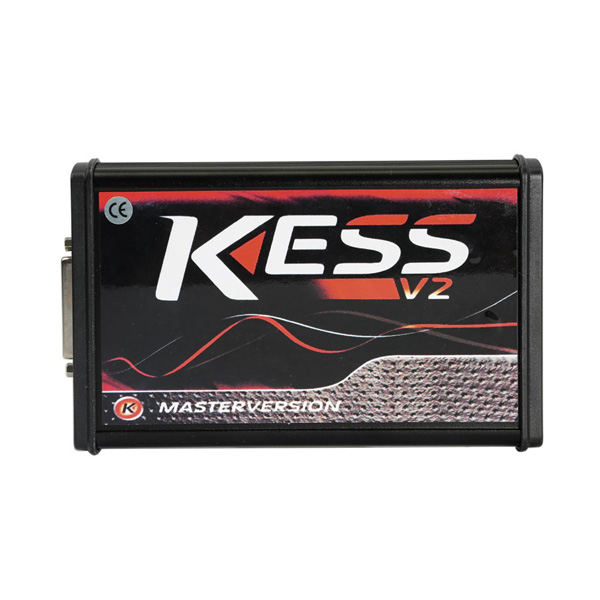
Kess v2 china clone:
kess-v2-clone
 
You can see how much the kess v2 clone looks like the original.
If you go with Kess v2 firmware 5.017 china clone, you will have lots of options.
Look here:
Kess v2 (se137)  No Tokens Limitation
kess-v2-se137
 
Kess v2 (se137-b) Online Version No Tokens Limitation
kess-v2-se137-b
 
Kess v2 (se137-c) online version No Tokens Limitation
kess-v2-se137-c
 
Kess v2 (se137-c1 red PCB) EU Version Supports Online Connection No Token Limited
kess-v2-se137-c1-1
kess-v2-se137-c1-2
No comment on China knockoff quality, I mean a working kess v2, Chinese made or not.
 
 
Kess v2 clone into genuine:
 
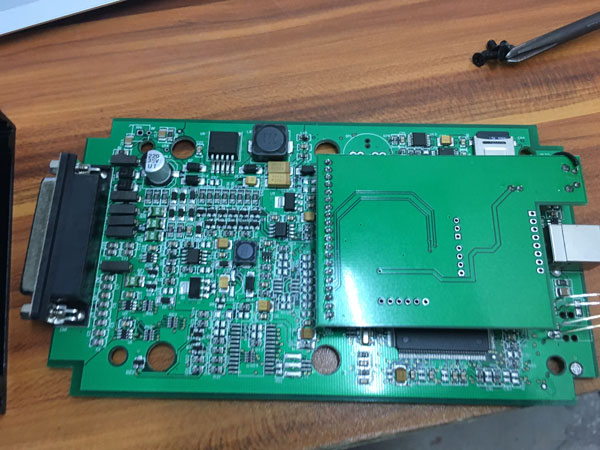
Photo is of original board so check all others components to be as per this one.
modify-kess-v2
 
If photo is not clear enough …
Transistors to use :
BCR112
MMUN2113
BC817
Murata filters:
NFE61PT472C1H9L (connect ground for all of them)
Capacitors:
1uF – 35V
220uF – 10V
10uF – 16V tantalum
Fill up all holes from side to side
Use photo as reference if others components are different
 
Then the clone KESS V2 will also work like a charm
 
Note: The solution is not mine, to use at your risk. I am not responsible for a bad use.
 
 
The last: Kess V2 or Ktag?
 
KESS V2 is a ECU programming tool that is perfect for OBD use, while KTag is perfect for Jtag, BDM and all the Boot application (tricore and ST10).
 
With KESS V2 you programming directly through the OBD port of the vehicle, while with Ktag you need to take apart the ECU and open it, after you can make the read/write operation.
 
Many ECU has the advantage that can be read and write from OBD port (so KESS V2 is perfect), but there are lot ECU that need to disassemble from the car and open and this is the case for all the ECU that need to be programmed with Jtag, BDM and Boot protocols, so KTAG is needed.

 http://blog.obdii365.com/2017/11/03/kess-v2-slave-or-master-original-or-clone/

Lire la suite

BMW ICOM Setting for E-sys Coding Software

2 Novembre 2017 , Rédigé par JTAC Publié dans #bmw icom, #E-sys

BMW F-series coding software E-sys is able to work with BMW ICOM emulator and ENET cable. Here’s simple guide to set up BMW ICOM A2 for E-sys software.

With ICOM A2/ICOM Next, you connect via ICOM. You will need to lock IP with program like EasyConnect or Itool Radar.

With BMW ENET cable, you connect via VIN.


BMW ICOM Setting for E-sys:

1)Run ISTA-D and check ICOM IP (mine is slight different of windows IP 169.254.55.70)
Properly itoolradar will do the same.

bmw-icom-and-esys-1
2) Run easyconnect
Type: REMOTE
IP: 169.254.55.83 (edit file ip_db.txt and add IP)
Mode: OBD_ab625
ICOM Lock
Check

bmw-icom-and-esys-2

3) Run e-sys
Connect via ICOM/Ethernet (tcp://169.254.55.83:50160)

bmw-icom-and-esys-3

bmw-icom-and-esys-4

(click to enlarge images).

With ICOM, you can certainly try with ISTA+ to see if you get a different IP to lock with Itool Radar.

For ENET,

  • Make sure motor is running if car is not on a Charger.
  • Third party Security Suites (Antivirus / Firewall / etc) are disabled
  • LAN Adapter is set for DHCP and not using a Static IP.
  • The Target Connection Window should not be blank (It should show multiple target connections for different chassis’)

http://www.obdii365.com/producttags/bmw-icom-next.html

Lire la suite
Publicité

Original Orange5 and Orange 5 Clone PCB comparison

1 Novembre 2017 , Rédigé par JTAC Publié dans #orange5, #orange 5

Let’s check the PCB, adapter and capabilities of Orange 5 original and clone.


Outlook:

Left: Original

Right: Clone

original-orange5-5

Package:

OEM Orange 5 (clone) : Blue board and adapters

Original Orange5: Green board and adapters

Clone comes with software CD cause software is not able to download and update

Original does not with CD, you can download it on official website scorpio-lk.com.

Orange5 original comes with more adapters

original-orange5-1

original-orange5-2

PCB layouts:

original-orange5-3

original-orange5-4

Performance:

Orange5 original of course runs faster and works more. How does Orange5 clone work?

Let’s see some customer unbiased reviews/test report:

1)

I buy Orange5 china clone. Work great. Now i check in hc05b8, hc11e9, end eproms. All read and write very fast.

I have never had any problems with clone, everything works as it should, knock on wood.
I don’t know is there any scripts but softwares for immo,radio and dash coming together with clone.


2)
On Hc908az60 secured it work’s good.
I have 4 secured mcu, and they work ok.
I have tried 68hc11, allot of eproms, and it work’s just perfect.
I don’t have right now anithing else.

Clone but includes – Immo HPX 9V0
confirmed that oem orange 5 comes with immo hpx 9.0 and adapter set


3)
I have clone and work perfect.

2j74y ok
35080 ok
Tms immo opel ok
Hc05 immo old vw ok


4)
I have Orange 5 clone and everything works perfect for now.
I tested with 1J35D,4J74Y,1D69J,0D69J,0F82B,3K91D,TMS370c702


5)
OEM clone seem work good after report from some users. Just need rework solder points on Moto adapter.

I am not aware of a clone Orange 5 yet. But if it says not updatable then it must be a clone. Original ones are sold by Chinese sellers as well. Prices can vary depending on the bundled software.


6)
i have this Orange5 clone and work everytime with him. not work car radio option.i think isn’t bad clone and not expansive.


7)
I have just bought orange 5 programmer and all seems to work well happy

I got fed up with my genuine upa usb s programmer which didn’t seem to want to read anything, it went through the motions and said success reading a load of zeros gavel

Straight out of the box this Orange 5 clone read and write eproms 95640 and 95P08C3 in circuit no problem with no errors, but I had to make sure that my connections to the chip via test clip were all good and then tool work like charm nerd

I think I like it so far.


8)
I have it for a long time and for now everything is working properly.
One of the few clones that works well and works as an original.
So far its reading and writing (with verify) all eeproms i try. Good tool so far.
Some adapters are not supplied and must be purchased separately Adapters should be resolder for sure but it isn’t so bad ,at all
The main point orange 5 clone isn’t so bad as clones can be.
Good investment for sure .

9)
I like PIN checking function (test insertions) very much .It saved my job a lot of time.
In combination with my UPA -S ,carprog ,and TL866 a lot of job can be done successfully .

Great programmer. All that is stated works. If the speed of exchange is not important, you can do a lot. Many good calculators.


BTW:

Orange5 original price: US$1,299

Orange 5 clone price:  US$179

You make your choice.

https://eobd21.wordpress.com/2017/11/02/original-orange5-vs-clone-orange-5-pcb-layout/

Lire la suite

What’s the best programmer for trucks?

29 Octobre 2017 , Rédigé par JTAC Publié dans #truck diagnostic tool, #nexiq

Have search info for a few days ago because I want to learn about how to set myself up with truck diagnostic/programming software and the proper tools to do my own work.


Topic: Looking for a good truck performance programmer

Purpose:
I want to be able to read codes on our trucks, address check engine lights, abd lights and whatever else.

Changing parameters would also be nice to do.
Truck:

We have 5 trucks. 3 of mine all have series 60. From ddec 2 up to ddec 4. He has an isx and an Acert. Our trucks are kenworth, Peterbilt and a intl 9200. Would also like cab side on those.
Budget:

I think a $4-500 one should fit the bill.

(Am I able to find everything I need rather than paying some company $4-5k for a tough book and some programming?)


Diagnostic tools looking for trucks:

I have seen a nexiq also the new nexiq USB link 2 and a drewlinq. I think they all serve the same purpose?


Recommendation for hookup: (credits to Samsquantch84)

Laptop: You can pick up a used Lenovo T410 on the web for like $200. They are durable laptops not the best battery life. but get one that has an i5 processor. They are more than fast enough. If you get a laptop that is a little under powered it makes the programs run slow which is really annoying for doing diagnostics. They are pretty rugged laptops.


Equipment: Definitely the best solution is to buy an authentic Nexiq usb link one or two. But if within your budget, a good Nexiq clone of high quality (now called VXTRUCK) should be OK. It’s $200 around. I have to tell you, you need have luck with Chine clone coz you may have nothing but issues with the clone. Go to a good man of his word to trust.


The only real difference between the old one and the new one is the two is that the usb link two supports newer vehicles like ghg17. You probably won’t need it.


Also be careful buying one online unless it is a reputable source. There are some really good looking clones available that are deceiving. obdii365.com is a supplier of the HQ Nexiq and has great support so that is the only source I recommend. I have used it to program a new chip. Success.

nexiq-usb-link-program-a-new-chip-1

nexiq-usb-link-program-a-new-chiP-2

Software: As far as software goes. Find Detroit DDDL, Cat ET 2017Cummins insite 8.1 and you should be good to go. All are easy to get for free from forums or other place.  Also, have a try with crack versions tested by professionals. If you start getting into new Pete’s or kenworth’s like 2012’s(my date’s might be alittle off) and up paccar esa might be handy as well. It connects to the body controller side and allows you to control things like if you install led headlights in a truck that had incandescent you have to change a setting in the cecu for it to work. Also keep learning. There is so much help and information available on this forum from some of the right people. you will learn who they are. Congrats on trying to better your self. and if you have any questions just ask. International uses diamond logic build for the cab side. It’s not the most user friendly software, just like their trucks, who in their right minds uses straight thread o-ring to push to connect air fittings…errrrrr. Also you can go on

quickserve.cummins.com and register for a free limited owners plan which gives you access to parts and service manuals for up to 5 engine serial numbers for free. and dependent on your peterbilt and kenworth dealers you can register with them your vin numbers to a fleet e-cat. It gives you access to look up your vin numbers and view wiring diagrams. It can come in handy.


Ps. Here heavy duty truck diagnostic tool & software:

http://www.obdii365.com/wholesale/trucks-heavy-duty-scanners/


Post it here and hope i can help someone also.

http://blog.obdii365.com/2017/10/29/which-tool-is-best-for-truck-diagnostic-programming/

Lire la suite

How to Renew/Clone Volvo ECM with UPA or Xprog

26 Octobre 2017 , Rédigé par JTAC Publié dans #xprog, #upa

Question before entering:
I have a 2003 XC90 ECM that I need to clone or renew a used unit.

I have xprog, upa, and galletto

Very new to this, only used galletto so far

Can someone instruct me?

volvo-xc90-bcm


Solution:
Read eeprom from the original and write to the donor. or exchange eeprom.
if it does not have to be eeprom 5p08 or 95160.
Try to find marked as 5p08 to identify the immo eeprom which is to be read.

volvo-xc90-ecm-2


xprog and upa usb programmer great read eeprom 5p08 . solder eeprom

Try look under ST chip, the last one … it read and write just fine!

xprog-read-volvo-ecm


Result:
Quick update. Read the original ECM eeprom, loaded on to donor eeprom with UPA USB programmer.
Soldered eeprom to donor ECM. Vehicle started.

Note: If have ECM software faults.
Had to do ECM reload with Volvo VIDA software.
Car is running great now!

Hope it helps!

Lire la suite

Super SBB2 and Slica SBB Key Programmer Table Comparison

24 Octobre 2017 , Rédigé par JTAC Publié dans #SBB, #Super SBB2

Here comes another new SBB key programmer: 2017 Super SBB2 key programmer machine. So, is it any good and anything update? Read the chart of “2017 Super SBB2 vs Silca SBB”.

 Super SBB2 key programmerSilca clone SBB key programmer
Image super-sbb2 sbb-key-programmer-v33
Price159 usd79 usd
LanguageEnglishEnglish/ 


Italian/German/French/Spanish/Greek/

Portuguese/Turkish/Russian

ProtocolSAE-J1850 PWM, SAE-J1850 VPW, KWP2000, ISO-9141, CANBUS, SINGLE CANCAN BUS, etc.
IMMOYes 


Yes 


OBDYesYes
Eeprom adaterYesNO
BMS resetYesNO
EPBYesNO
EPSYesNO
TPMSYesNO
Mileage correctionYesNO
Maintenance resetYesNO
TPSYesNO
Car listCars up to the 2017 year 


Super SBB2 Car List

Cars & trucks before the 2008 year 


SBB V33.02 Car List pdf


2017 Super SBB2 key programming features:


1. New keys programming;
2. Reads keys from immobilizer’s memory;
3. New immobilizer programming;
4. New ECU programming;
5. New mechanical key number programming;
6. Vehicle Identification Number programming;
7. Reset ECU& reset immobilizer;
8. Easy to operate by the guided menu programming;
9. New remote controller programming;
10. Immo PINCODE reader;

11. Special Functions: Odometer Correction, EPB Electronic Park Brake, EPS, TPS


OBDII: OBDII V20.80 for diagnose

BMS REEST: V18.13

Electronic Park Brak: V22.71

TPMS: V19.20

TPS: V27.66

super-sbb2-key-programmer-with-special-function-pic-1

Silca SBB key programming features:

  1. Reading keys from immobilizer’s memory
    2. Deactivating keys no longer in the car owner’s possession
    3. Operation by means of a menu guided programming
    4. Programming new remote controls
    5. Software with full database containing all the most important vehicle makes


www.obdii365.com

http://blog.obdii365.com/2017/10/24/super-sbb2-vs-sbb-clone-key-programmer/

Lire la suite
Publicité

Free download GDS2 v17.0.08000 – GM Global 2017.7.1

22 Octobre 2017 , Rédigé par JTAC Publié dans #gm tech2, #gm mdi

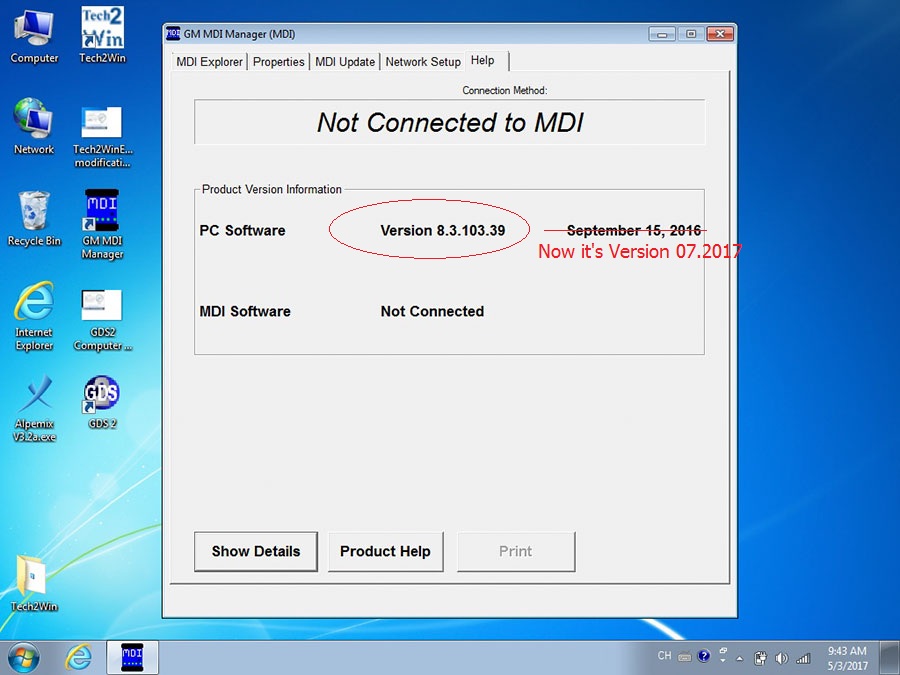
Hi everyone. Free download 2017 GDS2 v17.0.08000 – GM Global 2017.7.1 – MDI 8.3.103.39 GM diagnostic software for laptop to have GM diagnostic, coding, programming:
Password: MHHAUTO_GDS_07_2017
 
It’s customer share: (big thanks documentacao.eng)
”I’m here to share a VM that I have success to update and it’s working fine
(tested with a china clone)”

What is GM GDS2:
The GM Global Diagnostic System 2 (GDS2), a PC-based software application, is designed to diagnose and repair on-board automotive electronic systems. The software application is used with a personal computer and a GM MDI  multiple diagnostic interface (or J2534-2 equivalent)
 
What is GM MDI:
The Multiple Diagnostic Interface (MDI), provides full dealer level diagnostics and programming for all Vauxhall /Opel 16 pin vehicles from 1996 to 2017.
 
What is GM Global:
GM Global incl. GM diagnostic software download, Service Programming System (SPS), Security Access (Security), Snapshot (Snap), Tech2 View (T2 View), Techline Print (TL Print), Global Diagnostic System (GDS2), PRO Code Display (RPO)…ONLY WORK WITH GM MDI with Item NO. SP163-C!!!
gm-global
 
GM MDI installation tips: (big thanks to SCOTT)
“Always make sure any downloaded files are unblocked
RIGHT CLICK DOWNLOADED FILES AND CLICK PROPERTY’S , Click unblock button if there, if not click cancel button.
Disable UAC and Disable firewall and reboot .
uninstall mdi manger from control panel, reboot, reinstall mdi manager , start mdi manger make sure correct firmware, close mdi manager or update firmware or do a recovery accordingly, Now leave mdi connected with 12v supply and reinstall tech2win, right click tech2win shortcut and click button -> open file location, find emulator.exe ,right click and select option to run as administrator.
close all. now replace quickstart.bin with now one.
now run program from desktop.”

OBDII365.com disclaimer:
software above tested by the DIY user only. Professionals haven’t tested it yet. You need luck with it coz there might be some unknown risk
 
Tested GM diagnostic software… here you go.
Tech2 32MB PCMCIA card software download:
SAAB TIS2000 software download: (with USB Key)
GM MDI V8.3.103.39 GDS2 Windows 7 software for Vauxhall Opel/Buick and Chevrolet:
 
You can use tested versions with relief…
 
All tested to work good with GM diagnostic here:
ProductsWiFi GM MDIVXDIAG VCX NANO for GMGM Tech 2 clone
Picture 
gm-mdi
 
 
vxdiag-vcx-nano-gm


gm-tech2
 
softwareTech2 Win
 
 
GDS2 2011: for GM MDI (sp163-c)
GDS2 2017: for GM MDI (sp163-d)
GDS 2 (2017)
 
 
TIS2000
 
SPS
Note: GDS2 V2017 needs login to have diagnostic online
Need computerYes, it’s PC-based.Yes, it’s PC-based.Basic diagnostics: on-board
 
TIS2000: PC-based
System
 
requirement
Win XP only
 
New software: Win 7
Win7 64bit / 32 bit
 
Win8 64bit
Win XP for TIS2000
LanguageMulti-LanguageMulti-LanguageMulti-Language
 
(depends on vehicles)
WIFIWIFIYES, VXDIAG GM has WIFI version and wired version (USB connection)No, only wired connection.
UpdateFirmware updatableFirmware updatable
 
Software updatable
Update via 32MB Card
ActivationYes, MDI need activation.No need to activateNo need to activate
Diagnosiswireless basic diagnosticbrand-specific diagnosisbasic diagnosis
Programming-wireless online programming
 
offline programming ,such as European Chevrolet, Opel, but not for all cars
GM TIS2WEB online Service Programming System (SPS)Offline coding/programming with TIS2000 on SAAB/OPEL (-2008)
Supported protocolsUART, Class 2, KWP2000 and GMLAN (CAN)CAN, UART, KW2000, Class2, GM LAN, etc.CANdi interface(NOTE 1)
Supported vehiclesvehicles from 1990-2017
 
GM,
Opel,
Chevrolet,
Saab,
Australia Holden (2010-2012)
Vehicles to 2017
 
GM,
OPEL
vehicles from 1992-2013
 
GM,
SAAB,
OPEL,
UZUKI,
ISUZU,
Holden
Advantage-can support software from original factory
 
-support offline & online programming
-cheap but with the same function as GM MDI
 
– WIFI and USB connection
-good for new cars
 
-cannot plug original software card, but can support original program
 
-easy to carry on
 
GM MDI 8.3.103.39 – GM Global 2017.7.1 works good:
gm-mdi-software-1
gm-mdi-software-2
gm-mdi-software-3
gm-mdi-software-4
 
Lire la suite

Which tool to read and write Toyota Diesel ECU?

21 Octobre 2017 , Rédigé par JTAC Publié dans #ktag, #kess v2

Question before entering:

I have a Toyota with d4d engine 2.2d 177hp 
Which tool can read and write 


Solution:

kess v2 5.017 write it on CAN Line

But you have to do an original because you can't read it

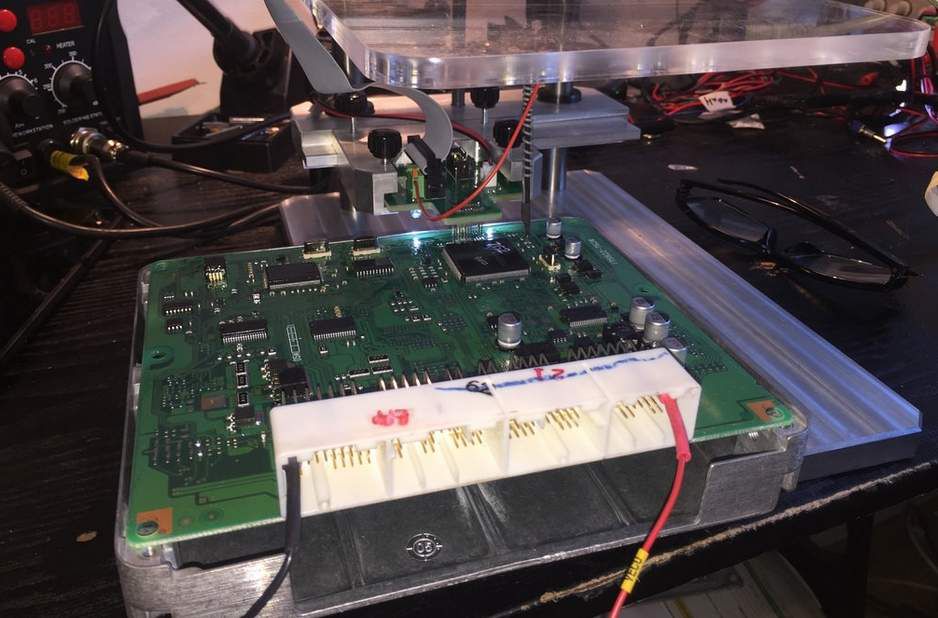
New Ktag clone should do it on bench in Jtag.

X17 official web and write it without problem by OBD or by pinout.

But only in CAN LINE and some think in Kline but you have to buy or build an adapter.


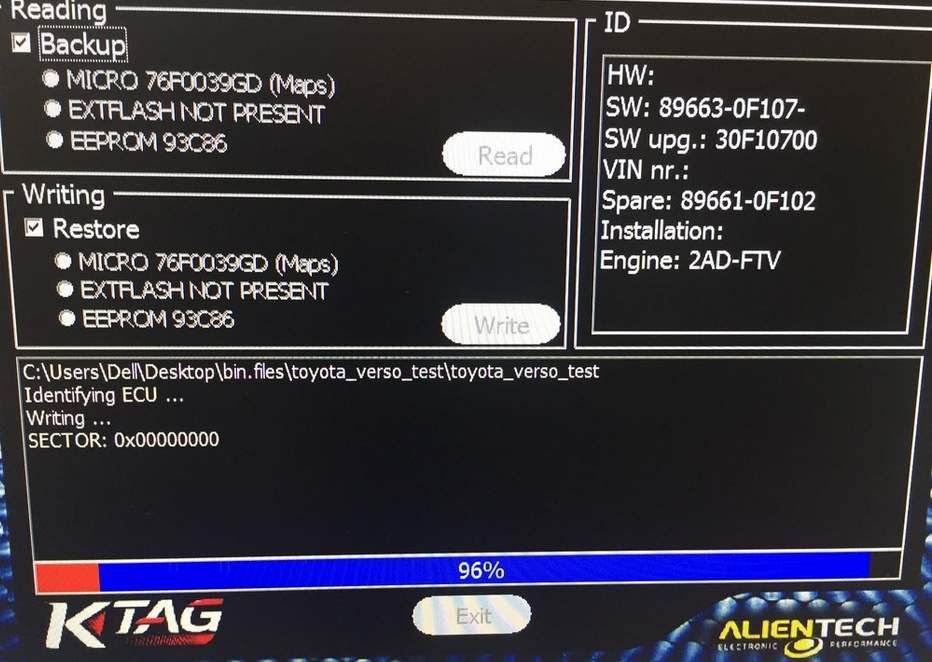
Ktag v7.020 CN clone and eu clone works for me fine 

ktag-toyota-diesel-ecu-1
ktag-toyota-diesel-ecu-2

ps.

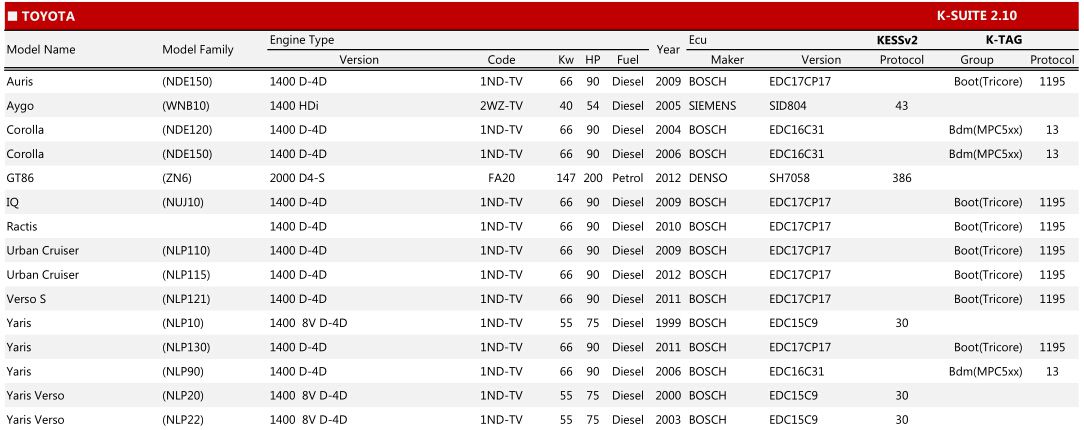
here are parts of Toyota diesel ECUs that Kess v2 v4.036 ksuite supported.

kess-v2-toyota-diesel


Lire la suite

DIY Modify VAS 5054A to Make it Run Faster

19 Octobre 2017 , Rédigé par JTAC Publié dans #vas 5054a

Finally installed ISSI RAM on the Bluetooth VAS 5054A board. As someone suggested, chip quick made it easier to remove. If you have no previous soldering experience then i would suggest not to touch it.
My ISSI RAM chips are also made in Taiwan like the samsung 5v 10ns chips. Probably from the same manufacturer

vas5054a-rework-run-faster-1

vas5054a-rework-run-faster-2

Hard to say about RAM.But there is a dimple on the bottom side corner.I think its not that easy to manufacture fake but working RAM chips.If we take example of other chips like TJAT or OKI,fake chips don’t work at all.If SAMSUNG RAM is working,then i think it should be okay.But “Who knows”….
I heard that chips or products coming from Taiwan, generally are of good quality.


TJA1050 is High Speed

TJA1054A is Low Speed (can be replaced with newer TJA1055)
I removed fake TJA1054,OKI from my Vas5054a head. AU5780A was already missing from it

I did some bench-marking today.
I have 2 vas5054a heads now.
A) with 3.3v,70ns RAM,Non AMB module under a amb2300 shield with genuine looking ceramic antenna.
B)now with ISSIS 5v 10ns RAM with genuine AMB2300 module.
My findings:
With USB connection: B is ~4 secs faster than A in displaying control module list using odis-S 4.2.2 from the moment i click start diagnosis.

With bluetooth connection: A is ~14 secs faster than B. For some reason third party bluetooth is faster than the genuine amb2300. Third party module has a better signal strength too..With A i can easily connect my car(parked in my garage) from my living room but with B(genuine amb2300,i could not.

Also don’t know what they did, A can take PDU updates and downgrades like a genuine one with no problem despite being non AMB. It even works with newer ODIS-E 7.2. Only draw back is i can’t change buzzer and power down settings with it. But signal and speed wise, it’s better than genuine AMB.


Interesting observations. I used it strictly as a Passthru device for Mercedes

I have noticed that on the BMW side, the clone ICOM has faster bootup than my genuine ICOMs, and I was never sure why.
Speaking of passthru, yesterday I used the VAS5054a on a Sprinter and it worked perfectly fine with DAS.


http://blog.obdii365.com/2017/10/19/vas-5054a-rework-runs-faster/

Lire la suite

OBDSTAR X300 DP Key Programmer What worked and failed

16 Octobre 2017 , Rédigé par JTAC Publié dans #car key programmer, #obdstar x300 dp

There seems to be no post about OBDSTAR X300 DP tablet key programmer, how does it work?
obdstar-x300-dp-1
obdstar-x300-dp-2
 
 
Reply:
  1. with the amount of different tablets obdstar and xtool are releasing I wouldn’t buy any of them.
 
 
  1. This one looks very good though, i know what you are saying, but on my x100 pro, my first 3 jobs paid for it!, not much alternative. because the tool works goodPs. the way that i look at it the tool worth one A100 module!
 
 
  1. I got the basic configuration of x300 dp, then I upgraded to the full version, update for $199
 
X300 DP Standard package support Immobilizer+ Odometer Adjustment+ EEPROM/PIC Adapter+ OBDII;
while full package support Immobilizer+ Odometer Adjustment+ EEPROM/PIC Adapter+ OBDII+ ABS+ TPS+ SRS Reset+ TPMS(low tire)Reset+ Steering Angle Reset+ CVT Learning/Value Reset+ EPB+ Oil/Service Reset+ Battery Matching+ Diagnosis(Japanese and Korean serials)
 
( i believe its oil reset and some diagnostics that’s missing from standard, keys, immo and mileage is same)
 
 
  1. by all accounts its the dogs doodahs on anything Honda including rematching ecu after flat battery, and as it includes all the green units F100 to F109 it seems to have a lot of token free coverage including it claims Toyota G and H reset, if just 70% of the claimed coverage works then its a lot of programmer for the money and paid for and in profit after half a dozen jobs.
    its one of those units that may or may not be top draw but is easy to get payback on
 
 
  1. I am going to buy it in a few weeks time, at the Mechanex show in Dubai, hopefully cheaper, and a good chance to talk to the supplier. will post when I have it. I don’t know about H and G type, but I have used X100 pro on Honda Crv, pcm matching, after flat battery, the annoying thing is only accepting 15/16 digit Vin(cant remember), not 17 digit, but it worked. Although I bought my x100 pro 2 years ago, I can still update mine, strange!
 
 
  1. they have released a green unit for Toyota G and H chip resetting, they claim that this as well as all the green units are on the x300 dp, what works and what does not will at some point be another thread i imagine as is the norm.
    those i’ve spoke to that have it are very happy with it, has its fails but successes too.
    when i look at the new truecode Ford ftc4 and PSA pin reading release it has same coverage exactly as last update on the x300 dp and green units, though i’d trust chris more than a chinese tool as he at leasts tests his releases prior to release, and isn’t greedy.
 
 
  1. i have the g-scan tab, great addition to the arsenal.
    I’ve ordered an OBDSTAR x300 dp, mainly for Honda token free and for the f100 to f109 units coverage, i spoke to them at length on it before ordering, i made it clear i was looking at buying either all 9 green units or the x300 dp, or id buy the x300 dp and any green units not covered on it, they assured me id be wasting my money buying both as all green units included on x300 dp, so i’ve ordered one which will be here later in week.
    i have it in writing that key master dp includes all functions on green units, so we will see, if the case the cost of this unit will have paid back in 5 days once i receive it as have some nice jobs booked in that it can be tried on, if it works its paid back straight away.
 
 
  1. the green stand alone units, F100, F101, F102,F103, F104, F105, F106, F107, F108, F109.
    a lot rave over the ford/mazda unit, nissan unit, suzuki unit and psa unit. just released toyota g and h unit as well as others
    i got g-scan tab from hickleys, blinding kit, gonna get some use this one
 
 
  1. It’s excellent on Honda, including rematching ecu and immo after flat battery, paid for itself on these alone, i’ve done odd new model Fords that other kit has struggled with, Honda its excellent, late Ford its good, been reliable on Hyundai and Kia though i use Gscan on these now, Mazda its very good on. its bailed me out when mainstream units have failed. it has its issues but has paid its way many times over for me.
 
 
  1. I can reset G-key with Obdstar, not H-key.
    Programming H-key in Virgin box works fine.
    For smart H reset, i use Tango.
    These are European types.
 
 
  1. Toyota Prado 2008 add spare key ok, had to reset immo.
 
  1. Ford Mondeo 2005 add key: failed, erase key: failed(Ford Mazda before 2008, best is T300.
    All new programmer have bad support for older car)

http://blog.obdii365.com/2017/10/16/obdstar-x300-dp-review-success-failures/

Lire la suite
Publicité

Read Renesas V850 MCU with Xhorse VVDI Prog

15 Octobre 2017 , Rédigé par JTAC Publié dans #vvdi prog

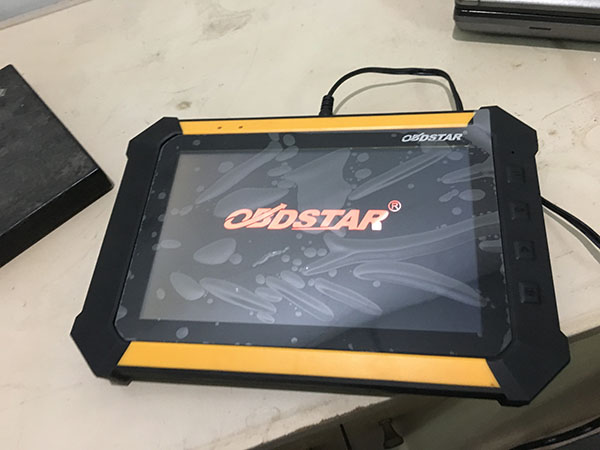
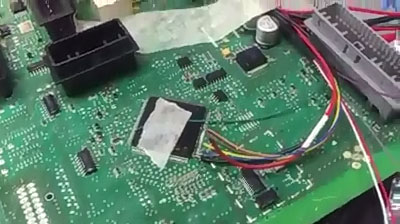
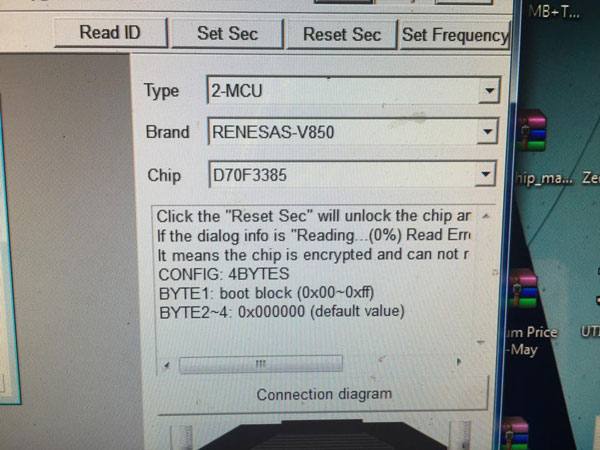
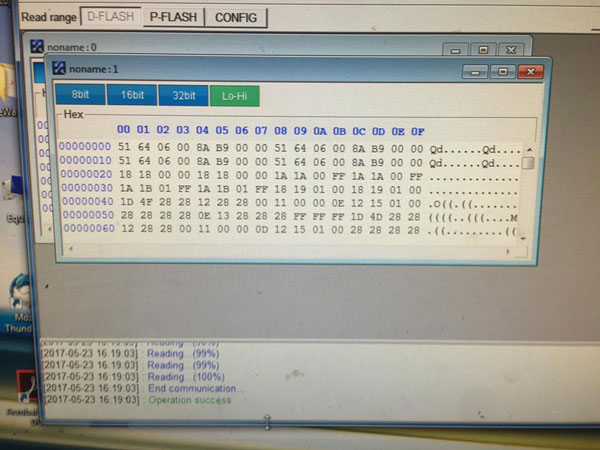
Xhorse VVDI Prog programmer read Renesas V850 MCU success.
Video and photos attached:
VVDI Prog read Renesas:
vvdi-prog-Renesas-V850-1
vvdi-prog-Renesas-V850-2
vvdi-prog-Renesas-V850-3
vvdi-prog-Renesas-V850-4
 
Lire la suite

Which Programmer to read EDC17CP46 via OBD

12 Octobre 2017 , Rédigé par JTAC Publié dans #kess v2, #mpps v18

What’s the difference of EDC17C46 OBD reading by MPPS V18 & Kess V2 master? Look here:


With Kess v2:


You can write boot readout or frf->bin file with kess obd, but you need to choose correct protocol. Kess will automatically do tprot patch in this procedure. But you need to know what you are doing. Checksum correction from alientech is sometimes a little bit poor if you change something outside map area. But if you fail and have made full bootmode readout before you can recover ecu…


With kess v2 v4.036 firmware with update board work 100% on this ecu. tested from me Friday. all ok!

With kess v5.017 eu version, I read the file via bootmode tricore and wanted to upload the same original file by obd and get the message: file corrupted or not correct
 

With MPPS V18 ECU Flashing cable:


you can make with Mpps the bootfile OBD-enabled and then write OBD. The same option should also be possible with KTAG. Have not yet tried to write the OBD-Mpps file with Kess via OBD. With Mpps, 100%


But i recommend you’d better have it via BOOT mode.


With MPPS v18, read and write 17c46 in boot mode. No issues!

MPPS-v18-Read-VW-EDC17C46-1

How to use MPPS V18 to read/write EDC17C46 through BOOT:


You need to take the ECU apart and connect resistors etc to the circuit board

(kess v2 or ktag don’t need resistor for this ecu. But personally, I do not recommend you to write with Kess clone, Ktag smoothly)


Only in bootmode for ecu with Tprot.
Even if you would read-it, then you can’t write-it.
So, open-it and go with the resistors.
It surely is the only way for you.


You can only check TP level this way. Put ecu in boot mode if you wanna read write

MPPS-v18-Read-VW-EDC17C46-2

In sum, it’s kind of dangerous, no matter with which tool.

http://blog.obdii365.com/2017/10/12/mpps-and-kess-obd-read-edc17c46-difference/

Lire la suite

Can Foxwell NT510 Scanner code injectors for BMW?

11 Octobre 2017 , Rédigé par JTAC Publié dans #Foxwell NT510

Question: Can Schwaben Tool/Foxwell NT510 scan tool code injectors on BMW models?

A1:

Yes, just did mine yesterday with it, very easy and intuitive to use as it guides you through the process.


Q2: Can this engage the fuel pump? Does it have any specific modules for the N57/M57 diesel engines?
A2: Yes and Yes


Q3: Can you reset air bags?
A3: I’ve been successful on an E53 and E90 (employee cars).


Q4: Can someone confirm if it can properly bleed the ABS lines?

A4:  yes it was doing something mechanically. So I guess you would keep pressing 1 to bleed the system out.

nt510-abs-bleed-1-15d3qrbnt510-abs-bleed-2-nt510-abs-bleed-3

Q5: Can Foxwell NT510 BMW register battery?

A5: Yes, confirmed. You can check step-by-step guide here: BMW battery registration with Foxwell NT510


Q6: Can someone confirm if it codes battery not just register?

A6: It only registers the battery


ECS Schwaben Tool or Foxwell NT510 multi-system scanner:

Injector Coding confirmed
Vehicle Service confirmed
Coil reset adaptation confirmed
Battery registration confirmed
E-Brake retraction confirmed

I was very surprised their was a ignition coil re-calibration (LVS) functionwhen when changing coils. Interesting.

Injectors can also be recoded or recalibrated.


Couple of pics

nt510-1

nt510-2

nt510-3-

nt510-4

nt510-5

www.obdii365.com

Lire la suite