

/image%2F1896381%2F20151209%2Fob_cb2b49_obd365-com.png)
Autel IM608 Update Gbox Error when Read BMW ISN
Problem:
When I was using Autel IM608 II to program BMW and trying to update the G-BOX3, it failed and prompted:
“Update GBOX error! Press OK to retry. Otherwise, press Cancel.”
Here’s the error page, any ideas?

Solution
1. Power off and power on the Autel G-BOX3 again, reconnect the cables & engine module for reading more times. Try a few more times.
2. If the step1 does not work, please upload the data log for help.


Launch X431 ECU Programmer Clone GM 6T45 TCM on Bench
Launch X431 ECU Programmer clone GM Buick 6T45 Gearbox TCU on bench successfully.
Select Chevrolet Cruze 2008-2019 6T45 gearbox TCU.
Choose Bench mode.

Check wiring diagram.

Connect Launch X431 ecu programmer with TCM.

Connect TCM.
Read flash.


Disconnect.
Change a donor 6T45 gearbox and connect the TCU with Launch ecu programmer.
Connect donor TCU.
Back up flash data of the donor TCU.
Write flash data to the donor TCU.

Don't forget to press disconnect after completed.
OBDSTAR G3 Adds Benz W215 W251 W906 AKL Programming
OBDSTAR released new Immobilizer software in Nov. 2024. Add following Immobilizer models:
Supported Tools
• X300 Pro4
• X300MINI CHRYSLER
• X300 MINI FIAT
• X300 MINI RENAULT/DACIA
BENZ [Version: V40.58]
1. Add key programming function (FBS3) (Supported AKL) for below models
• BENZ S-CLASS W215
• BENZ R-CLASS W251
•BENZ SPRINTER W906
• BENZ VIVOA/IANO W639
2. Add below types for BENZ ELV:
• W639
• W906(Motorola)
• W906(NEC)
3. Optimized software.
OPEL [Version: V40.81]
Add blade key programming function for OPEL VIVARO 2001-2014
TYPE 2(VF7X).
RENAULT [Version: V41.68]
Add proximity key programming function (Supported AKL) for RENAULT AUSTRAL 2023.
TOYOTA [Version: V43.10]
Add proximity key programming function (Supported AKL) for below models:
• TOYOTA EUROPE SEQUOIA 2020-
• TOYOTA USA-CANADA SEQUOIA 2020-
CHRYSLER/DODGE/JEEP [Version: V43.74]
1. Add proximity key programming and add keys functions for below models:
• JEEP AUSTRALIA COMMANDER 2022-
• JEEP EUROPE COMMANDER 2023-
• JEEP S.AMERICA COMMANDER 2021-
• JEEP USA-CANADA COMMANDER 2023-
2. Optimized software.
FIAT [Version: V43.04]
1. Add blade key programming functions for below models:
• FIAT SOUTH AMERICAARGO 2020-2023
• FIAT SOUTH AMERICA CRONOS 2018-2023
• FIAT SOUTH AMERICA TORO 2018-2023
• FIAT SOUTH AMERICA PUNTO 2008-2014
2 .Add proximity key programming function for below models:
• FIAT SOUTH AMERICAARGO 2018-2023
• FIAT SOUTH AMERICA CRONOS 2018-2023
• FIAT SOUTH AMERICA TORO 2018-2023
• FIAT SOUTH AMERICA PULSE 2021-2024
• FIAT SOUTH AMERICA FASTBACK 2022-2024
3 . Optimized software.

Autel IM508 Adds 2024 Highlander Smart Key via Xhorse XM38
This is a 2024 Toyota Highlander and we need to add new spare key to it.
Device used:

Find PEPS immo box, plug in your 30-pin adapter.

Go to Highlander.
It recognized the VIN and that it knows it’s a 2023 with smart key.
Go to Control Unit->Keyless System (CAN)


Turn the hazard warning lights on and off once, press the Start/Stop button 5 times and keep ignition off.
Back up immo data in process.
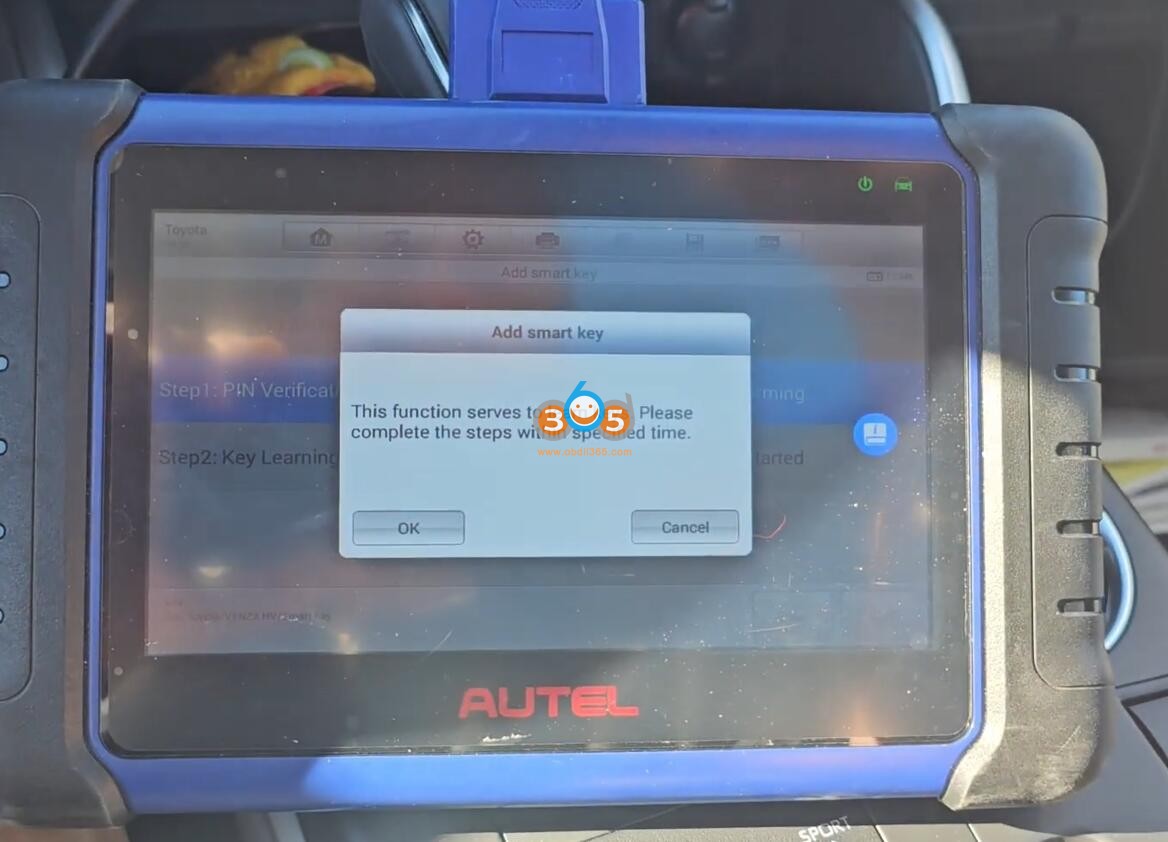

Save eeprom data.
Select Add smart key
Perform 2 steps to add smart key.
1. Verify PIN
Turn ignition on.
Automatically ipout VIN.

Autel will ask have you back up the eeprom. Press Yes and load eeprom data we just saved.
Reading PIN
Keep a learned key close to the start button within 30s

Then keep a key to be programmed to the Start button.
Learning completed.


If keyless function is not working, adjust the smart key with xhorse vvdi key tool plus or other key tools. Using Define under special function->Smart key customization.


www.obdii365.com
CG100X 1.6.2.0 Update R7F701A033 R7F7010643 Airbag
CG100X Programmer released new software version 1.6.2.0 on Nov. 12th, 2024.
CGDI CG100X new version V1.6.2.0 update details:
1. Added 58 RH850 decrypted models to airbag repair.
2. Added 3 models to dashboard.
3. Added 14 models to airbag.
4. Added 34 models to read-write.
The following RH850 decryption models enhance airbag repair.
TataMotors 542416202002 R7F701A033(encrypted)
BAIC A512C00112 A00087066 R7F701A033(encrypted)
BYD AUTO SK2H-3658100A R7F7010643(encrypted)
DongFeng SX5G-5824030 R7F7010643(encrypted)
Ford LV4T-14B321-XA R7F701A033(encrypted)
Ford RJ7T-14B321-AB R7F7010643(encrypted)
Ford LK9T-14B321-AA R7F7010643(encrypted)
Ford MZ8T-14B321-AA R7F7010643(encrypted)
Trumpchi 8040003ARD0001 R7F701064(encrypted)
Trumpchi 8040003ARD0400 R7F701064(encrypted)
Trumpchi 8040003AVN0100 R7F7010643(encrypted)
Trumpchi 8040003ADU0002 R7F701A033(encrypted)
Trumpchi 8040003AMV0002 R7F701A033(encrypted)
Trumpchi 8040003ARD0000 R7F7010643(encrypted)
Redflag 3607115-HA01 R7F7010643(encrypted)
Geely 512013 01304128 NL-3 R7F701A033(encrypted)
JAC 5824901S5500 R7F701A033(encrypted)
Lixiang M01B-58200013 R7F7010643(encrypted)
Chery 407000271AA R7F7010643(encrypted)
Tesla 1512876-00-B R7F7010643(encrypted)
WuLing 23663015 R7F701A033(encrypted)
WuLing 23755150 R7F701A033(encrypted)
WuLing 23755283 R7F7010643(encrypted)
WuLing 23756594 R7F701A033(encrypted)
WuLing 23755286 R7F701A033(encrypted)
WuLing 23755283 R7F701A033(encrypted)
Xiao Peng 6590004ED1 R7F7010643(encrypted)
Xiao Peng 6590005DF1 R7F7010643(encrypted)
FAW 8230115-BD01 R7F7010643(encrypted)
ChangAn 3658100 MK01 M05 R7F701A033(encrypted)
ChangAn 3658100 MK06 DE02 R7F701064(encrypted)
ChangAn 3658100-AM52-AA R7F701A033(encrypted)
ChangAn 3658100-BN11-AA R7F701A033(encrypted)
ChangAn 3658100-MK06-AW10 R7F701A033(encrypted)
ChangAn 3658100-SH02 R7F701A033(encrypted)
ChangAn 3658100-MK09-DE01 R7F7010643(encrypted)
ChangAn 3658100-MK03-AW101-AA R7F701A033(encrypted)
ChangAn 3658100-EA01 R7F7010643(encrypted)
ChangAn 3658100-MK06-DE01 R7F7010643(encrypted)
ChangAn 3658100-AM52-AA R7F7010643(encrypted)
ChangAn 3658100-MK03-BQ04 R7F701A033(encrypted)
ChangAn 3658100 MK06 CN02 R7F701A033(encrypted)
ChangAn 3658100 MK01 M05 R7F7010643(encrypted)
Great Wall 3658110XKN04A R7F7010643(encrypted)
Great Wall 3658110XKN02A R7F7010643(encrypted)
TataMotors 542416202001 R7F701A033(encrypted)(read write)
Geely 8891612717 R7F701A033(encrypted)(read write)
Universal Decryption RH850 Decryption R7F701A033 Type1(encrypted)(read write)
Universal Decryption RH850 Decryption R7F7010643 Type 1(encrypted)(read write)
Universal Decryption RH850 Decryption R7F7010643 Type 2(encrypted)(read write)
Universal Decryption RH850 Decryption R7F7010643 Type 3(encrypted)(read write)
Universal Decryption RH850 Decryption R7F7010643 Type 4(encrypted)(read write)
Universal Decryption RH850 Decryption R7F701A033 Type2(encrypted)(read write)
Universal Decryption RH850 Decryption R7F701A033 Type3(encrypted)(read write)
Universal Decryption RH850 Decryption R7F701A033 Type1(encrypted)(read write)
wenjie 3658100-RK01 R7F701A033(encrypted)(read write)
Xiao Peng 6590001ED1-00-03 R7F7010643(encrypted)(read write)
FAW 8230115-BA01 R7F7010643(encrypted)(read write)
The following models are added for dashboard.
SAIC Red jingang 2017- 24C32
ISUZU ISUZU 2017- 93C56
ChangAn Auchan NIOUⅡ 2019- 9S12XHY128
The following models are added for airbag.
Benz A 205 900 86 18 SPC560P50L3
BYD AUTO SA3HA-3658100A-D1 Step One95128
BYD AUTO SA3HA-3658100A-D1 Step Two PC560P50L3
BYD AUTO SC2E-3658100A Step One95128
BYD AUTO SC2E-3658100A Step Two PC560P50L3
Redflag QC01-3607115 TC234
JMC J38580688 R7F701008
JMC J38580840 P0000132200 25320
WuLing 24367040 R7F701009
WuLing 23942564 R7F701009(single airbag)
WuLing 24356414 A3C1207720000 R7F701009
WuLing EV-23820289 25320
Hyundai 95910-Q2600 95512
Hyundai 95910-CK000 TC233-16F
The following models are added for dashboard read-write.
PORSCHE 220244-101 95640(564WQ)(read write)
BYD AUTO BYD Yuan 95640(Left vehicle computer)(read write)
BYD AUTO BYD E2 25256(Left vehicle computer)(read write)
BYD AUTO BYD YUAN PLUS 25256((Left vehicle computer))(read write)
BYD AUTO BYD Tang DMI 25256(Left vehicle computer)(read write)
BYD AUTO BYD Song PLUS 25256(Left vehicle computer)(read write)
BYD AUTO BYD Song PLUS 25640(Left vehicle computer)(read write)
BYD AUTO BYD SONG PRO 25640(Left vehicle computer)(read write)
BYD AUTO BYD Chinese 25256(Left vehicle computer)(read write)
BYD AUTO BYD Haitun 25256(Left vehicle computer)(read write)
BYD AUTO BYD Sea Lion 25256(Left vehicle computer)(read write)
BYD AUTO BYD qing PLUS 25256(Left vehicle computer)(read write)V1
BYD AUTO BYD qing PLUS 25256(Left vehicle computer)(read write)V2
BYD AUTO BYD qing PLUS 25640(Left vehicle computer)(read write)
BYD AUTO BYD qing PLUS 25640(Left vehicle computer)(read write)V1
BYD AUTO BYD QinL DMI 25256(Left vehicle computer)(read write)
BYD AUTO BYD destroyer 05 25256(Left vehicle computer)(read write)
DongFeng RuiChi EC35 2021- R5F10DPEJ(read write)
DongFeng 28556 2HD0A CP4D0034L1V00200 R7F701009(read write)
JAC 5824901U2231(JAC-L22064) SPC560P40L1(read write)
jietu 86000015 F26-3658010 A3C1223390000 R7F701010(read write)
Leapmotor 5723100-TB04 25320(read write)
Nezha S30-3658010BB 95320(read write)
Chery ARRIZO 7 9S12XHY256(read write)
Chery 407000182AA 681441300 TC222(read write)
MAXUS C00522111 TC224-16F(read write)
WEICHAI 2498971 SPC560P34L1(read write)
Volvo P31313827 9S12XDT384(read write)
WuLing Kaijie 2022- 24C16(read write)
WuLing RC-6 2019- 24C16(read write)
FAW 8230115-BD03 25320(read write)
Zotye J38580611 3658010003-B01 SPC460P40L1(read write)
TataMotors 542416202001 R7F701A033(encrypted)(read write)
Geely 8891612717 R7F701A033(encrypted)(read write)

Toyota Hihux 2024 All Keys Lost Programming by Autel KM100
Autel KM100 new feedback from a South American user:
Back up immo data via OBD,
Generate emulator key and add smart key successfully.
KM100 makes the emulated key, if you try to make the emulated key without lowering the dashboard you’ll see what’s not going to serve you!!!
You must lower the board.
Images attached:


OBDSTAR X300 DP Plus Read 2022 Hyundai Elantra PIN and Add Key
How to read pin code and add smart key to a 2022 Hyundai Elantra using OBDSTAR X300 DP Plus? Check instructions below:
1.Read pin code
Select Hyundai latest software->Read pin code->Proximity
The function requires network connection
Read pin code successfully.


2. Program smart key
Select from model->Hyundai->North America->Elantra-> 2019 onwards-> Proximity->Type 1(CAN)->Program Smart keys


The function requires network connection.
All keys will be erased and need to be programmed to use.

Turn off ignition, open and close the driver door.

Input pin code to continue.

Press Enter button, use the top of the proximity key to keep pressing the start/stop button for 5s within 5s, the immobilizer light will flash.
If the operation fails, remove the key shell and perform function again.

X300 DP Plus said key is not detected. So we remove key shell and try again.


Repeat and program 1st key successfully.

Put the 2nd key to the Start/Stop button to program until completed.
Done.
http://www.key-programmer.org/2024/11/07/obdstar-program-2022-hyundai-elantra-proximity-smart-key/
Reset Hyundai Solaris Airbag Crash 95910 H5000 by OBDSTAR G3
How-to: HYUNDAI Accent/Solaris HCR crash data reset by OBDSTAR X300 Classic G3 tool. Need to activate airbag reset license to G3.
Part number: 95910 H5000 AUTOLIV XC2361A
Procedure:
Quick search 95910 H5000 part number and select Hyundai 95910 H5000 AUTOLIV XC2361A.

Check wiring diagram.
Connect airbag module with G3 via P004 adapter.


Turn on ignition switch on P004.
Read airbag ECU information.


Read DTC. It has fault code B1649 and says crash stored.

If need try reset crash, it will report a communication error. We need to read airbag eeprom data first.
Read and save XC2361A eeprom data.


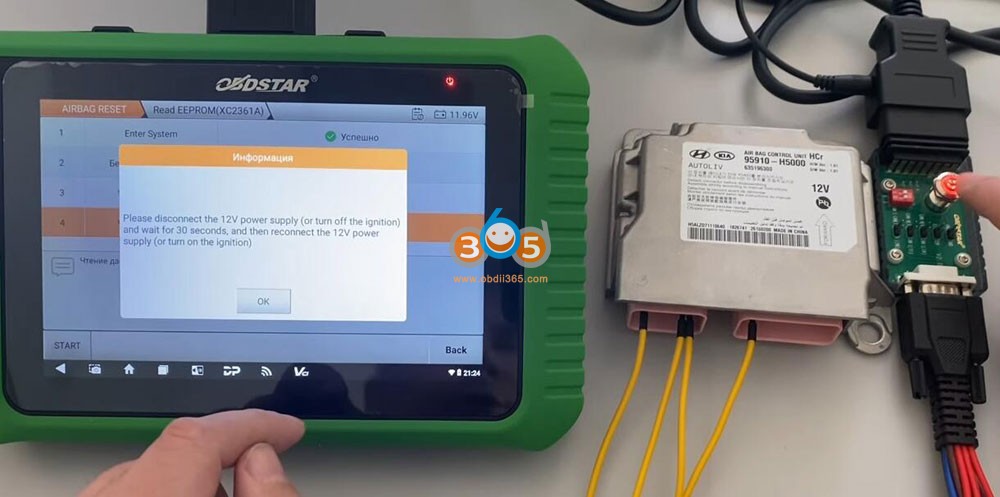
Disconnect the 12V power supply or turn off ignition. Wait for 30s, then reconnect 12V power supply or turn on ignition.


Launch X431 Requires to Log in NASTF for IMMO Functions
In order to further improve Launch X431 products and services, LAUNCH has joined the National Automotive Service Task Force (NASTF).
The software needs to meet NASTF specifications. Before using IMMO related functions, you must log in to the NASTF VSPID account first For users in the United States and Canada during
the transition period from November 4,2024 to December 3, 2024, they do not need to log in to the NASTF account before using the IMMO software.
After December 4,2024, ft is necessary to log in to the NASTF account before using the IMMO software.
During the transition period:
Purchase Launch authorization from the mall. (Purchase authorization through the mall or activate with a license which will be available soon, please pay attention to App updates).

Program Renault Kadjar 2023 Proximity with Autel or Xhorse?
Did anyone successfully duplicate spare proximity key for Renault kadjar 2023 with Autel IM608 or Xhorse VVDI Key Tool Plus?

Xhorse cannot read password.
Autel, OBDSTAR are ok. Xhorse cannot read PIN.
Put the car on the battery support. and Good WiFi also.
Autel advises you to have a good wifi before you start.
Batterie Support and good wifi is important.
Zedfull and Smartpro also works.
How to Read BMW EDC17CP45 ISN Code with CGDI BMW?
How to read BMW ISN code from EDC17CP45 ECU using CGDI Prog BMW key programmer?

Check instructions here:
In BMW ISN function, select N13/N20/N55/B38 Read/Write ISN function

Select EDC17CP45

There are two versions pinouts. If pinout 1 does not work, use pinout 2.


Connect CGDI BMW with EDC17CP45 ECU following the diagram.


Identify ECU

Read ISN code.


CGDI will also write ISN.
Autel VCI200 Works with Honda HDS 3.105
We can use Autel VCI200 as J2534 Passthru for Honda HDS diagnostic software. You download the MaxiPC suite on laptop. Let PC find your driver.
We already connected to the vehicle DLC. This is a Honda FIT 2015. We have it already connected with a USB extension cable.
We can see the green light turn on.

Run HDS software. Here we tested version 3.105.012. You can search software on google.
Select vehicle information.


It already gave us data. We have information, monitor data, list of data.
It is giving us the entire list of data.

Choose one and it gives me the information, very good information.
It will give you fault codes. It already read me code from the engine computer.


This software is very good. The software works very well and the interface connects with everything we need at least.
It already read me code from the engine computer.
The interface works very well as of diagnosis part.
How to Retrieve Lonsdor KH100+ Password?
Problem:
Lonsdor KH100+ I scanned qr with my cellphone it showed me successful but when try to put it on the tool shows error 6030.
Password was 18 digit but tool is asking for 6 digit
Already have an account in my email then asks me for a 6digit password but with the QR in cellphone it gives error 6030.

Solution:
6-digit password is the password when you register the device.
If forget password, you can retrieve password.
Visit http://u.lonsdor.com/auth/login?lang=en
Hit Forgot password.

Enter email address that you combine with the KH100+ device. Then reset password.

www.obdii365.com
Read Volvo 2024 CEM SPC5748G Data with Yanhua ACDP2
Here we will show how to program Volvo XC-90 2024 CEM key with Yanhua Mini ACDP2 or ACDP1. Add key and all keys lost share the same procedure.
You will need:
Yanhua Mini ACDP2/ACDP1 host
Volvo 2023-2024 CEM interface board

New interface board supports Volvo Models: 2023-2024 Volvo S60/S90/XC60 and Lynk & Co.
CEM chip: SPC5748G, SPC5748C
Procedure:
Remove and disassemble the CEM module. Exactly the same spot as older models.

Select Volvo->XC90 (2022-)


Select Read CEM Data by ICP-> SPC5748G (Volvo -24)

Connect new Volvo CEM interface board with CEM module


Check here to install these interface boards step by step.
https://www.obdii365.com/service/install-yanhua-acdp-2023-2024-volvo-cem-interface-boards.html
Then read CEM data


Read CEM data successfully. ACDP2 will auto save CEM data.

Install CEM module back to vehicle.
Connect ACDP2 with the vehicle via standard OBDII adapter.
Go to Volvo XC-90 2022-, then select OBD Detect.
OBD detect VIN and current number of keys: 2.

Save key info.
Then choose Add key/All keys lost.
Make sure the CEM module has installed.
Connect the ACDP to vehicle OBDII port and press the engine Start button. Turn on ignition.
Select CEM data just saved.
Put the smart key to be programmed in the key recognition area of the cup holder.

The new key is programmed successfully.

Done.
Can OBDSTAR OdoMaster do Ford F-150 2021?
Which tool to correct mileage for 2021+ Ford F150 R7F701441?
Cheapest option to do this for now is obdstar odomaster.
It is supporting F-150 R7F701441 2021 and 2023. 2022 is not supported.
2022 is different than other years. Closest is the 2020 Escape (same RH850).
In odomaster under ford f150 you find it.


Xtool seems shows support of the following RH850 (Continental and Denso):
Ford Bronco 2020 -
Ford Ecosport 2017 -
Ford Explorer 2022 -
Ford Carnival 2017 -
Ford Focus 2017 -
Ford Kuga 2017 -
Ford Maveric 2020 -
Ford Puma 2019 -
Ford Transit Connect 2018 -
So if the F150 shares the same cluster as one of these, you can try it.
In my case, I am using Xtool D9 Pro and has done couple of Ford Rangers and Ecosports.
