

/image%2F1896381%2F20151209%2Fob_cb2b49_obd365-com.png)
How to Change 2021.06 DAS XENTRY WIN10 Language?
Topic: How to change the language on 6/2021 DAS Xentry windows 10. Here are all the steps to follow, hope it helps. FYI, DAS / Xentry default language is English when you open the software.
obdii365.com engineer replied:
- The method to change DAS language: right click on “DAS” icon, enter “Properties”, then if you can see the file name with “-LXX (XX means the language Abbreviation) and then directly change XX as the language you need ( for example: EN, FR, DE, IT, RU, etc)
- The method to change Xentry language:
Enter the Xentry software to change.
What about users’ working method?
If anyone downloaded pre-installed Xentry VM or they just want to change the language selected at initial install, you can do it the following way:
1) Go to Start Menu > Run
2) Type in “regedit” and enter
3) Navigate to
“HKEY_LOCAL_MACHINE\SOFTWARE\WOW6432Node\Mercedes-Benz\Settings”
4) Change the binary “Language” key value to EN, FR, DE, IT, RU, etc or whatever language code you want
5) Navigate to
“HKEY_LOCAL_MACHINE\SOFTWARE\WOW6432Node\Mercedes-Benz\Installation Framework” above it
6) Change the “DAI_Language” key to the same language code
7) Close regedit and reboot.
This will globally change the language for your installation in SD Connect, AddOn Center, ConfigAssist, etc but you will still need to change the language in Xentry through the menu’s inside the program.
Might be different on different OS’s but I think the key names should be the same. Changing the shortcut with the “-len” extension didn’t work for me. Hopefully it will help someone else in the same situation!
Moreover:
If you also need to change all windows 10 in English use sysprep.exe in c windows system sysprep sysprep.exe
all next next next just select language English and when asks for user give it default as name and no password
after install you can delete the user default.

Question: I want to change the language on 6/2021 DAS windows 10.
I followed the above steps, it did not work, also the short cut does not have “|en” at the end of the command line to change the language.
Possible reason and solution:
first you need to change the language on the Xentry setting and open DAS via xentry.
Or I think what worked for me is by changing the system locale to English, not only the windows display language.
Alright, if you have any issues on 2021.06 DAS Xentry software running with MB SD C4 DoIP, Benz C6, C5 etc, contact at https://www.obdii365.com/ (Whatsapp:+86 18259252285) for assistance.


How to Add Suzuki Vitara 2018 ID47 by Lonsdor K518ISE?
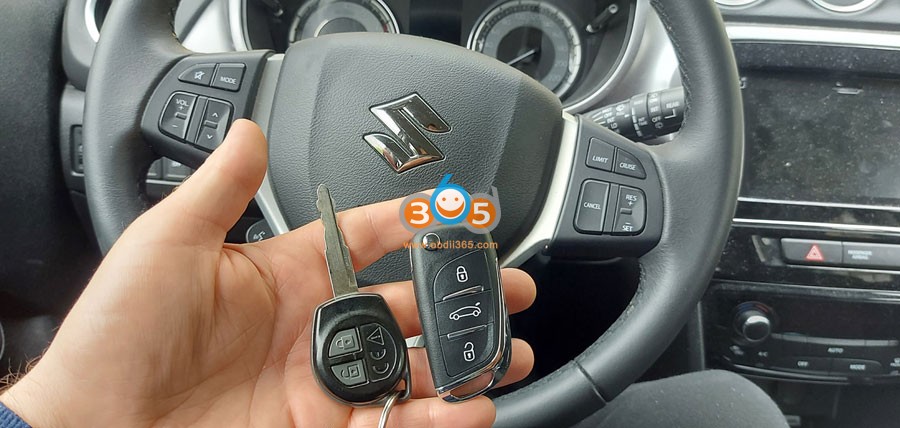
Suzuki Vitara 2018 ID47 add key successfully with lonsdor k518ise key programmer.
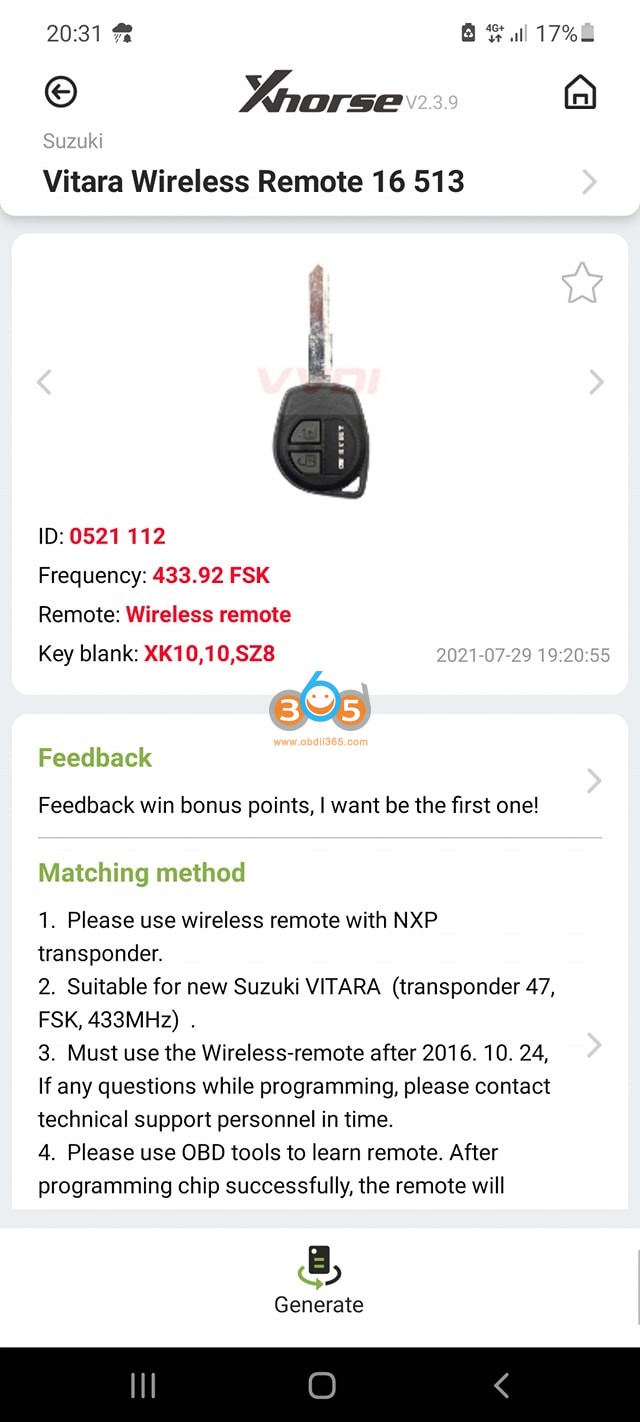
Using xhorse wireless key
programmed under Smart Key even it’s a blade key
First generate wireless remote by xhorse vvdi mini key tool under this option
Then program key with lonsdor
Go to Immo & Remote – Suzuki – China – Vitara – Smart key- Type 1 – Program smart key (without PIN)
automatic pin bypass


www.obdii365.com
Nissan Sentra 2021 All Keys Lost done by Autel IM608
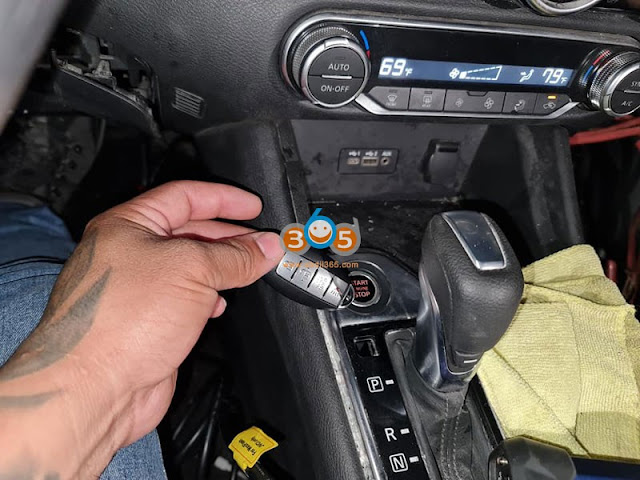
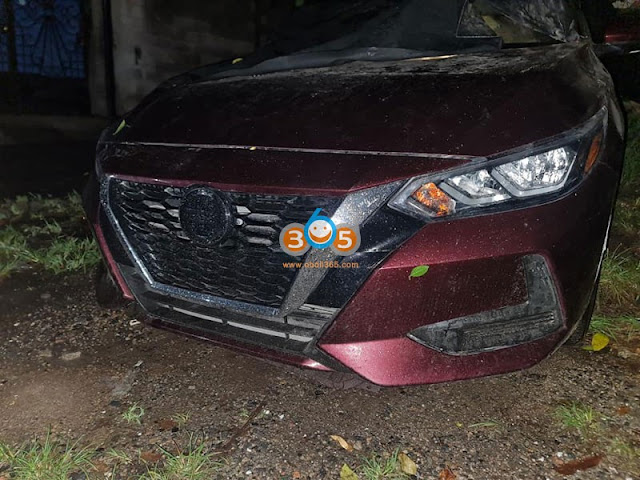
Autel MaxiIM IM608 key programmer new test report: programmed Nissan Sentra 2021 All Keys Lost successfully.
4A smart key
Need to buy 28-digit pin code
occupy Nissan 16+32 cable
everything was done by obd2


Failed to Sync Citroen Berlingo 2010 Remote Solution
Problem:
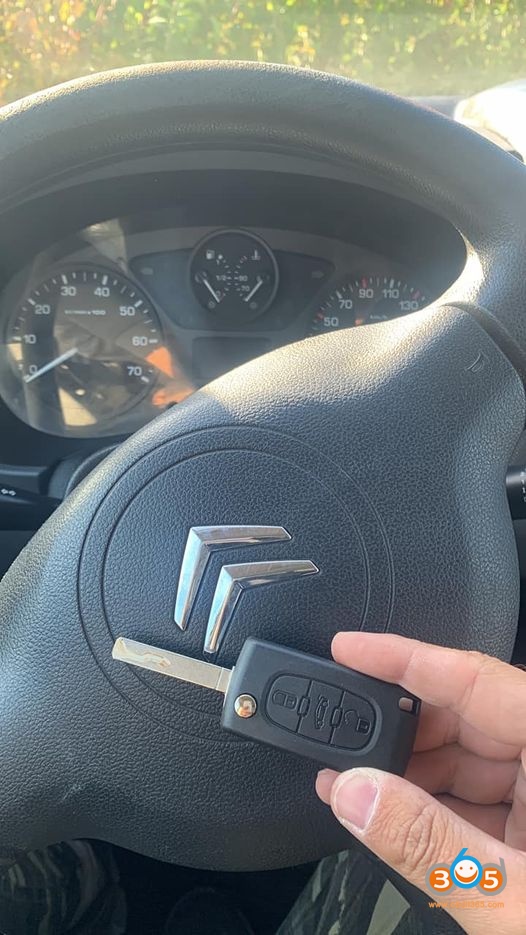
REFERENCE: CE053
Don’t forget to sync the key for 10 seconds.
If it still doesn’t work. Look no further.
Check the battery on key and key signal with Xhorse mini key tool or Handy Baby.
If this still doesn’t work, it’s your key that’s faulty or poor quality.
If this still doesn’t work.
CE0523 with signal: FSK
Because if it’s not activated, that’s why your remote synchronization doesn’t work with the remote control, despite having the right model.
Because the right remote is well in CE0536 – FSK.
2 Ways to Program Autel MX-Sensor to A Smar Tire System
Question:
Can we clone the original (my car is an Aston Martin 2007) Smarttire system sensors with Autel? And the whole system is about $1500?. That's favorable to getting this done a couple times at a dealer, right?
Solution:
The Autel MaxiTPMS TS401 has the ability to program Autel MX universal sensors, which are around $20-$25. I've used the TS401 and the MX universal sensors on other cars and they worked without any problems.
I've not tried to program the MX universal sensors with the DB9 Smartire system yet; however, all indications seem that it's doable. Indications meaning -- I was able to pull the codes of the Smartire and the Autel site link I provided above seems to indicate that Smartire codes can be copied to the MX sensors. I've not done it yet -- mainly because my sensors are fine, but I'll likely experiment in the spring out of curiosity. I will, however, pull all the codes off the sensors and store them -- in case the sensor batteries die before i have a chance of testing it.
Related, the $1K+ MaxiSys MS906TS does an excellent job on reading the codes, resetting the service light, program TPMS sensors like the TS401 etc. for a number of the higher end vehicles.
Below are instructions for programming a 433 MHz Autel MX sensor to support a Smartire system.
Relearn Procedure:
Please note:
If new ID is created for the this sensor, OE tool is needed to perform relearn.
With Autel tools, the only solution is to copy the OE Sensors' IDs, and no relearn needed.
There are two methods to copy the OE sensors' IDs.
Method 1:
1. Please perform a rapid tire deflation while pressing the trigger button on Autel tool to receive sensor data.
2. Then use the 'Copy By Activation' function to program Autel sensor.
3. Install the duplicated Autel sensor to the location corresponding to the OE sensor.
Method 2:
1. Uninstall the OE sensor, a series of numbers (173-1-1-XXXXXXX) are printed on its surface, among which XXXXXXX is the OE sensor's decimal ID.
2. Use the 'Manual Create' function to program Autel sensor.
3. Install the duplicated Autel sensor to the location corresponding to the OE sensor.
Note:
If necessary, please pay special attention to the sensor ID format conversion when using the 'Manual Create'.
I used method 2 and it worked perfectly. Went ahead and replaced all 4 SmarTire sensors. Saved a fortune.
How to Choose OBD2 Scanner for Sprinter T1N?
Here is My Spinter T1N diagnostic scanner working experience.
DAD = approx. $300.00 + Dell D630 used computer.
iCarsoft MBII = approx. $125.00
Autel MD808 Pro = about 200 bucks.
Autel AP200 = under 40 bucks.
I carry the DAD and the MD808 pro when traveling. Knock/touch wood before saying this ... so far I've never needed to use them on a trip. The DAD pulled me out of trouble after I distorted a tone ring during rear wheel bearing replacement. I needed a scan tool for my O2 sensor LHM cure. Other than those times I believe that I have just used them for tinkering and helping others.
To be clear, I feel the money that I spent makes sense.
Early on for a relatively reasonable priced Sprinter scanner the DAD was a good deal. It needs a computer. It doesn't like cold temperatures.
Then the iCarsoft MBII came around. It is stand alone. It accesses most all modules needed. It is MB/Sprinter specific except as a generic OBDII scan tool.
The Autel MD808 Pro is also stand alone. It accesses most all Sprinter modules needed. It is good for use on many vehicle makes and models.
The Autel AP200. It accesses most all Sprinter modules needed plus the Eberspacher heaters. It is not stand alone. It needs internet access and a cell phone to work. (Maybe a computer can download the Autel AP200 app.) It is one brand vehicle specific without extra cost. It's a great scan tool for around the home base.
My opinion.
The Autel MD808 Pro would be my choice. It is stand alone. It can be used on many different brand vehicles. It will do what is needed to help to get a T1N Sprinter out of trouble. It will likely work for most other Sprinter models to give a troubleshooting direction. If you give a decent vehicle mechanic a MD808 Pro scan tool it will likely help to repair the problem. A mechanic may not receive the cell phone based AP200 as readily.
Carrying a decent Sprinter specific scan tool can have benefit. Spending lots of money shouldn't be necessary.
Autel TS401 Relearn Mercedes 2012 E350 TPMS Sensors
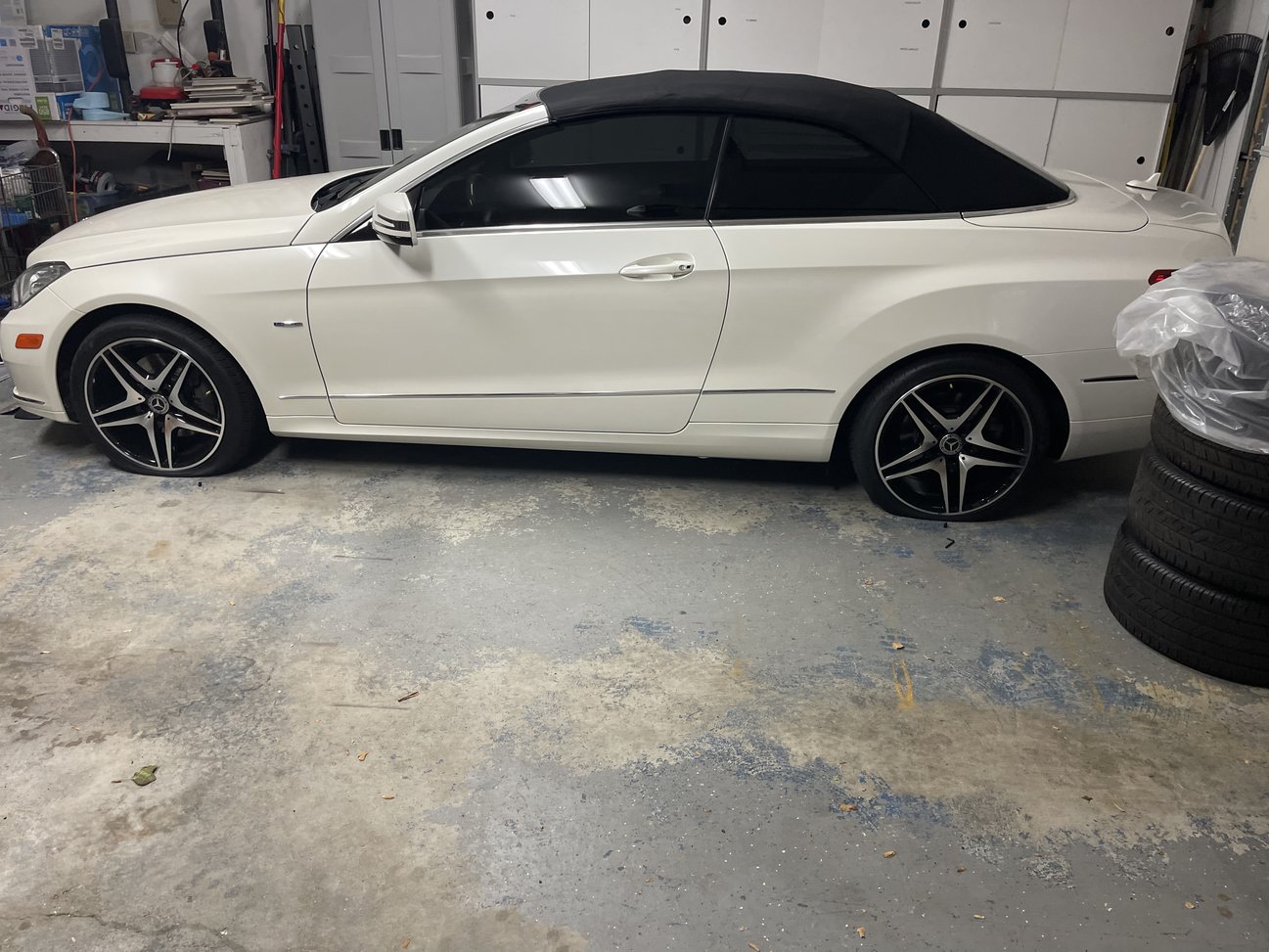
I changed the wheels on my new to me 2012 E350 convertible. I went with aftermarket wheels. During the process I decided to just go with a new set of TPMS sensors.
Immediately after driving the car away from the tire shop I noticed my TPMS was not working as I thought it would. Constant yellow tire light and “tire pressure system inoperative”.
TPMS I purchased was Autel MX-sensor from obdii365.com for about $120 (set of 4).
You’ll need to purchase a TPMS programmer, I got mine from Autel and it covers almost all sensors including OEM.
For reference TPMS out of the box are not programmed at all and need this In order for a vehicle to recognize it.
Here are the steps that worked with no problem.
1. Deflate tires completely flat.
2. Get your Autel MaxiTPMS TS401 and turn it on.
3. Find your make, model, year, sub model.
4. Press and hold Y
5. Select auto create
6. Press and hold Y again and go to the front right wheel, hold the device near the stem, and within seconds you’ll here a chime on the device meaning it’s been recognized.
7. Press and hold Y again and do the remaining 3 wheels.
8. Once you complete this process back out to where you original chose car.
9. Press and hold center button that looks like a wifi but symbol.
10. Machine promotes you which wheel to start with.
11. Again, once machine finds TPMS when held near stem the device chimes. Press and hold the symbol again and repeat until complete.
12. Once officially complete you’ll have a list of all 4 sensors you scanned and activated.
13. Re-Inflate tires.
14. Go for a ride. TPMS may still say inoperative. After driving for a few miles and nothing happens, pull over, turnoff car. Restart and drive again, tire light should start flashing and within minutes your pressures should appear on the screen.
Xentry OpenShell vs Passthru
What is Xentry Passthru:
XENTRY Pass Thru EU is Mercedes-Benz vehicle diagnosis solution for independent workshops. The software runs on any workshop PC and commercially available Pass Thru equipment.
Xentry Passthru is different from regular Xentry openshell. Xentry passthru does not use SDconnect toolkit. When you launch the program it will give you a dropdown where you can choose which J2534 device. If you are keen to do proper Xentry grade health scanning, but not coding say for START STOP be gone, but can do lots of TEST, go and get Xentry PassThru.
The right to repair in Europe and USA has made car manufacturers to abide by certain rules, where an Indy shop can access ( for an hourly fee ) manufacturers servers to do certain ( not all ) repairs where the data will come from manufacturers server.
So those Indy workshop or petrol head can use certified J2534 interface box for many brands of cars , not only MB.
It is for any owner attempting DIY to not have this level of diagnostic capability.
Xentry Openshell XDOS vs. Passthru:
Xentry passthru does not support these vehicles in DAS:
– Bharat Benz
– Foton
– Fuso
– LKW
– IMO
– Unimog
– PKW using HHT
Xentry openshell version (XDOS) works with official kit/hardware (SDConnect (C4) or clone MB SD C4/C5/vxdiag etc
Stick with the C4 or if you want to spend a little more and do DOIP (command radio programming models 2016 and up ), the C4 Plus
Xentry Passthru Version Download:
Official Download Link
Xentry Passthru 2021.3
Free without password.
Xentry Passthru compatible J2534 adapter list:
• XENTRY PASSTHRU multiplexers :
Tactrix OpenPort 2.0
STIC SVCI
KTS560
AVDI
GM MDI2/MDI
vas-5054
Mongoose pro2
Toyota MVCI
Scanmatik pro2
Cardaq Plus 2 or 3
FORD VCM II rotunda
ACTIA
Nexiq USB Link 2 ORIGINAL
etc
With mb sd connect c4 you don’t need passthru. This is for j2534 devices.
• OpenShell multiplexers :
– C4, C5, C6, VXDiag and VCI mercedes Ecom.
Xentry Passthru Review
the wealth of information and possible test Xentry PassThru can do will open your eyes to know about your car more.
testing xentry PT version on a Mercedes Benz E class W212
Health scanning 100% all modules read.
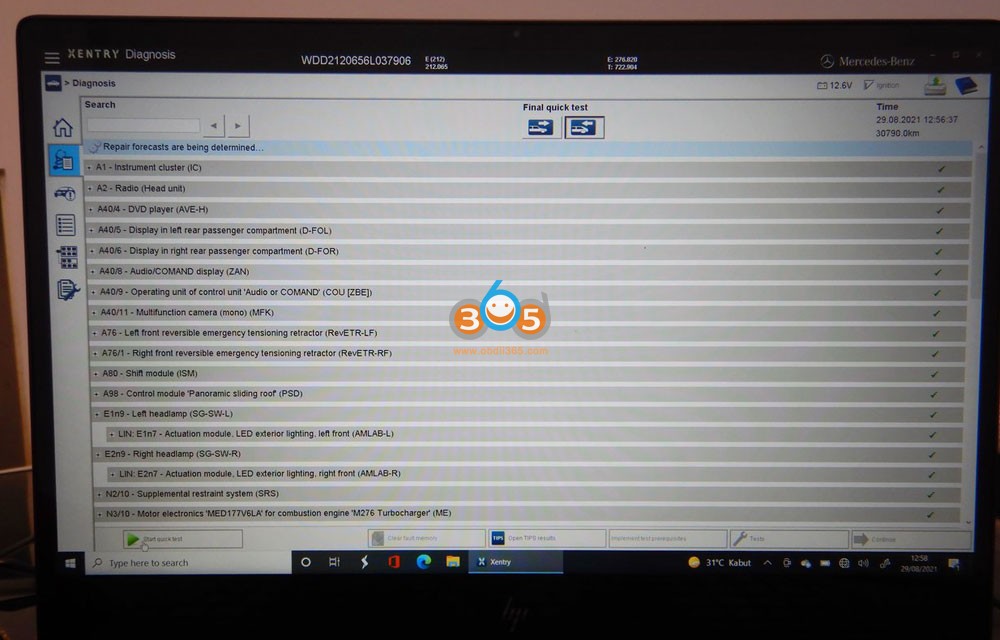


I can do airconditioning 7 way venting ( air distribution )…which I always wanted for the LEG + BODY


LEG + BODY air distribution possible now. BTW using AUTEL MS906BT I have disabled the stupid FRESH AIR FLAP WILL OPEN NO MATTER WHAT…AFTER 30 MINUTES. Now it remain closed.

Data gold-mine. Now we can know how and when a certain code made it to be a CEL/MIL and yada yada. No more guessing a 3rd party scanner interpretation of a DTC code actual meaning… we use the MB ones.


http://blog.obdii365.com/2021/09/26/xentry-passthru-download-comparison-adapter-list-and-review/
Program Mercedes W164 2010 Key by Autel IM608Pro via OBD
How to use Autel MaxiIM IM608 Pro to add a spare key on Mercedes 2010 ML350 EIS type W164 via OBD without G box.


Go to IMMO- Mercedes Benz – Smart Selection – Add Key – On vehicle

Confirm vehicle information

Follow these steps to add a key
Read EIS data

Insert the ignition key into the IR key hole on the xp400 programmer
Read ignition key
Read blank key information

Insert the blank key (BE key with key shell) into the IR key hole on the xp400 pro programmer
Calculate password


follow these steps to calculate password
calculate password via OBD takes about 10-30 mins


read password success. Start to add key.
Generate key file
Write key file

Add key successfully with im608 pro
Insert new key into the EIS. If the red indicator lamp on the key lights up and goes off, key learning is successful.
Turn the ignition on and check if the vehicle can be started normally. If the vehicle is not started normally, the key addition failed.
Check if the remote lock and unlock functions can work normally, if not, check if the key battery can work normally.


Done.
How to Convert MQB Immo Data in Lonsdor K518ISE?
Question:
I need to do 2014 passat all keys lost with lonsdor k518ise. I used engineering mode now I need to convert it in immo data.
Answer:
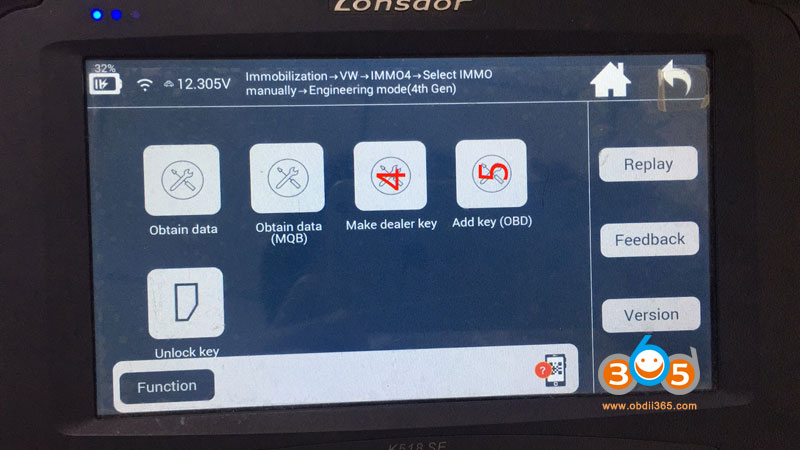
Path: Immobilization- VW – IMMO4 – Select IMMO manually – Engineering Mode (4th Gen)
Lonsdor does not support MQB all key lost
Step 1: read vehicle information and calculate data by vag obd helper
If vag obd helper cannot read the data, it cannot do this model.
Step 2: after calculating, put data into customfile of k518
Step 3: Make dealer key
Step 4: Add key (OBD)
How to Solve OBDSTAR Valid Update Time of Software Expired
I had a problem with my OBDSTAR X300 DP Plus today. It says the valid upgrade time of software has expired. Any other options than purchase tokens??

Obdii365.com solution:
The problem may happen to the old x300 dp as well.
No token is required. The error message means the free update software expires, need to subscribe the software license.
OBDSTAR X300 DP 1 Year Software Subscription
Do I Need Special Key for Yanhua ACDP JLR Module?
Question:
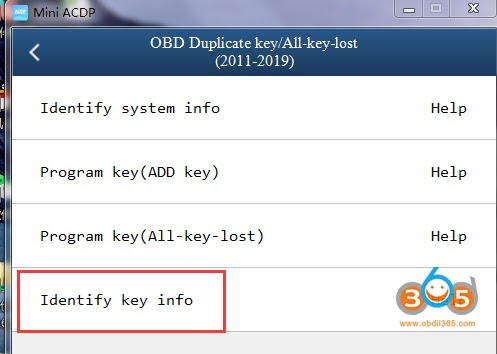
I need to duplicate a new key to a Land rover sport 2015 with Yanhua Mini ACDP and module 9. It asks for a special key that can change ID correctly on the BAV key adapter.
Where can I find the aftermarket Landrover/ Jaguar keys that allow the ID to be changed/modified?

Solution:

How to Add Launch X431 Storage Capacity?
Confirmed: Launch X431 scan tool (i.e X431 V, X431 V+ etc) allow the user to expand the storage capacity from 32GB to 128GB.
Next part is about how to use TF card to extend memory in X431 V:
Prepare:
- Launch X431 V (for example)
- One TF card: Over 8 gigabyte (GB), with the speed of Class 10 (which is over 10 megabyte per second).
- One screwdriver

Simple procedure:
- take off the plastic protection sleeve from its backside.
- Remove all the screws.

- Set aside the back cover and take out the tablet.
- There is a TF card socket at the right side of the tablet where we insert the TF card.

- Start up the tablet.
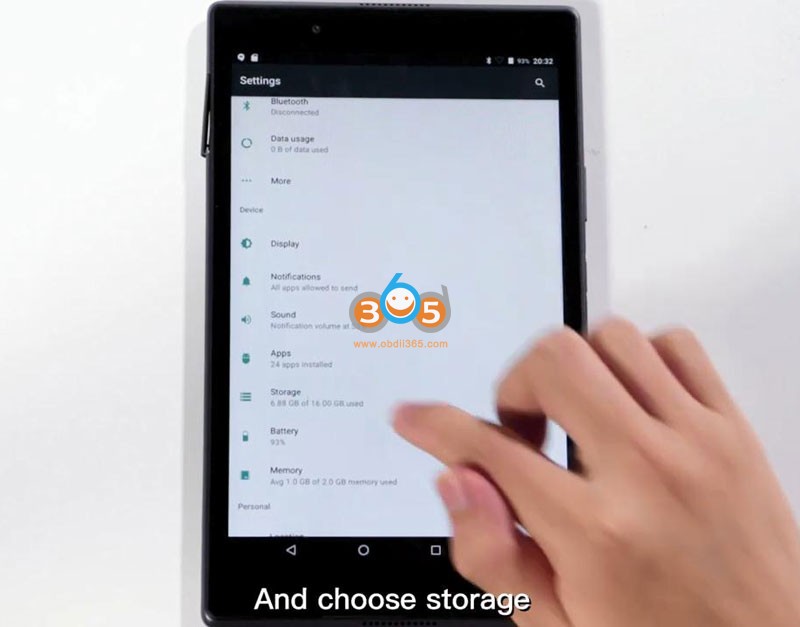
Open “Setting” and choose “Storage”.
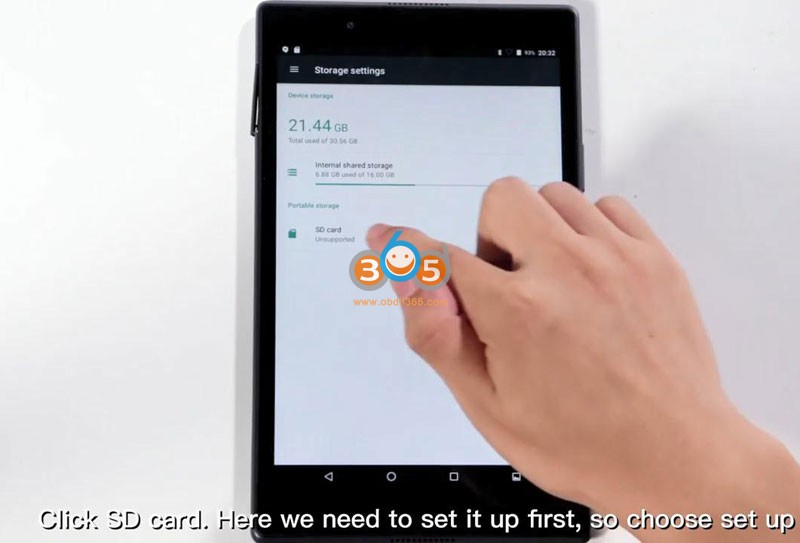
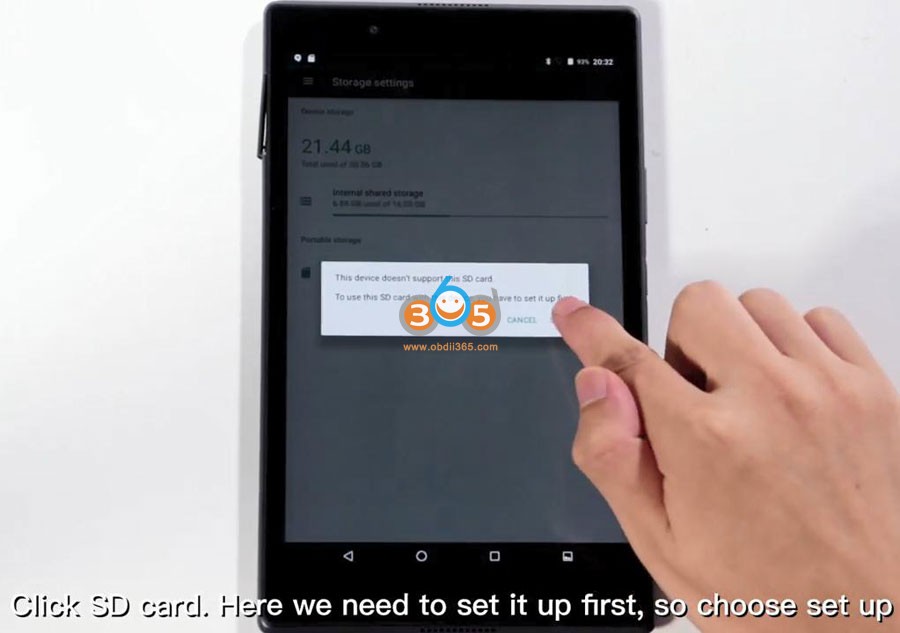
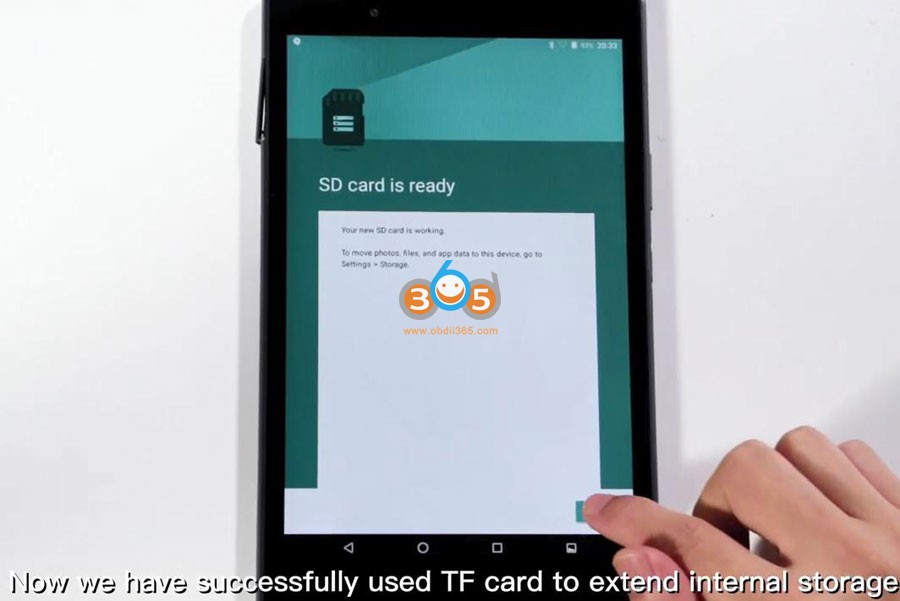
Click on “SD card”, here we need to set it up first, so choose “Set up”.
Choose “Used as internal storage”;
Next is “Erase and format”, it takes a few minutes in this step;
Next is to choose “Move now”, it takes a few minutes according to the data size.



- Job is done. Launch X431 V successfully used TF card to extend the internal storage, and the procedure is applied to X431 V+ and any other X431 tools.
Good luck!
Launch X431 scan tool tech support: www.obdii365.com
OBDSTAR MS80 Adds Honda Motorcycle Smart Key Programming
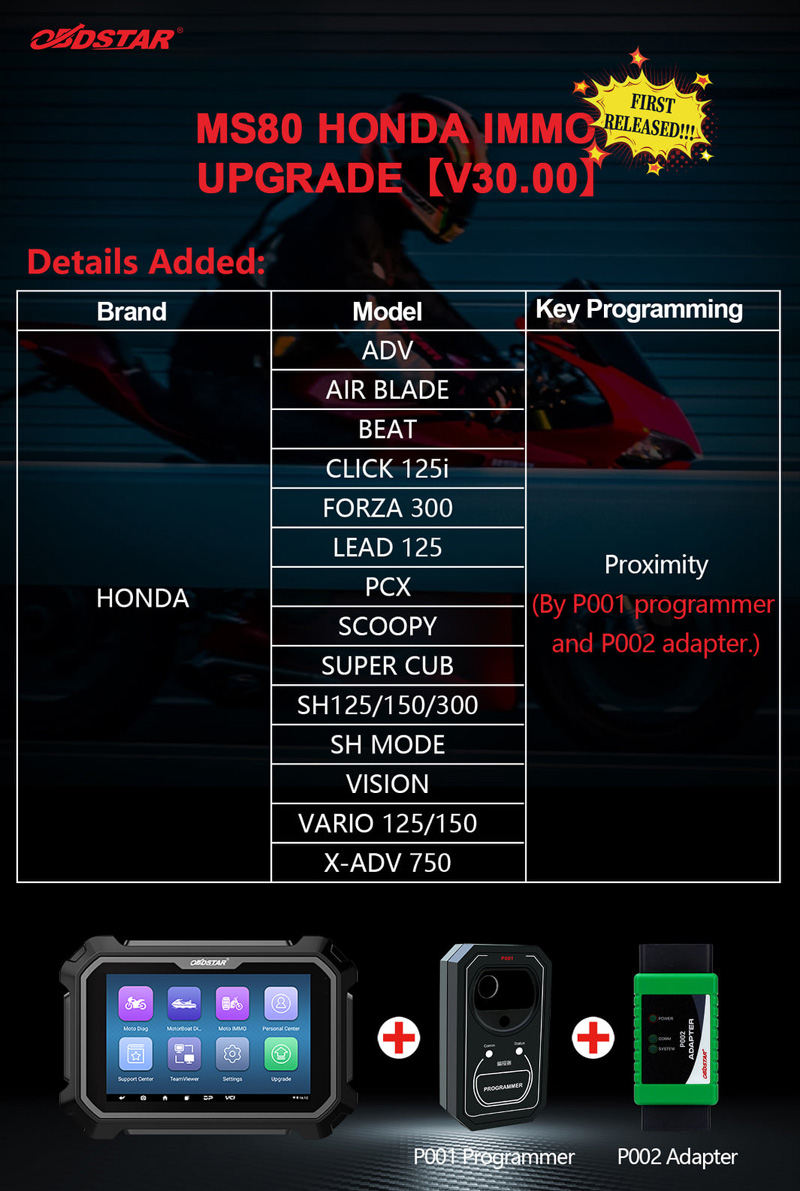
OBDSTAR MS80 Honda V30 software adds motorcycle proximity smart key programming.
Including following models:
ADV
Air Blade
Beat
Click 125i
Forza 300
Lead 125
PCX
Scoopy
Super Cub
SH125/150/300
SH Mode
Vision
Vario 125/150
X-ADV 750
requires P001 and P002 programmer to work with MS80.
Ford F150 2020 2021 Key Programming Tool Recommendation
Question:
