/image%2F1896381%2F20151209%2Fob_cb2b49_obd365-com.png)
How to Fix Autel IM508 IM608 Insufficient Space?
Is the internal storage for the Autel IM508 not capable of storing everything? It says insufficient space of internal memory.
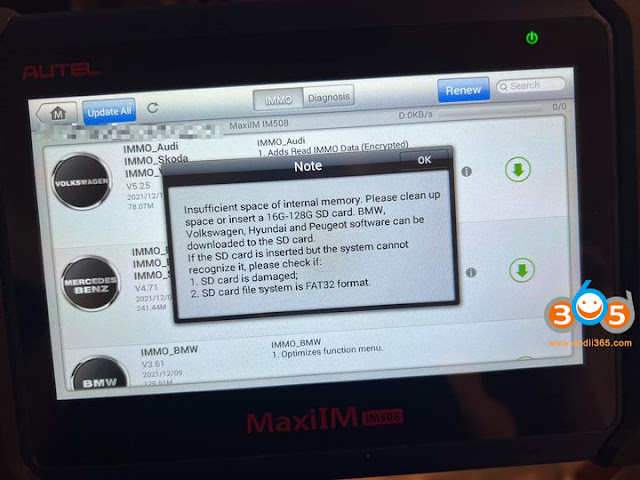
Just buy a 32 GB SD card. They are inexpensive and double the storage space of the IM508/IM608.
You can back up the IM508 to a USB card like other Autel tablets.


CGDI MB with full adapters or VVDI MB with adapters?
CGDI MB with full adapters or VVDI MB with 4 adapter, which one is the best to get?
- Look at the package of CGDI MB with full adapters (including EIS Test Line + ELV Adapter + ELV Simulator + AC Adapter + New NEC Adapter):
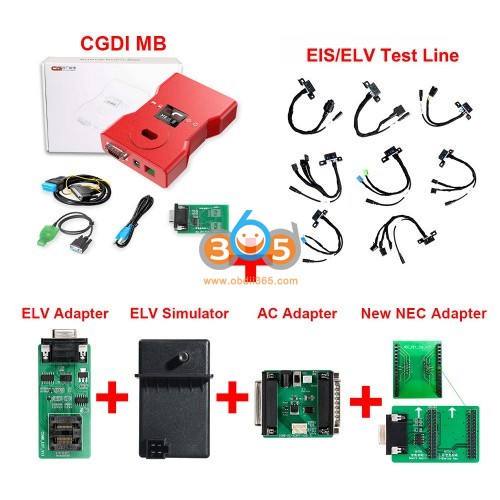
With new Diode equipped, which make infrared more sensitive to keyless go key. No need to replace diode chip yourself anymore.
Image source: https://www.obdii365.com/wholesale/cgdi-mb-key-programmer-with-full-adapters.html
EIS/ELV Test Line for Mercedes (without Having to Get on the Car)
Mercedes Locks Platform Test Line for W204 W212 W221 W164 W166 W205 W222
Scope of Application:
The EIS ELV maintenance
Key programmer
Detection key
ELV Repair Adapter:
- Automatically forced clearingcontents
- Enable ELV,Get out of suspended anim ation
- Virgin,Solve accidental errors
- Test Write ELV,Determine if it is working properly
- W204 W207 W212 W209 W906 Reparing locked chip
CGDI ELV Simulator Renew ESL for Benz 204 207 212:
CGDI MB ELV Emulator is newly released adapter by CGDI Company, which can Renew ESL for Benz 204 207 212, work with CGDI MB Benz key programmer, can do the same function with Xhorse ELV Emulator with cheaper price.
Most W204 W207 W212 ESL will damage with EIS. In this case, there are two possible reasons and solution:
ESL motor is damaged and need to replace a new motor
NEC chip is locked, theoretically it can be unlock, actually it needs to replace new ESL.
CGDI MB AC Adapter Features:
Acquire data via OBD at a quick speed
No need to dismantle EIS
No need to plug and insert the cable
Save much data acquisition time
New NEC Adapter (No Need Soldering):
CGMB-NEC Adapter support NEC keys erase, read & write, more convenient, faster and more efficient. No Need Soldering.
The NEC adapter has two functions:
- the left row pin-for smart key
- the right row pin-for non-smart key
One adapter helps you to solve two major problems.
- Look at the package of VVDI MB with 4 adapters (1 set VVDI MB BGA TOOL,1 set MB BGA TOOL EIS/ELV Test Line and 1 set NEC Key Adapter)
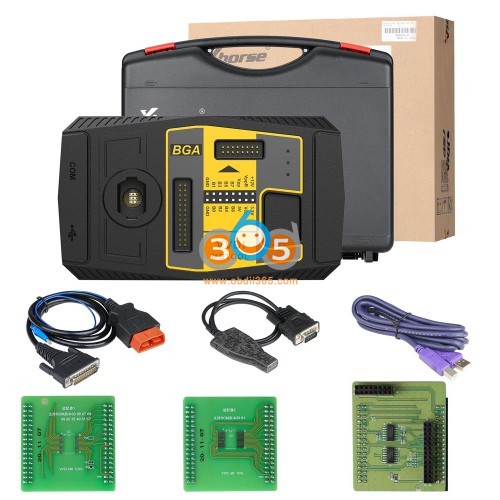
Image source: https://www.obdii365.com/wholesale/vvdi-mb-bga-tool-plus-eis-elv-test-line-nec-key-adaptor.html
Users feedback speak louder than the manufacture's claim:
- I have vvdi mb, my friend has cdgi. Both are good. Compare the prices
I bought an emulator for vvdi mb. Cables I made myself.
You'll need a power adapter for a vvdi mb
- I love my CGDI fast and never got me lose money
- I have both but cgdi mb is my favorite no doubt.
- CGDI have fast server and all is working i test all device.
- CGDI better for me.
- I don't have either, but vvdi everyone talks wonders, and I'm sure the price has something to do with it.
......
More CG MB test reports here: http://blog.obdii365.com/tag/cgdi-prog-mb/
More VVDI MB test reports here: http://blog.obdii365.com/tag/vvdi-mb-tool/
Enjoy!
Ktag 7.020 Micro protection removal failed Working Solution
Car model: Tiguan, 2.0TSI CCZ 2010
06J906026FK (2.0TSI CCZC)
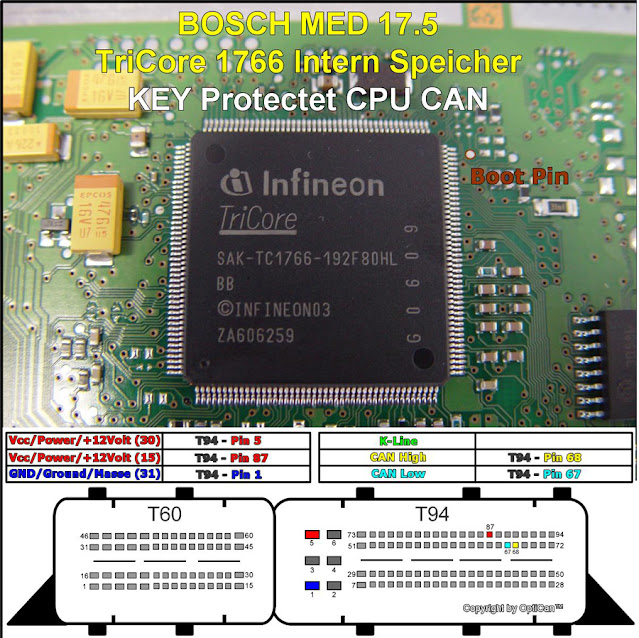
Bosch MED17.5
Chip:- TC1766
Prot:- VAG128
Purpose: to read
ECU programmer to use: clone Ktag 7.020 Ksuite 2.25
Error: "Micro protection removal failed" as seen in the image

How to solve?
Tip 1. First make sure that power supply is good 2amper and 12.5volt.
Tip 2. second try another protocol, 267, 199.
Tip 3. ,ktag needs full runtimes and .net framework updated so it can do this jobs correctly.
Check these too!
Tip 4. Med17.5...many kill the ecu by obd2.
Some ECUs need jumper on ktag.
Tip 5. Another opinion is that something wrong with protocols of your clone ktag...
Try choosing from protocol not from car list....and give 13volt..
Tip 6. try with jtag connection, I think this is (but I am not 100% sure)

Tip 7. for sure you can look at the pdf connections of ktag for bdm-jtag connection...
Galletto has deferrend connection.
Tip 8. I don't know if I understood you correctly (forgive me if I did not)but you can't just read and write dumps from one ecu on to another...vag ecus are crypted by processor password/otp section .You need to recalculate immo section in eeprom to new ecu password/otp
Tip 9. Try with kess v2 in bootmode. Also if your galletto is good try with it...
Tip 10. buy a original scanmatik 2 and pcmflash with proper plugin. And you don’t have to open Med/edc17 ecu’s.
While, sometimes we can't afford these original tools.
Hope it helps!
How to Fix BMW FEM No Communication AFter Read/Write EEPROM
I have read eeprom, modify eeprom and write eeprom modify with Autel IM608. After that replay clicking, try put original file and same problem and FEM not communicate, Anyone Help?
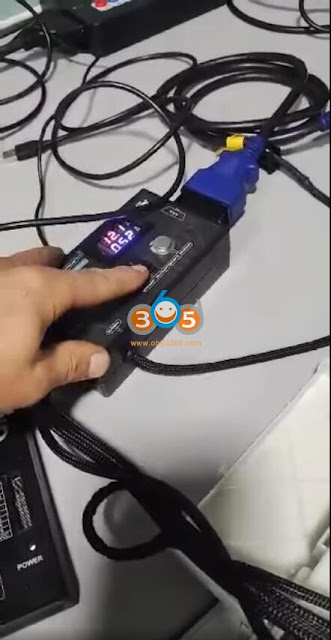

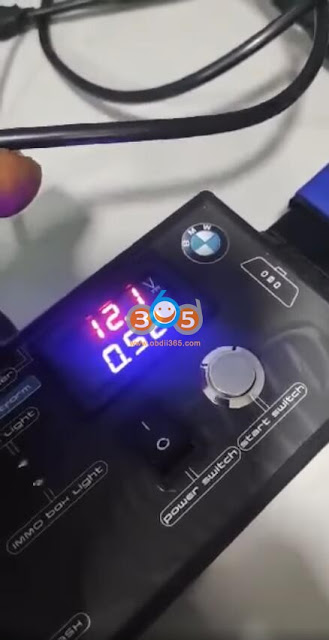
Your problem is that you had a bad reading. You should clean chip. Good before reading and read few times and save few files.
Better read with xhorse vvdi prog.
You need to fix eeprom file and write back.
Im608 in general not good with bmw.
12v not enough 14.5v try
Desoldered EEprom, wrote back original file, and then i used VVDI2 to update FEM, then after just follow instructions, and FEM worked again.
If you desolder EPROM put file original and same problem, the eeprom is dead.
Change eeprom for new one, there program original file. Then read data and check is frequency is ok.
Which Tool to Convert Smart Key to 2019 Toyota RAV4?
Question: I have 2019 Toyota RAV4, I need to convert a VVDI smart key to be programmed to the car. Can anyone help me to the right conversion on vvdi mini key tool?


Listen to experienced user suggestions:
- Not Supported after 2018, you need OEM key. Now it is not supported, but maybe later (keep updating).
Better provide version board number to confirm with xhorse engineer. (Contact at: www.obdii365.com )
Xhorse XM smart key supported board numbers: 0020 3370 6601 0111 2110 5290 0031 0310 0182 7930 A433 0030 3330 7980 F433 0010(-part) F430 0780 0140
We give our suggestion: to use Lonsdor K518ISE/ K518S and Lonsdor Toyota smart key

Image 3: Lonsdor FT08 PH0440B V2.0 RAV4 Avalon Camry 2018-2021 Smart Key
Check this article guide: How to Program 2020 Toyota RAV4 All Keys Lost with Lonsdor K518ISE (to program all keys lost, need also Yearly AKL license subscription, please refer to this article)
- The cheaper option is to use KH100 + Lonsdor Board 0410b.
I give my feedback here:
Today I test on 2 SUV Toyota RAV4 and highlander Hybrid both 2021. Used the Lonsdor board 0410b and I emulated the start button using the KH100 to calculate data.
When emulating all door should be closed, use the board to gather the data off the start button. Press the start and hold the board near the button. The boards led light should blink when data is gathering.
Take the board to the KH100 that is on the net to transfer the data to get an emergency start. the whole thing takes less than 2 minutes.
Hope it helps!
Xtool X100 Pad2 Adds Nissan Qashqai 2019 Key via OBD
Nissan Qashqai 2019 is programmed successfully without reading pincode or releasing steering lock with xtool x100 pad2.
it’s my first time programming Qashqai 2019 so I want to share the tip.
Didn’t read pin code, directly program key open driver door and close it then push the start button, wait 5 seconds and job done.
The key is original not generated.
The car is imported from Europe.

Here is the xtool x100 pad2 NISSAN Qashqai Function List V27.14 claimed by the manufacture.
- Nissan Qashqai from China:
With smart key system (20 pincode): program smart keys.
Without smart key system (20pincode): program key
- Nissan Qashqai from Europe:
2007 -2009: program remote – Fault code, erase DTC, program keys.
2009-2013: program remote – Erase DTC, program keys, release steering lock
2009-2013: Mechanical key – Erase DTC, program keys, release steering lock
2009-2013: Smart key system – program smart keys, erase all smart keys, program steering lock
2014 – : Immobilizer system – Type1 – program smart keys
2014 -: Immobilizer system – Type2 – program key


Good to know:
Obdstar X300 Pro4 / obdstar X300 DP Plus is also able to program Nissan Qashqai 2019 Prox all keys lost via obd.
Read procedure here: http://blog.obdii365.com/2021/12/09/obdstar-program-nissan-qashqai-2019-prox-all-keys-lost/
Autel IM608 Renault Clio 4 2020 Asks to Connect Gateway Adapter?
Problem:
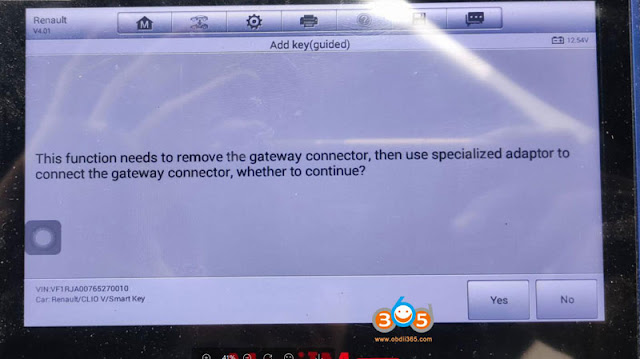
I have a 2020 Renault Clio V and Autel IM508 asks me “This function needs to remove the gateway connector, then use a specialized adapter to connect the gateway connector, whether to continue”
What do i need to do, i do not have a special part for Renault.
Solution:
Autel does not have a dedicated adapter for Renault. You can use OBDSTAR green adapter or other gateway connectors.

Can I use SVCI J2534 to Replace IMMO Parts?
Question:
STIC SVCI J2534 Ford IDS cannot work with replacing immo parts? I think I did replaced engine ecu with this device (ford ids app downloaded something online and after all configuration car started) or it was only bricked ecu online programming i cannot remember now… also saw on youtube online pats programming with this device.

Test Report:
I bought the STIC SVCI J2534 Ford IDS, Works really well.
I use the STIC SVCI J2534 Ford IDS to restore flash data, ecus and other modules. up to 2017.
And program immo parts and keys on older, within out coding. before 2011.
For this, it works really well.
To replace immo parts, you will need a OEM account.
And 2018 FDRS
If you asked ” fdrs can work with svci j2534?”
I only use it, with ford ids.
I guess it will work, with fdrs, if you have an FDRS account.
The new device will do the same.
It will run ids with activation.
And will run fdrs, if you have your own account.
They offer a fdrs activation. I guess for 24hours, or so.
Someone confirmed that “SVCI j2534 works with fdrs. You have to change path in regedit with cardaq.”
VXDIAG VCX NANO for Ford is more stable on ecu/immo programming and it is confirmed working with IDS/FJDS/FDRS 100%.
To own a working STIC SVCI J2534 Ford IDS here:
https://www.obdii365.com/wholesale/fvdi-j2534-diagnostic-interface.html
How to use Xtool X100 PAD to Program Toyota Prius 2014 All Keys Lost?
How to program a new key for a 2014 Toyota Prius push start proximity all keys lost with xtool x100 pad (pad2/pad3) via OBD. The same procedure can be applied to Prius from year 2010 to 2018.
Select IMMO- Toyota- Key- By Vehicle- Prius- Proximity- 2010 to 2018- Reset Smart Key ecu (Smart Box)- Reste ECU (All keys lost)

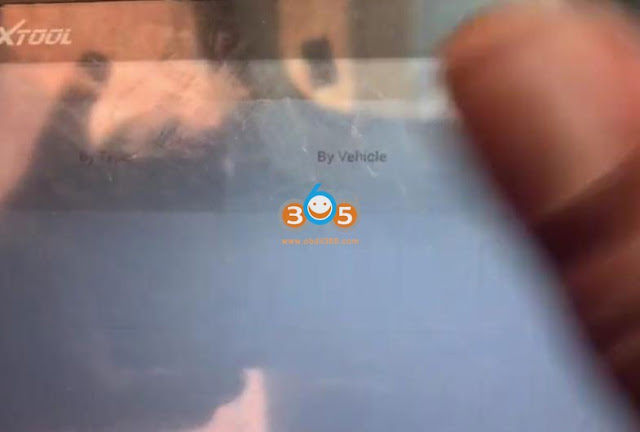

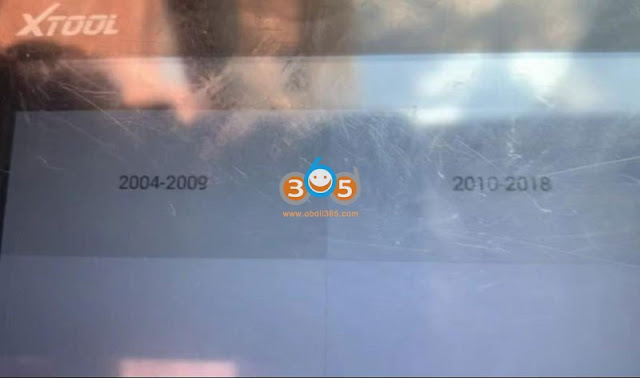
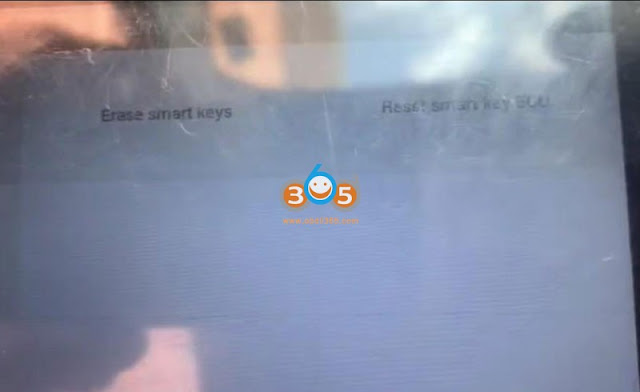
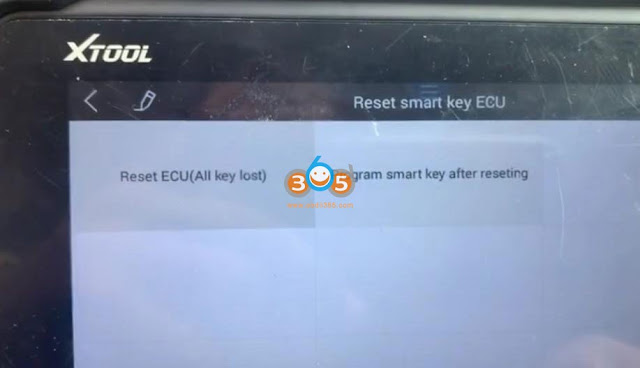
Reset smart box takes about 16 minutes.


Reset smart box success
Select Program smart key after resetting
Put a new smart key to close the Start/Stop button
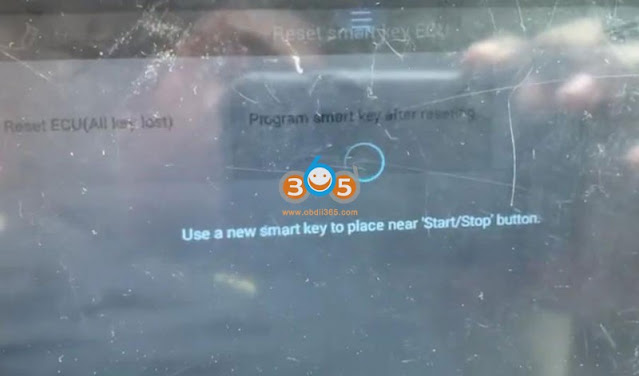

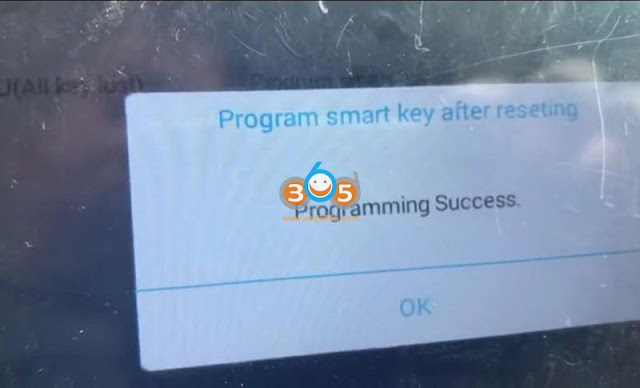
Program complete
Test new key
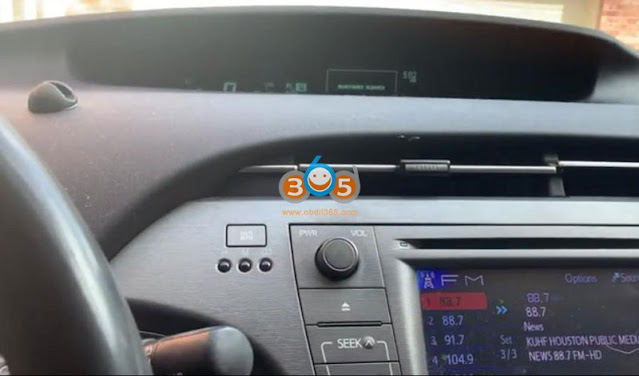

The new key can start the vehicle, remote control works as well.
Done.
Which Tool to read ISN from 2008 BMW 535i MSD80 DME?
Car model / year/ DME: 2008 BMW 535i, want to install used MSD80
Question: How to read ISN from DME ? And how to read/write ISN to current CAS?
Method:
Option 1. Easiest was is to clone with original tools like ktag, flex or trasdata. That ecu is tricore password protected so you need better tools to read isn from it. Find someone local to you for the job.
Option 2. BMW specific key programming devices, CGDI, Yanhua ACDP, Autohex, VVDI BMW
check: Read/Write MSD80 MSD802 with VVDI, CGDI, Autohex or Yanhua ACDP
Option 3: CG AT-200 will do the job in some minutes.
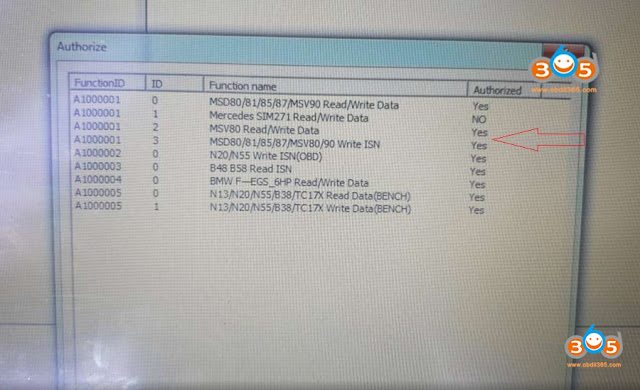
Watch this video tutorial on how to use CG AT200 to read write BMW MSD80 ECU and Clone Module offered by obdii365.com:
Good to know:
CG FC200, the upgraded version of AT200, comes with full authorization of AT200. And of course it can also read ISN from 2008 BMW 535i MSD80 DME, as well as more. So it is worth the money to have a try.
Lonsdor Fixed Bugs of H0410C H0440C Smart Key Boards
Lonsdor updated the old FT11 H0410C Toyota and FT08-H0440C Lexus 8A smart key to the new PH0440B boards.
New board features:
- Default 312MHz/314MHz, fix frequency change bugs. Frequency can be changed to match to vehicles from different regions
- Fix bugs that failed to be programmed to some old 8A Toyota/Lexus models.
New Lonsdor FT08 PH0440B V2.0 Toyota Style Smart Key
Replace the old FT11 H0410C board
optional key shell: 3+1 buttons with logo

New Lonsdor FT02 PH0440B V1.2 Lexus Style Smart Key
Replace the FT08-H0440C board
optional key shell: 3 buttons with logo
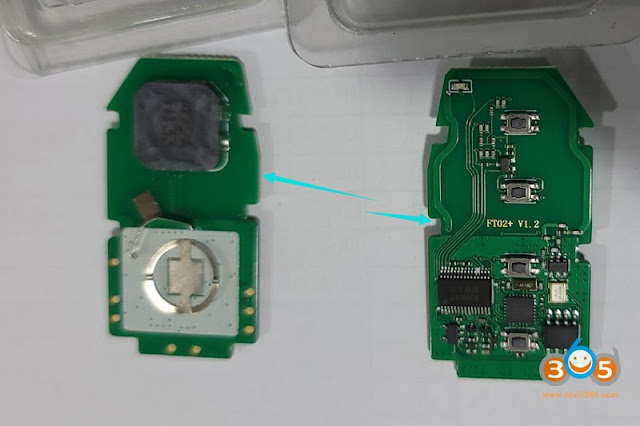
Lonsdor 8A smart key programming example:
Program 2021- Toyota 4A Smart Key with OBDSTAR Without PIN Code
OBDSTAR recently release an important update adding Toyota Corolla/Levin 2019/2021 onwards proximity key programming (add key and all keys lost) bypass PIN code.
Device required:
OBDSTAR X300 DP Plus/X300 Pro4/Key Master DP Plus/Key Master 5

Functions
2019- COROLLA 4A proximity key programming(free pincode);
2021- COROLLA CROSS 4A proximity key programming(free pincode);
2021- COROLLA CROSS HV 4A proximity key programming(free pincode);
2021- COROLLA SPORT 4A proximity key programming(free pincode);
2021- COROLLA SPORT HV 4A proximity key programming(free pincode);
2021- COROLLA TOURING 4A proximity key programming(free pincode);
2021- COROLLA TOURING HV 4A proximity key programming(free pincode);
2021- COROLLA HV 4A proximity key programming(free pincode);
2019- LEVIN 4A proximity key programming(free pincode);
2021- LEVIN HV 4A proximity key programming(free pincode);
2021- ALLION 4A proximity key programming(free pincode);
2021- LIVIN 4A proximity key programming(free pincode).
TOYOTA 4A PROXIMITY KEY PROGRAMMING (FREE PINCODE)
Step-by-step procedure:
1. Read IMMO data (on BENCH)
Connect OBDSTAR X300 DP Plus / KeyMaster DP Plus to a car, enter into [CAR IMMO]- [All] – [LEXUS TOYOTA SCION]- latest software version-Manual Select Model- Toyota – Asia- COROLLA- PROXIMITY- 2019-
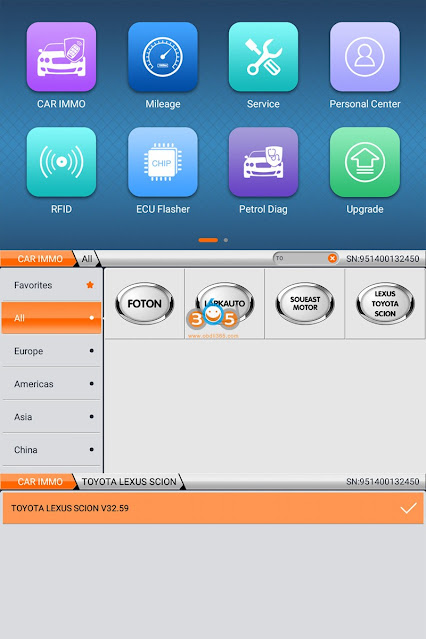

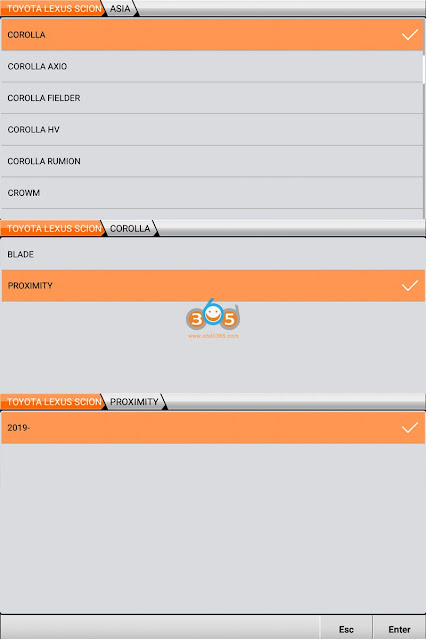
Read Immo data (Bench)

Connect the obdstar key programmer and smart key ECU through the jumper cable, power the device, click [Enter].
Tips: press [Guide] to check wiring diagram in details.
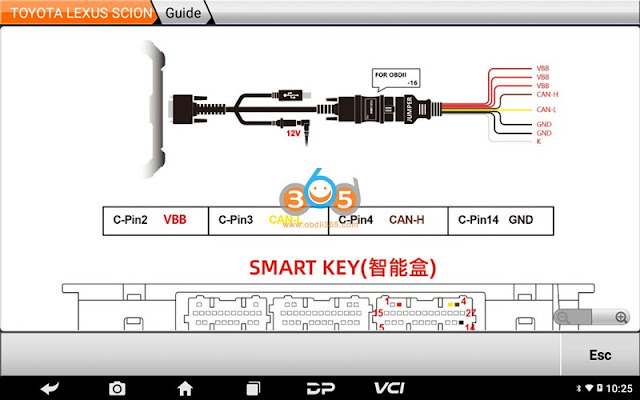

The function requires a network connection. Ensure the internet connection is normal, click [Enter].

Save file name, save and confirm
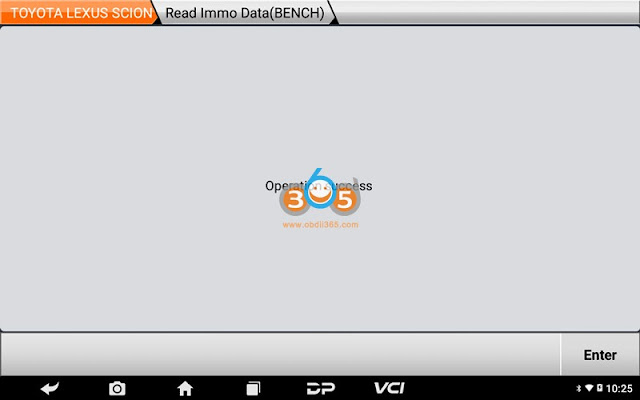
Read immo data success, click [Enter].
Tips: the file folder position saved: DP-device serial number-Data
2.Add keys

Click [Add keys]
Make sure internet connection is normal, click Enter
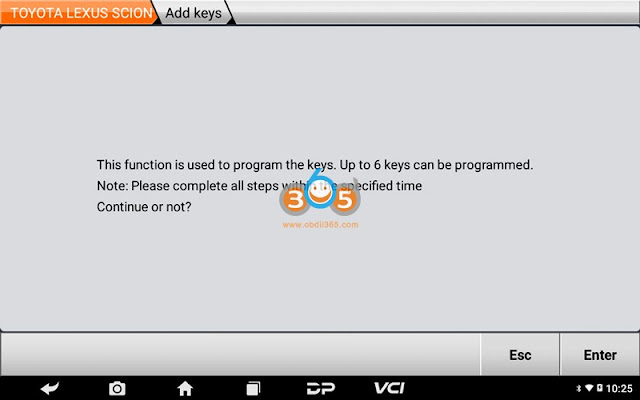
Note: Less than 6 keys can be programmed. Pls complete all steps within the specific time, click [Enter].

Switch ignition on
Turn on the emergency flasher, shut off the ignition

Press Enter to confirm you have read vehicle immo data

Upload IMMO data read in step 1 and confirm
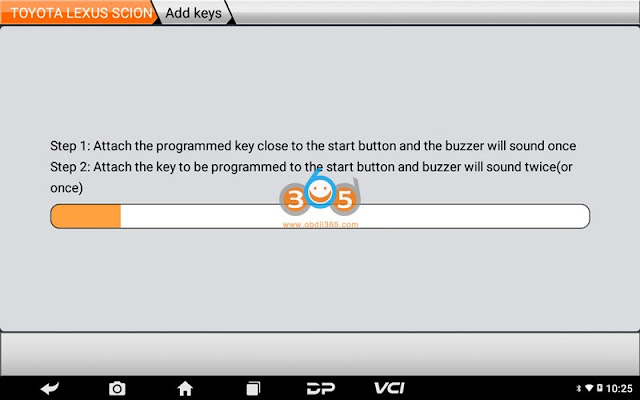
Follow obdstar prompts to complete key programming.
1.put the key to be programmed close to the Start button and buzzer will beep once
2.put the key to close to the Start button and buzzer will beep twice or once

Program successfully. If remote control doesn’t work, pls execute [Program ID Box With Steering Lock] procedure.
Autel IM508 IM608 Adds Audi BCM2 Eencrypted IMMO5
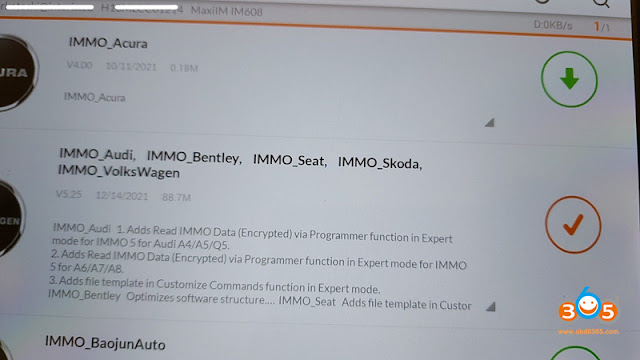
Autel IM508, IM608 and IM608 Pro released a new update – reading immo data Audi bcm2 encrypted on December 14th, 2021.
IMMO_Audi Update
1. Adds Read IMMO Data (Encrypted) via Programmer function in Expert mode for IMMO 5 Audi A4/A5/Q5
2. Adds Read IMMO Data (Encrypted) via Programmer function in Expert mode for IMMO 5 Audi A6/A7/A8
3. Adds file template in Customize Commands function in Expert mode
Support versions:
0510, 0521, 0551, 0550, 0572, 0582, 0633, 0641, 0650, 0711
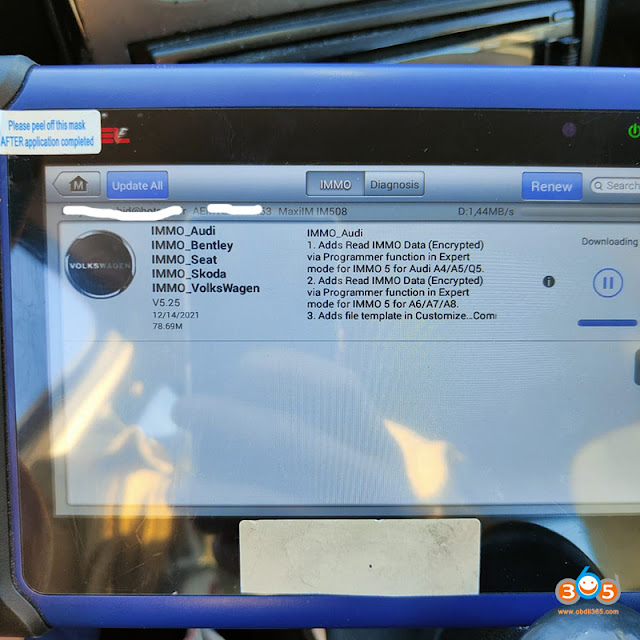
XP400/XP400 Pro and G box are required.
Audi BCM2 encrypted (D70F3634/D70F3381) wiring diagram to IM508/IM608
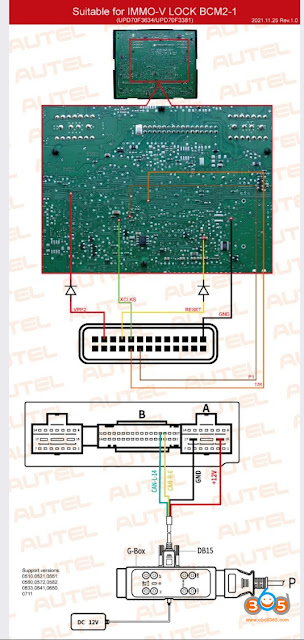
Q: What diodes are needed for vpp2 and reset?
A: 120 ohm.
GM MDI2 Clone with HDD Pre-loaded on Laptop Any Good?
GM MDI 2 GDS2 Tech2win Software V2021.10.1 is available with pre-installed in Lenovo T410 Laptop I5 CPU 4GB Memory at obdii365.com. It is plug-and-play.
Look at the image below:
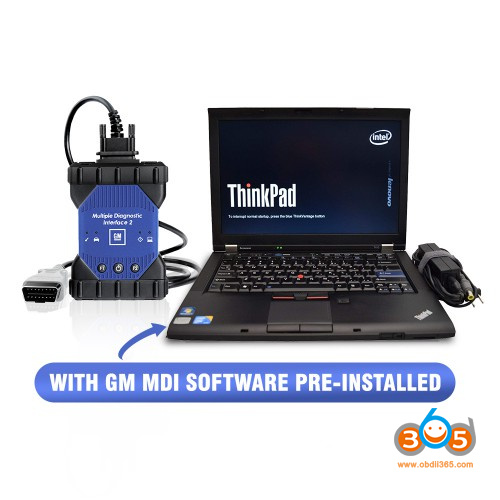
It includes one GM MDI2 multiple diagnostic interfaces, a Lenovo T410 Laptop with a preinstalled hard drive containing software Global TIS, GDS 2, Tech2Win V2021.10.1.
HDD Configuration:
500GB SATA HDD
Windows 7 64bit
Software Version: V2021.10.1
GM MDI Manager version: V8.3.103.39
Supports GM vehicles till 2022

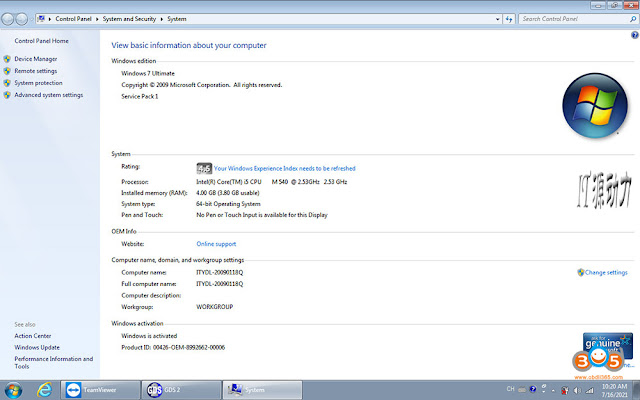
Laptop Lenovo T410 I5 CPU Configuration:
Brand: Lenovo
Screen Size: 14.0
Memory: 4GB
Memory (RAM): Intel(R)Core(TM)I5 CPU
Type: Laptop/Notebook
Condition: Used
An item that has been used previously. The item may have some signs of cosmetic wear, but is fully operational and functions as intended.
Primary Drive: DVD+/-RW Processor Speed: 2.53GHz
Processor Configuration: Dual Core
Good to know:
The above Wifi GM MDI 2 multiple diagnostic interface is good 1:1 in 2021.
GDS2 identifies it as an MDI2, not the MDI 1
Look at the PCBs of Wifi GM MDI 2:

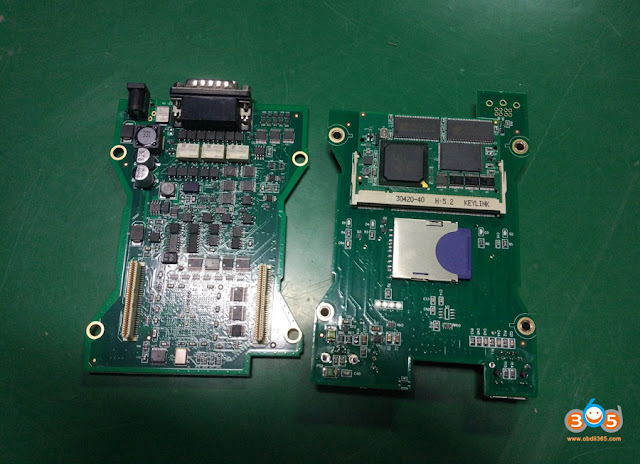
The advantages to purchase GM MDI 2 GDS2 Tech2win Software V2021.10.1 with pre-installed:
-Ready to use, don’t bother to download and install by yourself.
-Save money when purchasing together.
-It is working stable for the few times our customers tested. tech2win works too
– is applicable through 2021 vehicles with no activation for users.
–The HDD has many different packages to install as needed.
-SPS online programming was test by many without issue
-GDS2 Multi-Languages available: English, French, German,Italian.etc. Total 30 languages to choose
Tech2win: English only
– Online programming: confirmed by purchasing extra Original GM Online Programming Software Subscription
Read related article: GM MDI2 Clone SPS programming ECM (update, Setup etc)
– GM MDI 2 clone is compatible with original GDS2 software.
For the using tips and users’ feedback, browse here: http://blog.obdii365.com/2021/01/19/gm-mdi-2-clone-is-compatible-with-original-gds2/
What can Tech2Win and GDS2 do?
Read the related articles:
Enjoy!
Yanhua Mini ACDP Read BMW EDC17C50 ISN Error Solution
Problem:
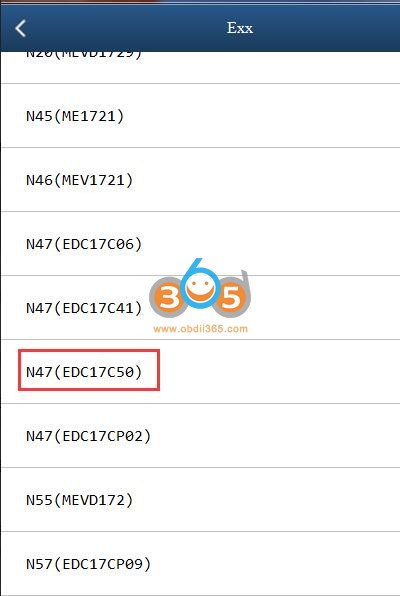
Hi team, may you please assist. Under which ECU type must I read this with Yanhua Mini ACDP. I need to read Isn from this ECU. I've tried a few and getting communications errors. This is ecu Edc17c50.


There are 2 ways to read this ECU