/image%2F1896381%2F20151209%2Fob_cb2b49_obd365-com.png)
$18.99 Toyota G OBD Key Programmer Review: Save Tons
This Key Fob Programming Tool is used to add Transponder and Remote Control Keys for Toyota G chips Vehicles with 4d67/68/72(G) Chip, and a few special H chips.
(Review 1)
Here is a quick guide on a newer Toyota vehicle new key copy and this applied to a lof of different vehicles nowadays.
Sometimes you can save a lot of money that’s why people are do-it-yourselfers nowadays.
And if you do things especially like what I’m talking about today do a little bit of research online because all the information is available for you the parts and the tools necessary nowadays are available to you if you don’t like to do things yourself then by all means just take your vehicle to a dealer for whatever you need or whatever have you but this specifically is to the newer generation Toyota vehicles and they have the keys so this is the original so you want to have a copy made and if you call the dealership you’re talking upwards of $200 to have a key made. So you go online you go on www.obdii365.com you spend $18.99 on this little programming tool (Toyota G and H OBD key programmer) to program these keys and let me see I’ll read you the instructions real quick.
So you get a key and the key itself is $21.99 the programmer is $18.99 and then you have the key cut to the original key that’s gonna cost about four to ten dollars you know it all depends on where you live or who you know or whatever. Anyways so you could get yourself one these keys online you get yourself one of these little programmers online have it cut at your local locksmith.
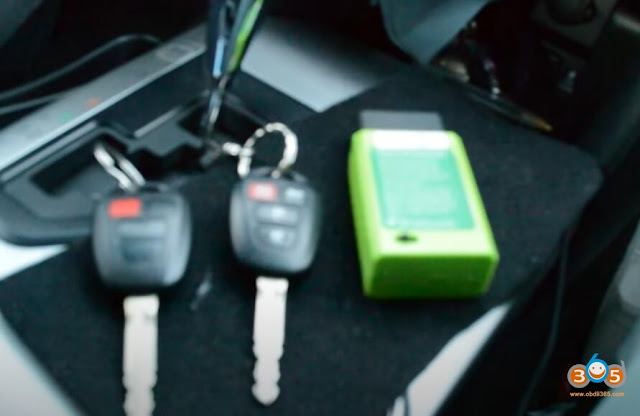

I’m just gonna read you real quick we’re gonna have it done real quick.
It says Toyota add transponder get in the car and close the door. Insert the main key into the lock and turn the key on and then insert the device into the OBD it will sound device.
It will start to add transponder after the sound literally says DiDi two to three minutes later anti-theft light is on and then remove the key anti-theft light will flash insert the new key and doesn’t need turn the key. Now this is says insert the key new key and doesn’t need turn key this is obviously not proper grammar there either translating this from Chinese or they were at your local public school. Anyways anti-theft light will be off later.
You got a switch right there left is to add the transponder on the other side that’s for the remote key program you could switch that to the right so we’re gonna do it real quick.
all right so once again it says get in the car close the door which the doors closed.
there you go insert the main key in the lock and turn the key on and insert the device and we did that if this hit it will sound twice start to add the transponder after the sound Di to the three minutes later anti left anti-theft device or the anti-theft light is on and then remove the key. The anti-theft light will flash, insert the new key and doesn’t need turn the key I think it means and you don’t need to turn the key but I’m translating here anti-theft light will be off later.
All right so let’s go ahead and test it.


there you go.
(Review 2)
Wonderful. Worked like I needed and expected what I like it because I went to Toyota dealer they wanted to charge me $425 for the key and programming. Now with G Key Programmer OBD Remote Key Programmer Fob Programming Tool, with one connection and follow the instructions my remote was programming. Thanks a lot
Used on a 2011 Sienna XLE Van I programmed 2 keys and 2 remotes without any issue. One key was new, one old. Both remotes were used on other Sienna vans and had no issue being transferred. The only issue I had was my own impatience. When you insert a new key, it seems like it failed, your turning off the van and simply inserting a key without doing anything like turning it back on….. (new key was uncut, no issue at all), you just have to be patient and allow the dash security light to go off, took a couple of minutes but happened without issue (I pulled it too soon on the first try). I never checked how much the dealer charges, but we paid $120 to have 2 keys done for a Jeep.
(Review 7)
I have a 2007 Toyota Tacoma with the original key to use .It worked fine for me and saved me $ 350.00 on just programing . The instructions are a little hard to read but, it was worth the price definitely. The price would have been $575.00 range for just one key . I got myself one key and one remote here . Got myself a fine file kit here too and traced out the original key . Filed out the key being careful to clean it off testing and fitting it until it turned the lock . After that I followed the instructions to program it . I was overjoyed that it worked and saved me a bundle of bucks . YOU NEED TO HAVE A KEY THAT CAME WITH THE VEHICLE FOR THIS TO WORK .


Autel IM608 Touch Screen No Working How to Fix?
Autel MaxiIM IM608 feedback: I tried to touch all the options at the top of the screen, they are not responsive, and again the IM608 prompts the xp400 programmer was disconnected. I tried to restore the factory settings, but it does not work.

Image 1: sometimes, the touch screen is unresponsive no matter which option I select.
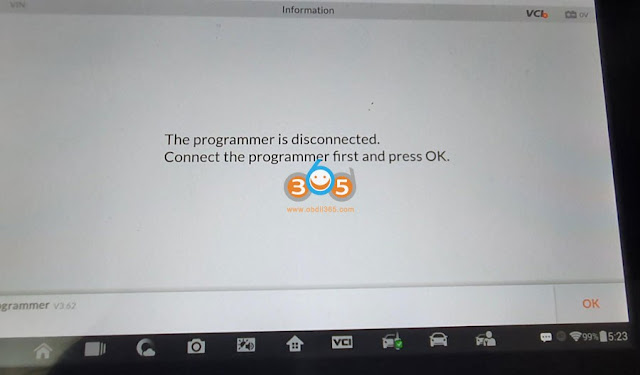

Image 2-3 : After selecting “IMMO” on the home menu, I got message “The programmer is disconnected”.
Autel Tech support analyzed the possible reason and solution:
- Solution to “The programmer is disconnected”
It should be other problems that are not related to screen touch.
- Solution to Autel IM608 touch screen not work
The touch problem needs to be solved first.
- When the touch does not respond but the screen display is normal, you can connect an additional to see if it can control the menu. If so, it means that there is no problem with the im608 software. The problem is related to the touch screen, please replace a new touch screen.
- If the mouse cannot control the screen, there may be a problem at the operating system.You can try to format the factory settings (I checked the user record, he restored the factory, but not formatted, please go to System settings>>Reset>>Factory reset>>Erase SD card (make sure to tick off this to format).
FYI, his Autel IM608 will expire at 7th November, 2021, please format as soon as possible, otherwise it cannot be formatted.
Alright, hope you are always happy with Autel IM608, however if you have the same problem, please feel free contact at www.obdii365.com.
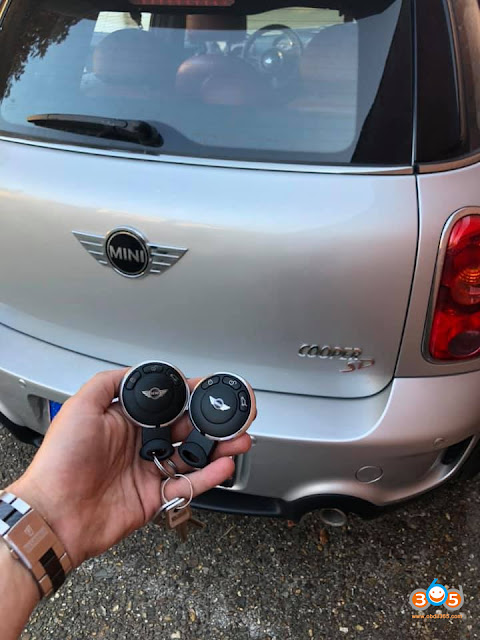
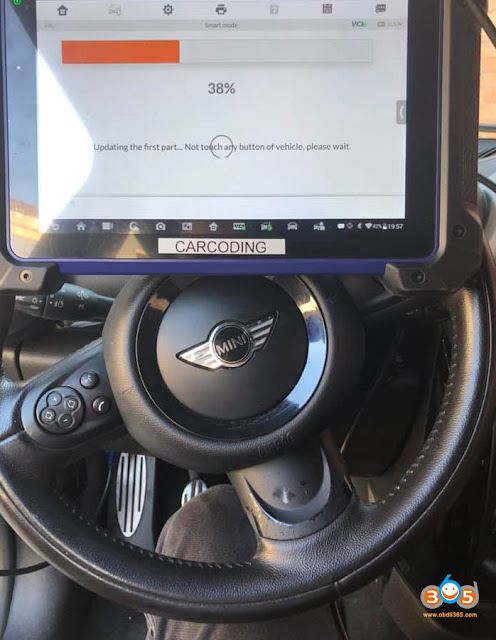
Autel IM608 Program Mini Cooper CAS3+ ISTAP Key via OBD
Autel MaxiIM IM608 feedback: Add key for Mini Cooper 2011 CAS3+ istap no issues via OBD.

Good to know:
- It is cas3++ istap, once I had an update fail. Car did not start anymore. But I could repair the cas with autel. Here is how I done it , when update failed. Same process for the mini
http://blog.obdii365.com/2021/08/19/repair-bmw-cas3-istap-with-autel-im508-im608/
- Someone think that “on MINI must remove the dashboard to access the CAS”… then the easy job becomes a shitty job.
- Someone feedback ” I was trying to add key with autel cas 3+ and it doesn’t add key by obd in cas” .
Yes I had this problem also. In that case you need to go to ecu operation after you did the add key procedure, and write the key ID in yourself.
Look at Autel IM608 Mini Cooper coverage:
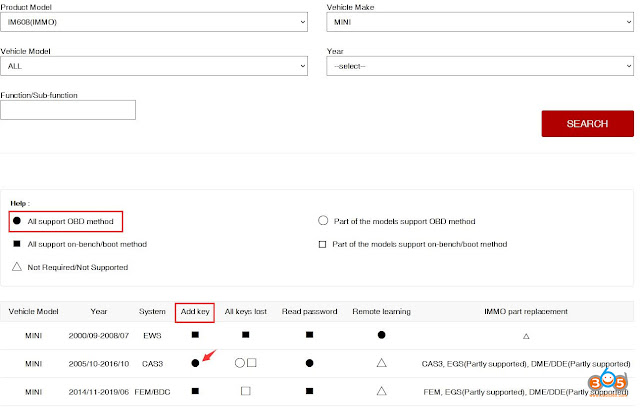
From the official site: https://www.autel.com/vehicle-coverage/coverage2
Download and Install Autel MaxiFlash JVCI Driver for J2534 Programming
Here is the tutorial on Autel MaxiIM IM608 JVCI J2534 interface driver download and installation. If you have the driver for laptop, you cannot use this interface as j2534 passthru. We can get autel J2534 programming jvci to communicate with the manufacturer platform ( OEM software) to program cars.
If you have an Autel IM608 and we can use that one as a programmer.
You have to go to Autel website: www.autel.com
You have to register you have to use the name password and email
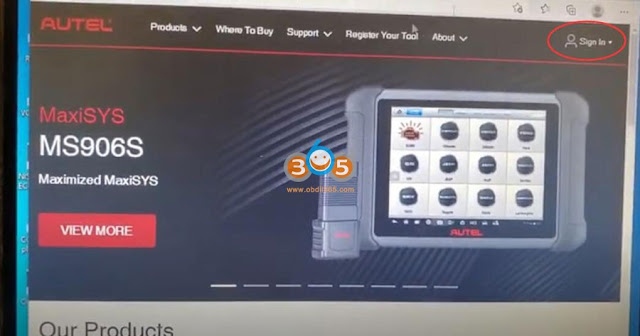
you have to put your serial number or fcc number here

when you put it in, it will take you to step to create an account
If you have created an account, sign in with Autel ID (your email address) and password.

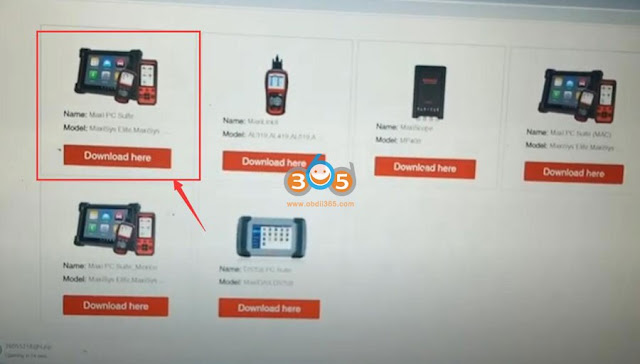
Go to Support- Download (make sure you have network connected)
Download 1st one- Maxi PC suite for maxisys series

Ley PC download Maxi PC Suite program. Unzip file, run Setup.exe, select Maxi PC Suite language

Press Install to install device driver software
Press Next until installation is finished.
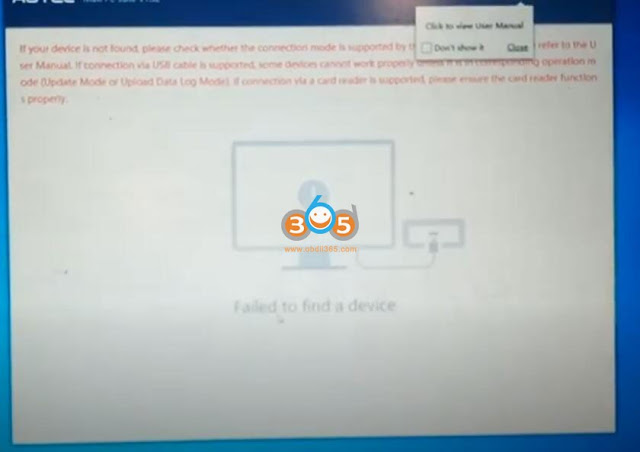
Run Maxi PC Suite on desktop
You have to connect Autel MaxiFlash JVCI interface with laptop thru USB to have the device detected
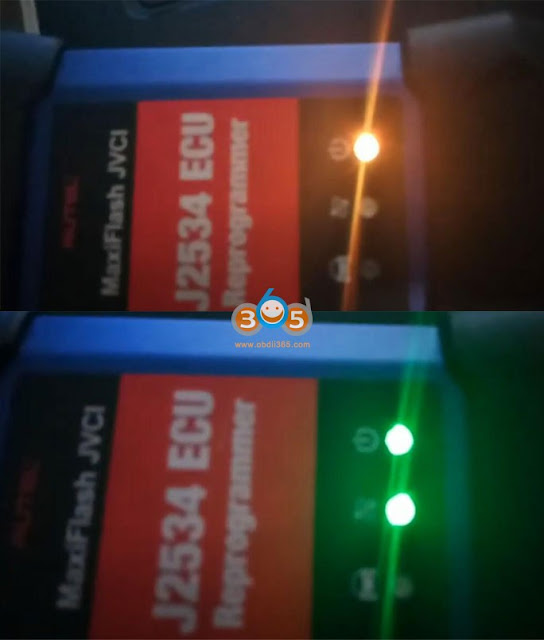
The indicator turns yellow when connected with laptop via USB, then it turns to green when detected by Maxi PC Suite

Now you can get JVCI to communicate with OEM software
We have these options when connecting with Honda software
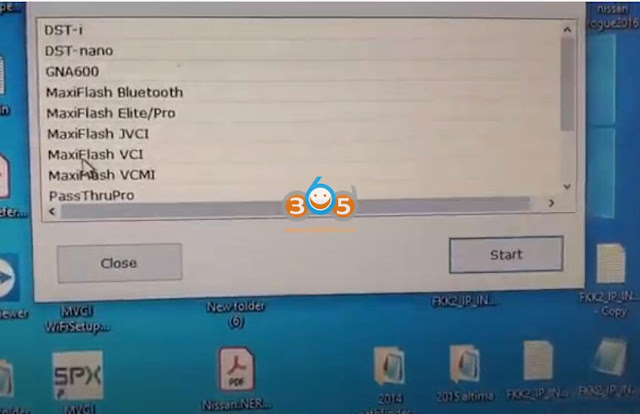
Another example: use MaxiFlash JVCI with GM SPS2 via Techline Connect program

https://www.obdii365.com/service/install-autel-im608-jvci-j2534-driver.html
Caution when Program Smart 453 All Keys Lost with OBDSTAR
Smart 453 has the same system as Renault Twingo III. In the previous post lists all available tools to program all keys lost via OBD.
Which tool to program Smart Fortwo 453 all keys lost?
Here we share tips on programming Smart 453 AKL with OBDSTAR X300 DP Plus.
After selecting All Keys Lost (Beta) function, do follow instructions strictly to complete the job.
If you have a working key, make sure you select [Add Keys] for operation
If you insist on choosing the [All keys lost] for operation, the machine will not hold the responsibility of the risks and consequences.
After performing [All keys lost], possible risks are:
Risk 1: after the key is cleared (UCH is reset to a brand new ECU), the pincode reading fails, resulting in failure of programming key operation.
Risk 2: the wrong pincode is read after the key is cleared (UCH is reset to a brand new ECU), after the key programing operation is completed through the wrong pincode, the key only has remote control, but cannot start the car.
Risk solution:
Risk 1: Use the original diagnostic tool to reprogram UCH online;
Risk 2: You need to perform [Reset UCH] function, then reprogram UCH online with OEM diagnostic equipment.
(The dealer key generated by the wrong pincode only can be unlocked by the wrong pincode!)


http://www.key-programmer.org/2021/10/28/program-smart-453-all-keys-lost-with-obdstar-x300-dp-plus/
How to Change Launch X431 User Name and Password?
uide: how to Retrieve Launch X431 PAD V/ PAD VII/X431 V/X31 V+/Pro Mini/Pros Mini/Pros/Pro3 diagnostic scanner login Password.
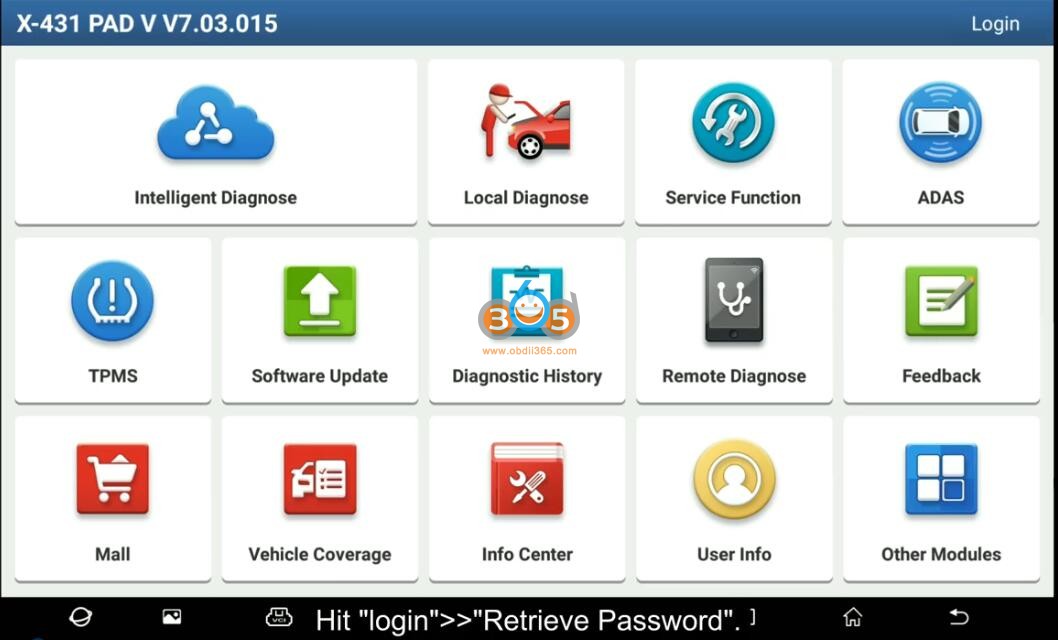
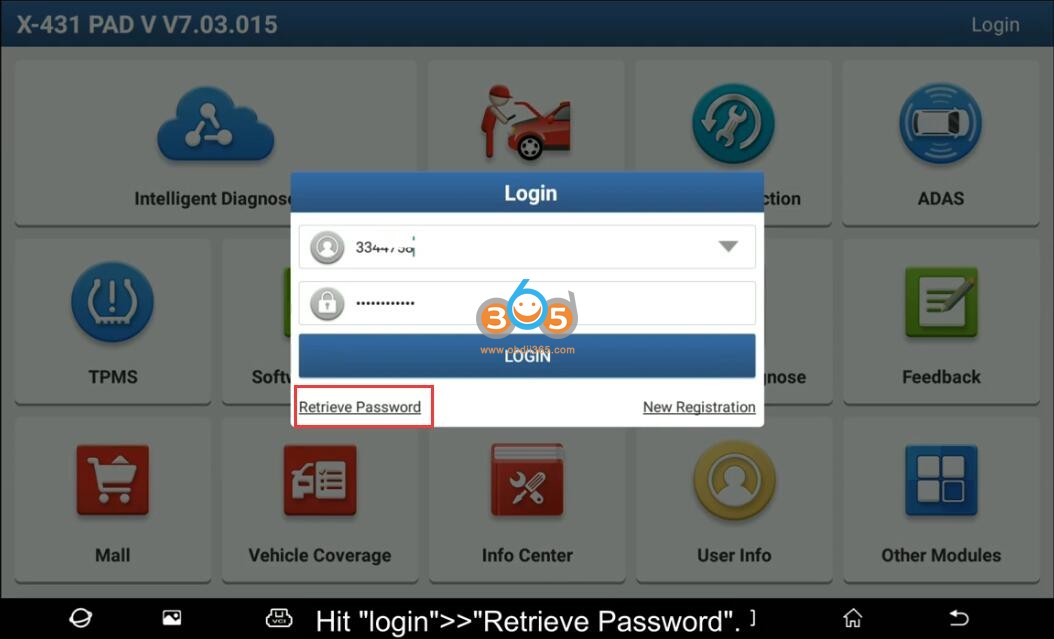
Hit 'Login'- Retrieve Password
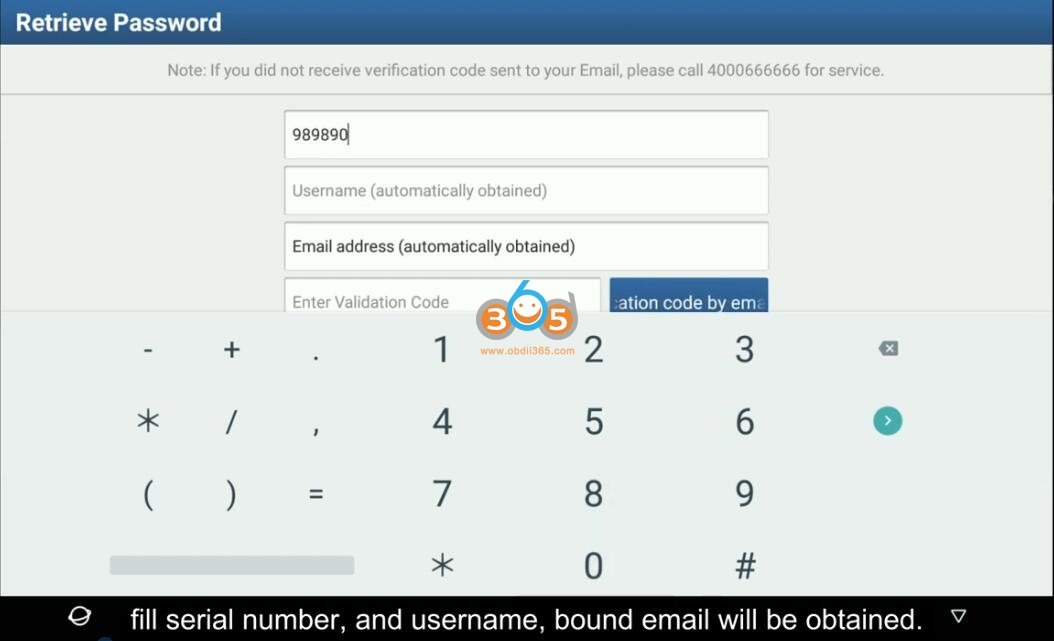
Fill in serial number and user name
the registered email will be automatically obtained

press Get Verification code by Email
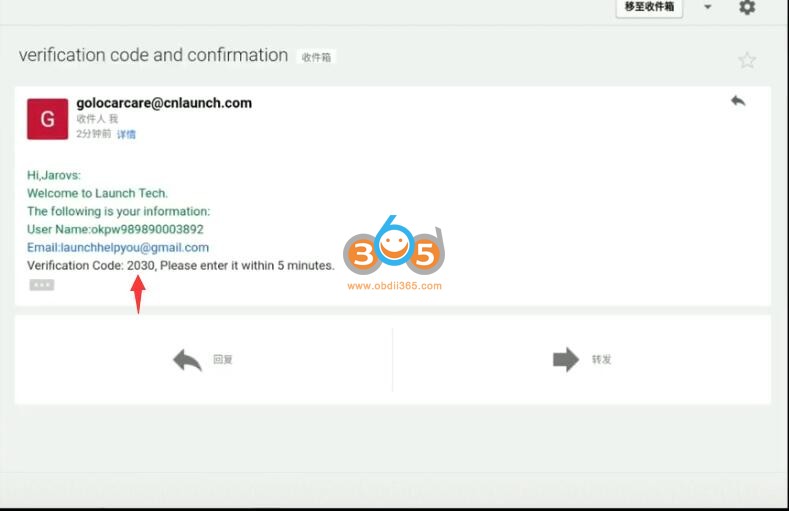
Go to Email, paste verification code here
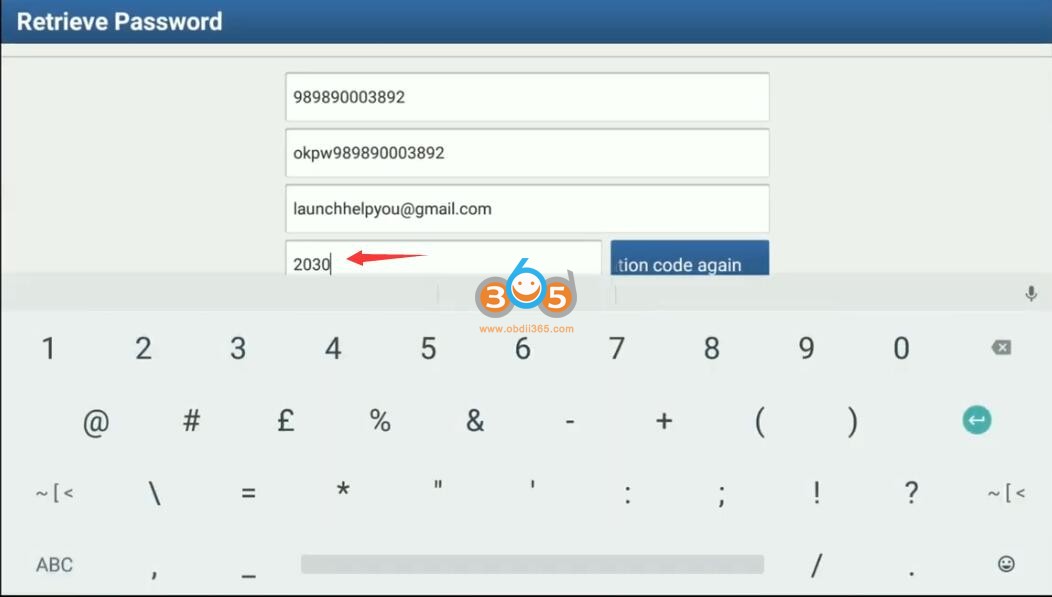
Input new password and confirm
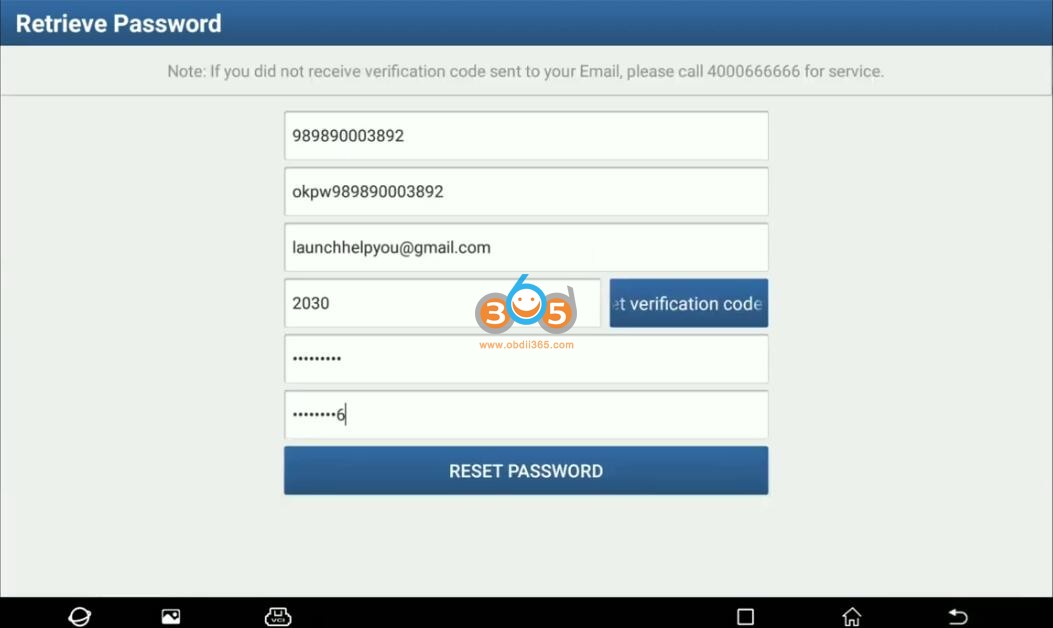
The password length needs 8-20 characters, contain numbers and characters, and cannot contain sensitive works, cannot be consistent with the user name
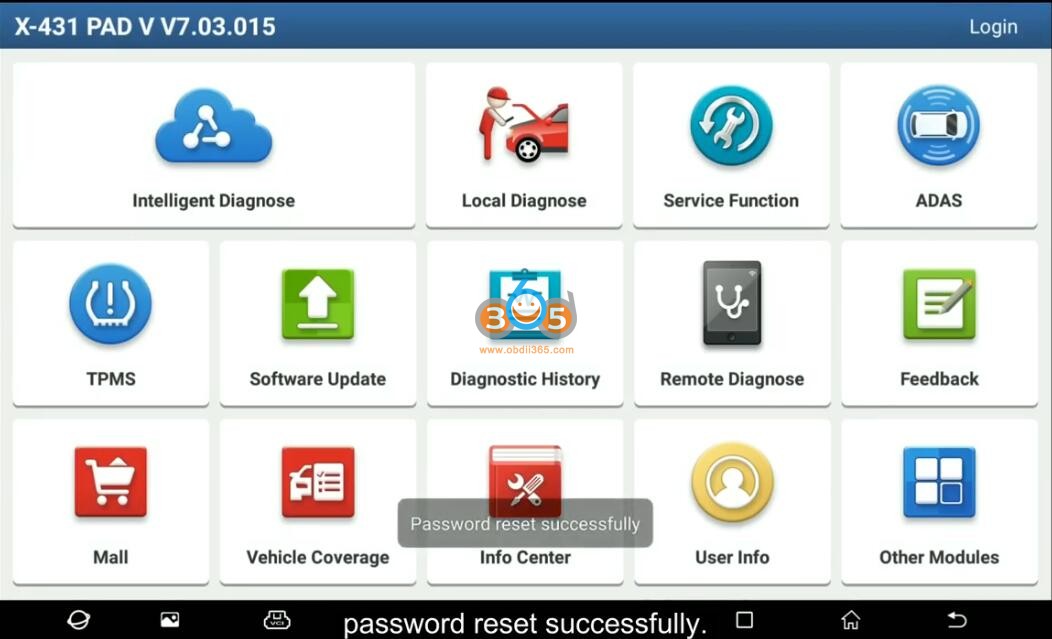
Password reset successfully
Login with user name and new password

How to Program GMC L5P Immo Key with GM MDI2 and SPS2?
Here is the tutorial on immo relearning for new key programming on GMC L5P Duramax using GM MDI2 clone scanner and SPS2 (Service Programming System).
L5P immobilizer relearn with AC Delco Techline Connect Software:
Before you can go to your web browser
you’re gonna run it as administrator acdelco website
if you don’t already have an account you got to make one
log in
all right i came in earlier and purchased my one vin
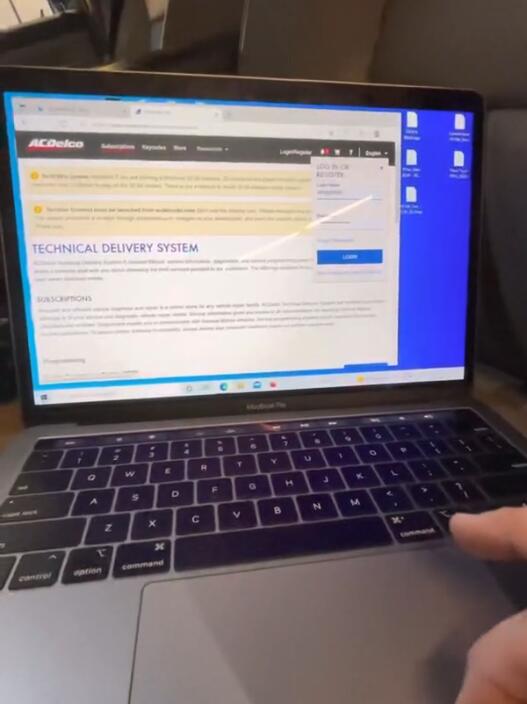
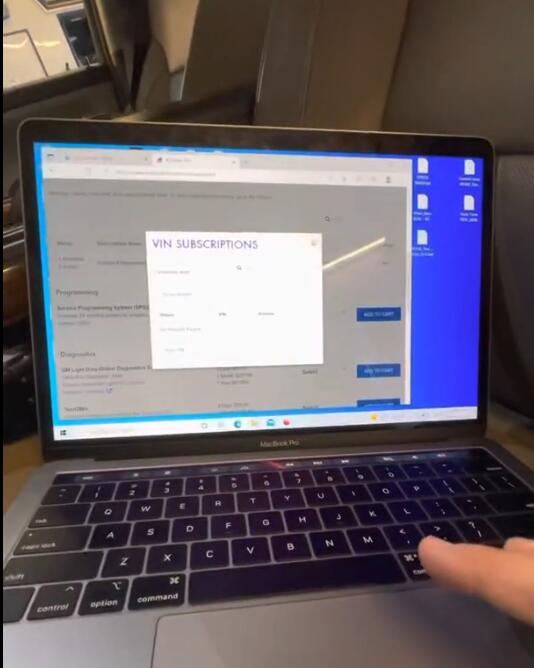
so here’s where it changes completely um
go to view and add
well now before you can do this
there’s a new software Techline Connect
First time you’ll have to download it
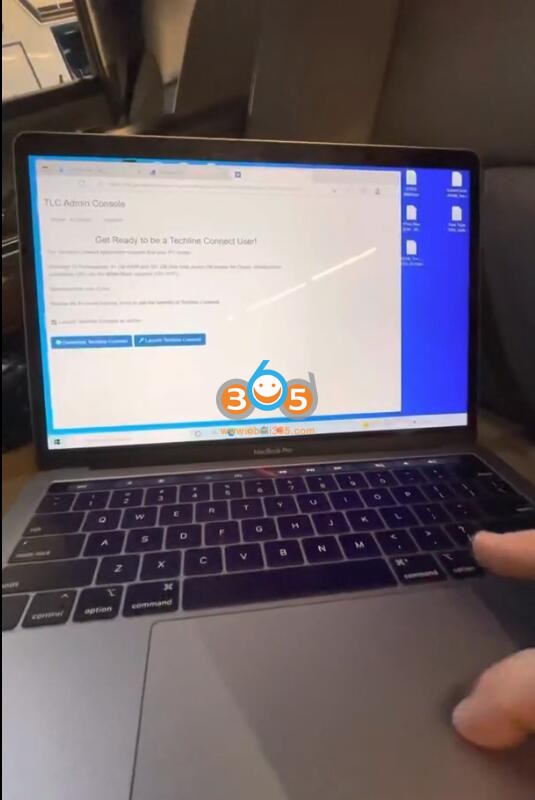
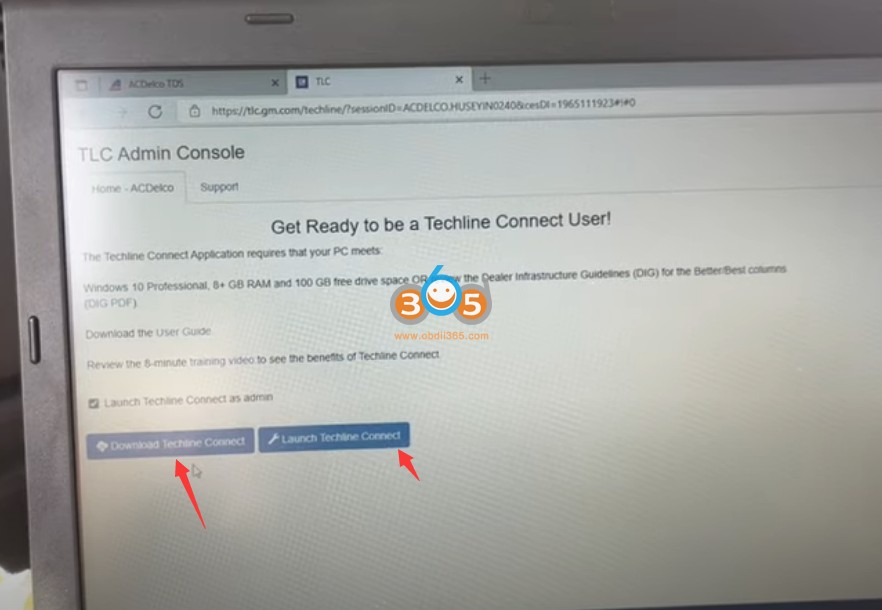
takes quite a while
you’ll actually have to open the program
three different times for it to be
installed all the way
that’ll install
everything that you need to proceed it’s
kind of an all-in-one thing now
so once you’re here you’ll have this
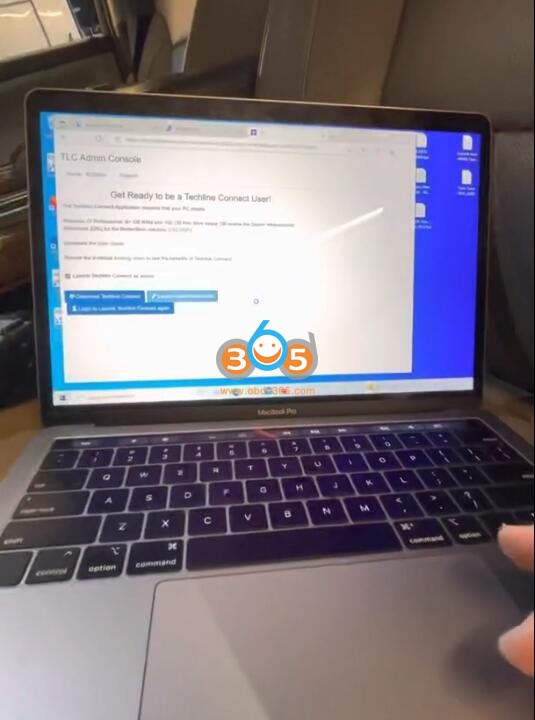
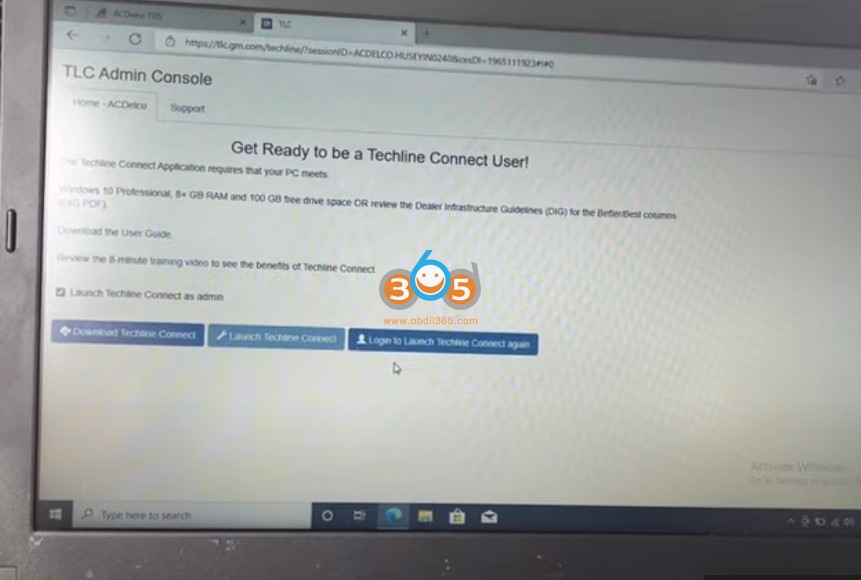
launch as an admin
so you’ll launch it
the same way make sure you have internet connection wherever you’re at this will automatically connect to the internet
This is showing because i came up i came in here earlier and connected it with my vehicle
i’m gonna hook up the MDI
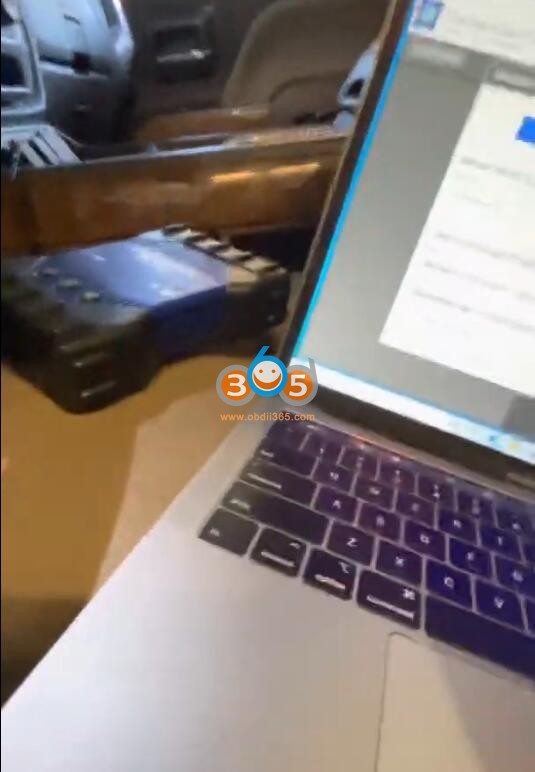
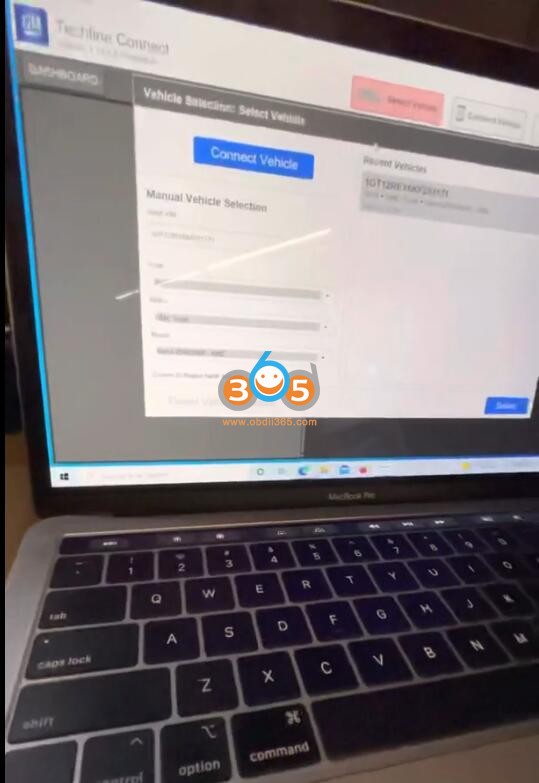
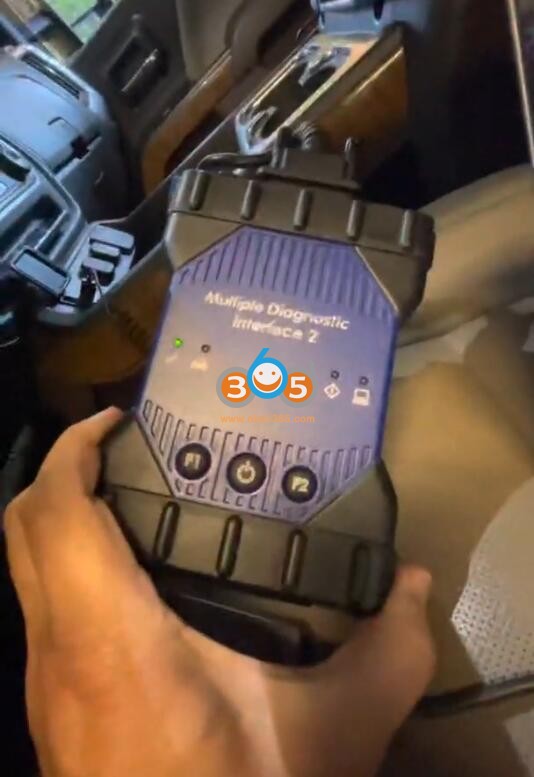
all right same deal you got the green light here
see what happens here
i’m gonna try connect the vehicle
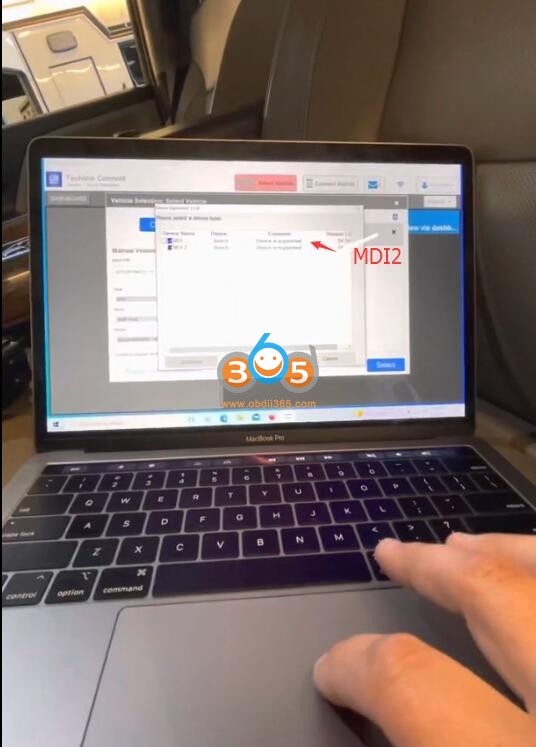
i’m choosing the MDI2 and see what happens
i think what i have is an mdi1 though
all right it looks like everything’s connected
we’re gonna select vehicle
i’m actually going to close my door
all right
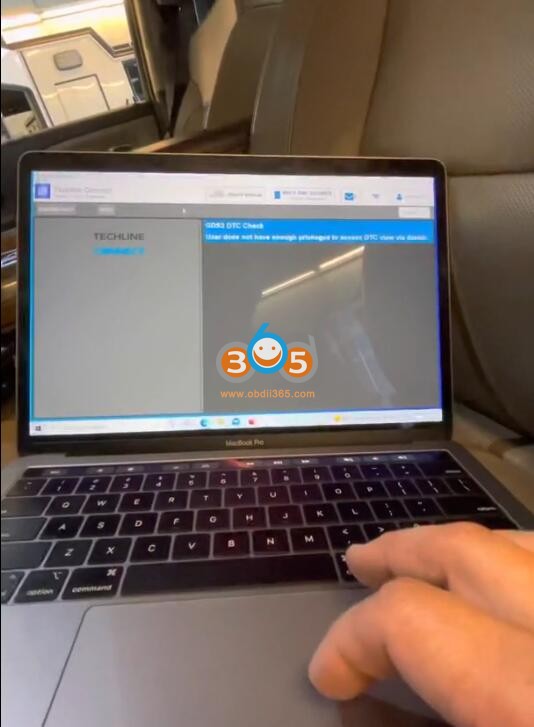
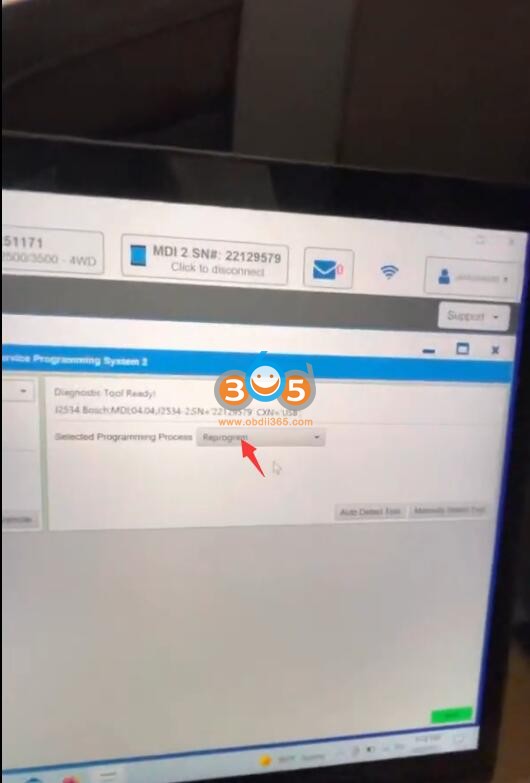
so we are at this part here we’re gonna click up at the top SPS2 which is the menu section we’re already in
select programming reprogram and then there’s a little green next

button at the bottom we’re gonna do that
then we’re going to scroll right here
immobilizer relearn
z1
next
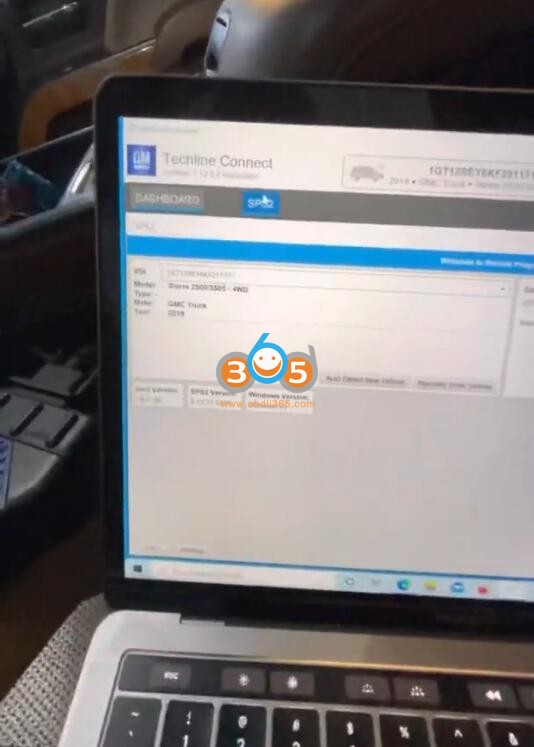
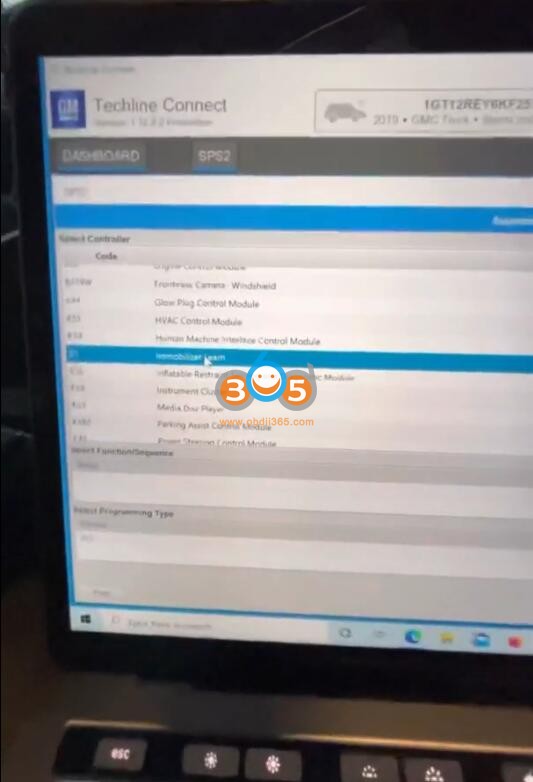
it asks me if i want to use my vin that
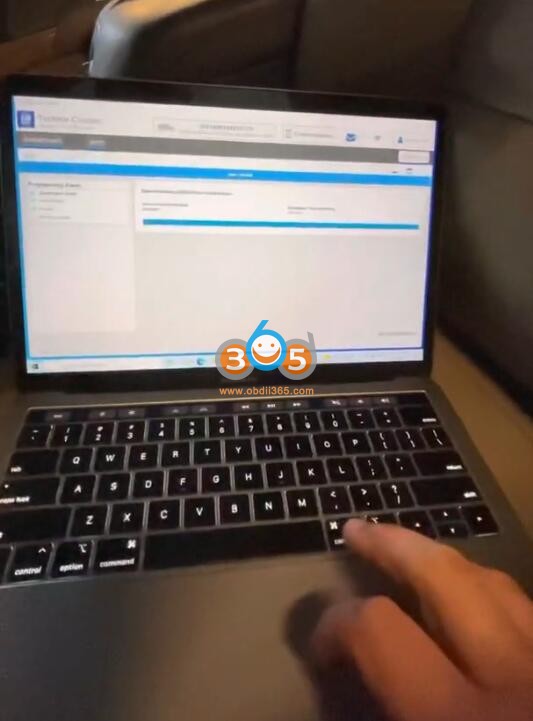
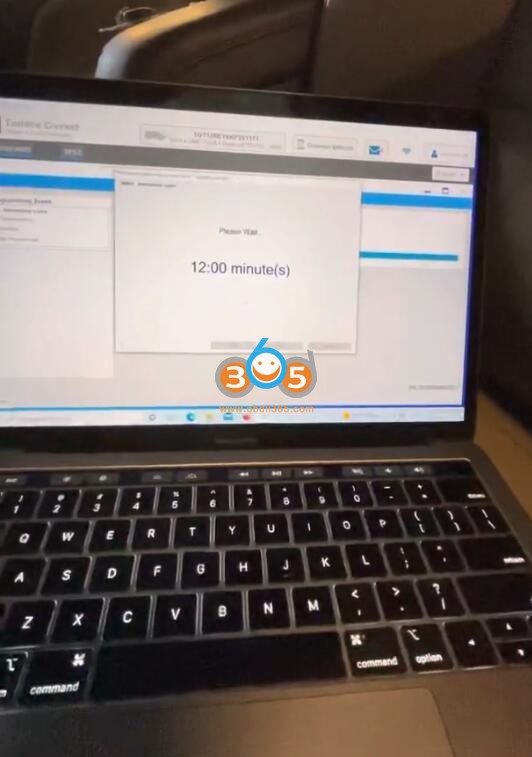
not gonna wait 12 minutes
You need to come back when 12 minutes is over. Follow SPS2 prompts until completed.
Lonsdor Nissan 22-Digit Pin Calculator Software on Mega
Obdii365.com provides Nissan 22-digit pin code calculator software download free.
Affected Nissan models:
Nissan Kicks 2018-
Nissan Sentra 2020-
Nissan Versa 2020-
with Chassis number: P15.
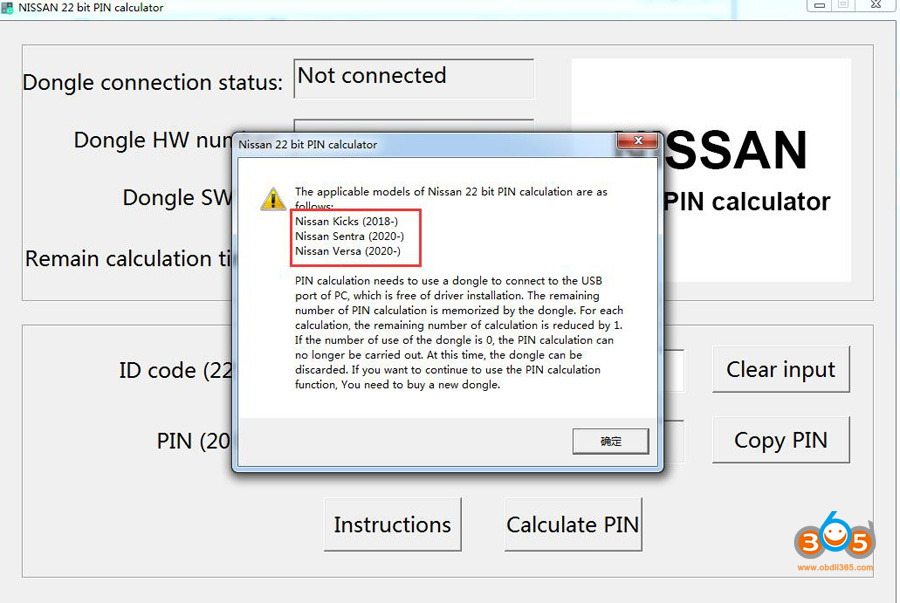
USB dongle:
Lonsdor Nissan pin code calculator
Comes with 20 times limited calculation.
PIN calculation needs to use a dongle to connect to the USB port of PC.
The driver installation is not required.
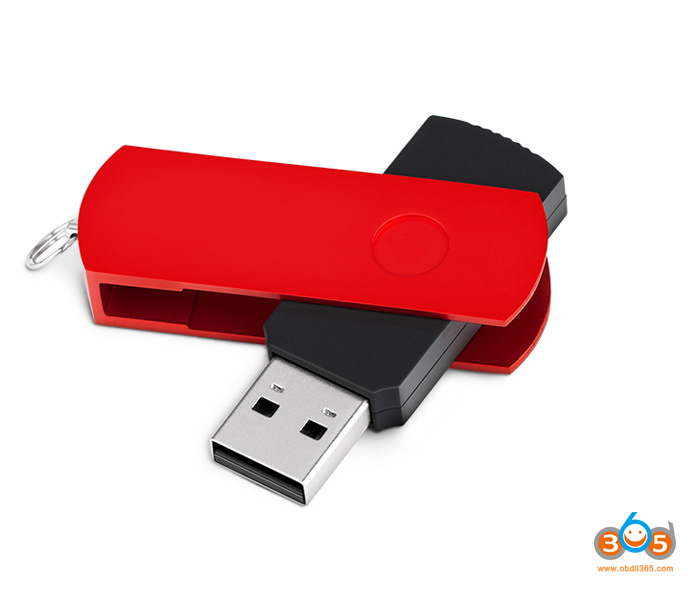
The remaining number of PIN calculations is memorized by the dongle.
Each calculation will reduce by 1. If the number reduce to 0, the dongle can be discarded.
You need to buy a new dongle.
Operating system
Windows XP, Windows 7, Windows 10
Free download Lonsdor Nissan 22-Digit Pin Code Calculator Software
https://mega.nz/file/TvxxhCSJ#iuT_axNnMy95slNH82_HtcdCX80PtkRMYTWTAv1CvwU
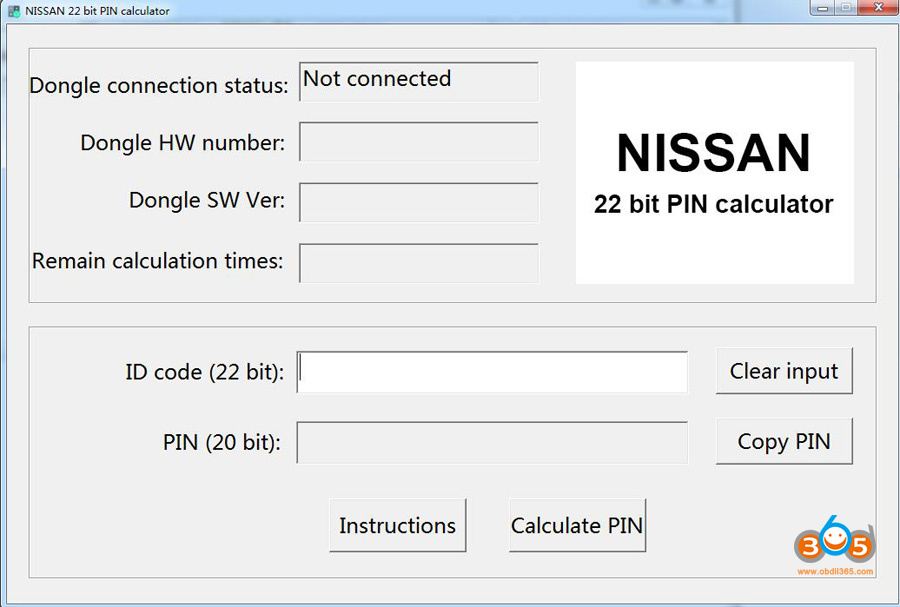
The pin code calculator can be used with Lonsdor K518ISE series and other key programmers that have newer Nissan key programming capability.
Menu path when used with K518:
Nissan/ Select from vehicle/ Asia/ Kicks/ 2017- /Immobilizer/
Nissan/ Select from vehicle/ Asia/ Kicks/ 2017-/ Smart Key
Demo example when use with other programmers (xtool x100 pad3):
2018-2020 Nissan Kicks Calculate PIN and Program Smart Proximity
http://www.lonsdor.org/free-download-lonsdor-nissan-22-digit-pin-calculator-software/
How to Solve Xtool X100 PAD OBD2 Function Keeps Loading?
Problem:
I need help on my new xtool x100 pad can you assist me


Autel MaxiSys Software Expired But Actually Not Expired Solution
Problem: Turned on my Autel MaxiSys Pro MS908P today and purchased one-year subscription service and did some update, but it still said my subscription is expired, actually it doesn’t expire until October 10th, 2022, how to solve the problem?

Autel chief engineer replied:
Please click on “Cancel” to see if it can download and update, if not please upload log via MaxiTool and Autel tech will reach you.
What about other users’ experiences:
Generally speaking, do a full factory reset on your tool before your subscription expires to refresh your Maxisys line tools (Maxisys MS906, MS906BT, MS908P, Elite, MS909 etc). Also use a 32 GB SD card to expand internal storage. Part of the problem is your tool has run out of memory.
- How to do Factory Reset?
If not expired, you should connect your Autel MaxiSys Pro device to any laptop using the black usb cable and after the laptop detect the usb driver, turn off usb and unplug the cable, reset your device and try again.
- Use a 32 GB SD card to expand internal storage
Firstly, to create a backup, simply insert the Micro SD card into your tool and open the base screen (not the diagnostic application). Then open ES File Explorer. There you will find two instances of SD Cards. Open the internal drive, usually label “SD_CARD” or similar. Hold your finger on “SCAN” to bring up lower menu. Select copy. Now open the external SD card, label “EXT_SD” or similar.
Paste the copy of “SCAN” here. Depending on model of scan tool this can take up to 3 hours. Once this is done, remove the SD card and store it somewhere safe where it will not be damaged. It is very small so store it somewhere you’re not going to forget it.
Now take the second 32 GB card, insert it into your Autel/Auro tool and repeat the above process. Leave this one in your tool after backup. Update this once a month until your subscription expires, swap with the other backup, repeat.
Now you don’t have to stress it when something crashes.
The Autel line of tools will only recognize up to 32 GB Micro SD Cards. We highly recommend buying this pair of 2x 32 GB Micro SD cards to create redundant backups in case of file corruption.
Alright, if Autel MaxiSys Pro software subscription is actually expired, here is 1 Year Software Subscription Total Care Program:
https://www.obdii365.com/wholesale/autel-maxisys-pro-ms908p-1-year-software-subscription.html
Read also:
How to Add PIAGGIO FLY Motorcycle Blade Key with OBDSTAR?
Here is the instruction on programming a new PIAGGIO FLY Motorcycle Key with OBDSTAR tools.
affected FLY motor models:
FLY 150 3V, FLY 125, FLY 150, FLY 125, FLY 150, FLY ACII/AC2I/AC5I/AC8I
Tool required
OBDSTAR MS80 motorcycle diagnostic tool
or OBDSTAR X300 DP Plus/X300 Pro4 with Motor IMMO license and adapter
Procedure:
Connect MS80/X300 Pad to Motorcycle, go to Moto IMMO function – ALL – PIAGGIO – select latest Piaggio software version – Manual Select Model- FLY(ACII/AC2I/AC5I/AC8I)– Diagnostic Connector Mode


Connect the diagnostic connector, click Enter;
Tips: can click Diagnostic connector to check connecting method; click ECU Image to check ECU type;

Select Make Start Key

This function requires network connection.

Enter a file name to save, click【Enter】;
Tips: the file folder position saved: DP-device serial number-Data

Select the type of key generate, such as click Master Key (5F 7D 00 00 11 80 4E 43);

Connect P001 with diagnostic obdstar device, click Enter

Put the new key in P001, click Enter


Make the key successfully.
Program Honda Air Blade Motor Key with OBDSTAR
Here is the instruction on adding a new Honda ADV Motorcycle Key with OBDSTAR tools.
Tool required
OBDSTAR MS80 motorcycle diagnostic tool
or OBDSTAR X300 DP Plus/X300 Pro4 with Motor IMMO license and adapter
9-digit pin code from dealer
Read more: How to add Motorcycle Immo function to OBDSTAR X300 DP Plus/X300 Pro4?
Procedure:
Connect OBDSTAR X300 or MS80 with Motorcycle via P002 adapter and M053 special harness
Go to Moto IMMO function- click All– quick search Honda brand – select latest Honda motor software version- Manual Select Model – AIR BLADE – All Keys Lost


Confirm connection is okay
Tips: press Operation Instruction to check operation steps;

Switch all keys to the disable mode, click Enter
Tips: within help data files of Switch Key Mode in AIR BLADE menu.

OBDSTAR will ask a 9-digit pincode to access, manually enter pin and confirm

Switch the new key to the working mode, click Enter;

Program successfully;
Test new key.
Note: Strictly follow your device tips in your operation process.
How to Change 2021.06 DAS XENTRY WIN10 Language?
Topic: How to change the language on 6/2021 DAS Xentry windows 10. Here are all the steps to follow, hope it helps. FYI, DAS / Xentry default language is English when you open the software.
obdii365.com engineer replied:
- The method to change DAS language: right click on “DAS” icon, enter “Properties”, then if you can see the file name with “-LXX (XX means the language Abbreviation) and then directly change XX as the language you need ( for example: EN, FR, DE, IT, RU, etc)
- The method to change Xentry language:
Enter the Xentry software to change.
What about users’ working method?
If anyone downloaded pre-installed Xentry VM or they just want to change the language selected at initial install, you can do it the following way:
1) Go to Start Menu > Run
2) Type in “regedit” and enter
3) Navigate to
“HKEY_LOCAL_MACHINE\SOFTWARE\WOW6432Node\Mercedes-Benz\Settings”
4) Change the binary “Language” key value to EN, FR, DE, IT, RU, etc or whatever language code you want
5) Navigate to
“HKEY_LOCAL_MACHINE\SOFTWARE\WOW6432Node\Mercedes-Benz\Installation Framework” above it
6) Change the “DAI_Language” key to the same language code
7) Close regedit and reboot.
This will globally change the language for your installation in SD Connect, AddOn Center, ConfigAssist, etc but you will still need to change the language in Xentry through the menu’s inside the program.
Might be different on different OS’s but I think the key names should be the same. Changing the shortcut with the “-len” extension didn’t work for me. Hopefully it will help someone else in the same situation!
Moreover:
If you also need to change all windows 10 in English use sysprep.exe in c windows system sysprep sysprep.exe
all next next next just select language English and when asks for user give it default as name and no password
after install you can delete the user default.

Question: I want to change the language on 6/2021 DAS windows 10.
I followed the above steps, it did not work, also the short cut does not have “|en” at the end of the command line to change the language.
Possible reason and solution:
first you need to change the language on the Xentry setting and open DAS via xentry.
Or I think what worked for me is by changing the system locale to English, not only the windows display language.
Alright, if you have any issues on 2021.06 DAS Xentry software running with MB SD C4 DoIP, Benz C6, C5 etc, contact at https://www.obdii365.com/ (Whatsapp:+86 18259252285) for assistance.
How to Add Suzuki Vitara 2018 ID47 by Lonsdor K518ISE?
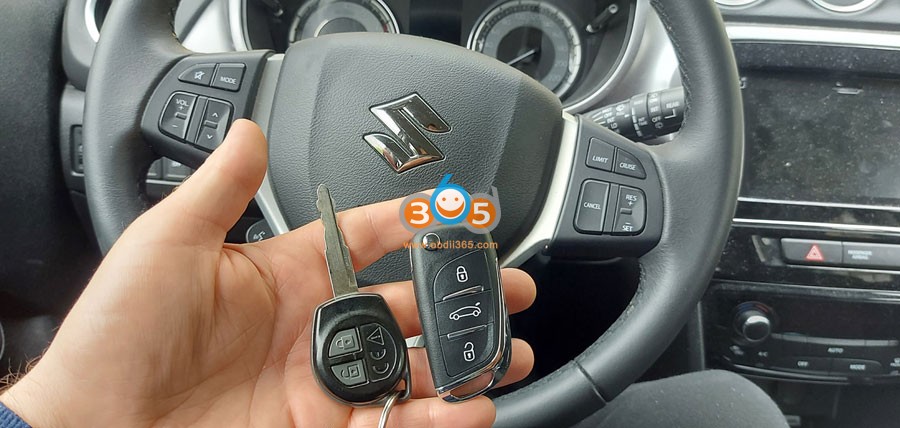
Suzuki Vitara 2018 ID47 add key successfully with lonsdor k518ise key programmer.
Using xhorse wireless key
programmed under Smart Key even it’s a blade key
First generate wireless remote by xhorse vvdi mini key tool under this option
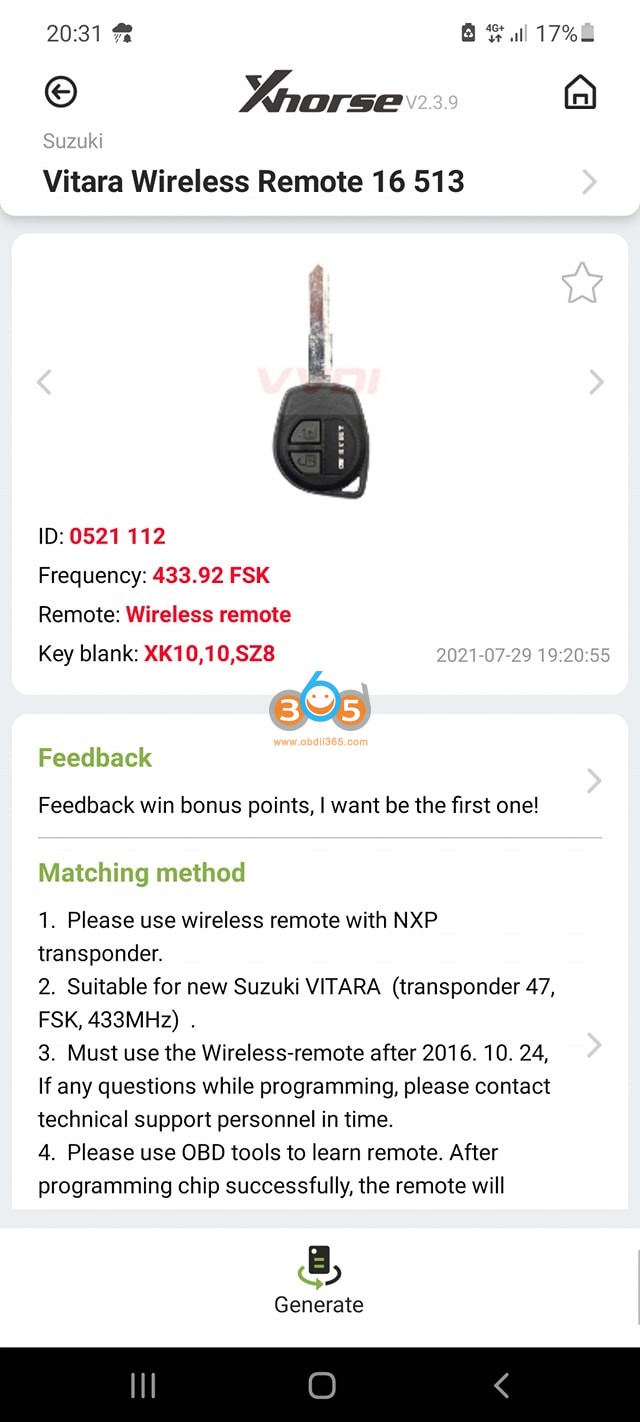
Then program key with lonsdor
Go to Immo & Remote – Suzuki – China – Vitara – Smart key- Type 1 – Program smart key (without PIN)
automatic pin bypass


www.obdii365.com
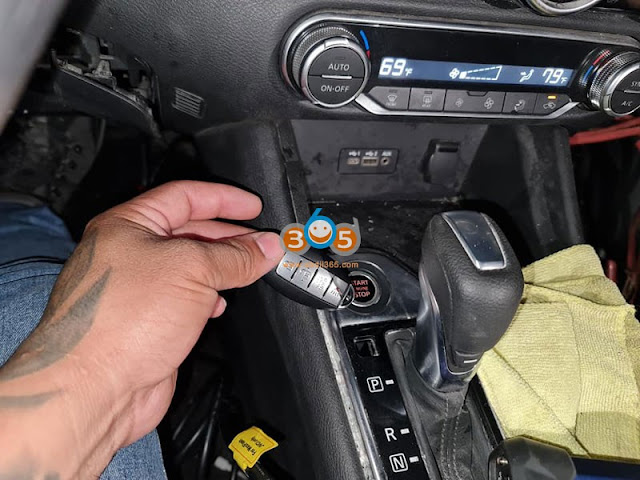
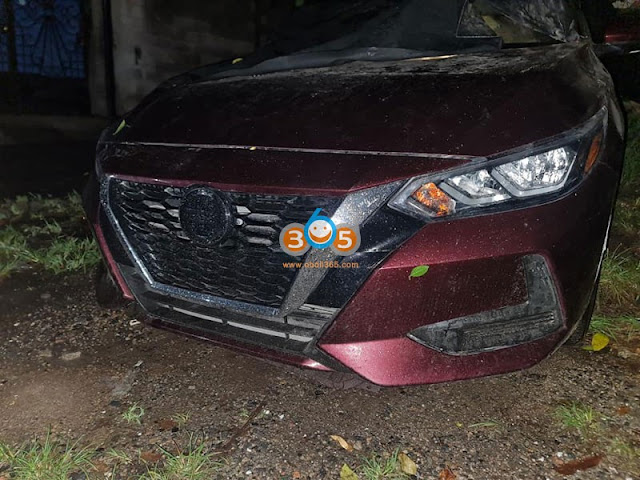
Nissan Sentra 2021 All Keys Lost done by Autel IM608
Autel MaxiIM IM608 key programmer new test report: programmed Nissan Sentra 2021 All Keys Lost successfully.
4A smart key
Need to buy 28-digit pin code
occupy Nissan 16+32 cable
everything was done by obd2