

/image%2F1896381%2F20151209%2Fob_cb2b49_obd365-com.png)
Program Mini Cooper 2014 CAS3 Key by Autel IM608


Press OK to continue


Add key and all keys lost are both available for current CAS
Key learning process requires network to obtain data. Enable WiFi connection.


Reading key information
Connect to internet to obtain data
Read key information success.
Backup original key data

Save key data

Press OK to continue
MaxiIM IM608 will key numbers and positions, select an available key position (i.e Key4) and press Programmer Generation Key

Choose key type, here Semi-smart key

Connect the IM608 to the XP400 programmer and put the new key into the XP400 programmer card slot

Writing key in process

Generate dealer key success
Insert the key into the ignition switch to start the car once.
If the vehicle cannot be started, or the ELV is displayed on the instrument, please synchronize the ELV or DME according to the situation

Program new smart key success.

Done.
www.obdii365.com


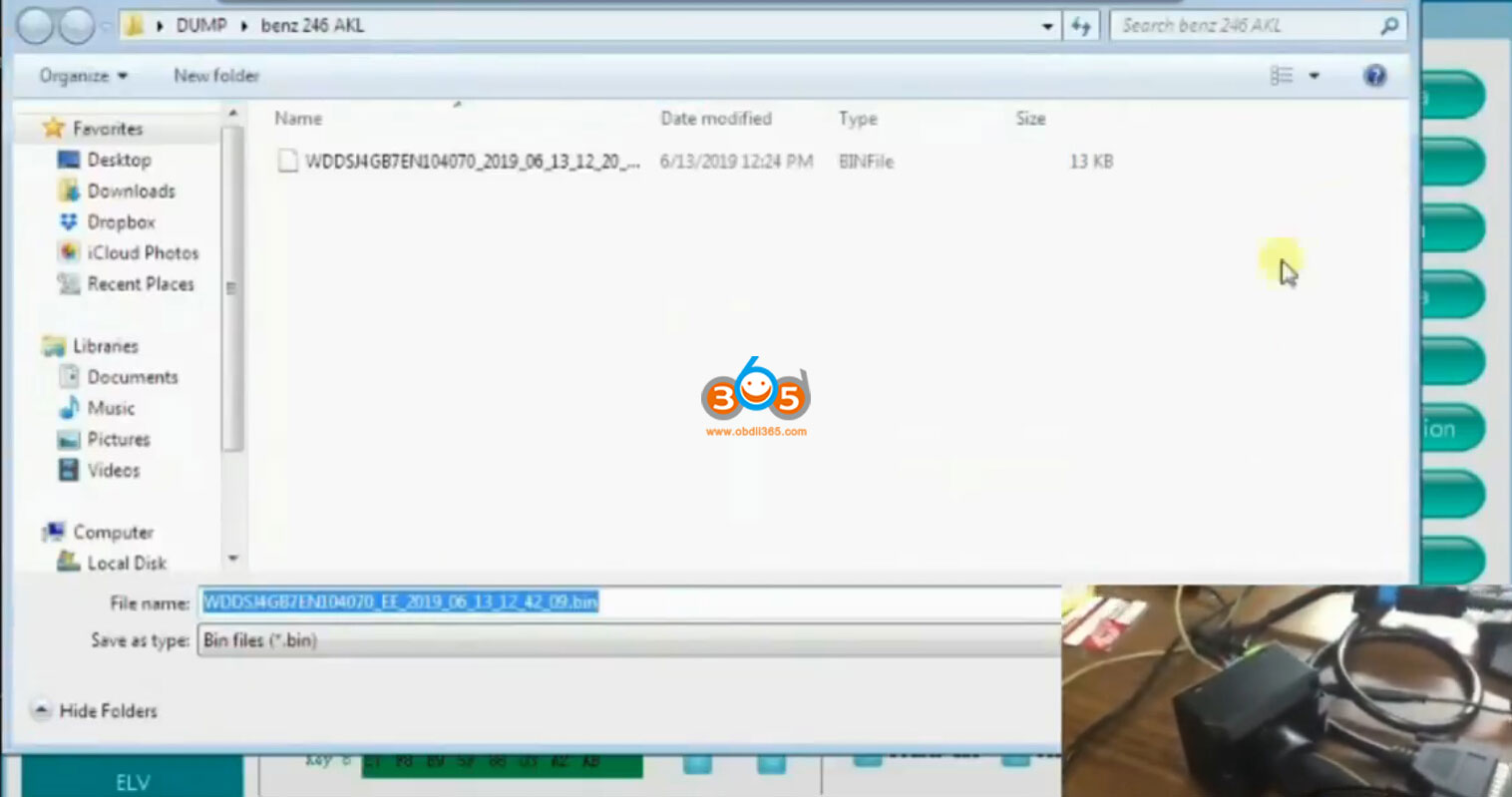
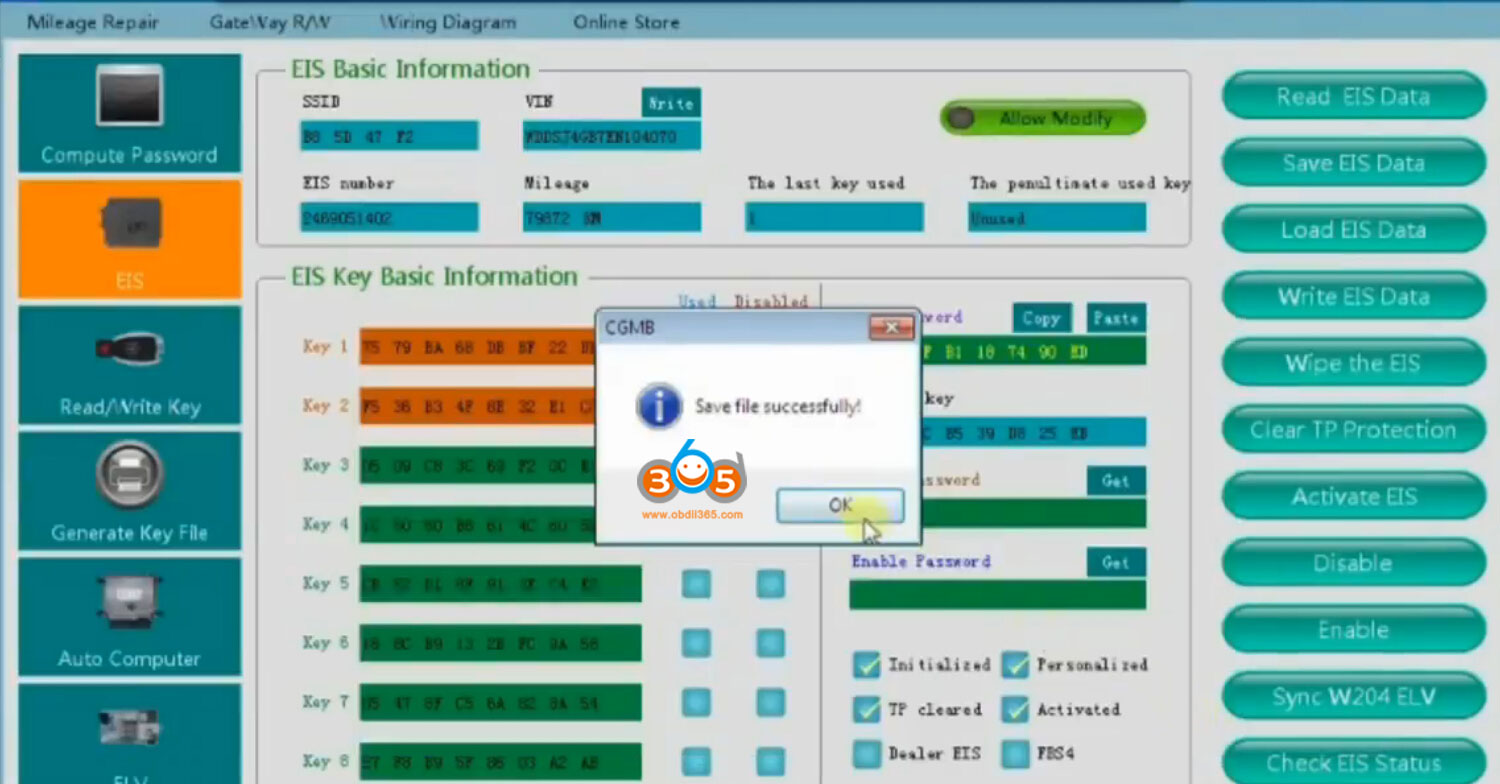
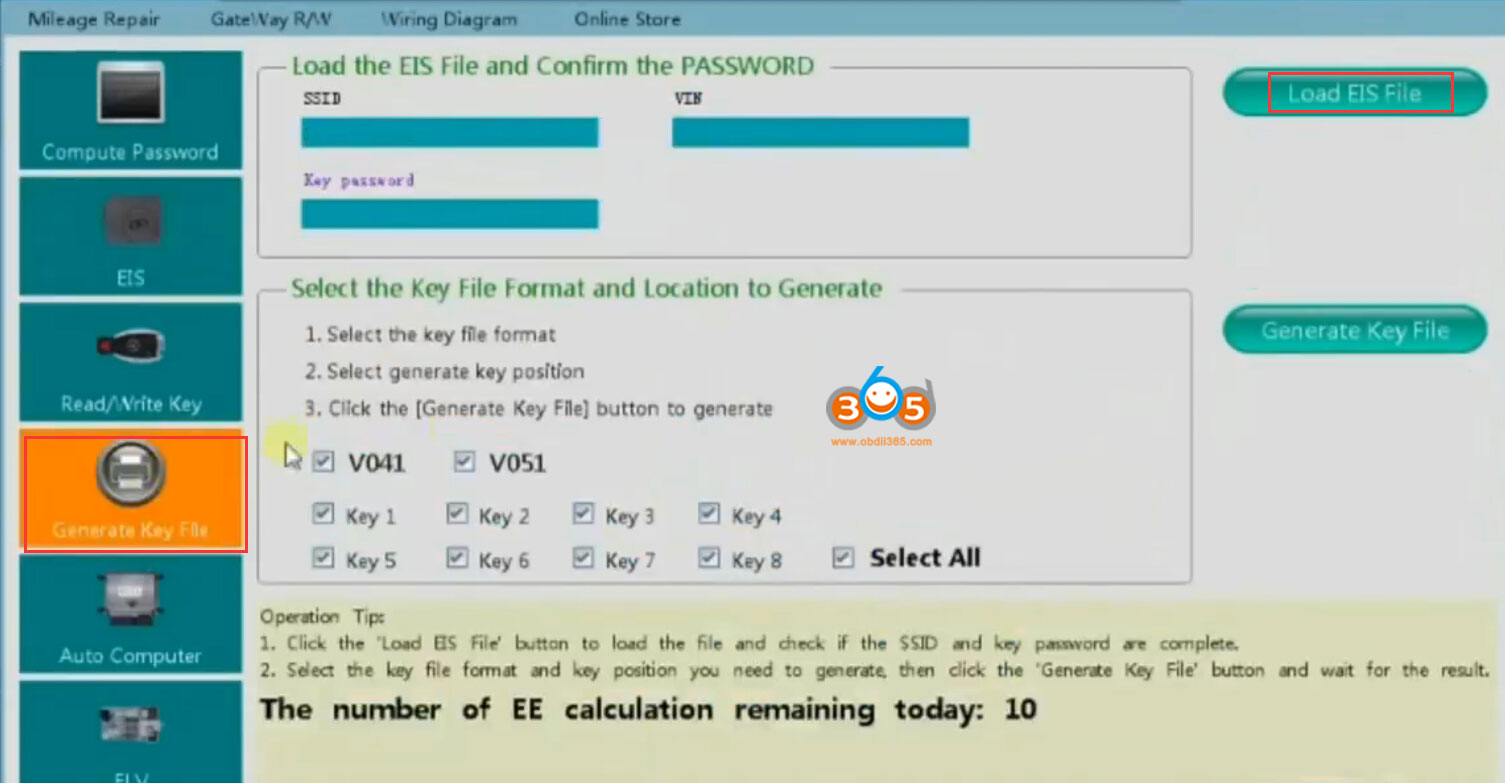
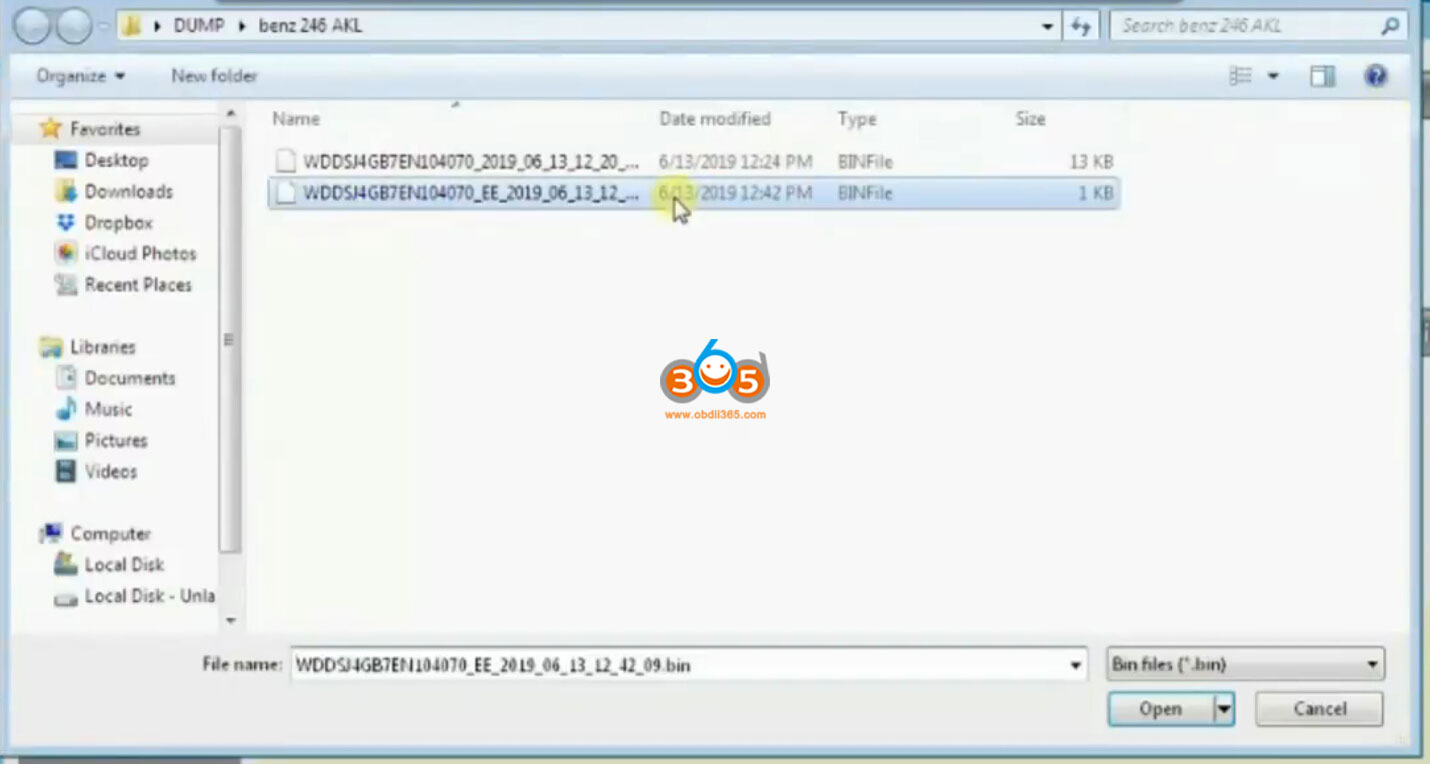
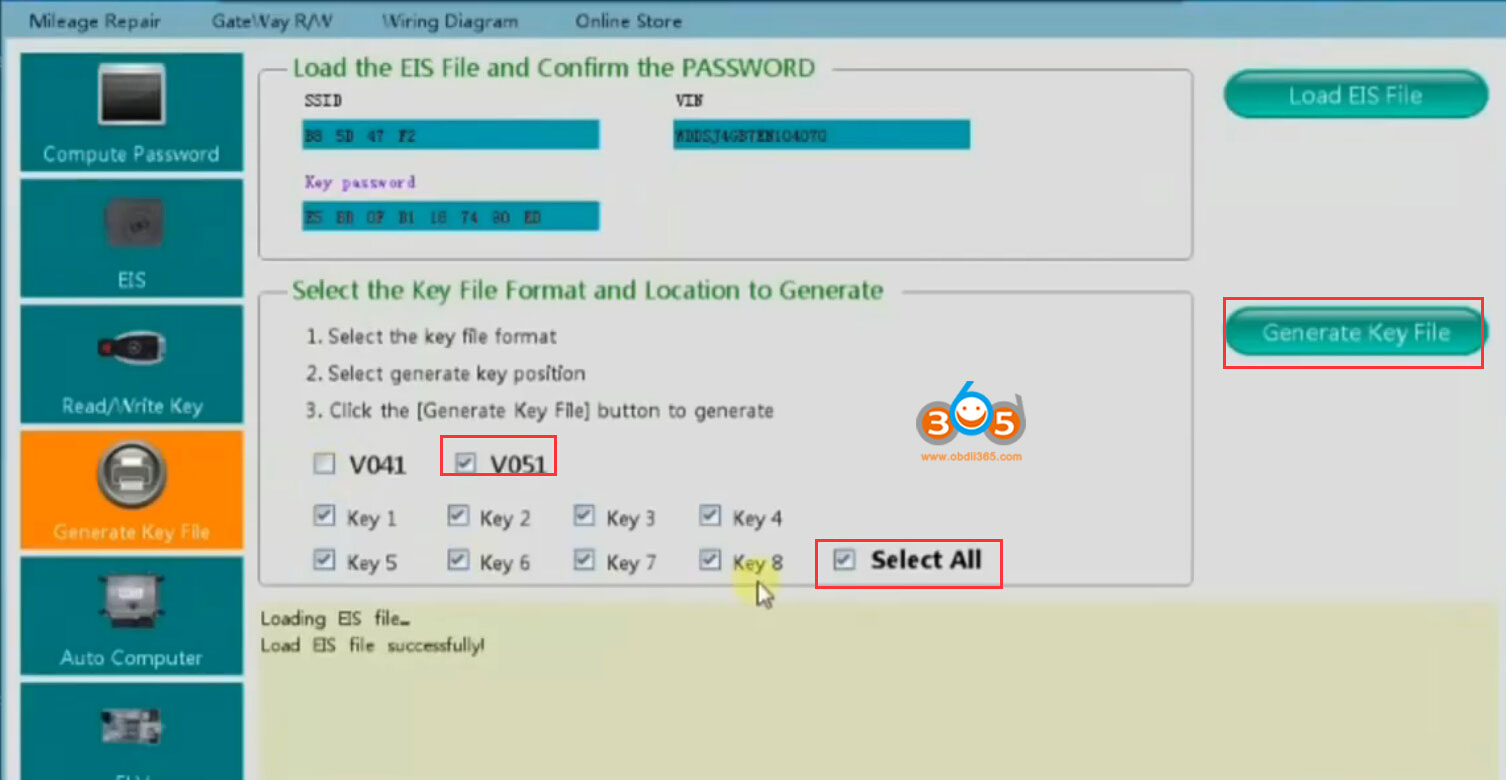
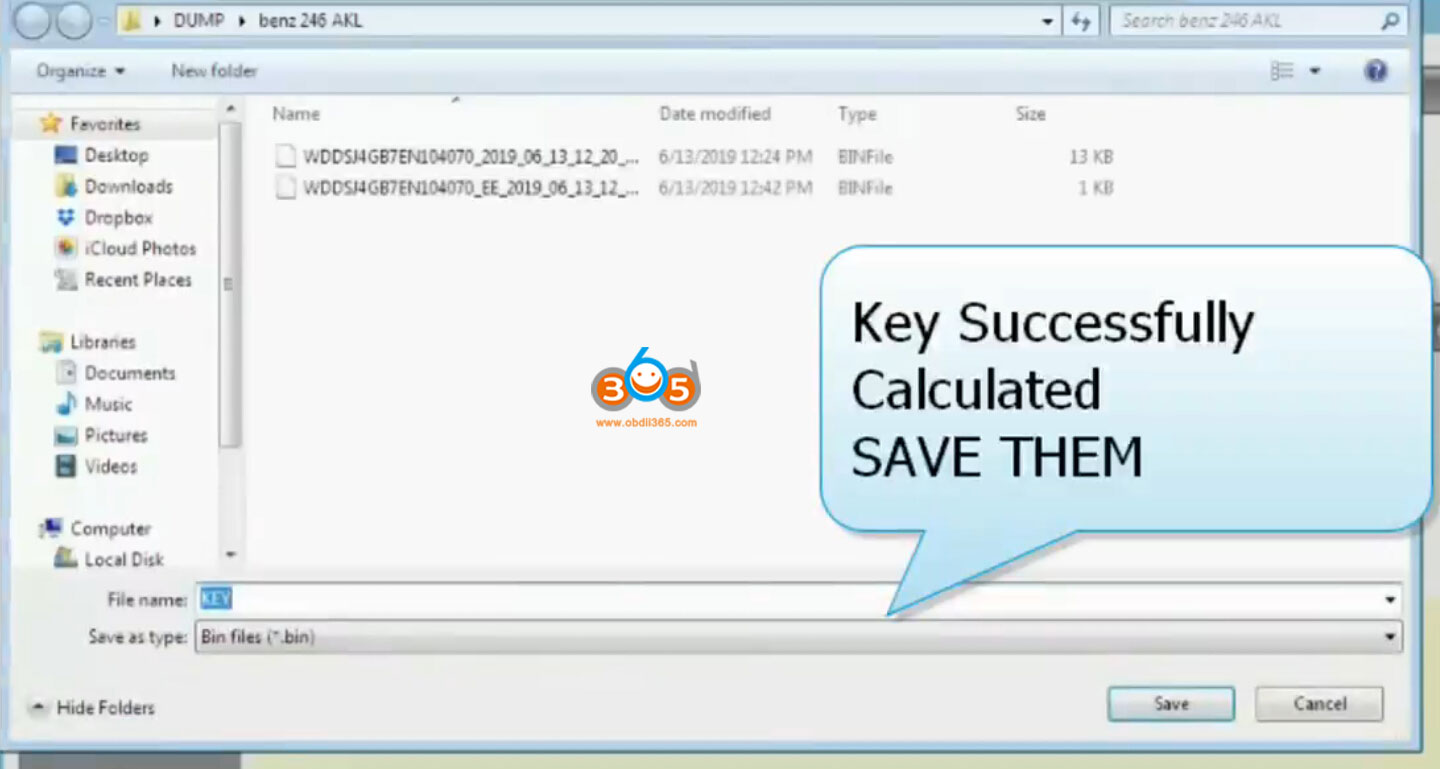
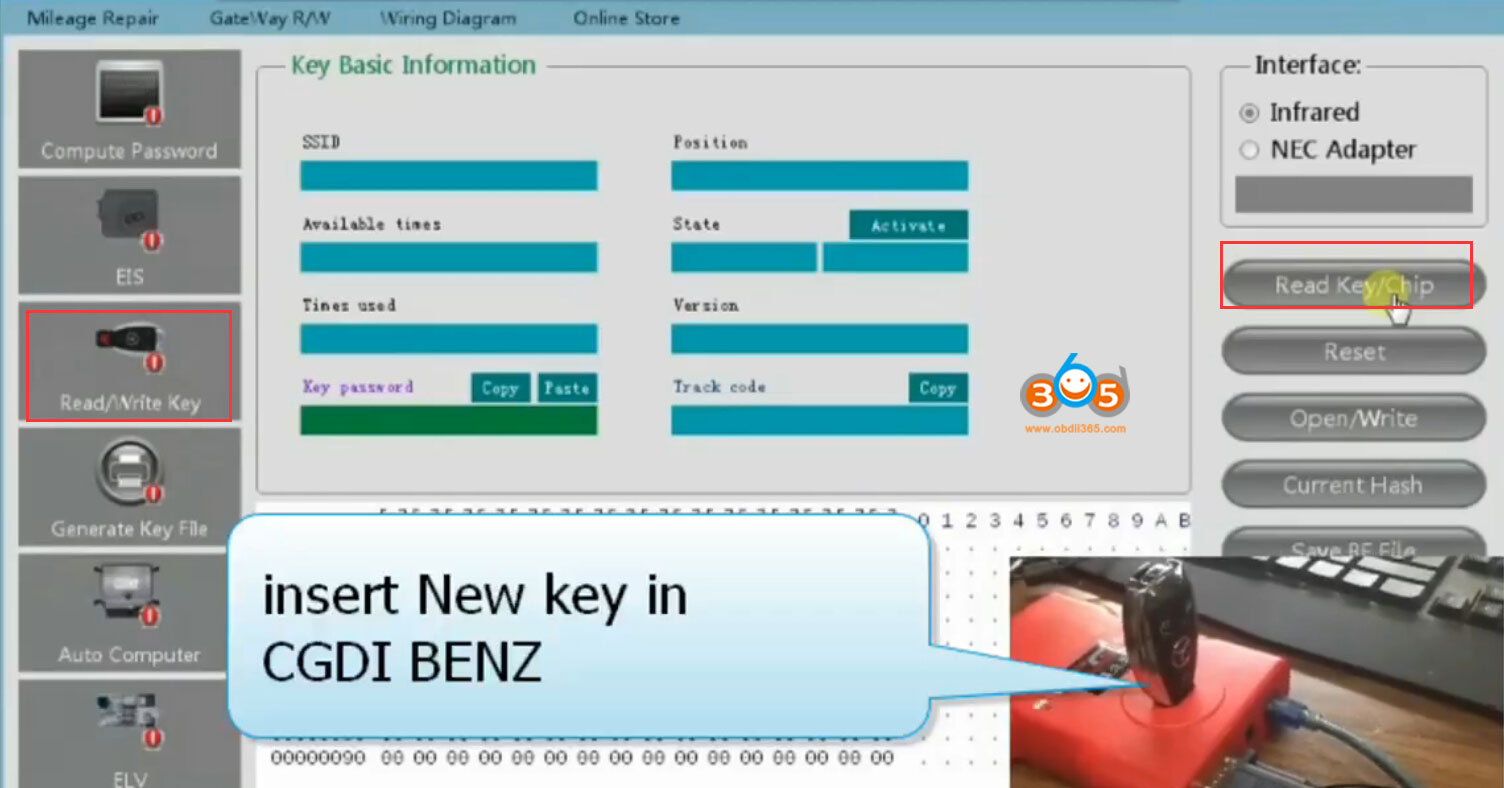
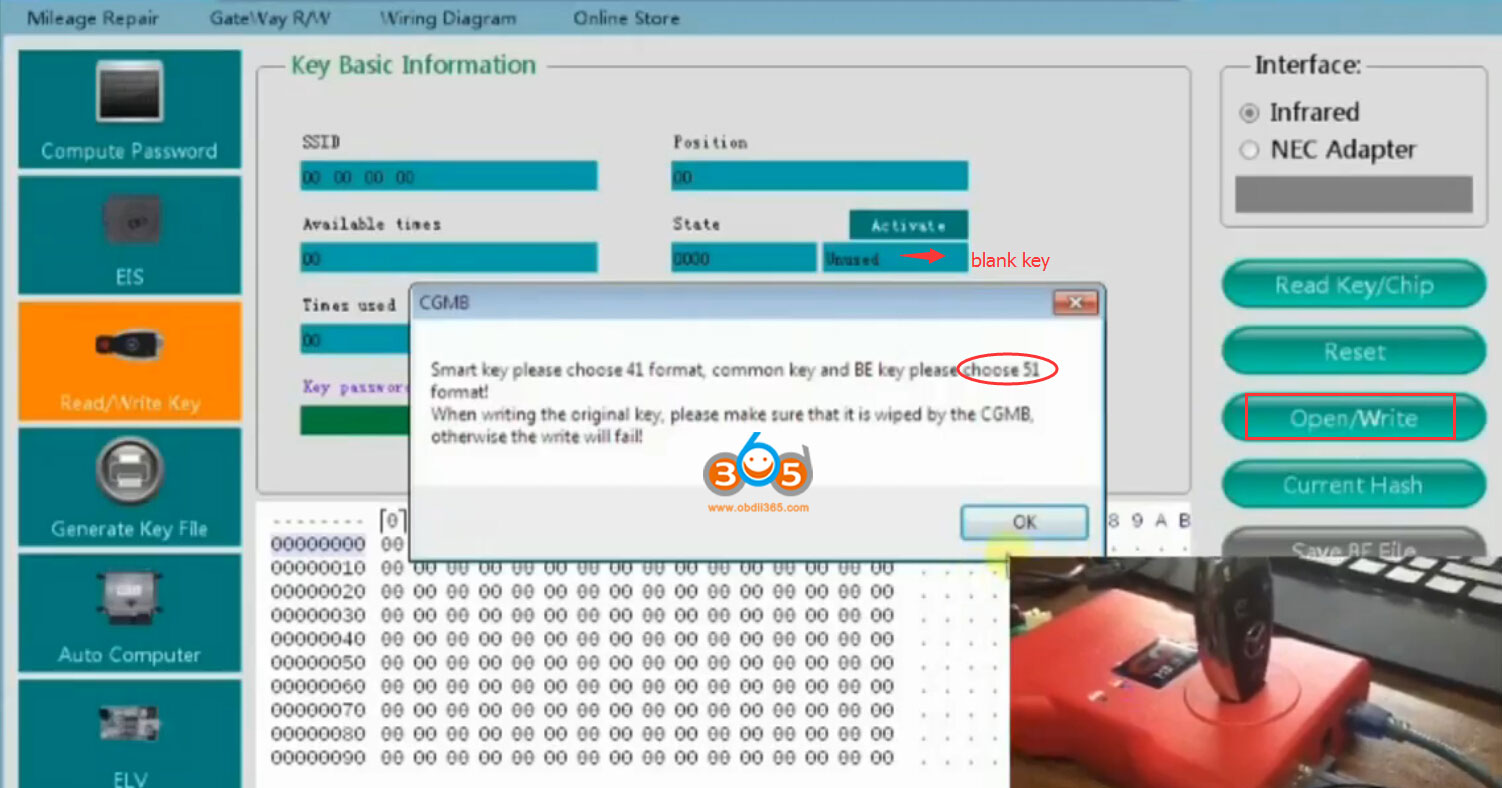
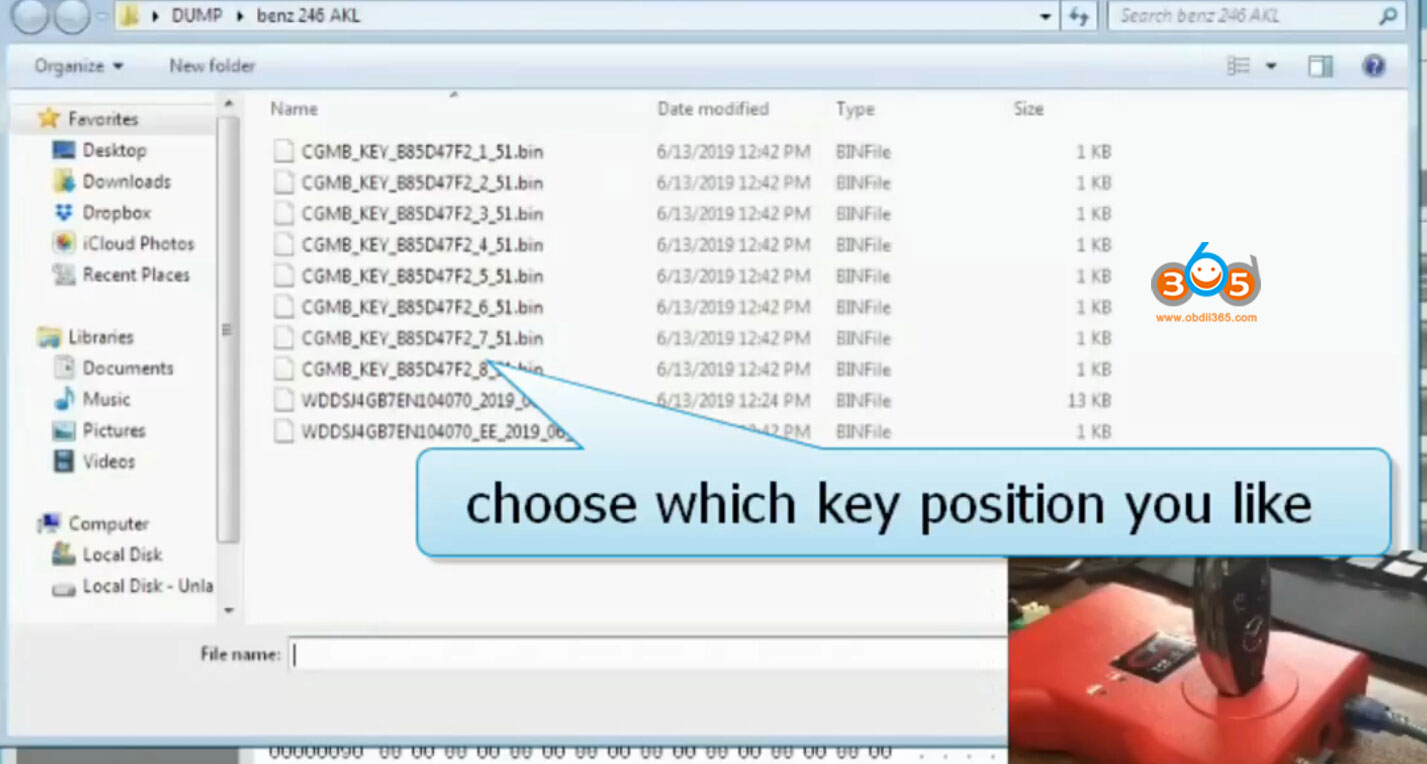
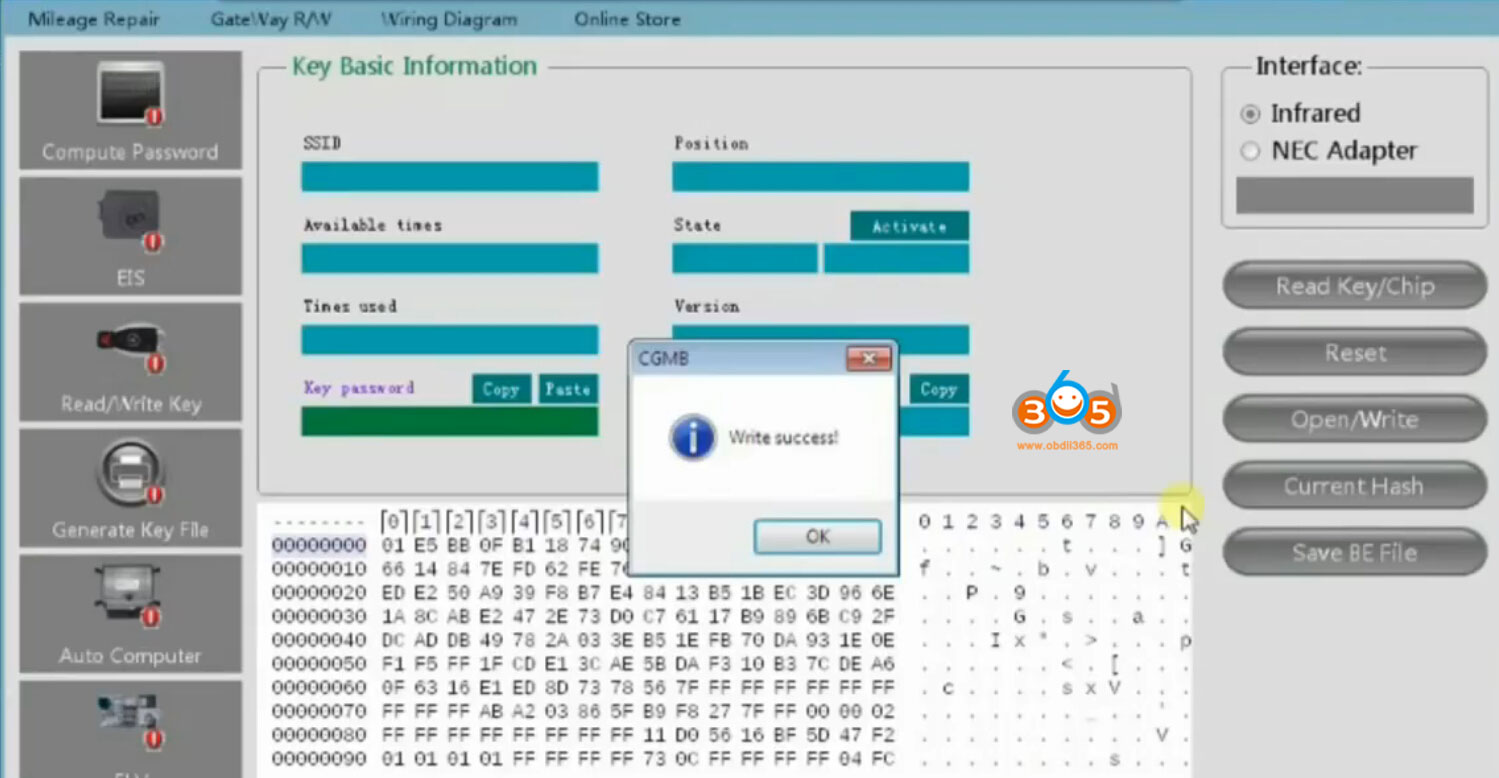
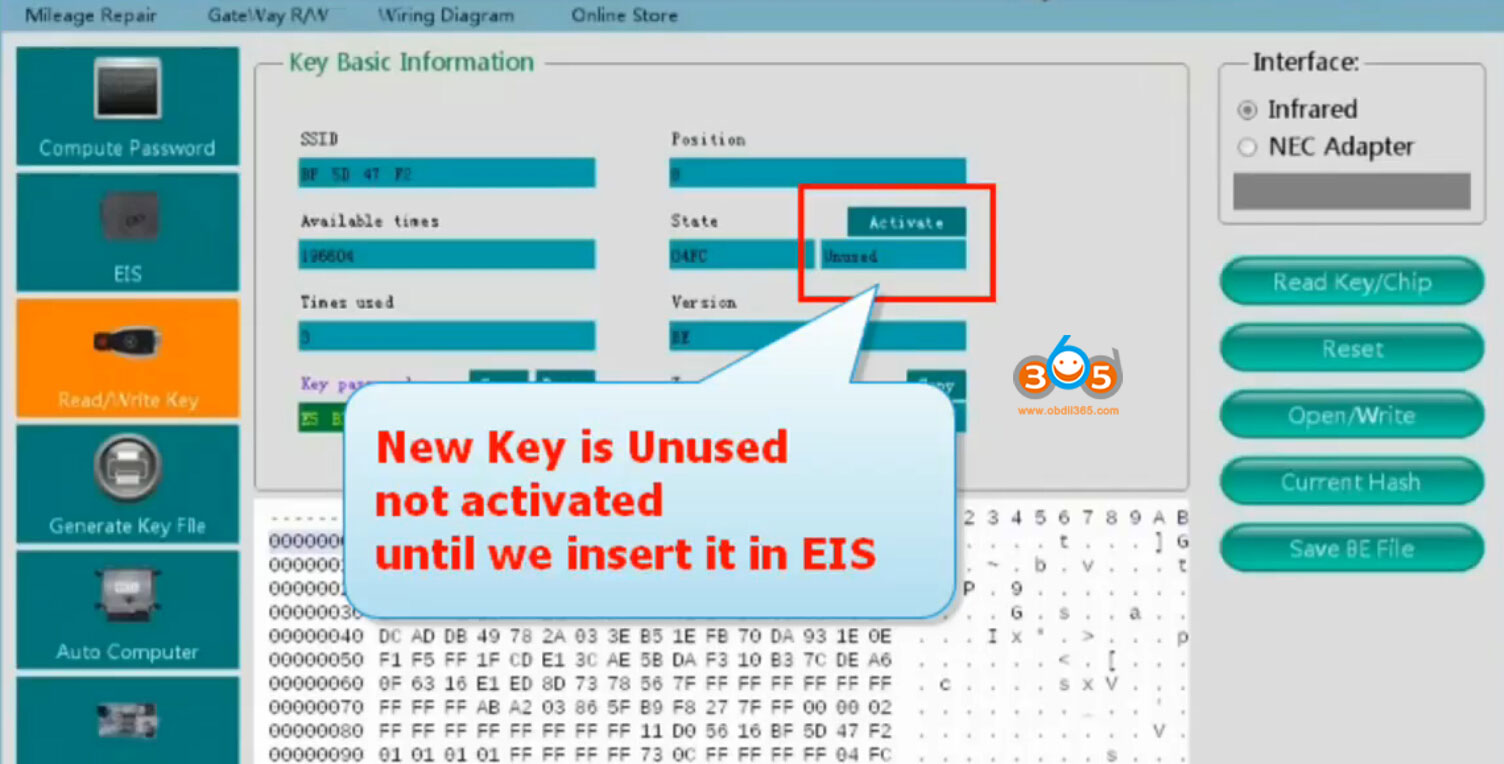
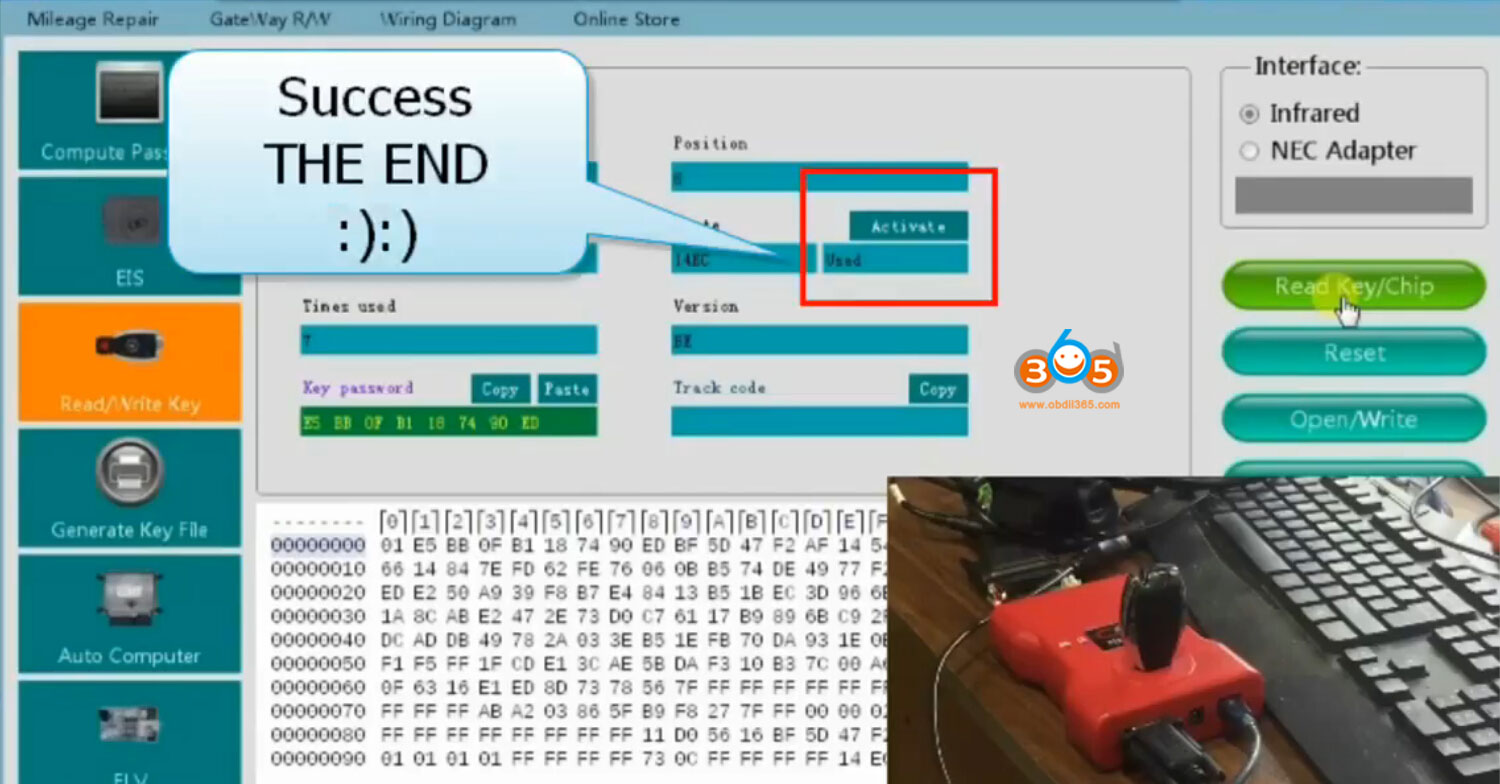
How to use CGDI MB to Program Benz CLA 2014 All Keys Lost?
Autel IM608 XP400 Programmer ECU MCU EEPROM Chip List
Autel MaxiIM IM608 XP400 programmer is able to read and write MCU, ECU, EEPROM data, MC9S12 Encrypted Chip.
Here's the chip list of XP-400 (keep updating)
|
Chip Type
|
Name
|
Chip Type
|
Name
|
|
ATMEL
|
AT24C01
|
ATMEL
|
AT24C1024
|
|
ATMEL
|
AT24C02
|
ATMEL
|
AT24C128_1.8
|
|
ATMEL
|
AT24C04
|
ATMEL
|
AT24C256_1.8
|
|
ATMEL
|
AT24C08
|
ATMEL
|
AT24C512_1.8
|
|
ATMEL
|
AT24C16
|
ATMEL
|
AT24C01A
|
|
ATMEL
|
AT24C32
|
ST
|
ST24x01/ST25x01
|
|
ATMEL
|
AT24C64
|
ST
|
ST24x02/ST25x02
|
|
ATMEL
|
AT24C128
|
ST
|
ST24x04/ST25x04
|
|
ATMEL
|
AT24C256
|
ST
|
ST24x08/ST25x08
|
|
ATMEL
|
AT24C512
|
ST
|
ST24x16/ST25x16
|
|
ST
|
M24C01
|
ATMEL
|
AT25640
|
|
ST
|
M24C03
|
ATMEL
|
AT25128
|
|
ST
|
M24C04
|
ATMEL
|
AT25256
|
|
ST
|
M24C08
|
ATMEL
|
AT25512
|
|
ST
|
M24C16
|
ATMEL
|
AT25010_1.8
|
|
ST
|
M24C32
|
ATMEL
|
AT25020_1.8
|
|
ST
|
M24C64
|
ATMEL
|
AT25040_1.8
|
|
FAIRCHILD
|
NM24C16U
|
ATMEL
|
AT25080_1.8
|
|
FAIRCHILD
|
NM24C16UT
|
ATMEL
|
AT25160_1.8
|
|
FAIRCHILD
|
NM24C17U
|
ATMEL
|
AT25320_1.8
|
|
FAIRCHILD
|
NM24C17UT
|
ATMEL
|
AT25640_1.8
|
|
MICROCHIP
|
85C72
|
ATMEL
|
AT25128_1.8
|
|
MICROCHIP
|
85C82
|
ATMEL
|
AT25256_1.8
|
|
MICROCHIP
|
85C92
|
ST
|
M95010
|
|
NXP
|
PCF8582C
|
ST
|
M95020
|
|
NXP
|
PCF8594C
|
ST
|
M95040
|
|
NXP
|
PCF8598C
|
ST
|
M95080
|
|
ATMEL
|
AT25010
|
ST
|
M95160
|
|
ATMEL
|
AT25020
|
ST
|
M95320
|
|
ATMEL
|
AT25040
|
ST
|
M95640
|
|
ATMEL
|
AT25080
|
ST
|
M95128
|
|
ATMEL
|
AT25160
|
ST
|
M95256
|
|
ATMEL
|
AT25320
|
ST
|
M95512
|
|
MICROCHIP
|
25xx040
|
NATIONAL
|
NM93C13
|
|
MICROCHIP
|
25xx080
|
NATIONAL
|
NM93C14
|
|
MICROCHIP
|
25xx320
|
NATIONAL
|
NM93C14TM8
|
|
MICROCHIP
|
25xx640
|
MICROCHIP
|
93C46X
|
|
MICROCHIP
|
25xx040_TS
|
MICROCHIP
|
93C46A
|
|
MICROCHIP
|
25xx160
|
MICROCHIP
|
93C46
|
|
MICROCHIP
|
25xx320_TSS OP
|
MICROCHIP
|
93C46AX
|
|
MICROCHIP
|
25xx640_TSS OP
|
MICROCHIP
|
93C46BX_93C46 CX
|
|
CATALYST
|
CAT25C01
|
MICROCHIP
|
93C56A
|
|
CATALYST
|
CAT25C02
|
MICROCHIP
|
93C56
|
|
CATALYST
|
CAT25C04
|
MICROCHIP
|
93C66A
|
|
CATALYST
|
CAT25C08
|
MICROCHIP
|
93C66
|
|
CATALYST
|
CAT25C16
|
MICROCHIP
|
93C76A
|
|
CATALYST
|
CAT25C32
|
MICROCHIP
|
93C76
|
|
CATALYST
|
CAT25C64
|
MICROCHIP
|
93C86A
|
|
CATALYST
|
CAT25C128
|
MICROCHIP
|
93C86
|
|
CATALYST
|
CAT25C256
|
ATMEL
|
AT93C46A
|
|
ST
|
M35080
|
ATMEL
|
AT93C46
|
|
XICOR
|
X5043
|
ATMEL
|
AT93C46R
|
|
XICOR
|
X5045
|
ATMEL
|
AT93C56
|
|
XICOR
|
X25043
|
ATMEL
|
AT93C57
|
|
XICOR
|
X25045
|
ATMEL
|
AT93C66
|
|
MICROCHIP
|
93C06
|
ATMEL
|
AT93C76
|
|
ATMEL
|
AT93C86
|
SONY
|
CXK1011
|
|
NATIONAL
|
NM93CS06
|
SONY
|
CXK1012
|
|
NATIONAL
|
NM93CS46
|
SONY
|
CXK1013
|
|
NATIONAL
|
NM93CS56
|
Seiko
|
S_24H30
|
|
NATIONAL
|
NM93CS66
|
Seiko
|
S_24H30_SOP8
|
|
FAIRCHILD
|
FM93CS46T
|
Seiko
|
S_24H45
|
|
ST
|
M93C46
|
Seiko
|
S_24H45_SOP8
|
|
ST
|
M93C56
|
Seiko
|
S_24S30
|
|
ST
|
M93C66
|
Seiko
|
S_24S45
|
|
ST
|
M93C76
|
TOSHIBA
|
TC89101
|
|
ST
|
M93C86
|
TOSHIBA
|
TC89102
|
|
ST
|
M93S46
|
TOSHIBA
|
TC89121
|
|
ST
|
M93S56
|
TOSHIBA
|
TC89122
|
|
ST
|
M93S66
|
Xicor
|
X24C44
|
|
ATMEL
|
AT59C11
|
TMC
|
TMC93LC56
|
|
ATMEL
|
AT59C22
|
TMC
|
TMC93LC57
|
|
ATMEL
|
AT59C13
|
TMC
|
TMC93LC66
|
|
OKI
|
MSM16911
|
TMC
|
TMC93LC86
|
|
TMC
|
TMC93LC46
|
|
|
|
Chip Type
|
Name
|
Chip Type
|
Name
|
|
FREESCALE
|
MC9S12DG128
|
FREESCALE
|
MC9S12DJ64
|
|
FREESCALE
|
MC9S12DG256
|
FREESCALE
|
MC9S12DT128
|
|
FREESCALE
|
MC9S12DT256
|
FREESCALE
|
MC9S12XDP512
|
|
FREESCALE
|
MC9S12XET512
|
FREESCALE
|
MC68HC08AZ60
|
|
FREESCALE
|
MC68HC(9)08AB16A
|
FREESCALE
|
MC68HC908GR16A
|
|
FREESCALE
|
MC68HC(7)05X32
|
FREESCALE
|
MC68HC705E6
|
|
FREESCALE
|
MC68HC11E9
|
FREESCALE
|
SAK-TC1766
|
|
FREESCALE
|
SAK-TC1793
|
FREESCALE
|
SAK-TC1796
|
|
FREESCALE
|
SAK-TC1797
|
FREESCALE
|
|
www.obdii365.com
http://www.obdii365.com/service/autel-im608-eeprom-ecu-mcu-list.html
How to Calculate Dodge RAM 3500 Pin Code with Autel IM608 via OBD
The Autel MaxiIM IM608 makes Chrysler/Dodge/Jeep Key programming easy as can be. No longer having to read EEPROM Data or pay to use PIN Pullers.
Car model example: Dodge RAM 3500 Pickup 2011
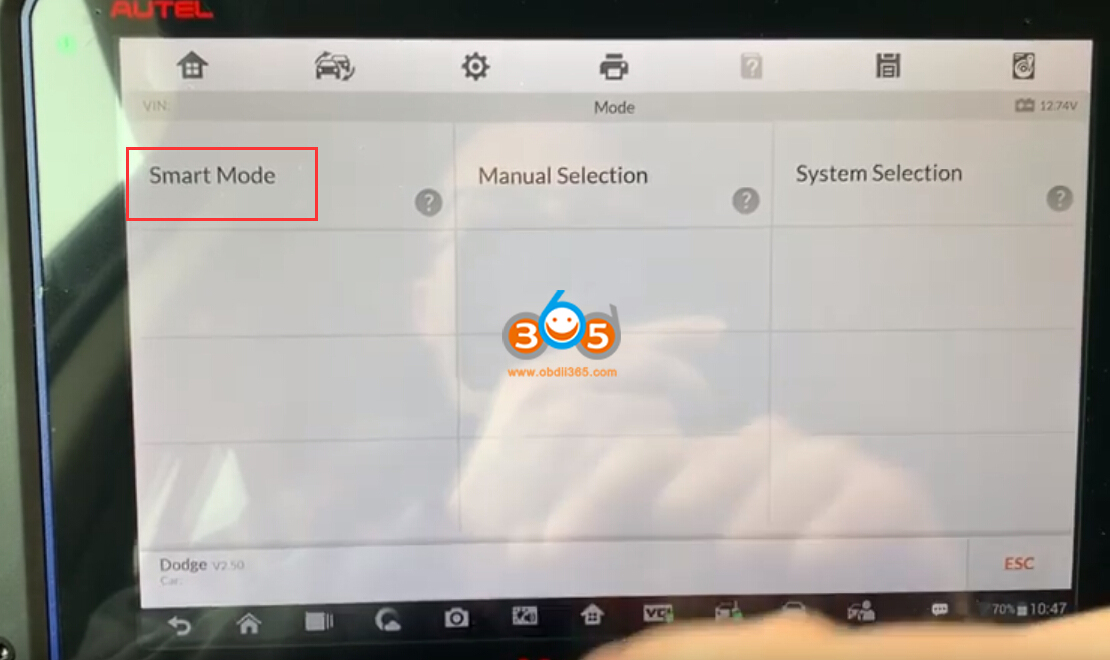
Go to Immobilizer-Dodge-Smart Mode

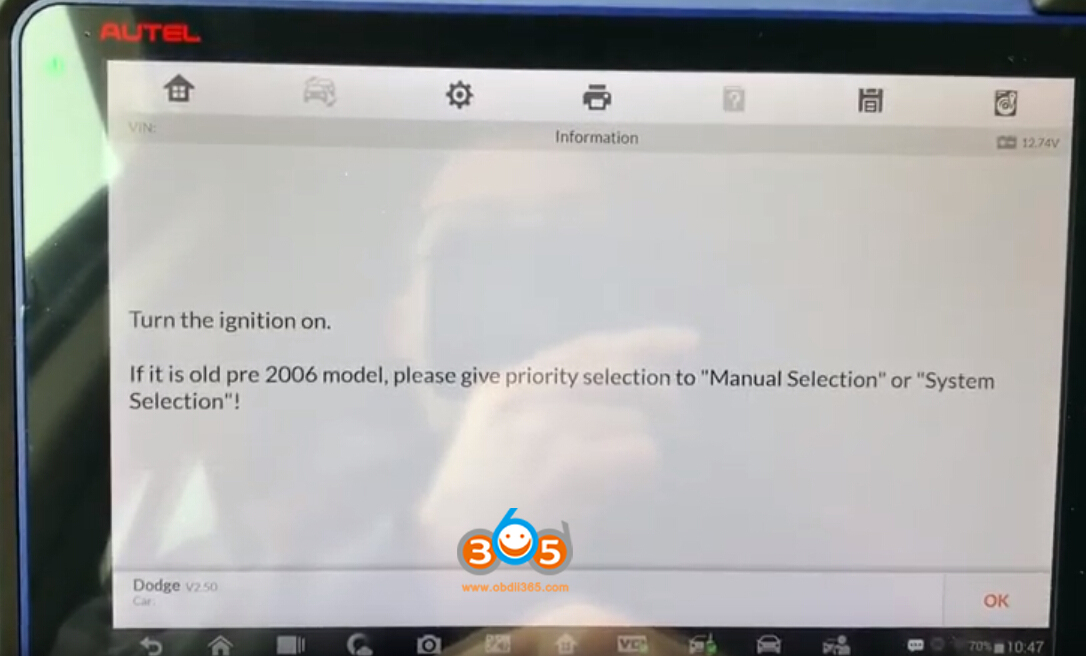
Turn on ignition switch If it is old pre-2006 model, please select "Manual Selection" or "System Selection"
Select key type, here choose Knob-style smart key


How to read Land rover RFA 1M12S EEPRO with CG Pro
CG Pro 9S12 programmer will read Land Rover:
EWS ST12 3L40K/4L40K/5L40K
RFA 9S12XEQ384 (1M12S 2M12S 1M53J 2M53J ) 9S12XET512 ( 3M53J 2M53J 1M53J).
Here we tested on RFA 1M12S successfully
Require DB25 adapter
Locate 1m25S eeprom chip
Follow wiring diagram to connect DB25 adapter
Then connect DB25 connector with CG Pro


You can check 1M12S MC9S12XEQ384 wiring diagram from CGPro software: Immobilizer-Jaguar/Land rover-RFA 1M12S EEPROM-Diagram


Press Read

Read eeprom success

Save eeprom data

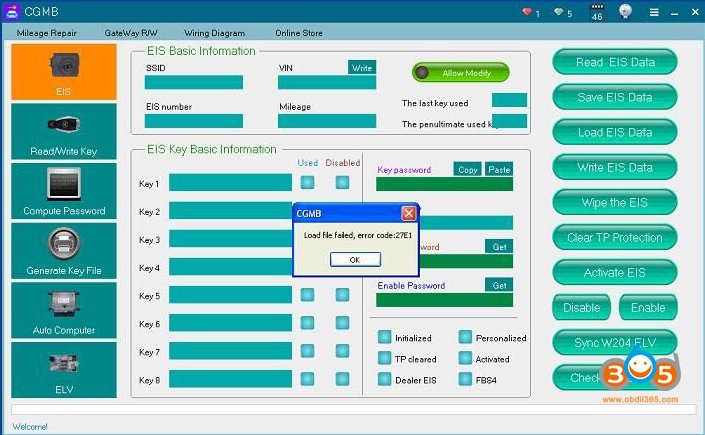
How to solve CGDI Prog MB Load File Failed Error?
How to Add Skoda Rapid 2017 MQB Key with Lonsdor K518ISE


lon
Toyota Techstream V14.10.028 Free Download and Installation
Operation system: Windows 7 32 bit

Open software CD

Open Techstream_V14.10.028 folder
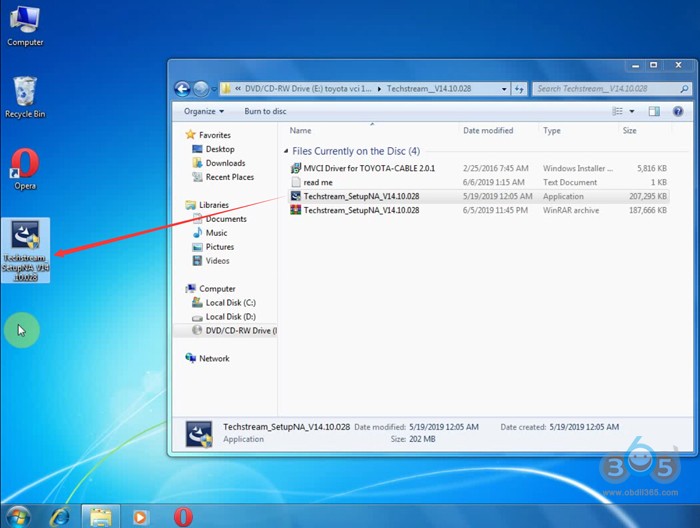
Copy and paste Techstream_SetupNA_V14.10.028 to desktop
Run Techstream setup on desktop
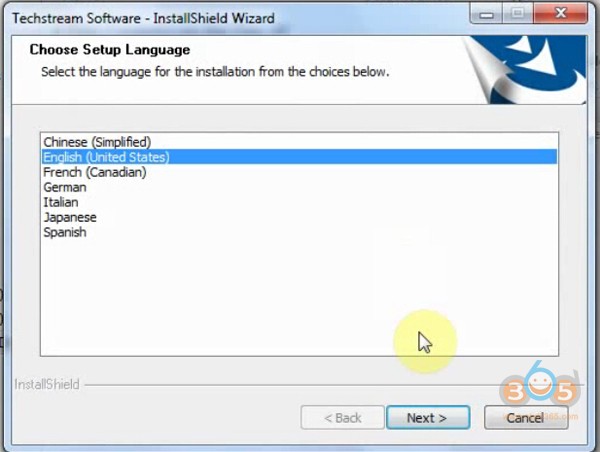
Select setup language

Install Techstream InstallSheild Wizard
Press Next
Accept license agreement
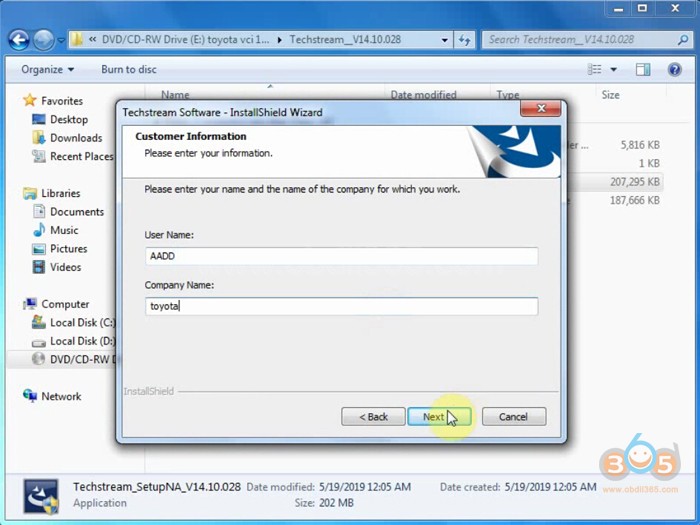
Enter customer information, User Name: AADD, Company name: toyota, press Next
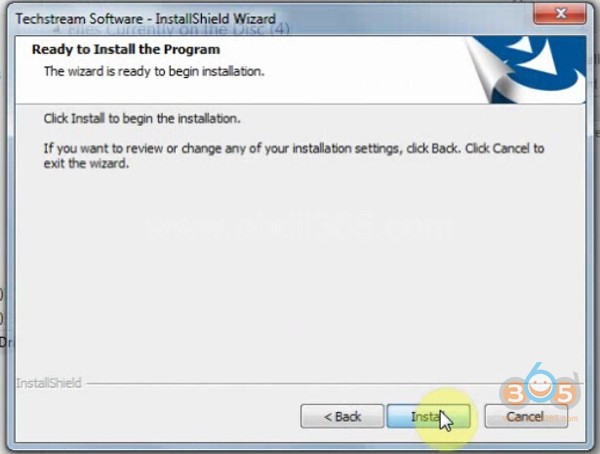
Install the program

Finish
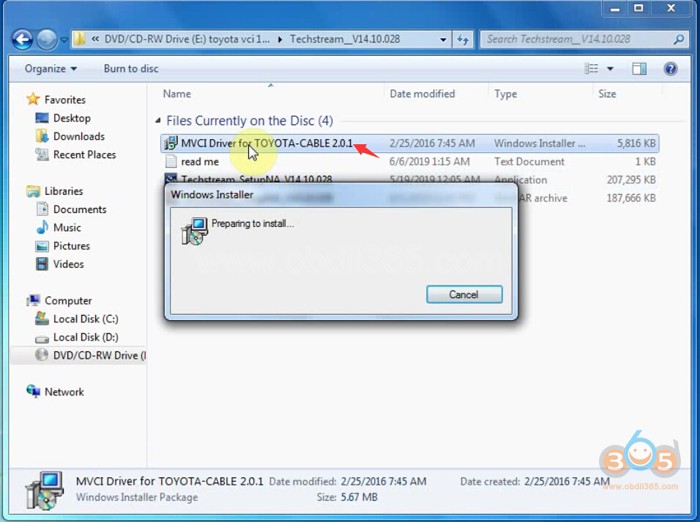
Run MVCI Driver for Toyota-Cable 2.0.1
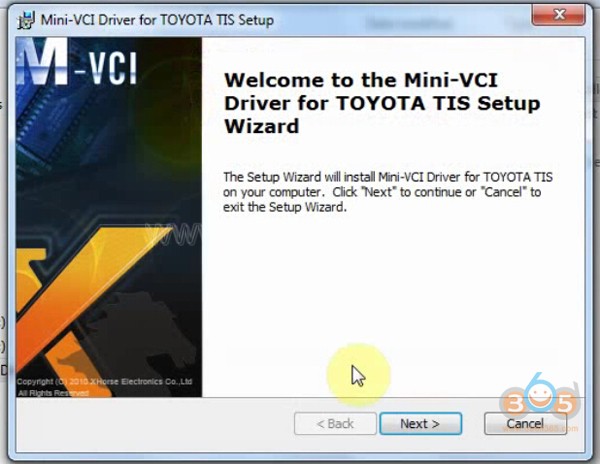
Install Mini VCI driver for Toyota TIS, press Next
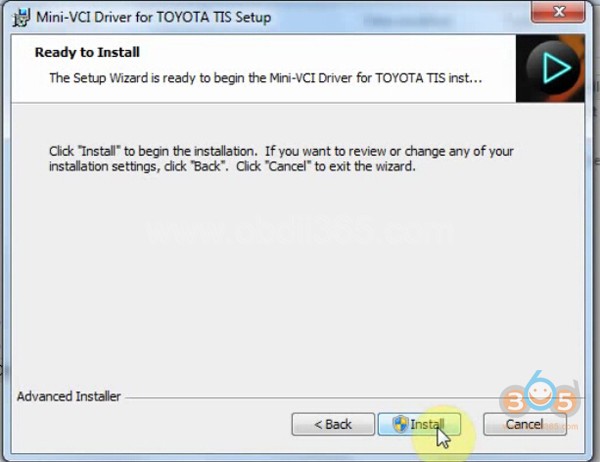
Ready to install
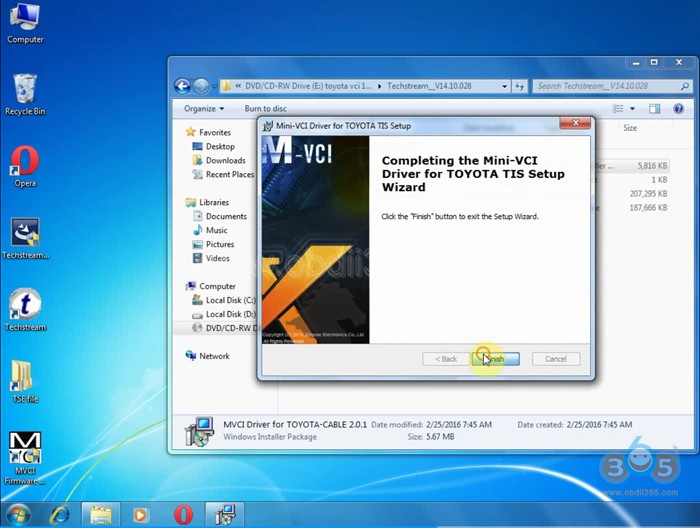
Finish driver installation
Open Techstream software on the desktop
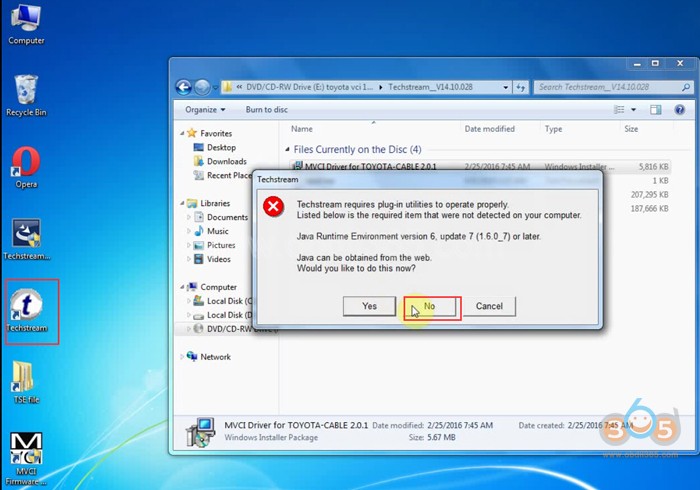
If windows gives a Java Runtime error, press No to ignore.
Launch Techstream 14.10.028 software
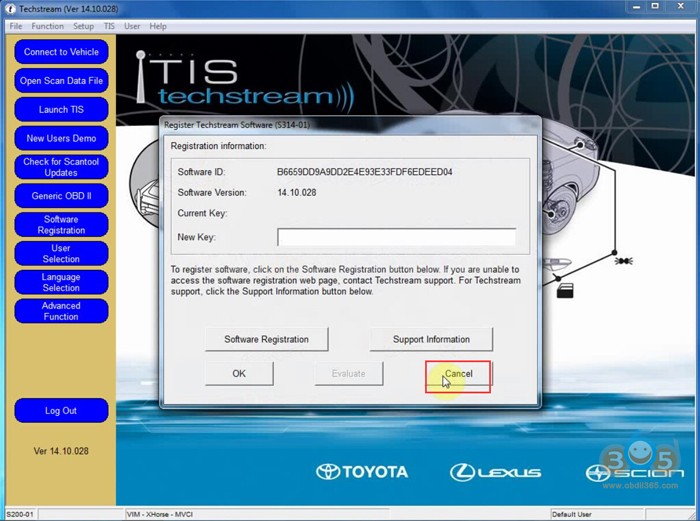
If techstream requires a registration key, press Cancel

Select Setup tab->VIM Select, select interface: Xhorse-MVCI

Copy Techstream.exe”/395070/VM:1
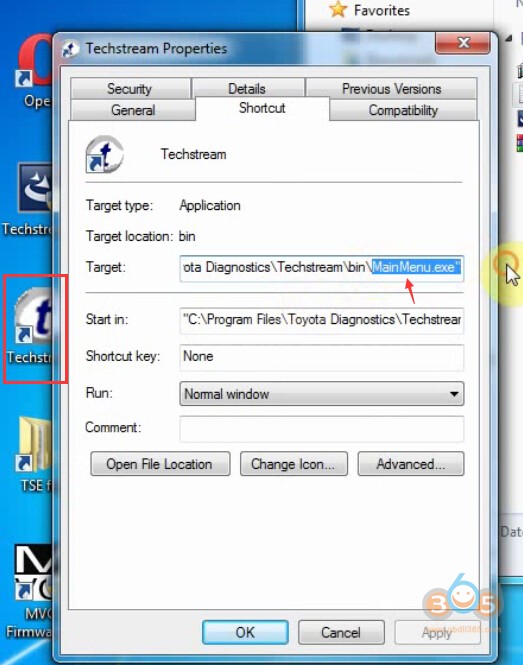
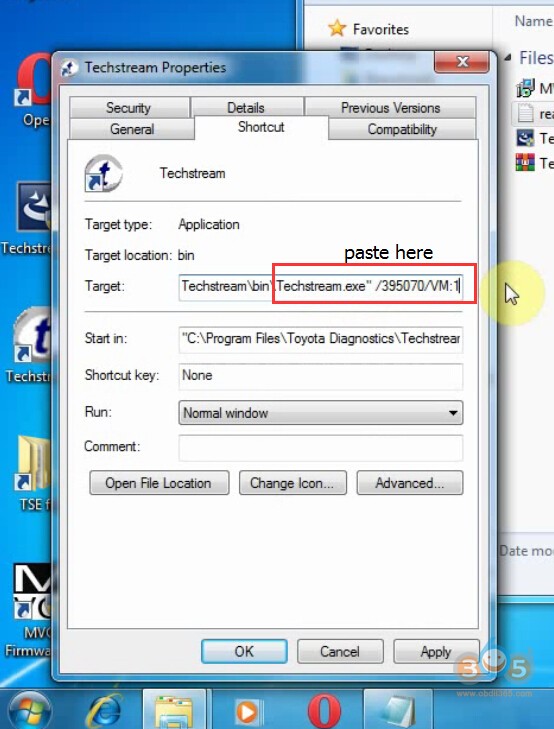
Replace MainMenu.exe by Techstream.exe”/395070/VM:1 in Target area

Then Apply
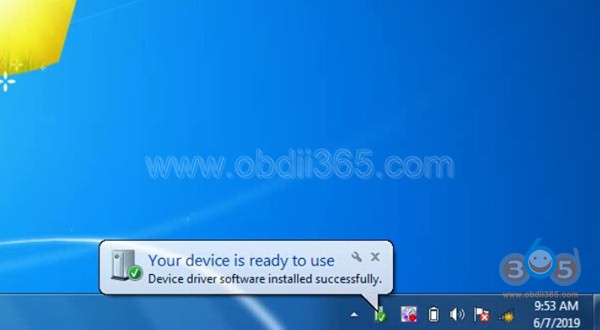
Installing device driver software
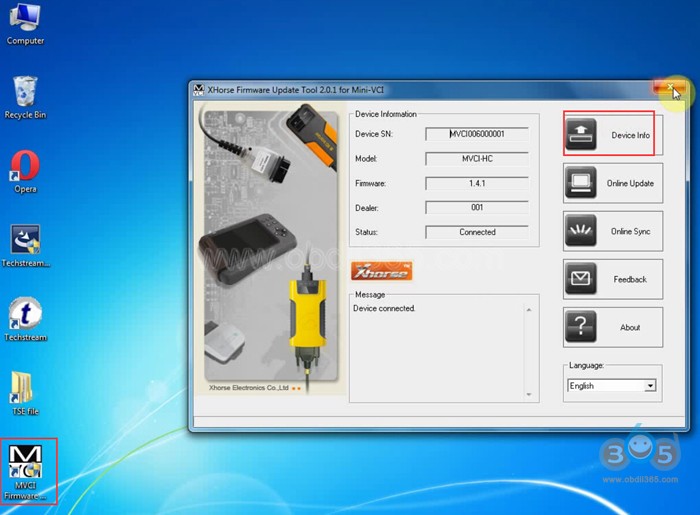
Open MVCI Firmware Update Tool
Read Device Info
Device connected
Initializing USB communication
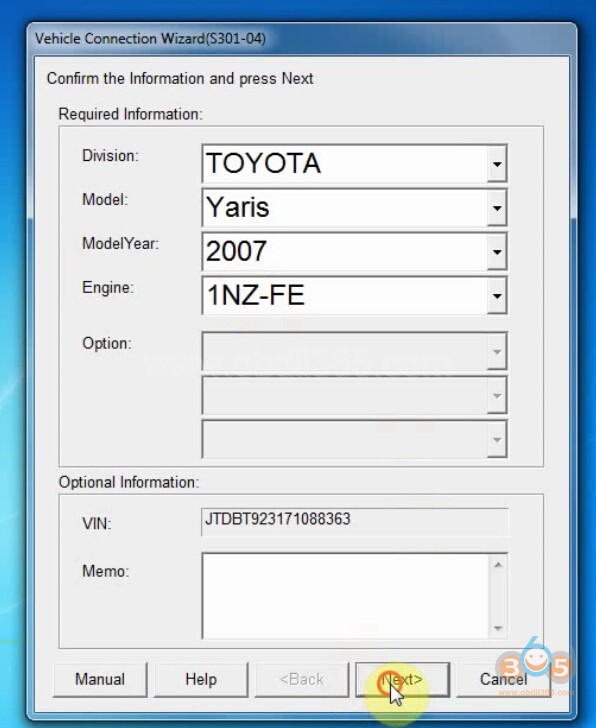
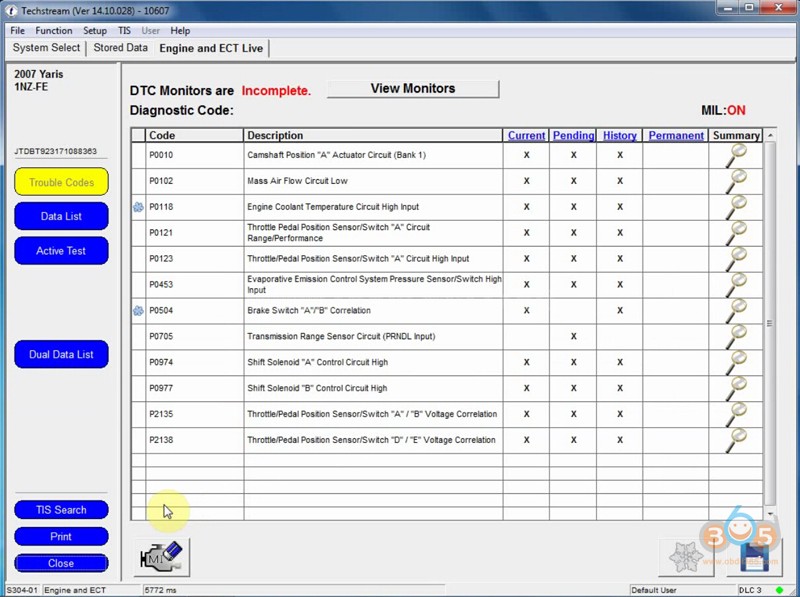
Read vehicle information and confirm

CGDI MB Basic Edition vs. Advanced Edition
Users should download CGDI software and provide device Serial Number to activate the CGDI Prog MB in the past. But now CGDI has changed the activation method.
How to activate CGDI MB key programmer?

1). Open CGDI MB software, select "Online Store" tab

2) The next screen will prompt device activation status. This device has not been activated.
Select service version: Basic version or Advanced version.
Basic Edition:
Only 1 password calculation per day.
Activation will receive a free subscription service for 12 months, free renewal.
Advanced Edition:
Users enjoy 2 password calculations per day
Activation will receive a free subscription service for 6 months, renewal 50 yuan/month.

3). Select the version you desired. Press "Activate"
Note: Once select your version. It cannot be changed after activation. I.e The basic version cannot be changed to advanced version.
http://www.obdii365.com/wholesale/cgdi-prog-benz-key-programmer.html
CG Pro 9S12 V2.1.3.0 adds Lots of Chips and IMMO Models
Good news!!! CG Pro 9S12 Programmer released a big update on June 5th, 2019. CG-Pro V2.1.3.0 software adds lots of chip types, Benz EIS-906 (ST12) IMMO and lots of key generation models, i.e Ford, Jaguar, Chevrolet, Hyundai, Kia, Mazda, Kawasaki, Mitsubishi, Subaru and Suzuki.
Lonsdor KH100 Remote Maker User Manual


- Do not hit, throw, acupuncture the product, and avoid falling, squeezing and bending
- Do not use this product in damp environment such as bathroom, and avoid it being soaked or rinsed with liquid. Please turn off the product in circumstances when it’s forbidden to use, or if it may cause interference or danger.
- Do not use this product while driving a car, so as not to interfere with safety
- In medical establishments, please follow the relevant regulations. In areas close to medical equipment, please turn off this
- Please turn off this product near high-precision electronic equipment, otherwise the equipment may
- Do not disassemble this product and accessories without authorization. Only authorized institutions can repair
- Do not place this product and accessories in appliances with strong electromagnetic
- Keep this product away from magnetic equipment. The radiation from magnetic equipment will erase the info/data stored in this
- Do not use this product in places with high temperature or inflammable air(such as near gas station).
- When using this product, please comply with relevant laws and regulations, and respect the privacy and legal rights of

- Identify Copy

- Access Control Key

Identify ID card

Identify IC card
- Simulate Chip

- Generate Chip

Note: some chip data will be covered and locked.
- Generate Remote

- Generate Smart key(card)

- Identify Coil

②Detect IMMO
- Remote Frequency

- Special function
- Detect infrared signal


- Unlock Toyota smart key

Toyota Auris 93C86 Odometer Correction with Digiprog3
Here's the guide to change mileage on a Toyota Auris with IC 93C86 by using digiprog 3 v4.94.
Need to remove dash
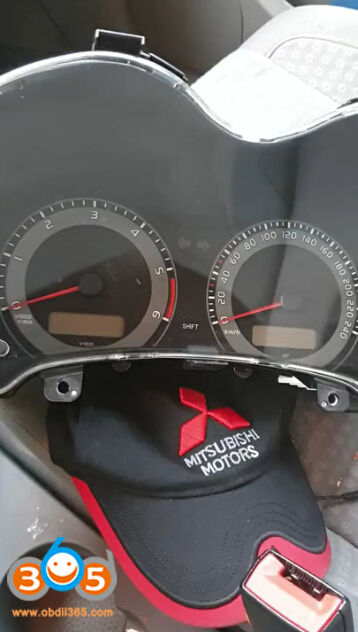
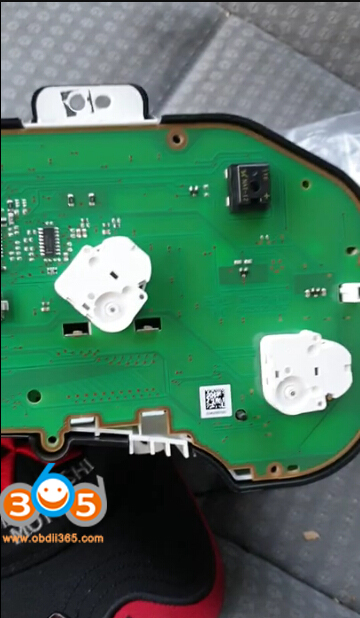
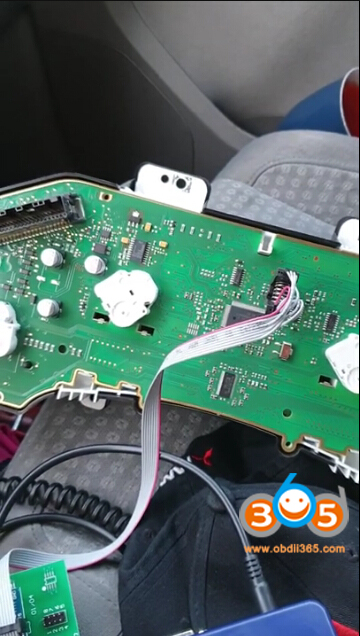
Locate EEPROM IC 93c86, connect it with digiprog3 via eeprom clip adapter
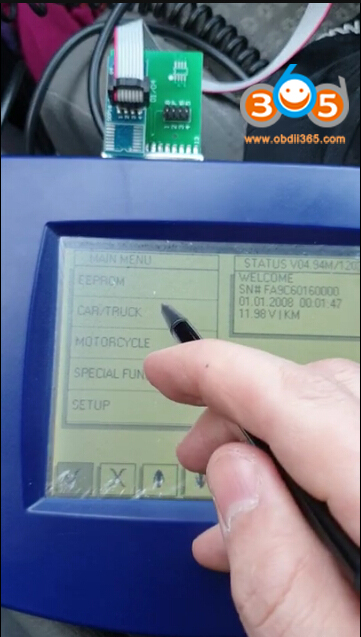
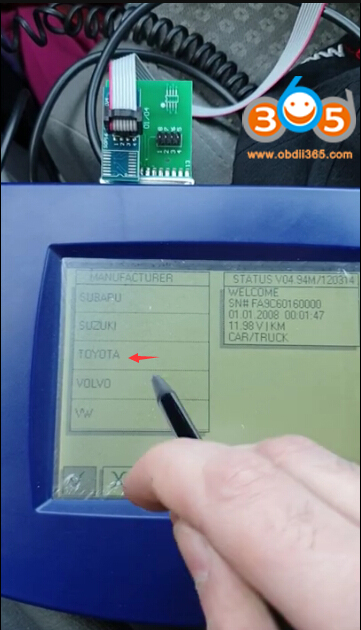
In digiprog 3, select CAR/TRUCK->Toyota->Auris C86
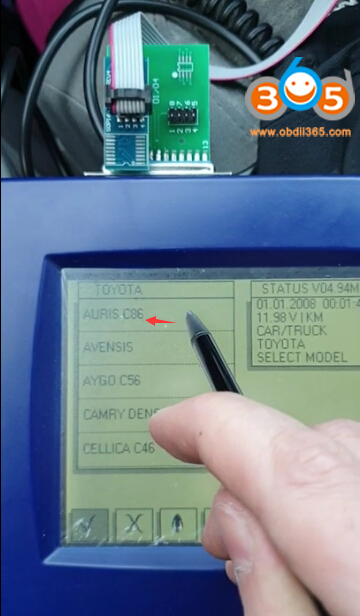
Digiprog prompts to connect with PLUG 1
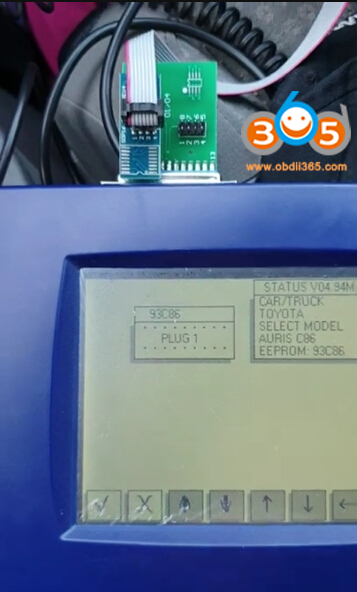
It will display current mileage
Manually enter odometer you desired to change
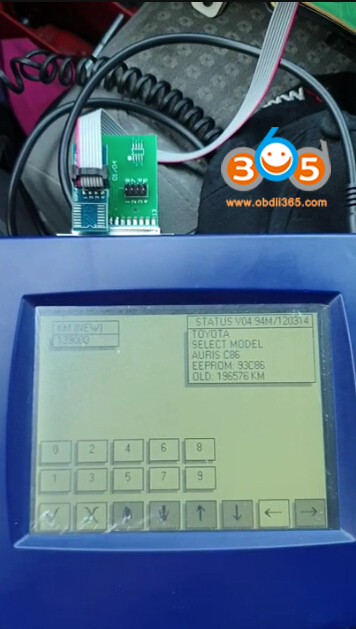
Writing new mileage
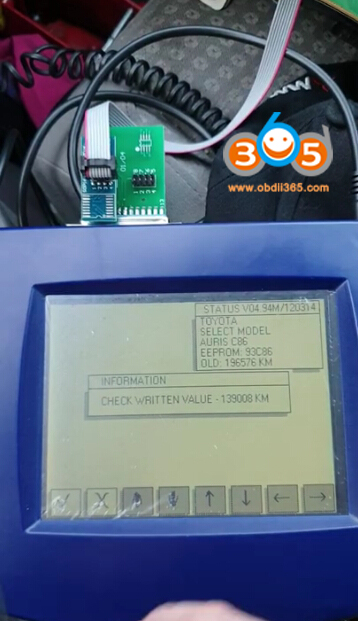
Select CAR/TRUCK->Toyota->Auris C86 to check if the odometer has changed successfully
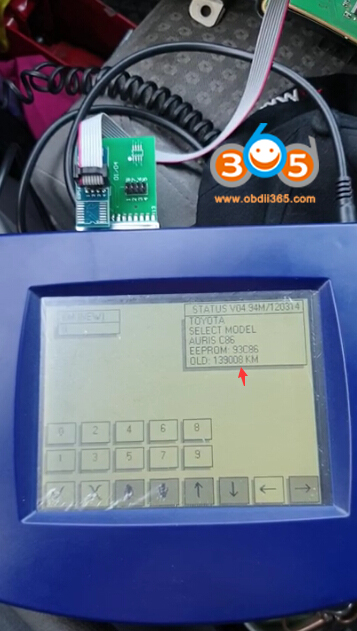
Reinstall instrument cluster to vehicle.
www.obdii365.com
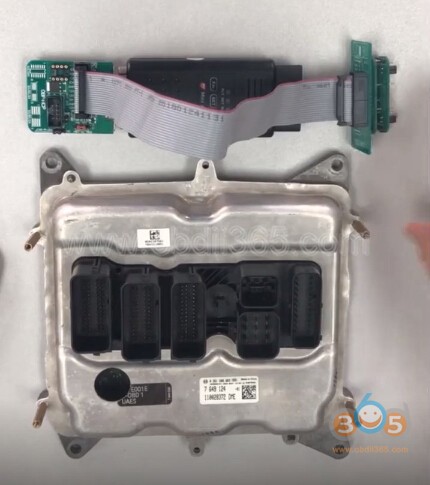
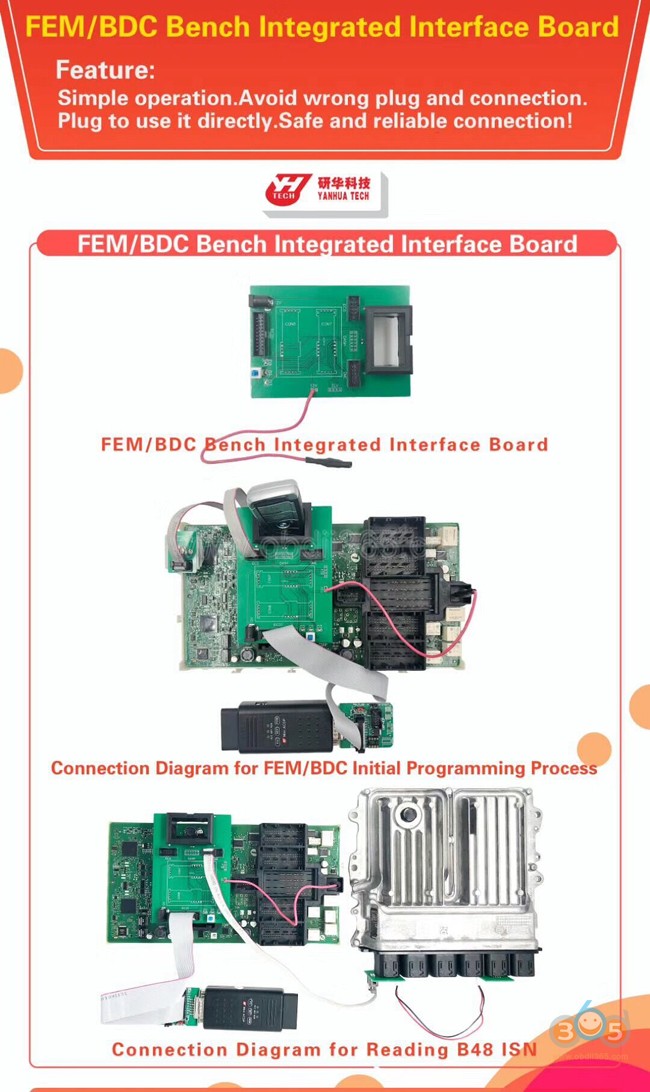
How to use Yanhua Integrated Interface Board for DME and FEM BDC?
Plug and use it directly!
Avoid incorrect connection!
Safe and reliable connection!
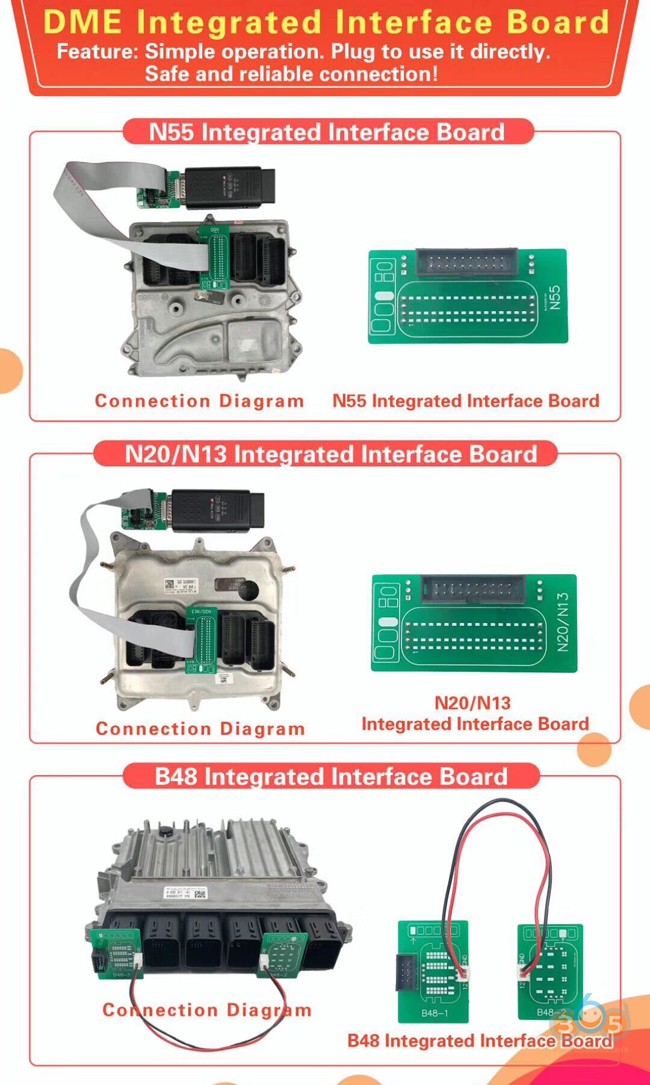

Easy and fast






Autel MaxiPC Suite adds IM508 IM608 XP400 and XP200

Toyota TIS Techstream vs. Techstream Lite

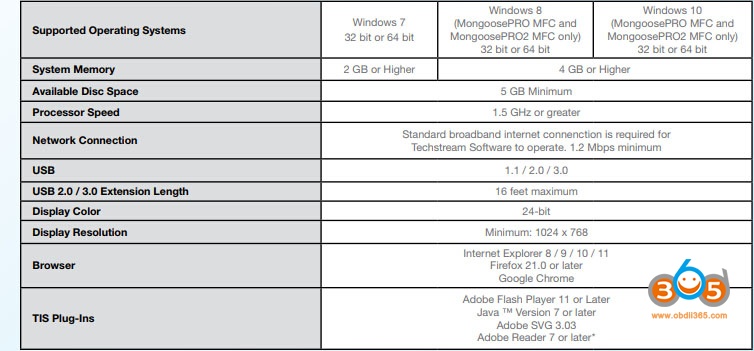
Techstream 2.0 offers full support for 1996 – current vehicles marketed in North America. Periodic software updates will be available to support new models. Techstream 2.0 provides quick and easy access to all available systems on the vehicle as well as a one touch vehicle status report (Health Check).
Toyota/Lexus/Scion ECMs can be reprogrammed using the Techstream 2.0 scantool. Techstream 2.0 software version requirements are specified in applicable Technical Service Bulletins (TSBs), which can be accessed with a subscription to this website. Older documents may state to use the TIS Techstream or Diagnostic Tester as being the required tool. Techstream 2.0 techstream is the replacement for the Techstream 1.0 and Diagnostic Tester and can be used for all 1996–current Toyota/Scion/Lexus vehicles marketed in North America.
Techstream Lite supports DLC3/J1962 based diagnostic functions on 1996 and later Toyota, Scion, and Lexus vehicles marketed in North America. You must have an active professional level subscription to use Techstream software.
Toyota, Scion, and Lexus ECUs can be reprogrammed using Techstream Lite. Available ECU updates are specified in applicable Technical Service Bulletins (TSBs), which can be accessed with a subscription to this website. You must have an active professional level subscription to access the calibration files.

| Toyota reprogramming with a J2534 interface:
Toyota, Scion, and Lexus ECMs can be reprogrammed with the TIS Techstream, Techstream Lite, Diagnostic Tester, or can also be reprogrammed using a Toyota validated J2534 interface. Vehicle recalibration requires the use of the following:
· Toyota validated J2534 interface
· TIS Professional Level Subscription
· Toyota Calibration Update Wizard software (installed along with Techstream Software)
· Personal Computer running Microsoft Windows XP/2000 or later operating system
Toyota strongly recommends USING ONLY VALIDATED INTERFACE DEVICES that appear on this list.
|
| Toyota works closely with J2534 interface manufacturers to ensure that their hardware works safely and efficiently with our products. Every device listed on this page has been thoroughly tested and validated on Toyota, Scion, and Lexus vehicles.
It is important to understand that only the specific devices, firmware, DLLs and APIs listed here have been tested by Toyota. We do not recommend use of any other J2534 device, firmware, DLL or API that is not listed here. Changes to J2534 hardware/software is outside of Toyota’s control; in some cases, changes made to device hardware/software can negatively impact reprogramming performance. Toyota makes every effort to continue to work with J2534 interface manufacturers to ensure continued product compatibility as our respective products evolve.
|


Theme: Classical © 2026 - Hébergé par Overblog
