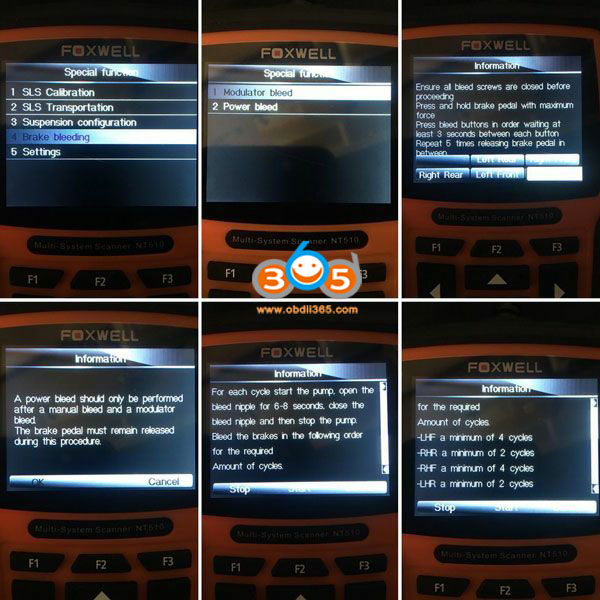
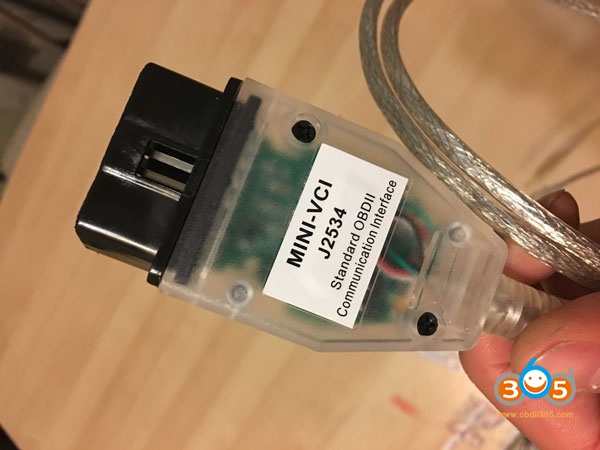
DRB III and VCI Pod for Chrysler 300M ABS Bleeding
Will wiTech Micropod2 program a used Dodge ECM?
Thank you again.
CGDI MB AC Adapter shorten data acquisition time to 10 35minutes
E Series W211 EIS 211 acquisition time: 9 minutes
C Series W209 EIS 209 acquisition time: 9 minutes
B Series W246 EIS 169 acquisition time: 35 minutes
A Series W246 EIS 169 acquisition time: 35 minutes
R Series W251 EIS 164905 acquisition time: 12 minutes
ML Series W164 EIS 164905 acquisition time: 12 minutes
GL Series W166 EIS 164905 acquisition time: 12 minutes
V2018.12 BMW E/F Scanner BMW-Explorer Software Download
Fixed programming FEM/BDC/EGS/DME/DDE
3. E-series Coding module
3.E-series CAS1, CAS2, CAS3, CAS3+ mileage Reset
4.E-series keyprog module
5.FEM/BDC mileage module
6.F-series mileage correction module
7. FLASH calibration READ/WRITE calibrations for F and G series models
8. ISN reset for F-series HP8 gearbox
9. FEM/BDC keyprog module
10. ISN MSx8x (SIEMENS) for BMW
11. F-Coding module
12. Tricore module for BMW
13. CAS4 CAS4+ F-series keyprog module with F-ISN
How to Write BMW CAS3+ Key when all keys lost with BMW E F Scanner
NOTE: Please ensure that key slot is unblocked before to program the new key there.
If you have all keys lost, you must answer NO when BMW-Explorer ask if you have working key. BMW-Explorer will then extract crypto from DDE/DME and EGS GS19D (if available). Your PC must be connected to Internet to fulfill this procedure.
Also it will read ISN from the CAS module and automatically fill the CRYPTO fields in the working window of BMW Explorer.
If all the fields are match each other it means that crypto is correct and you can use any field. For example we can choose EGS crypto, then upload *.bek file, press write (red button) and just follow on-screen instructions. Then start a car.
If your car has DME/DDE with ews3 system and you are going to use EGS crypto, you must answer YES after BMW-Explorer asks you about “CFG”. Then simply wait the finish of the programming procedure. Don’t forget to make DME-CAS sync in DME menu (this step is not available for DME/CAS with ews4 )
In case if you see a different values in the DME crypto and EGS crypto fields, you can try to program the key using each field in turn.
After the key successfully programmed you must check a key status field
002B00- for pcf7936 chip
004B00- for smart key
005B00- for keyless-go key
Note: When you are using this way of key programming, make sure than DME/DDE-CAS-EGS belongs to the SAME car
Please ensure that key slot is unblocked before to program the new key there.
This variant is usable for a cars equipped with Bosch and Siemens DME/DDE with ews4 16 bytes long ISN code AND you have a possibility to read out ISN from DME/DDE.
BMW-Explorer can read ISN (SecretKey) from the following DME/DDE types-ME17N45 , MEV17_2 , MED17_2 , MV1722 , MVD1722 , MEV17N46 , MEVD176k , D7xN47xx , D7xN57xx , MSS60
If you got above listed DME/DDE, but BMW-Explorer was unable program key automatically, you must go to DME/DDE (Extra functions), read ISN manually and copy it. After that you must return to the CAS, select Key learning, answer NO when BMW-Explorer ask if you have working key, tick DME ISN box and Paste copied ISN into this field, then upload *.bek file, press write (red button) and just follow on-screen instructions. Then start a car.
After the key successfully programmed you must check a key status field
002B00- for pcf7936 chip
004B00- for smart key
005B00- for keyless-go key
Please ensure that key slot is unblocked before to program the new key there.
You can TRY to program key by the following way:
1. Read CAS eeprom using any of suitable programmer (Xprog,ETL etc.)
Note: For the CAS modules programmed with ISTA36-42 (bmw numbers 9221719 , 9226238 , 9221720 , 9227053 , 9226238 , 9217853 , 9226239 , 9217854 , 9227053 , 9226239 , 9227106 , 9217854 , 9230590 , 9227053, 9230591 , 9226238 , 9237046 , 9221720 , 9237047 , 9221719 , 9237046 , 9237047), open read eeprom in the HEX Editor and write down values from the 02 and 03 columns in the 1 and 2 rows (as pictured)
9278746 , 9267608 , 9283153 , 9278746 , 9283154 , 9278745 , 9287534 , 9283153 , 9287535 , 9283154 , 9314256 , 9287534 , 9321069 , 9314256) ), open read eeprom in the HEX Editor and write down values from the 00 and 01 columns in the 1 and 2 rows (as pictured)
Note: When you are using this way of key programming, make sure than DME/DDE-CAS-EGS belongs to the SAME car
After the key successfully programmed you must check a key status field
002B00- for pcf7936 chip
004B00- for smart key
005B00- for keyless-go key
How to install Fgtech 0475 EU Version Step by Step
2019 new China clone Fgtech galletto firmware 0475 software V54 step-by-step installation on Windows 7.
Free download Fgtech 0475 software
Procedure:
Step 1: Install setup
Open Fgtech v54 Software CD
Read "Read ME" text file first
Open and install v55 for 0475 all win.exe
Operation completed will generate icona.ico file on desktop
Open Patch No Reg Key v55 folder
Copy EvO.dll and mfc42.dll files to folder C://Program Files/Fgtech v54- Win7
Step 2: Install Fgtech 0475 driver
Windows 7 will auto detect device driver
If displays driver not successfully install error message, do following:
Go to Device Manager->right click on FGTech-> Update Driver Software
Select Browse my computer for driver software
Search for driver in this location: C://Program Files/Fgtech v54- Win7/Driver interfaccia
Windows has finished updating and installing the driver sofwtare for fgtech fw0475.
Software is ready for use.
Step 3: Run fgtech software
Open icona.ico software on desktop
If fgtech prompts Windows Vista or above detected, making a second patch, press OK to contine.
Select language you desired
Read and write ECU.
Related post:
EU Fgtech Galletto V54 FW0475 Download, Install, Car List, FAQs and Reviews
How to code BMW X1 F48 with Vgate iCar 2
2. Auto fold/unfold ORVM with lock/unlock
Renault Sirius 32 Renault K-line read and write with Fgtech 0475
Fgtech galletto v54 new fw0475 master clone has been tested to read and write Renault Megane Siemens Sirius 32 ecu without issue.
Set up Fgtech v54 software
Select Car->Renault->Megane ->1.4/1.6/2.0 16V Sirius 32
Siemens Sirius 32 Renault K-line read and write
Read ECU data
Save ECU data
Open ECU data just saved
Writing ECU
If fgtech 0475 prompts Checksum not supported, press YES to continue
Writing ecu in progress
Turn the dashboard off and back on. Then wait for
10 sec before continuing
Fgtech V54 write Renault Sirius 32 ECU success
http://www.obdii365.com/producttags/fgtech-galletto.html
Foxwell NT510 vs. Creator C310+ BMW Code Scanner
What makes Foxwell NT510/NT520 Pro perfect for BMW diagnosis? Check the table comparison below:
|
Image
|
|
|
|
Item
|
||
|
Customer Rating
|
4.1 / 5
|
4.4 / 5
|
|
BMW OBD2
|
Yes, (OBDI with extra adapter)
|
Yes, (OBDI with extra adapter)
|
|
CEL
|
Yes
|
N/A
|
|
Transmission
|
Yes
|
No
|
|
ABS, SRS
|
Yes
|
Yes
|
|
I/M Readiness
|
No
|
No
|
|
Oil Reset
|
Yes
|
Yes
|
|
EPB
|
Yes
|
N/A
|
|
DPF
|
Yes
|
N/A
|
|
Coding (on specific vehicles)
|
Yes
|
N/A
|
|
Price (in obdii365.com)
|
|
|
Which tool to virgin Benz W211 E280 TCU, VVDI MB, FVDI or AVDI
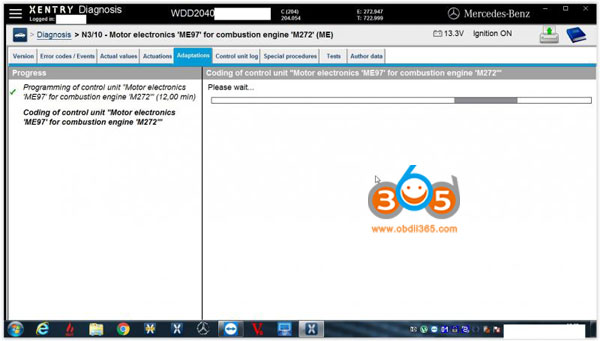
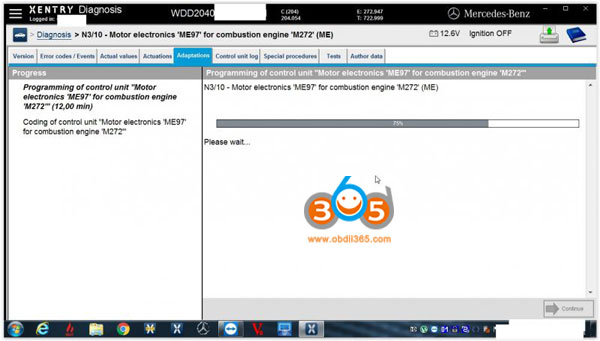
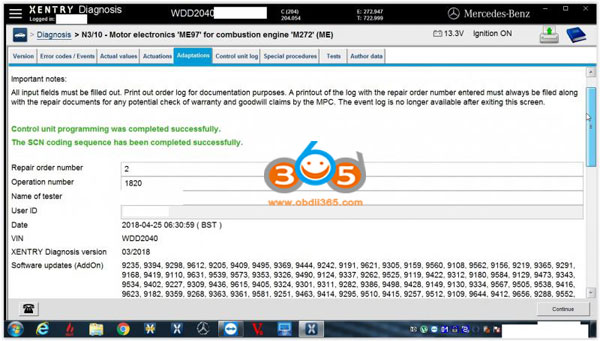
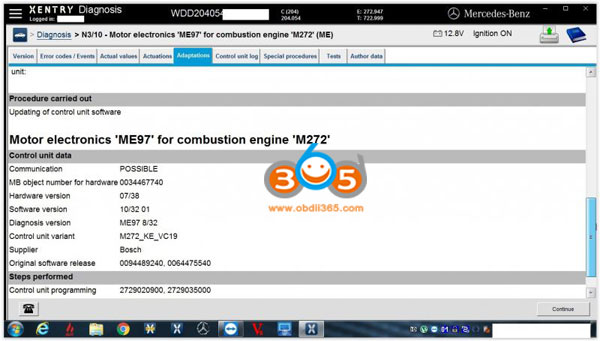
2) online scn coding with xentry
Positive Feedback on GM tech2 off obdii365
I tested device and it works well. Problem is the screen. I believe for return I would have to send back and pay for shipping. This would take a long time and I have work to do using the tool.
What is the difference between BMW ISTA-D and ISIS?
EDIABAS
OMITEC USB
Lonsdor K518ISE Free Subscribed Menus Update Policy
2. Subscribed menus can be used for free for 90 days. You need to pay for them after the trial period. After the trial period, subscribed menus will not work properly if you don’t pay. And the menus will disappear after updating the device.
A. 365 days is a period and the price is USD600 per period. One year period starts from the day of the trial period finished.
B. Purchase subscription from us. You can use the menus normally and permanently after payment.
C. Menus which you purchase includes subscribed menus that have been released and that will have been released in one year period.
D. Subscribed menus beyond one year period requires extra payment.
How to Add Ford Fusion 2017 Smart Key with Lonsdor K518
SPS Programming: J2534, mangoose pro or GM MDI?
For me AVDI its did it job long time ago and I don’t need to buy a new AMS. So I am using when I do what “she” can do.
| Tool / Software | GDS2 | Tech2Win | Global TIS | TIS2000 |
| GM Tech 2 | No | Yes
(for old cars)
|
No | Yes |
| GM MDI | Yes
(for new cars 2010-)
|
Yes
(for old cars)
|
Yes | No |
| Mangoose PRO GM II | Yes
(for new cars 2010-)
|
Yes
(for old cars)
|
No | No |
| VXDIAG VCX Nano GM | Yes
(for new cars 2010-)
|
Yes
(for old cars)
|
No | No |
| Functions/ Software | GDS2 | Tech2Win | Global TIS | TIS2000 |
| Diagnostics | Yes | Yes | No | Yes |
| ECU Programming | No.
But you can log in www.acdelcotds.comto do programming
|
No.
But you can log in www.acdelcotds.comto do programming
|
Yes.
But only program
ECUs offline for part of GM vehicles.
|
Yes |
| Key Programming | Yes.
But you have to program new keys online via
|
Yes.
But you have to program new keys online via
|
No | Yes |
| SPS Programming | No | Yes | Yes | Yes
(with Tech 2 Go-between)
|
/image%2F1896381%2F20151209%2Fob_cb2b49_obd365-com.png)