Overblog Tous les blogs Top blogs Automobiles & Véhicules
Suivre ce blog Administration + Créer mon blog
MENU
Publicité
OBD2 Diagnostic Tools
Articles récents

Free Download V82 iProg+ Pro Clone Software

15 Janvier 2020 , Rédigé par JTAC

iprog+ Pro clone new software version V80 released more odometer correction models.  Check the free download link and installation guide below.
 
Software Version V82
Language: English Russian
Operating system: WinXP, Win7, Win8
iProg+ Pro V82 free download link: https://share.weiyun.com/5eWcQny
Password: yrhy36
iprog-v82-software-1


iprog-v82-software-2

Main steps to install V82 iProg Pro:
Step 1: Create a new folder in any convenient place on the disk. For example [iProgProSoftware]
Step 2: Unpack the archive into the created folder
Step 3: Run the program
Step 4: Select the menu item Help -> Check for Updates. Follow instructions
Step 5: Copy into your Scrips and Calculators folders your scripts and calculators, respectively
 
 
Does iProg china clone work good?
Yes. it’s good for airbag, dashboard, car radio, ecu, eeprom, immo, mcu.
and covers more special functions like dpf off, MIL to KM, PINABS, PINCODE SMATRA3,PINCODE SENSOR SPEED LIMIT,ODO Adjust, Fujutsu, Microchip, Motorola, Motorola912EN, NECV850, BLR, CAN, CRC_Cript, ibutton, sd_unlocker, test etc
 
iProg Programmer Function List:
Airbag
Read and erase Airbag crash to some cars
Read and erase DTC
Repair CFG
Dashboard: Read km, write a new km
Car Radio: Read and erase info; Reset count
ECU: Immo OFF, DPF off
EEPROM: Read/write/erase eeprom
IMMO:
Program and copy chips for cars and truck
Unlock keys
Cover Toyota smart keys: reset key prepare
Write a key by immo dump
MCU: Read and write chips, Cover chips Atmel, Fujitsu and microchips Motorola, NEC v850
Special functions: Mile to km, Pincode from dump
Lire la suite
Publicité

How to Change Odometer for Mercedes W205 2016?

14 Janvier 2020 , Rédigé par JTAC

Question: i have DP4 original and i need correction odometer for a Mercedes W205 C class yr 2016. When try change km instrument give me CAN_time out ff error? The model is not supported??
What other tool can do this model and how?
 
 
Solution:
Actually mercedes W205 2016 is not supported with DP4
If using a CAN filter with this car but still give error message.
dp4-benz-w205-2016
 
Some people try to change dash to lower software. It is risky and complex.
Here’s a easy OBD solution and without CAN Filter.
 
 
You will need:
benz-obd2-odometer-correction-tool-1
 
Compatible Benz models 2015-2017:
  • W222 2015-2017
  • W205 2015-2017
  • C217 2015-2017
  • C190 2015-2017
  • C253 2015-2017
  • X253 2015-2017
  • W447 2015-2017
  • W213 2015-2017 (under development)
  • -2015 Requires a CAN Filter
 
Software can be downloaded free here:
benz-obd2-odometer-correction-software
 
Software prompts operation steps as well.
 
Example: Mercedes Benz W205 2016 Odometer Correction via OBD No CAN Filter
 
Step 1: OBD reads configuration information
Perform 1 OBD Read Config Info
Configuration data must be saved after successful reading!
 
Step 2: The MCU edits the data
At this time, you need to remove the back cover of the dashboard, select the type, and select the wiring method according to the type.
You can open the wiring diagram directly, there are 5 wires in total (as the picture). The Dashboard is divided into 8 drives and 11 drives.
remove-w205-dashboard
 
After connecting the wires according to the wiring diagram, perform the operation.
If the MCU data is edited successfully, the wiring can be removed.
 
Step 3: Write configuration information
The configuration information is the data read in the first step, and you can select the saved data at this time;
Then you can get the prompt that the vehicle configuration information is written successfully.
 
Step 4: You can adjust the mileage
Read the kilometers first, and then write the kilometers
For example, we wrote the mileage of 12345; Then the result is 12345km.
Look at the dashboard again, the kilometers are correct! The steps are complete!


FYI:
CGDI MB upcoming upgrade will release FBS4 odometer correction as well.
(The function is not FREE. The license should be available in Feb. 2020 or later)
Features:
1. via OBD
2. Without can filter
3. Safe and stable
4. Without dismantling
Workable Mercedes Benz  models:
W205 2015-2017
W222 2015-2017
C190 2015-2017
C217 2015-2017
C253 2015-2017
X253 2015-2017
W447 2015-2017
Lire la suite

CGDI MB Benz EIS ELV Test Platform User Manual

12 Janvier 2020 , Rédigé par JTAC

The CGDI MB EIS ELV Testing Platform Instrument Emulator is used to work with CGDI Prog MB to test EIS without ELV, emulate elv function, read write and collect EIS data.


Function List:

  • Supports EIS testing without ELV
  • Supports emulating  ELV function (except for 204, 217, 212 old)
  • Supports different Benz Programming Device
  • Supports CAN line EIS Monitor
  • Supports EIS reading,writing, data Collection


EIS Supporting Models:
204         207
212old      212new
166         246
209        211       169
203        463
639K line     639CAN line
202        208       210
215        220       230
216old     216new
221old     221new
164old     164new

The test platform comes with emulator unit, a OBD Adapter Cable and EIS Adapter Cable

cgdi-mb-elv-eis-test-platform-1


Interface Description
EIS to interface

cgdi-mb-elv-eis-test-platform-2


EIS status display area

cgdi-mb-elv-eis-test-platform-3


ELV function selection, 12V power interface, OBD to interface

cgdi-mb-elv-eis-test-platform-4


ELV status display
Key inserted

cgdi-mb-elv-eis-test-platform-5


Key is open ACC

cgdi-mb-elv-eis-test-platform-6


Vehicle start

cgdi-mb-elv-eis-test-platform-7


Key is pulled out

cgdi-mb-elv-eis-test-platform-8


CGDI MB EIS ELV Test Platform Physical connection

cgdi-mb-elv-eis-test-platform-connection-1


cgdi-mb-elv-eis-test-platform-connection-2


cgdi-mb-elv-eis-test-platform-connection-3


cgdi-mb-elv-eis-test-platform-connection-4


CGDI MB Benz EIS ELV Testing Platform User Manual.pdf

Operation video demo:

Program Benz W210 All Keys Lost (Fast Mode) with CGDI MB and EIS ELV Emulator

www.obdii365.com

Lire la suite

How to Delete Xtool X100 PAD2 Software to Enlarge Storage?

7 Janvier 2020 , Rédigé par JTAC

Problem:
I’ve done reset but still coming up not enough storage on the xtool x100 pad2.
Anyone help fix problem?
Xtool X100 PAD2 No Enough Storage  1


Xtool X100 PAD2 No Enough Storage 2
 
 
Solution:
X100 pad2 has a total 9.1GB storage space and not allowed to extend storage via SD card.
1) Try to reset X100 pad2 and delete brands you don’t need (i.e China brand immo and diagnose).
2) Don’t ever update the diagnostic and immo side of things. Unless you’re into that stuff.
That way give it more storage.
 
Guide:
xtool pad2 insufficient machine memory solution
Step 1: Open the app and find the Report
release Xtool X100 PAD2 Storage 1
 
Step 2: Find the “File Management” menu
release Xtool X100 PAD2 Storage 2
 
Step 3: Select the “Edit” , click on the unnecessary car brand
release Xtool X100 PAD2 Storage 3
 
Step: Delete the software. Upgrade Immo software first, and then upgrade diagnostic software
release Xtool X100 PAD2 Storage 4
 
Done.
 
Lire la suite
Publicité

Read Dodge Ram 3500 Pin Code with Autel IM608

5 Janvier 2020 , Rédigé par JTAC

Test report: Ram 3500 Pickup read password
 
Key programming tool: Autel MaxiIM IM608
Car: D2| Ram 3500 Pickup 1/2011
 
Procedure: (very easy)
Go to Autel Im608 Dodge software
autel-im608-dodge-ram-3500-pin-1
 
select “smart mode”
autel-im608-dodge-ram-3500-pin-2
 
Turn ignition on
If it is the old model pre 2006, please give priority selection to “manual selection” or system selection”
autel-im608-dodge-ram-3500-pin-3
 
Establishing vehicle communication
autel-im608-dodge-ram-3500-pin-4
 
Function: knob-style smart card
autel-im608-dodge-ram-3500-pin-5
 
Switch ignition off and then on
Make sure the engine is off
autel-im608-dodge-ram-3500-pin-6
 
Establishing vehicle communication
autel-im608-dodge-ram-3500-pin-7
 
Switch ignition off and then on
Make sure the engine is off
autel-im608-dodge-ram-3500-pin-8
 
Establishing vehicle communication
autel-im608-dodge-ram-3500-pin-9
 
Autel IM608 read out password
autel-im608-dodge-ram-3500-pin-10
 
Success! 2 min done!
 
 
Attach discussion – you might be interested:
 
But can it read the PIN off the new chryslers that have Security Gateway Modules? I believe they’re rolling codes and require a special adapter to bypass the SGM. I have seen them and the codes are usually 5 digits. Thanks
 
No the security gateway adapter isn’t needed anymore I did a video on it. Just needs sub and internet
 
I have yet to try it with my IM508. I don’t see newer models in my area.
 
Now do you like the 508 is it worth the money? What keys can you do with it?
 
what I can see, the more expensive has more options for coding and special functions. Relating to diagnostics. IMMO seems to be the same on both. Maybe chip reading or eeprom writing. But I have yet to find a video to show something that the smaller and cheaper version doesn’t do that the expensive one does. Regarding IMMO of course. I would get the more expensive one, but my job has the VERUS, Autologic and Launch Torque. So diagnostic wise, I’m covered. Which is why I purchased the 508 for key programming. Which has worked so far. Older ford models and a Mazda. Some Chryslers, but nothing requiring the 5 digit PIN’s. Just the old 4 digit pin ones.
 
I have the Autel elite, Snap On zues, launch Torque and Bosch ads 625 so I’m covered as well on scanner side that’s why I was just gonna grab the 508 plus if it sits I can just sell it and not lose any scanners. I saw on launch website only diff is bmw some and Benz that’s it I believe. I just want it for say example 14 Hyundai , ford free star, check Tahoe etc. I don’t get much euro for keys
 
You should be cover with the IM508. It has the same IMMO functions as the expensive one. I have yet to try a newer Chevy. But I had a 2016 GMC truck and it had the ability to program keys. Just that it was going to erase all of them and program them all back. Not sure if that’s how it works on newer models. I thought they get programmed like Chrysler cars and you need a PIN to program them. The old ford models, programs them in 5 seconds. Meaning is does the 10 minute bypass. Which is awesome. Same with Toyota’s. I see the quick immo reset option, which usually takes a lot less than the 16 minute wait. Haven’t tried it yet, hopefully I can soon to test it out. But yeah, the cheaper tool is just as good as the expensive one. I would go for the cheaper one if it’s IMMO only you’re looking for.
 
Thanks brother I appreciate it. I looked it up the only thing it can’t do is VW& Audi I can live with that. Plus the Autel elite does some key stuff too. Says the im508 needs the xp400 to ecu read/write & ic card read/ write & remote freq detect & MC9S12 encryption whatever those are. I just need it for occasional work. It says you need the XP400 to do the things i mentioned. The 508 must come with a diff key scanner. You haven’t run into any of that yet?
and BmW cas4 only when connected to xp400 as well. I want to make bmw keys and Hyundai
 
I did a 2014 Passat. It was able to program the key and then the fob part. Not sure why it says it can’t do it? The key was an original key from VW. The customer who brought it to me said that the car was owned by someone who worked at a dealer, he purchased the key very cheap, but never programmed it. I followed the instructions of someone here on YouTube who did one as well. My machine error out after I did the process, but it still programmed it! The fob part was very easy! The one thing most of these tools cannot do is “all keys lost”. For some reason, you have to do it through eeprom reading and writing. But if you have a working key, this tool can program 2014 cars. This one was a turn style key, not a proximity key. Haven’t seen anything about proximity key programming for VW or Audi.
Lire la suite

Lonsdor K518ISE Read Dodge Journey 2018 Pin and Add a Smart Key

1 Janvier 2020 , Rédigé par JTAC Publié dans #Lonsdor K518

Read PIN code and programmed a smart key on a Dodge Journey 2018 with Lonsdor K518ISE key programmer without problem.
Did not use Lonsdor L-JCD Cable, but the Smart Pro 2018 bypass cable instead.
lonsdor-k518ise-2018-dodge-journey-1
 
Read Pin Code 
Select Immobilizer->Dodge->Select from vehicle-> North American->Journey->2011-2019->Smart Key->Read PIN Code
lonsdor-k518ise-2018-dodge-journey-2
 
lonsdor-k518ise-2018-dodge-journey-3


lonsdor-k518ise-2018-dodge-journey-4


lonsdor-k518ise-2018-dodge-journey-5


Start reading pin code
Read 4-digit security code success
lonsdor-k518ise-2018-dodge-journey-6
 
Program Smart Key 
Select Add smart key
Switch ignition off and turn on warning light
lonsdor-k518ise-2018-dodge-journey-7

Make sure there are no other devices near the smart key(s).
lonsdor-k518ise-2018-dodge-journey-8

Lonsdor K518 will manually fill in pin code to access
Close the key to be programmed to Start button and press Unlock button once within 30 sec
lonsdor-k518ise-2018-dodge-journey-9

Program 1st smart key complete
lonsdor-k518ise-2018-dodge-journey-10

Current key number: 1
lonsdor-k518ise-2018-dodge-journey-11
 
Test remote control and smart vehicle with the new key.
Done.
 
Lire la suite

Read Citroen C4 Picasso Pin Code with OBDSTAR H108 via OBD

31 Décembre 2019 , Rédigé par JTAC

Vehicle Model: Citroen Grand C4 Picasso year 2008
Purpose: read pin code in order to add a new key
Tool used: OBDSTAR H108 PSA pin code reader and key programmer

Instruction:

obdstar-h108-citroen-c4-pin-1


Such a little device came in a bag. Very well done. The device itself, a removable cable, such as an instruction are included)) Everything is clear without instructions. Updates are available. But I already had the latest version.

You can always see the basic data about the device in the ABOUT section, they are needed, for example, to register a device on the manufacturer’s website, update there, or something else ...
obdstar-h108-citroen-c4-pin-2
 
Selftest - just check promptly the normal operation of the screen and buttons. I tried, but not the point. We go to the VEHICLES section - vehicles ...
obdstar-h108-citroen-c4-pin-3
 
We select IMMOBILISER - an immobilizer, an anti-theft in our opinion. In Picasso itself, by the way, is called an anti-theft.
obdstar-h108-citroen-c4-pin-4
 
Select Peugeot/Citroen/DS V32.06
obdstar-h108-citroen-c4-pin-5
 
Next, authorization takes place - this is already communication with the machine. I recommend turning on the ignition before.
obdstar-h108-citroen-c4-pin-6
 
obdstar-h108-citroen-c4-pin-7
 
obdstar-h108-citroen-c4-pin-8


Select Citroen->Read PinCode-> Add keys read
obdstar-h108-citroen-c4-pin-9
 
Further on the screen appears inscriptions - then turn off the ignition, then turn on ...
obdstar-h108-citroen-c4-pin-10
 
obdstar-h108-citroen-c4-pin-11
 
 
Turn on the ignition
Reading pin code in process
obdstar-h108-citroen-c4-pin-12
 
OBDSTAR H108 read 4-digit Citroen C4 pin code success.
Read and register the keys yourself in the car, or go with a pin to other people who still need a pin to register.
 
http://www.key-programmer.org/2019/12/31/obdstar-h108-read-citroen-c4-picasso-pin-code/
Lire la suite

Can Mangoose Pro GM 2 cable work for 07-Aero CV?

29 Décembre 2019 , Rédigé par JTAC Publié dans #gm gds2

I ordered this Mongoose Pro GM 2 cable and used it on my 07-Aero CV. Took a lot of time finding all software and keys, figuring how all software and crap worked but once you get it all going its really simple. Also wasted a ton of time trying to get Opel GlobalTIS and SAAB GlobalTIS to work on same machine, couldn’t get this to work.
Continued to waste time finding a tech2win version that didn’t require GlobalTIS to activate. V2.302 does this but for some reason it doesn’t find the Mongoose so don’t bother, get v2.256.
For the opel activation you need someone on forum for activation key, i found this site where u can register for free:
http://garageforum.org/Thread-Free-Activation-for-Opel-Global-TIS-v25-v31-v32-and-v36
Second option is MHH forum but requires $10 for registration.
Third option is all crack in a hard disk, without installation troubles.
mangoose-gds2-software-1


mangoose-gds2-software-2
 

Steps:
1. Clean install winXP
2. Install Mongoose drivers+tech2win. Both are on Mongoose webpage.
3. Install tech2win v2.256
4. Open tech2win, create new using default template. Name it whatever, e.g. saab. This will create a saab.bin, in your documents. Close tech2win.
5. Replace saab.bin with saab 9.250 bin that you downloaded.
6. Install Opel GlobalTIS. After opening, you select register with fax, it will give you a pdf with info you give on the forumlink above.
6. Open tech2win and press saab, you should get a popup window so u can select mongoose device.
7. Open GlobalTIS and select security access, this and press next, on tech2win-window you should see it communicating with GlobalTIS. When done tech2win license should be updated for 24h.
8. You can now use tech2win as a normal tech2.
Optional: SecurityAcess
9. Install Saab tis2000
10. in tech2win while connected to car, go to security access. Follow prompts
11. Disconnect cable to car and restart tech2win.
12. Open TIS2000 and click security access. Follow prompts, you will see it interact witch tech2win.
13. Reboot tech2win and connect to car, should work!
 
 
Test:
 
Can confirm the Mongoose cable works. Only had 1key in pretty ****ty condition,
First ordered a case for the old one (includes dummy metal key!):
saab-smart-key

Not as good quality as original but nice for price, didn’t come with the saab logo so you need to glue that on from old key.
Next i ordered a new one to program (genuine 1#12783781):
Note this one doesn’t come with the metal key you slide in, however the first link has a dummy key you can use instead, perfect!
Fired up tech2, get security access and go to F4 All / F7 Add / Keys
The onscreen instructions are not very good so took me a while to figure it out. Insert valid key and then i got some message it wasn’t possible to add key to cim, press OK to see CIM status. Pressing ok i got a screen showing i had 2programmed keys, one is lost/broken the other one the one I’m using. It should also list your new Key in ignition, saying its a 433mhz.
Press okay and it will ask you to program another key. Heres where i messed up, select yes, but instead of putting the new one in, use ur old! Then put the new one…
Dealer quoted me $235 for a new key one year back. Not sure if that includes laser cutting the safe key you slide in.
 
Lire la suite
Publicité

VVDI BMW F G series Coding Programming Manual

26 Décembre 2019 , Rédigé par JTAC Publié dans #vvdi bmw

Confirmed! With a VVDI BMW Tool, you have luck with BMW F & G series diagnosis, coding, programming.
vvdi-bmw-tool
 
 
Here you go…
 
  1. Connect VVDI BMW to car
VVDI BMW TOOL can automatically detect vehicle type, and read module inside information
vvdi-bmw-coding-1
 
  1. Vehicle configuration(FA/FP)
VVDI BMW can read module inside vehicle configuration information, and change vehicle configuration information for used module replacement.
vvdi-bmw-coding-2
 
  1. Read/Clear DTCs
Xhorse VVDI BMW is able to read and clear DTCs, for vehicle maintenance
vvdi-bmw-coding-3
 
  1. BMW coding
VVDI BMW is also able to read module inside coding information, According to the requirements, User can setting the related value to access to parts of configuration functions
vvdi-bmw-coding-4
 
Function description:
  1. Read coding: Read module inside coding information
  2. Save coding file: Save the coding information as file
  3. Load coding file: Load the saved coding file
  4. Calculate default coding file: If the default coding file get lost, support from vehicle
configuration information to calculate the default coding file
  1. Write coding: Write the coding to module
  2. Special function: We re-listed parts of common change configuration functions,
software display just common change options, as the following picture
vvdi-bmw-coding-5
 
  1. BMW programming
From vehicle configuration information to calculate the related module flash information, and write to module
vvdi-bmw-coding-6
 
Function description:
  1. Program all units: From module configuration information to calculate vehicle all
control units programming information
  1. Search all database: Search all database, will not compare module inheritance
hierarchy information
  1. Calculate programming file: From configuration information to calculate module
programming file, it takes time arrange around 10 seconds to tens of minutes.
  1. Programming: Select related programming file and programming module
 
 
http://www.obdii365.com/service/vvdi-bmw-for-f-g-series-coding-programming.html
Lire la suite

03.2018 Multidiag J2534 CRACK Download FREE for VCI 033918

25 Décembre 2019 , Rédigé par JTAC Publié dans #multidiag

Here, links for cracked Actia Multidiag 2018 III download
  1. Tested version
  2. Free version
 
in detail…
multi-diag-j2534-2018.03
 
Part 1: 03.2018 Multidiag J2534 Passthru tested version
 
VCI S/N: 076957
Version: 03.2018
Security: Tested by professional @obdii365.com and tech support is provided
 
Operating system: Windows XP, Windows 7
Installation instruction:
 
 
Part 2: 03.2018 Actia Multi-diag free version
 
multi-diag-j2534-2018.03-download-1


multi-diag-j2534-2018.03-download-2
 
 
VCI S/N: 033918
Version: 03.2018
Security: Unknown
Developed by a Multi-diag owner but you might take risks and no one holds responsibility
 
Operating system: WORKS ONLY ON 32BIT (TESTED ON WINDOWS 7 SP1 X32)
 
Installation instructions:
INTERNET MUST BE OFF !!!
  1. run ACTIA_NET_BLOCK.bat (Run as administrator if possible)
  2. run Activation MAJ MD 033918/keyUpdate (Run as administrator if possible)
  3. Install Actia Multidiag Standard Profil (if the case, use S/N: 033918 instead of xxxxxxx)
RESTART COMPUTER after installation finished
  1. Go to C:\ACTIA\Portal
  2. Remove Wget.exe
  3. Go to control panel -> uninstall or change a program -> there are 3 drivers made by ACTIA. Remove all 3 drivers.
  4. Install I+ME-Actia-PassThru-XS2G-Driverpack-2.8.1.14.exe
 
Then: (supplier told me it is optional, I have done it anyway)
  1. Go to C:\ACTIA\Portal\chrome\multidiag\content\scripts
  2. Open in a text editor file multidiag.js
  3. Go to line “var showWarningPT1Window=true” and make this line like
  4. “var showWarningPT1Window=false”
 
Done!
 
Note 1: it should appear each time when you diagnose that your VCI is old and blablabla, just click continue and it connects to the car
Note 2: it might not be 100% compatible with all cars as it is the old interface and does not do the multiplexing like the newer one. I tested on a few cars from 2000 to 2015 and for 300euro it is worth adding to collection!
 
Lire la suite

Peugeot 407 Diagnosis, IMMO and ECU Reading What Tool?

23 Décembre 2019 , Rédigé par JTAC

Something good for Peugeot 407 owners, like
Peugeot 407 ECU read and write
Peugeot 407 OBD2 diagnosis
Peugeot 407 pincode read and key programming
 
in detail….
 
Part 1: Peugeot 407 ECU read and write (with Ktag)
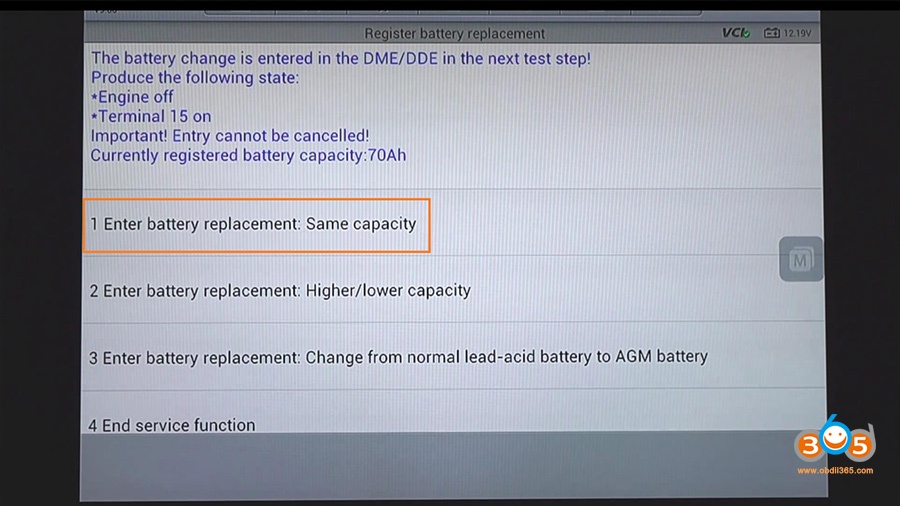
 
Here, take 2004 Peugeot 407 SID803
Attach the BDM pinouts from the ribbon cable to the ecu and which ribbon cable to use for Ktag.
peugeot-407-pinout-1
 
When you do not have an adapter you need to use a gray 10 pin cable to bdm. Pin it and solder the 5 wires, pin 1 is the one with the red line, then count it to 10 and solder according the picture by 1,5,6,7,8 pin (number one have red line), don’t forget with power supply to the ecu.
peugeot-407-pinout-2
 
 
Part 2: Peugeot 407 OBD 2 diagnosis (using Lexia 3 cable)
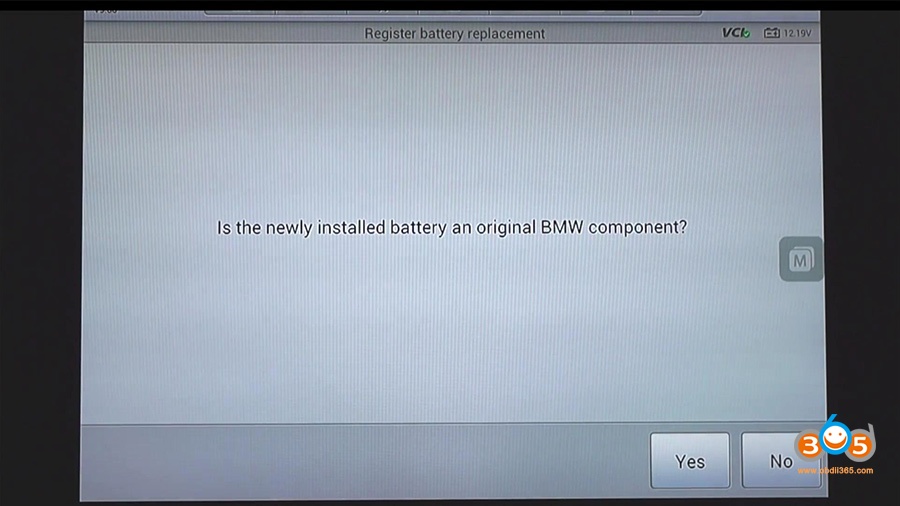
 
Diagbox running on Windows 8 helps find fault codes
peugeot-407-diagnosis-lexia-1


peugeot-407-diagnosis-lexia-2


peugeot-407-diagnosis-lexia-3


peugeot-407-diagnosis-lexia-4


Part 3: Peugeot 407 pincodes read and key programming (using Lonsdor K518)
 
Take Peugeot 407 2007
Lonsdor K518ISE has managed to read pin codes and program new keys and remotes to 407.
 
step 1: read pin
Peugeot->Read Pin Code->Type 2
lonsdor-k518ise-peugeot-407-key-1


lonsdor-k518ise-peugeot-407-key-2


lonsdor-k518ise-peugeot-407-key-3


lonsdor-k518ise-peugeot-407-key-4


lonsdor-k518ise-peugeot-407-key-5


step 2: add new keys
Peugeot->Select from vehicle->407->Immobilizer->Program key
lonsdor-k518ise-peugeot-407-key-6


lonsdor-k518ise-peugeot-407-key-7


lonsdor-k518ise-peugeot-407-key-8


lonsdor-k518ise-peugeot-407-key-9


step 3: program remotes
Step to reprogram remote control:
1.Switch ignition off and remove key
2. Insert a key and switch ignition on
3. Press any button of the remote key for 10 seconds and release within 20 seconds.
4. Switch ignition off and remove key
5. For more keys, repeat step 2-4
lonsdor-k518ise-peugeot-407-key-10


lonsdor-k518ise-peugeot-407-key-11
 
 
Hope it’s helpful.
Lire la suite

How to Make old BMW ISTA-D work with newer Database?

18 Décembre 2019 , Rédigé par JTAC

Is it possible to use an Older ISTA-D for example 4.15 with an newer DB 4.20 ?


its possible, you have to make a new key in registry:

[HKEY_LOCAL_MACHINE\SOFTWARE\WOW6432Node\BMWGroup\ISPI\Rheingold]

"BMW.Rheingold.Database.CheckAppVersion.Enabled"="False"

and change product version in registry from your installed new standalone ista:

[HKEY_LOCAL_MACHINE\SOFTWARE\WOW6432Node\BMWGroup\ISPI\ISTA]
"ProductVersion"="4.15.16.17369"
look here:

Lire la suite
Publicité

How to Program VW Passat MQB Keyless Virtual Cocpit via OBD

16 Décembre 2019 , Rédigé par JTAC Publié dans #Lonsdor K518

How to add a new new MQB keyless smart key to a VW Passat with Virtual Cockpit digital instrument cluster using Lonsdor K518ISE and VAG OBD Helper.
lonsdor-k518ise-vw-passat-mqb-1
 
Need a original key and a new key
 
Main steps:
Step 1: Read IMMO data with VAG OBD Helper
Step 2: Program dealer key with Lonsdor k518
 
Step 1: Read IMMO data
(token is required)
Connect OBD helper cable with vehicle
In VAG OBD Helper software, select Read car information
vag-obd-helper-vw-passat-mqb-1

Detect vehicle information, VIN, IMMO type, Key ID etc
Read MQB NEC35X immo data success and auto saved to default folder
vag-obd-helper-vw-passat-mqb-2

The Immo data can be used to generate key with K518 key programmer
Copy and paste the NEC35XX immo data to K518ISE “customfile” folder
vag-obd-helper-vw-passat-mqb-3


vag-obd-helper-vw-passat-mqb-4
 

Unplug OBD helper cable and connect K518 with vehicle
 
Step 2: Make Dealer Key
1) Identify IMMO Type
In Lonsdor K518ISE, select Immobilizer->IMMO4->Auto identity IMMO
Identify IMMO type MQB BEC325XX/VDO IMMO4
lonsdor-k518ise-vw-passat-mqb-2
 
lonsdor-k518ise-vw-passat-mqb-3
 
lonsdor-k518ise-vw-passat-mqb-4
 
2) Generate Dealer Key
Select Select IMMO manually->MQB- 35XX (Continental /VDO)->Immobilizer->Make Dealer Key
lonsdor-k518ise-vw-passat-mqb-5


lonsdor-k518ise-vw-passat-mqb-6
 
 
Select IMMO data from K518 customfile folder (read from Step 1)
lonsdor-k518ise-vw-passat-mqb-7
 
Confirm IMMO, CS and PIN
lonsdor-k518ise-vw-passat-mqb-8
 
Select Generate Dealer Key->VW->Add key
lonsdor-k518ise-vw-passat-mqb-9
 
lonsdor-k518ise-vw-passat-mqb-10
 
Please insert the original key into the k518 key slot
lonsdor-k518ise-vw-passat-mqb-11
 
Detect original key
Place a new key into K518 card slot
lonsdor-k518ise-vw-passat-mqb-12
 
Generate dealer key in process
Make dealer key completed.
 
3) Program Key via OBD
Choose Program key (OBD)
lonsdor-k518ise-vw-passat-mqb-13
 
Choose IMMO data from K518 customfile again
lonsdor-k518ise-vw-passat-mqb-14
 
 
Confirm CS and PIN
Turn the ignition on with the original car key. For the smart key, turn the ignition on and off, open and close the car door, and then click OK.
The key to add must be the dealer’s key, if not, please go to “Create a dealer key” to generate it, enter quantity and prepare all keys
Lonsdor K518 will require to enter number of keys to be programmed: 2
lonsdor-k518ise-vw-passat-mqb-15
 
Select the if the key is smart key, press OK
lonsdor-k518ise-vw-passat-mqb-16
 
Place the original key to near the vehicle’s induction coil and continue working after lighting the dashboard
lonsdor-k518ise-vw-passat-mqb-17
lonsdor-k518ise-vw-passat-mqb-18
 
 
Place key 1 near the induction coil and keep the other keys away
Programming, don’t remove the smart key
lonsdor-k518ise-vw-passat-mqb-19
 
Place key 2 near the induction coil and keep the other keys away
Programming 2nd key completed
Add key finished
lonsdor-k518ise-vw-passat-mqb-20
 
Test both keys and remote control
lonsdor-k518ise-vw-passat-mqb-21
 
Done.
Lire la suite

V3.0.2 CGDI BMW adds F series 6HP EGS Erase and Reset

16 Décembre 2019 , Rédigé par JTAC

There is an new update available in CGDI Prog BMW key programmer.

CGDI BMW  V3.0.2 New
(2019.12.13)
1. Added BMW EGS Change(F Series-6HP) [Erase and reset]
2. Added BMW E Series Program [Advanced programming]
3. Optimize CAS4 Key Match, FEM/BDC Key Match, ISN Show window
4. Fix user registration issues

CGDI BMW now supports BMW F/G series 8HP and F-series 6HP EGS change,erase and reset function.

To enable CG BMW EGS reset function, you need to activate related software license, check and order here:
CGDI Prog BMW EGS ISN Clear and Synchronize Authorization
 

cgdi-bmw-egs-reset


Q: Will CGDI BMW program used EGS 8hp70 e70 x5 BMW and E series EGS 8hp?
A: Yes. it will.

Lire la suite

How to Read BMW FEM 95128 95250 No Soldering

12 Décembre 2019 , Rédigé par JTAC

With the adapter, you can read and write data from BMW FEM-BDC immobilizer 95128/95256 or instrument 35080/35160.
It is safe and stable, without data lost
bmw-fem-95128-95256-cable
 
Device compatible: Work for VVDI PROG, UUSP UPA-USB, CG Pro 9S12, Orange5
 
Connection: BMW FEM-BDC 8Pin Adapter for 95128/95256 Chip
  1. UPA and FEM-BDC 8Pin Adapter
upa-bmw-fem-95128-95256-cable
 
  1. CG Pro and FEM-BDC 8Pin Adapter
cg-pro-bmw-fem-95128-95256-cable
 
  1. Orange 5 and FEM-BDC 8Pin Adapter
orange5-bmw-fem-95128-95256-cable
 
  1. VVDI PROG and FEM-BDC 8Pin Adapter
vvdi-prog-bmw-fem-95128-95256-cable
 
 
Test: BMW FEM-BDC 8Pin Adapter Test on VVDI PROG
vvdiprog-bmw-fem-95128-95256-1


vvdiprog-bmw-fem-95128-95256-2


vvdiprog-bmw-fem-95128-95256-3


Lire la suite