

/image%2F1896381%2F20151209%2Fob_cb2b49_obd365-com.png)
Autel IM508 + XP400 Pro vs. IM608 Pro
This article answer this common question: Does Autel Im508 with xp400 pro have the same functions as Autel Im608 with xp400 pro? Same features and diagnostics and immo ? And just size different?
Some people might think:
Autel IM508 + XP400 cost half of the price on IM608 are you think that can do the same?
In fact:
The immo functions are pretty much the same for key programming.
The difference is the diagnostic functions, im608 has far more diagnostic functions included, depends what you want the machine for, the extra cost and subscription cost is for the diagnostic functions. Diagnostic side on the im608 is really good and can almost be compared with the mk908p only the online programming for Mercedes and bmw is not on im608.
But the rest off the coding and programming is still possible on the im608.
And the annual subscription of Autel IM608 is double.
Look at the comparison table among Autel IM508, IM608, IM608 Pro


Look at the comparison table between Autel IM508 and IM608:
This page includes all Autel IM508 /IM608 key programming operation guide:
http://blog.obdii365.com/autel-im608-training/
And for Autel IM508 /IM608 (IMMO) coverage, refer to the official site:
https://www.autel.com/vehicle-coverage/coverage2
Finally, where to purchase reliable Autel MaxiIM IM508 /IM608?
Source of Autel MaxiIM IM508 Plus XP400 Pro:
https://www.obdii365.com/wholesale/autel-maxiim-im508-plus-xp400-pro.html
Source of Autel MaxiIM IM608 Plus XP400 Pro (double price of IM508 with XP400 Pro):
https://www.obdii365.com/wholesale/autel-maxiim-im608-with-xp400-pro.html


Yanhua Mini ACDP Asks for A000 Module Solution
Problem:
I got the Yanhua Mini acdp with Mercedes gearbox module 16 to clone VGS3 NAG3 gearbox. It failed me and said not obtain license from A000 module.
What is the A000 module? module 16 is not for this gearbox?

Solution:
Module 16 (with license A101) works on VGS2-NAG2, VGS3-NAG2 gearbox only.
For VGS3 NAG3, you need new module 19 with license A000.
Module 19 works with other brands gearbox as well, including
VW/Audi DQ380/DQ381 0DE gearbox clone; supports Mercedes-Benz 9GT (VGS-NAG3) gearbox clone, supports BMW 7-dual clutch (GETAG 7DCT) gearbox clone. More other brands are under development.

Check:
Thinkdiag New Boot vs. Old Boot
Thinkdiag new version and old boot which to buy? Check the comparison below:
- new SN
- chip is locked
- Compatible with official thinkdiag software only.
- Firmware V1.23.004
- with serial number 9798601***
- Compatible with official thinkdiag and Diagzone software.
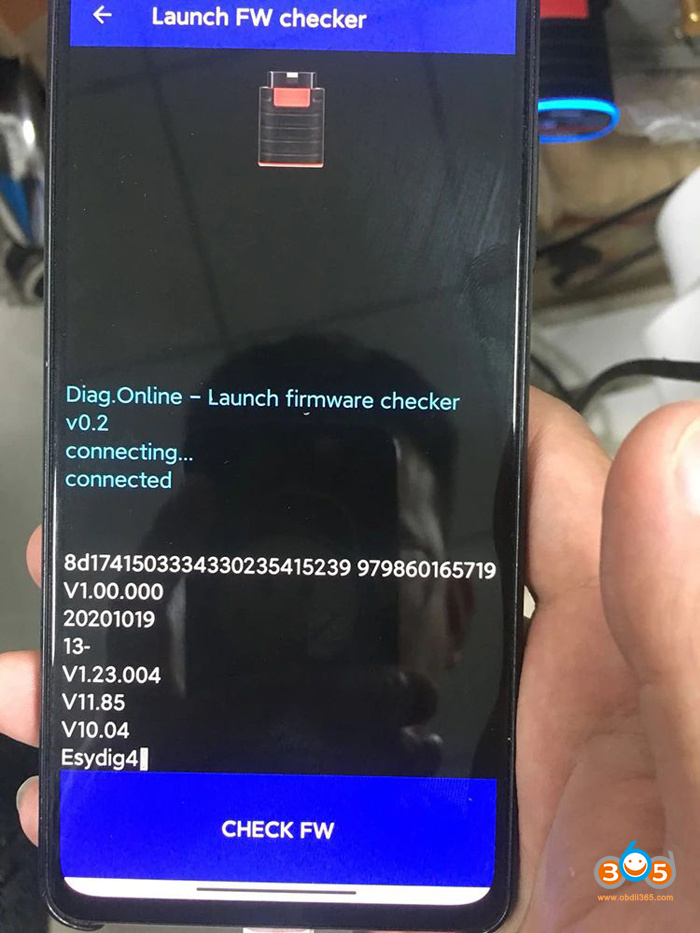
*We don’t provide diagzone software.
Thinkdiag new vs. old boot:
Old boot works with Diagzone crack software. New version does not.
New adapter is cheaper than old version. (new version with full brands all software 1 year update takes 99USD only, old version with 1 year all brands takes $159)
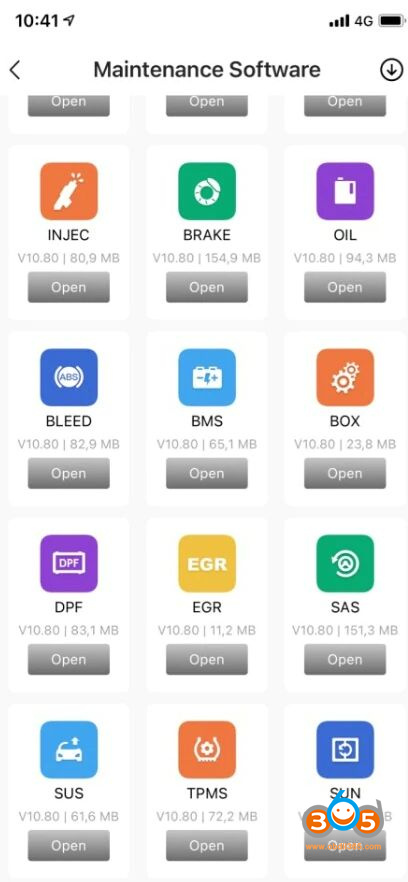
New version supports more cars and reset functions than old version. (new version supports 115 brands and 16 reset functions)
New version supports both iOS and Android handsets and tablets. Old boot work on Android system only.

Diagzone App
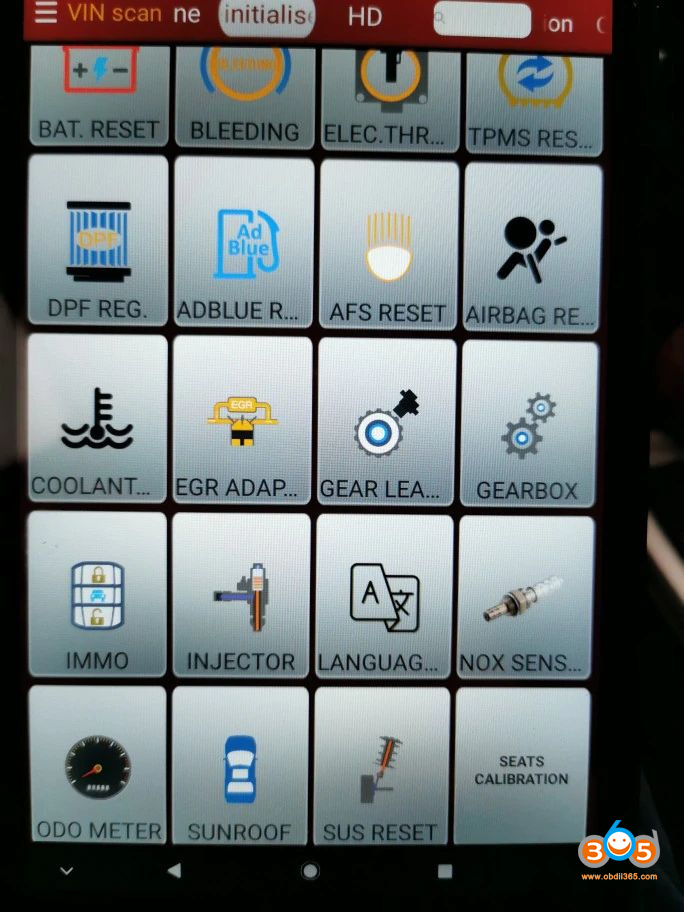
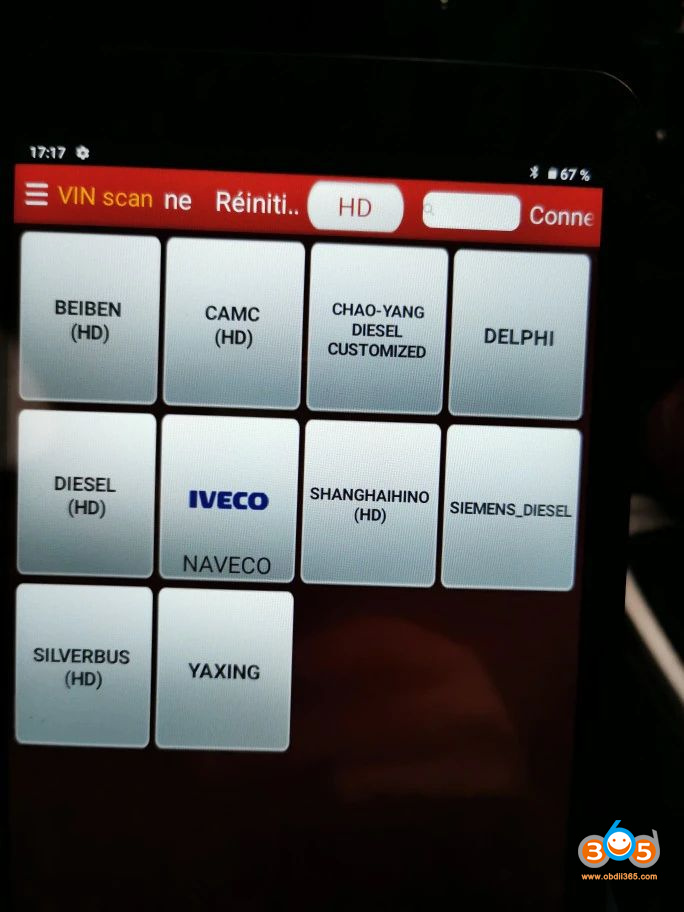
Thinkdiag App

Old boot stops production. Thinkdiag new version full brands all software with 3 years free update is recommended.
How to use Autel IM608 to Renew Mercedes BE Key?
Autel IM608/IM508 can renew Mercedes BE aftermarket Key and WRITE the new Key File. Here is the BE key renew procedure with MaxiIM tools.

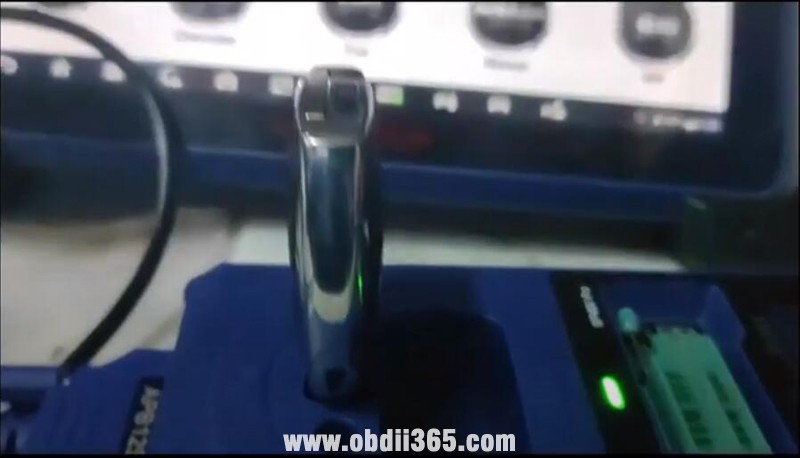
Insert BE key into IR hole of xp400 pro
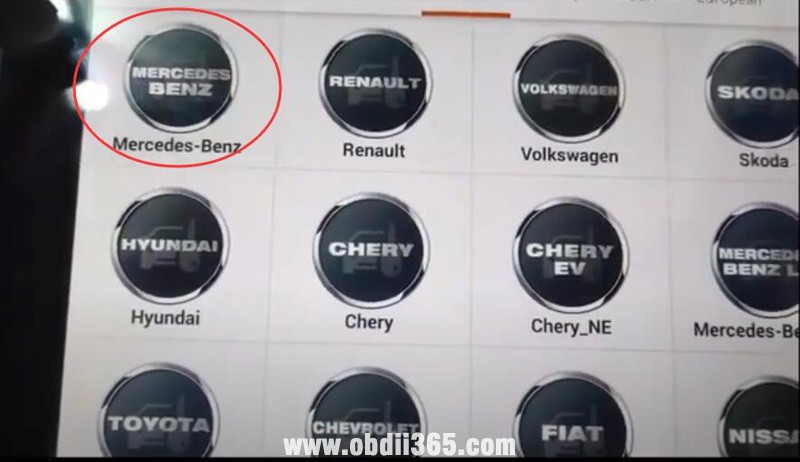
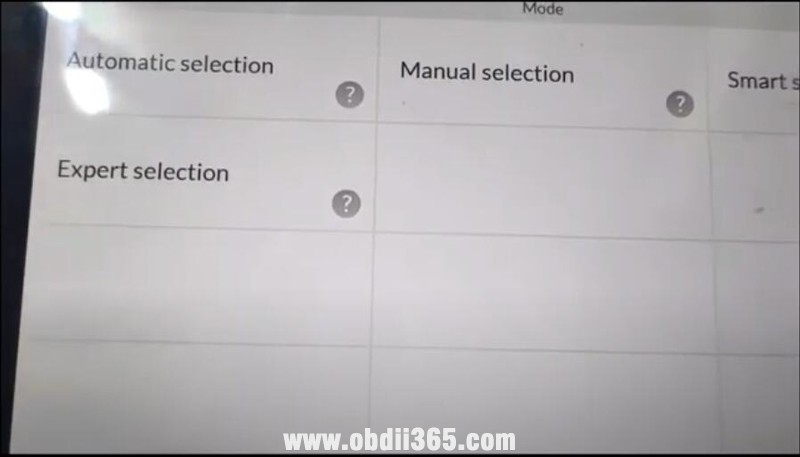
select IMMO-> Mercedes-Benz->Expert Selection->Key->IR->Repair key

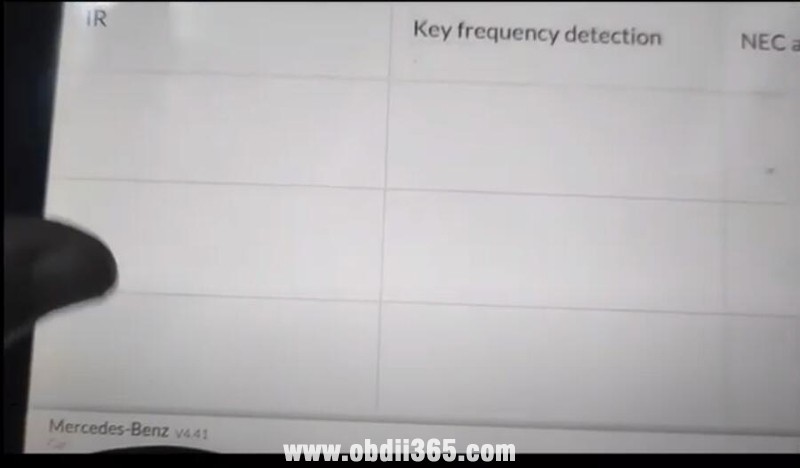
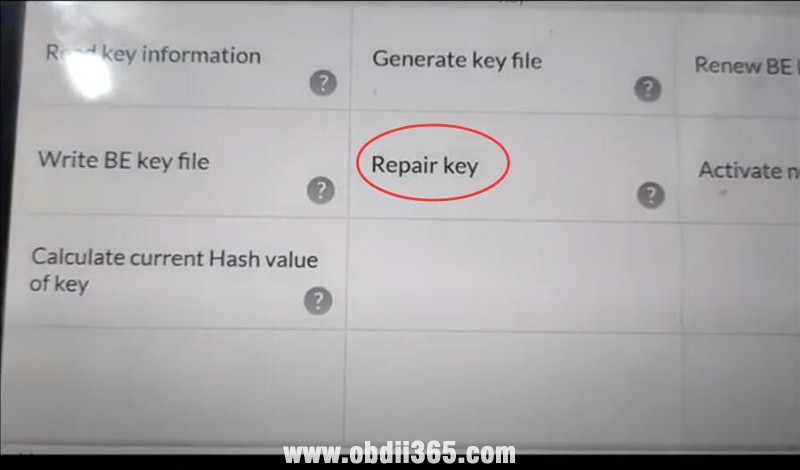
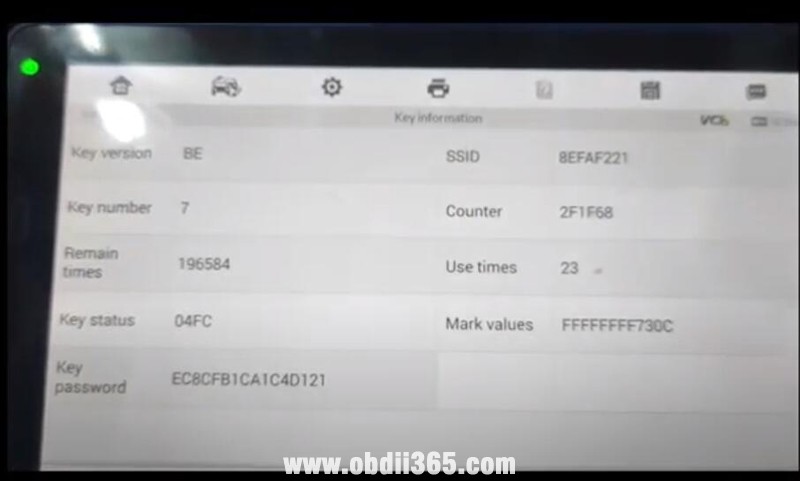
Read key information, key was programmed.
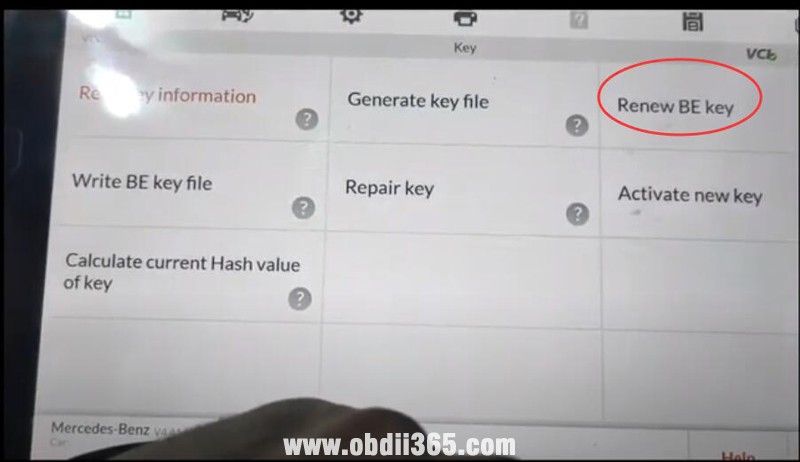
Select Renew BE key function and confirm to clear key
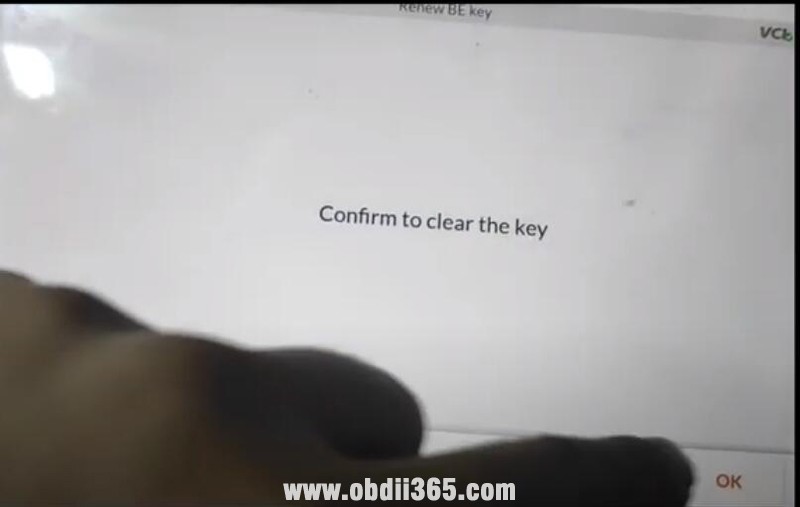
Clear the BE key successfully

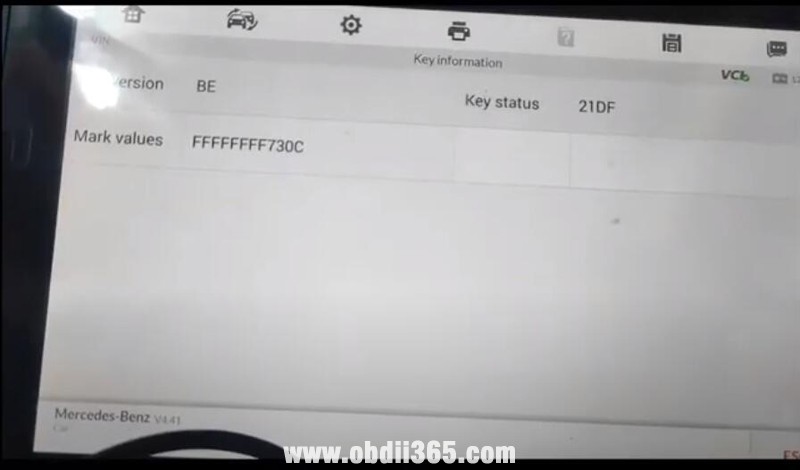
Read key information again
Now the BE key was renewed and can be programmed to another Mercedes.
Reset Toyota Avanza 2017 SRS R5F2154 by Autel XP400?
This is a Toyota Avanza 2017 airbag module with Renesas R5F2154 MCU
Successfully read data by autel im608 xp400 programmer.
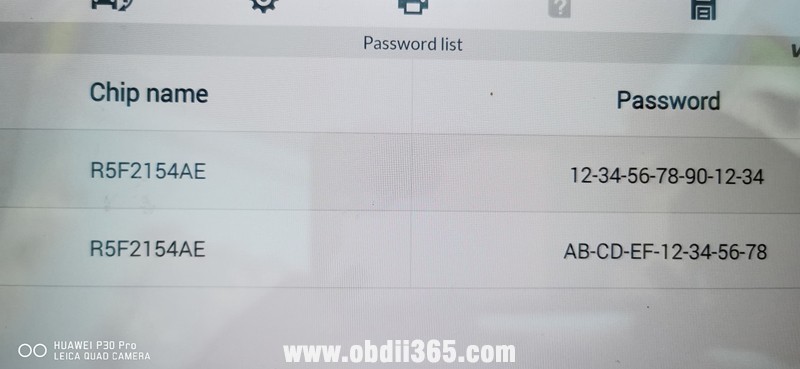
Select chip then autel will give you a wiring diagram.
SRS module clearing crash data success.


How to Change Audi J518 Emulator for C6 A6 Q7?
Problem:
Could you help program this type of J518 ELV emulator? Already read EEPROM and flash from original ELV. Write eeprom with 4kb size. But car don’t start. Even recognize key.

Solution:
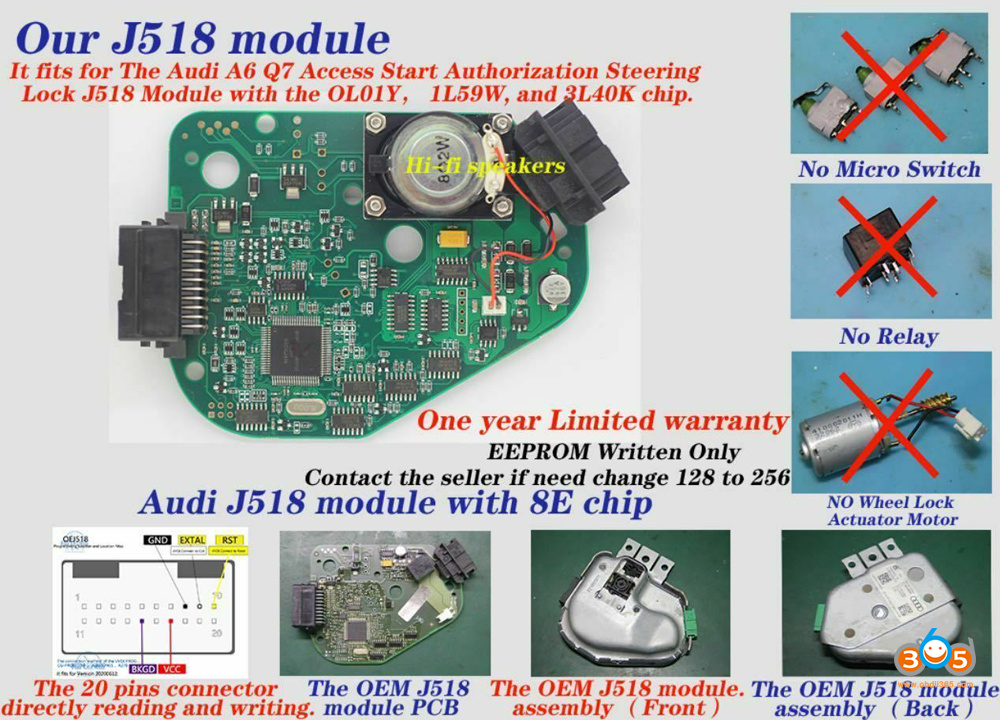
The ELV Emulator is used to replace the Audi C6 A6 Q7 steering column module J518 module when it’s failure.
How to Change the Audi J518 ELV Emulator?
1.Read out the EEPROM data from the original J518 module of your car (the emulator was already with flash data)
2. Write the EEPROM data you got in Step 1 into the emulator (if the original J518 MCU mask is 0L01Y, write the EEPROM data you got from step1 into the emulator directly;
or if the MCU mask of the original J518 is 1L59W/3L40K, you need to send EEPROM data to an expert to transfer EEPROM data when you write into the emulator directly. We don’t provide the service)

Feature:
It’s a universal solution, compatible with the three MCU types (1L59W, 3L40K, 0L01Y) of the original J518 module utilized.
Remove the vulnerable components, works more stable and durable.
With a simulated lock and unlock sounds generated by the horn on the board.
Easy for replacing.
Note:
The VVDIProg cable connector here is only for write the data to this emulator, not able to read the original J518 module
For reading the original J518 module data, still have to use the programmer solder wire to read.
This emulator has no lock and unlock function, if you need the module function as the original one on the ar, select the J518 replacement PCB.
Program Spare Key for 2020 Sentra using Autel 16-32 Adapter?
Here is a list of questions to ask:
1). Has anyone tried out the new Nissan gateway cable yet? Will it allow us to add keys to the 2021 Nissan Rogue?
2) AKL on 2020 Nissan Sentra – needs the 16 + 32 SGW adaptor. Anyone use this yet? what I’ve read I’ll need to get the PIN as well since it cannot extract it.
3) Can IM608 works with Nissan Sentra that has secure gateway. IM608 says the 16 + 32 cable working
4). Who been able to program spare key for 20020 sentra using the 16-32 adapter? I try today but not go.
Autel Nissan 16+32 Bypass cable:
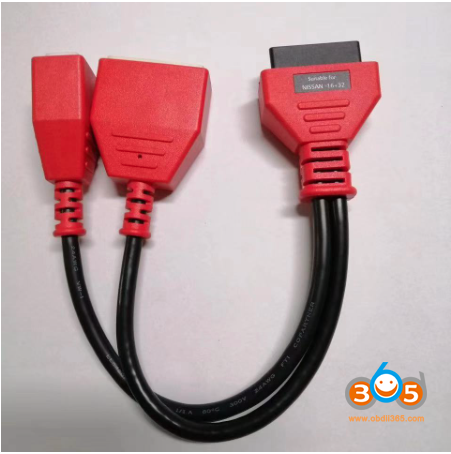
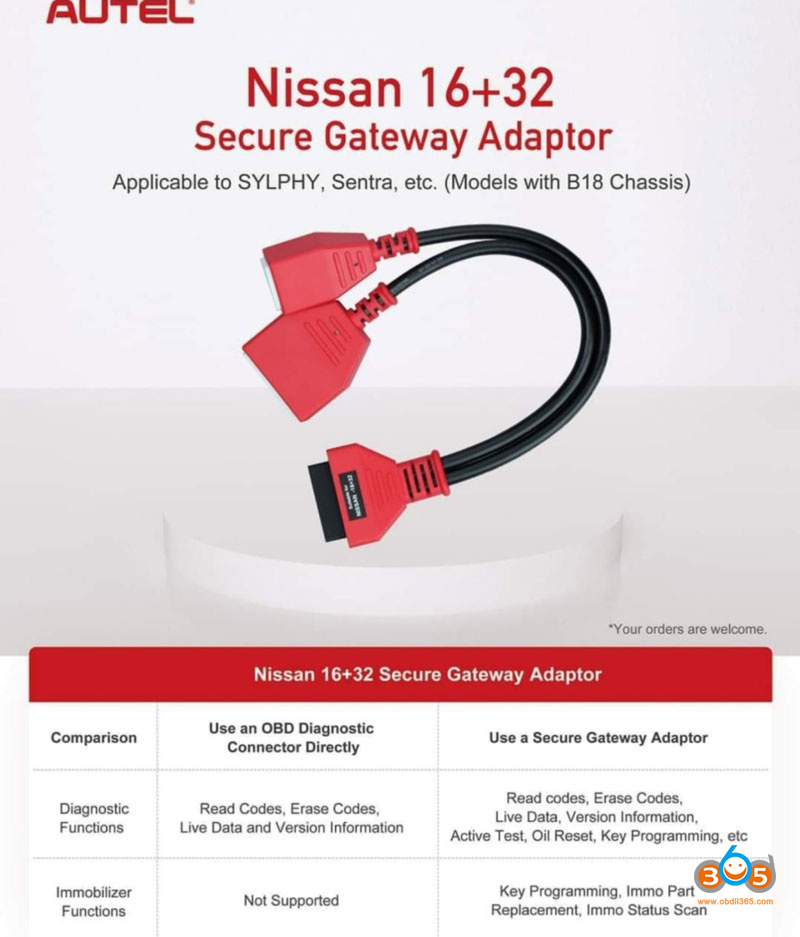
Autel Nissan 16+32 Secure Gateway Adaptor for Autel MaxiIM IM608 and IM508
This cable is designed to be used with Nissan Sentra 2021+ and other models 8th Generation with B18 Chassis.
Add key (Bypass PIN Code) for Sylphy Micra and Sentra of 2021 Nissan
Suggestions:
1.Autel techniscan claimed it’s only for European Nissan but not USA model. Add key only in EUROPEAN. Not for American market yet.
2. Add key only with the bypass cable with 1 working key.
3. Only with Autel 16pin-32pin cable and it’s only for add a key not all keys lost.
With 16+32 gateway adapter, it doesn’t need the password when adding new key for Sylphy, Sentra and the car with B18 chassis.
Note: If all keys lost, it will require password to program new key. You need to get the PIN from an outside source since the tool won’t extract it.
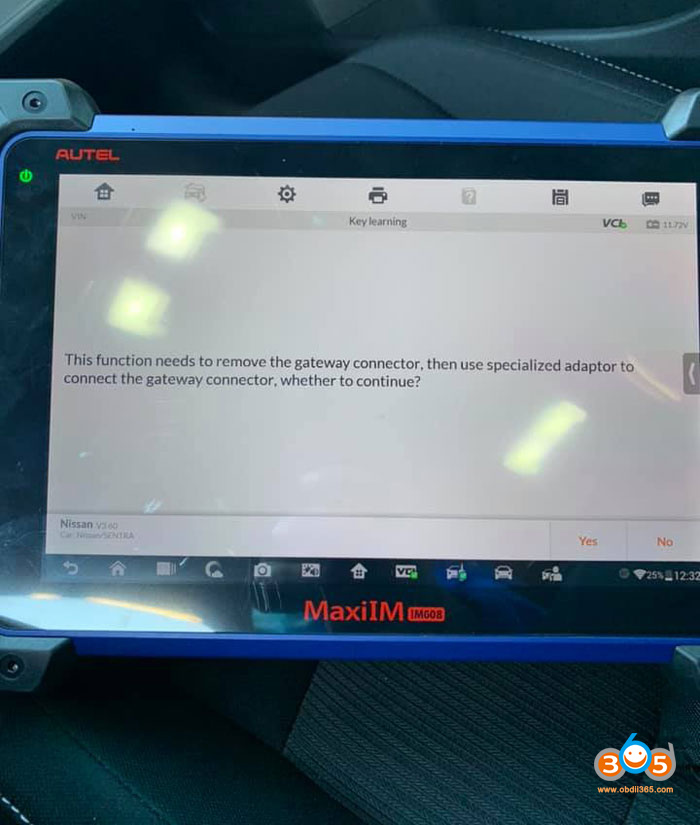
it clearly shows in the screen
IM608 is asking for the gateway connector 16+32.
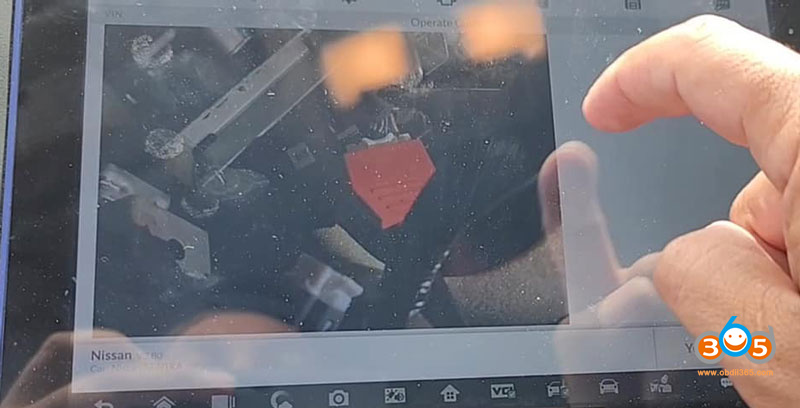
The “Controller Assembly–Central Gateway” is behind the instrument cluster. Vehicle disassembly is not necessary–the connectors can be accessed by reaching high above the brake pedal.
There’s a 32-pin connector, a 12-pin connector, and two coaxial connectors.
The 32-pin fits into the new Autel 16+32 cable.
Vehicle ignition is on (can’t start car with gateway unplugged, but can turn ignition on)
J2534 OBDII to the 16/32 cable
32-pin to the gateway cable
J2534 to cigarette lighter
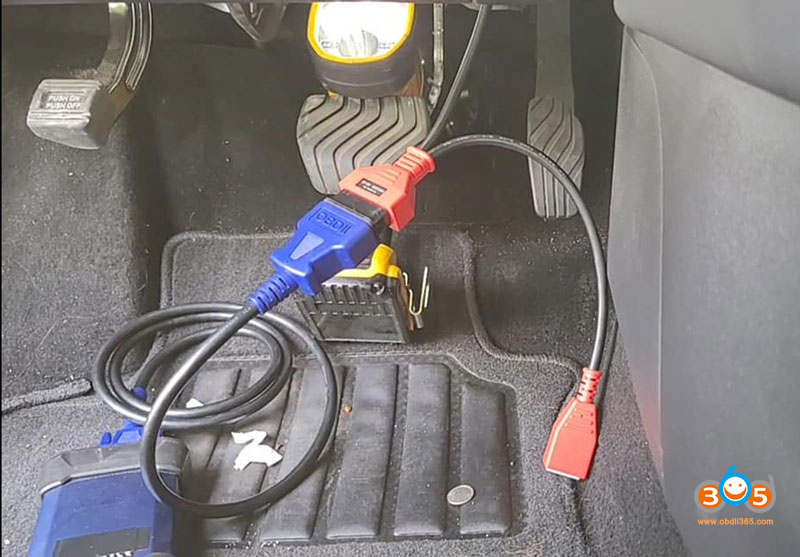
http://blog.obdii365.com/2021/06/13/autel-nissan1632-bypass-cable-working-or-not/
Autel IM608 Requires PIN to Add Toyota Rav4 2019 Key
Problem:
I am trying to add a key on a 2019 Toyota Rav4 but Autel IM608 asks for a 12-digit pin I would appreciate if someone could help me find it or sell it to me.

Solution:
Need NASTF subscription for access code.
check here : how to get access code?
If have Lonsdor K518ISE, just purchase Toyota AKL license and dedicated smart key, RAV4 2019-2021 all keys lost can be done via OBD.
Check the detail guide here:
https://www.obdii365.com/service/program-2019-2021-toyota-all-keys-lost-with-lonsdor-k518ise.html
Write Qashqai J10 BCM 284b2 Key with Tango or VVDI2
I read Nissan Qashqai J10 BCM 284b2 jd 12a by Orange5. There was only one option under Immo Mazda2 09- to read this MCU9s12xdt384(1L15Y). Read fine, Tango can show keys and login but I can’t write new key. When I add .bin file information appear “Add key not tested” When I write key or transponder pcf7936 info display “invalid crypto key” and it change chip page 3 from 06 to 0E making it crypto mode. Car has proximity twist on ignition/ key I tried original dealer key also blank pcf7936 and preceded for xtrail qashqai.
I tested also two random eeprom from DK file 4KB the same situation but one file 2kb write the key with no problem.
My question is did someone face this problem? where is the problem? can I use 2kb eeprom file with key from different car and write to my module with original flash?

Suggestion:
Try with another key maker tool? Tango is not the only one.
Xhorse VVDI2 EEPROM recognized and recorded it.
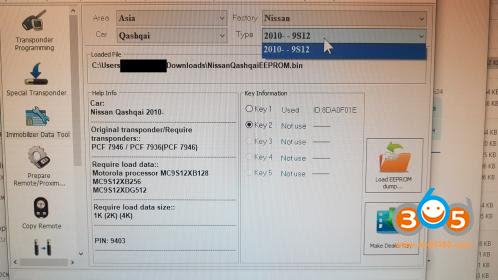
And key information:

Hope it helps!
How to Fix GM MDI GDS2 Not Connected?
I bought a Chinese GM MDI, I have a problem with my gds2 software I think, every time I use gds2 to connect to the mdi, it goes from red to yellow to green and then it disconnects saying not mdi found.
How to fix this problem?
- I have 2 mdi clone several years and whenever I have had a problem that does not connect is the mini usb of the mdi, check it and if you can change it and possibly everything works.
For instance Java issue is coming because you have not installed the Java or GDS2Java.
Also check if you have Tis2web installed.
You need Windows 7 ot 10 X86 or X64 and latest GM MDI installed. GM MDI has to be seen in the Manager.
Also you have to have latest VC++ and latest net.framework installed to be sure.
In a simple word:
Your windows system is missing something as:
– windows updates
– VC++ ( install all from 2005 to 2019 )
– Net.framework ( at least v4.0 the v4.8 is better )
– Java ( v6.26 or v7.17 if your are planning to use Global Tis ) or the latest if you will use Tis2web
More operation guide here:
http://blog.obdii365.com/2018/12/29/gm-mdi-interface-not-connecting-how-to-solve/
Hope it helps!
Free Download BMW ICOM A2 ICOM Next Firmware 1.44
Available with BMW ICOM firmware update with latest ISTA, I’m posting here the images for both ICOM A2 and original Next firmware.
Upload via x.x.x.x:60080 url.
https://mega.nz/folder/qy5EmZwK#-cqyZ6fFpS-EyUvDzOVP_Q
including ICOM A2 and ICOM Next
ICOM applicationImage 01.44.00
ICOM BootImage 01.28.00

Suitable ICOM A2: Item No. SP168-D
ICOM Next app 010108
ICOM Next rootfs 010106

Suitable ICOM Next: SP269-1, SP269-B1S, SP269-B, SP269-B1
How to update BMW ICOM firmware V1.44?
1.Download BMW ICOM V1.44 firmware update file
- Please connect BMW ICOM A2 with computer using internet cable, power ICOM by 12V power adapter or from 1x DLC
- Unzip ICOM FW v1.44 upgrade files.
- Open IE Internet Explorer, enter address http://169.254.33.45:60080/ if you update Perfect version BMW ICOM, log in with
username: root
password: NZY1150263
PS: to upgrade common version ICOM A2 A1, browse http://169.254.92.38:60080/ and the next steps are the same.
- Click “Update Firmware”, you will see ICOM firmware version information.
- Click “Browse” to select file “ICOM-BootImage-01-28-00.bin”, set image type as “SYSTEM”, click “Send the file”.
- When it pops up “Write the image file to the flash?”, click “Yes”, then ICOM indicator light will turn red.
- When it pops up “The SYSTEM IMAGE update was successful”, click “Update Firmware”.
- Choose “ICOM-ApplicationImage-01-44-00.bin”, set image type as “APPLICATION”, click “Send the file”, it will spend several minutes since the file is a little bit large.
- When it pops up “Write the image file to the flash?” click “Yes”, then the ICOM indicator light will turn red for the second times.
- When it finish upgrading, click “reboot”.
- Click “Home” – “Update Firmware”, you will find ICOM A2 firmware update to the newest version:
Current SYSTEM IMAGE version: 01.28.00
Current APPLICATION IMAGE version: 01.44.00
Additional Note:
Please be sure your computer is to obtain IP address automatically.
Have fun!
How to Solve Autel IM608 BMW CAS3 File Version Error?
Problem:
I’m doing bmw Cas 3+ (0L15Y) all keys lost with Autel MaxiIM IM608. I want to program a new key on bench. this is the message I’m getting when trying to load the file, I’m connected to internet but still no change. please help what could be the problem
File version error. Error code: 4096.


Solution:
How to Read BMW S63 ISN Correctly with Yanhua ACDP?
User feedback: used Yanhua Mini ACDP to read ISN for BMW S63 DME, it says “Not support to read ISN”.
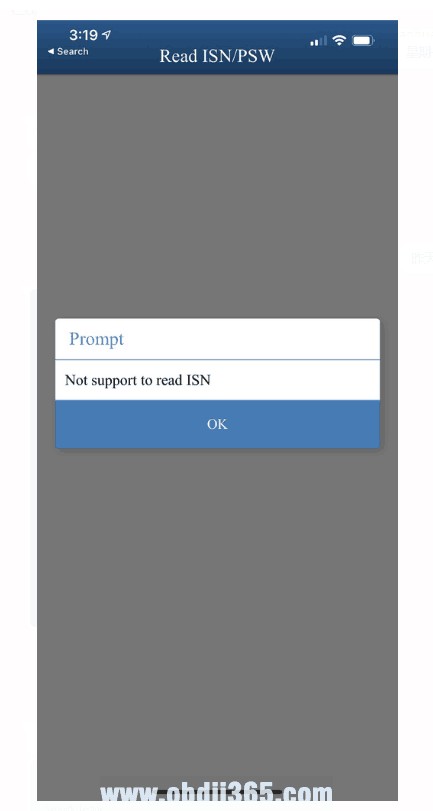
Yanhua engineer replied:
There are 2 ways to read S63 DME ISN: via OBD or Bench mode by dismantling the DME.
If you dismantle the DME to read, it is okay too, but it will take you a little bit more time.
OBD Mode Read/Write ISN
If you use extra N20 Bench Integrated Interface Board, it can read 100% successfully

And ACDP APP comes with the wiring diagram which shows how to exactly connect N20 interface board to ACDP.


Bench (boot) mode connection
If you dismantle the DME to read, it is okay too, but it will take you a little bit more time.
Please follow the below guide to do:


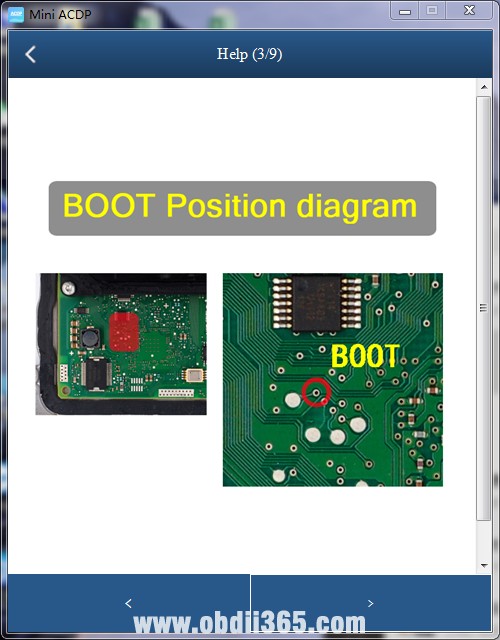


Watch video guide:
Yanhua Mini ACDP read BMW ISN without Dismantling DME
Have fun!
Launch X431 Pros Mini Software and Function Not Working Solution
Problem:
Launch X431 ProS Mini is connected to Bluetooth and tested the diagnostic functions and all advanced functions of the Xsara Picasso car, such as resetting the oil or other special functions, and received the same error message: “Disaccording between the software Serial No. and Smartbox Serial No. Please download and upgrade again or contact local dealer”. “disaccording” here should be “mismatch” i thought.
I also tested these cars before:
Volkswagen Passat cc 2009: failed
Volkswagen Passat B6 2007: : failed
Peugeot 308 2011: : failed
Xsara Picasso 2003: : failed
Mitsubishi Outlander 3 2017: : failed
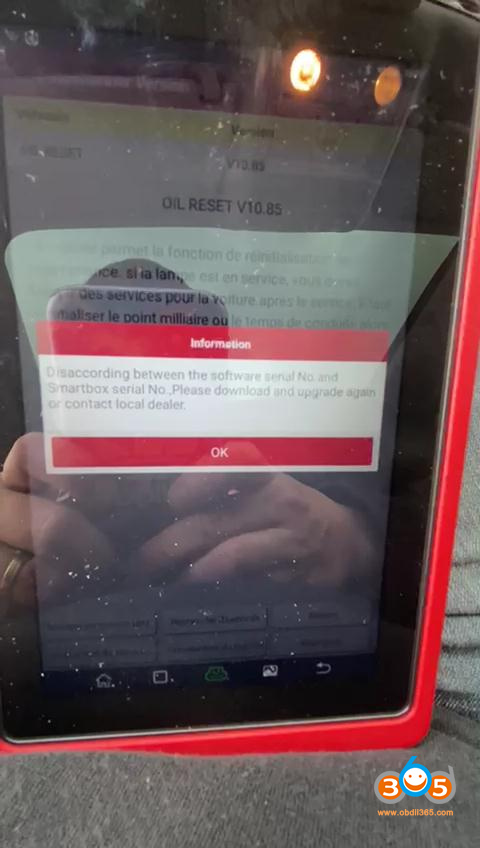
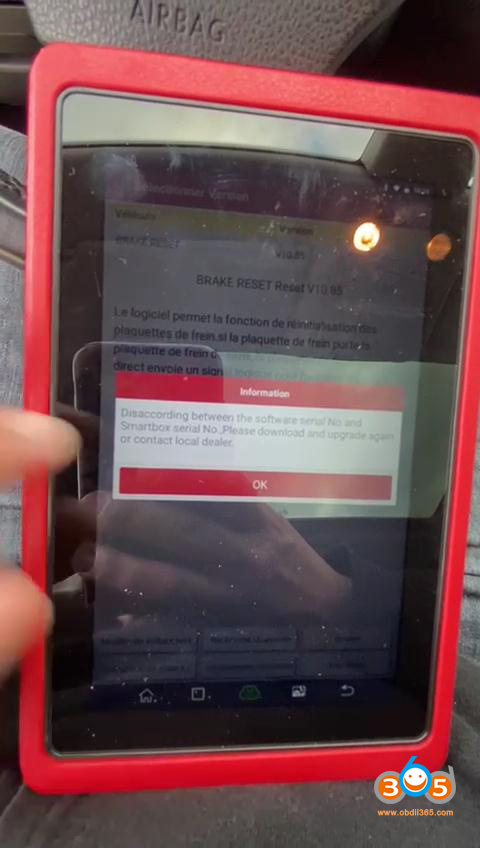
Launch Engineer replied:
Solution 1:
Please find out and delete “cnlaunch” file in file management.
The error prompt has gone away, problem was solved!
If solution 1 failed, try 100% working solution 2.
Solution 2:
First step is a factory reset. Then go to the official website to download the APK for Launch X431 ProS Mini.
Do the following to reset X-431 PRO MINI to factory settings:
Tap “Settings” –> “Back & Reset”;
Tap “Factory data reset”;
Tap “Reset tablet”;
Tap “Clear all data” to start resetting until the tool automatically reboots.
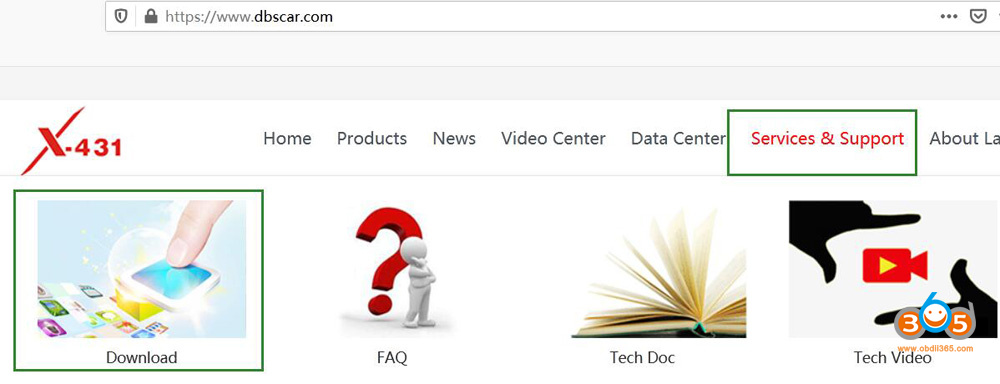
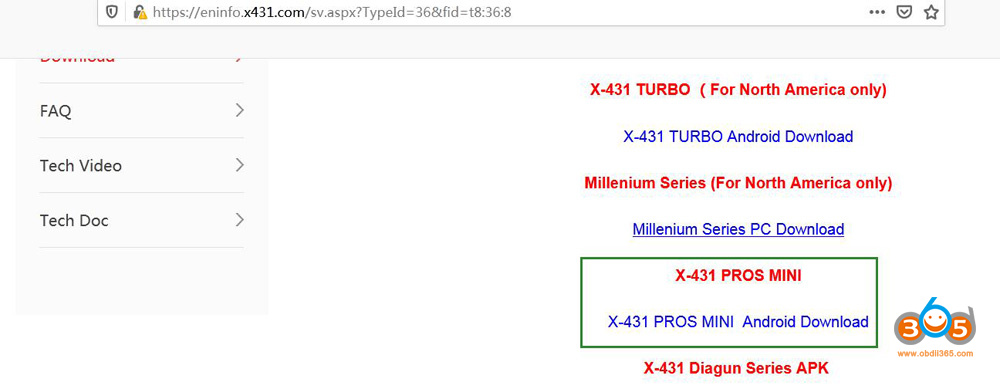
Browse https://www.dbscar.com/ or http://cnlaunch.com and then go to “Services & Support” to click on “Download”, scroll down and click on ” X-431 PROS MINI Android Download” to download application APK
Any problem, contact at www.obdii365.com
How to Cut HU100 Smart Key with 2M2 Magic Tank?
Problem with 2M2 Magic Tank: Hu100 smart key physically touches the base I cannot put it in the fixture as you can see in the following images:

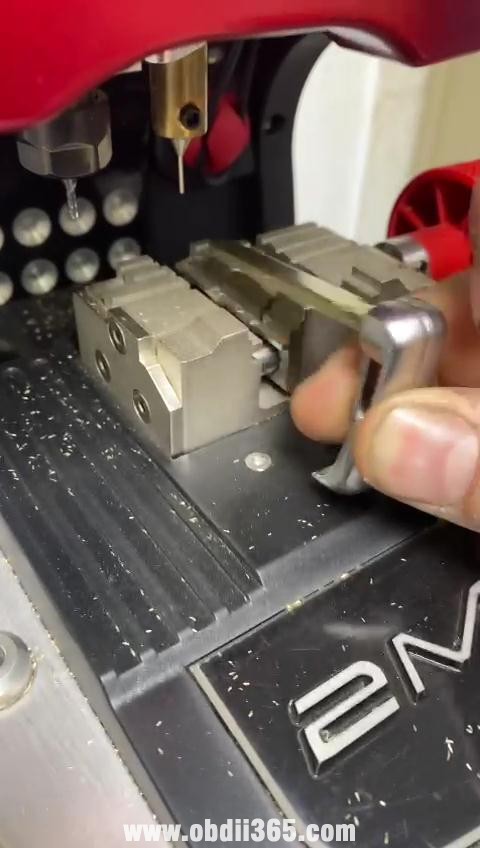
Solution:
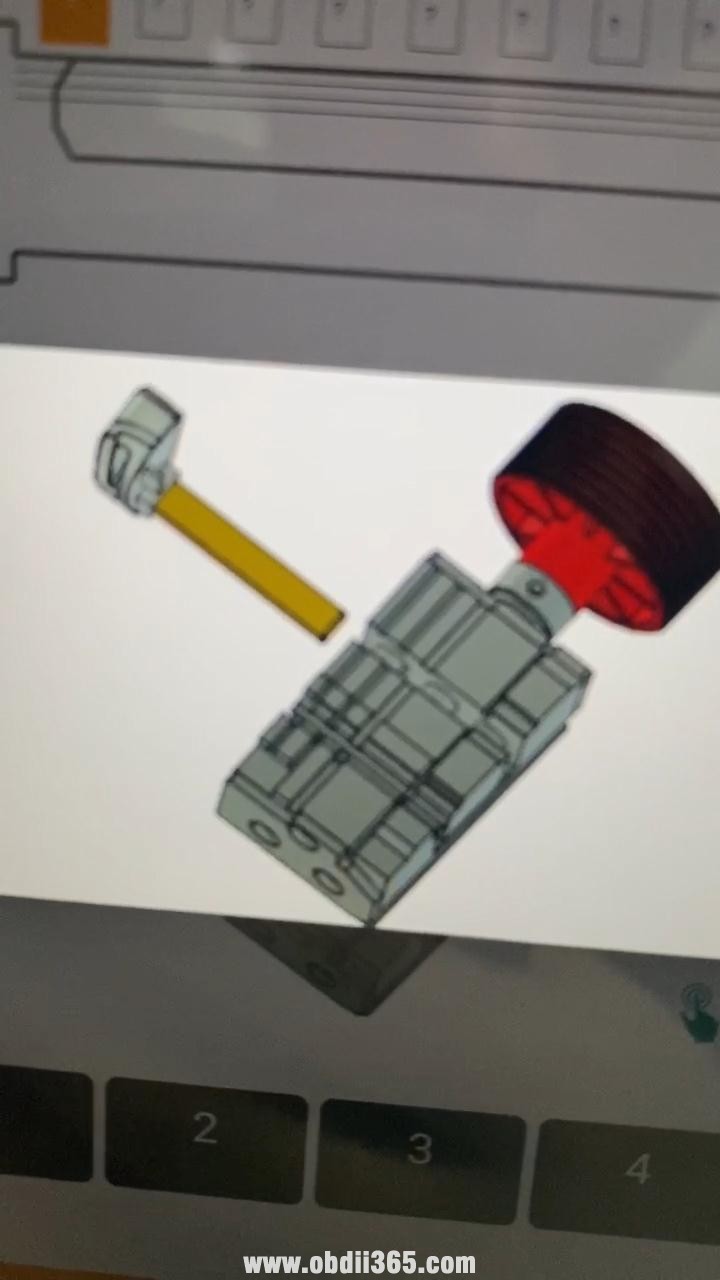
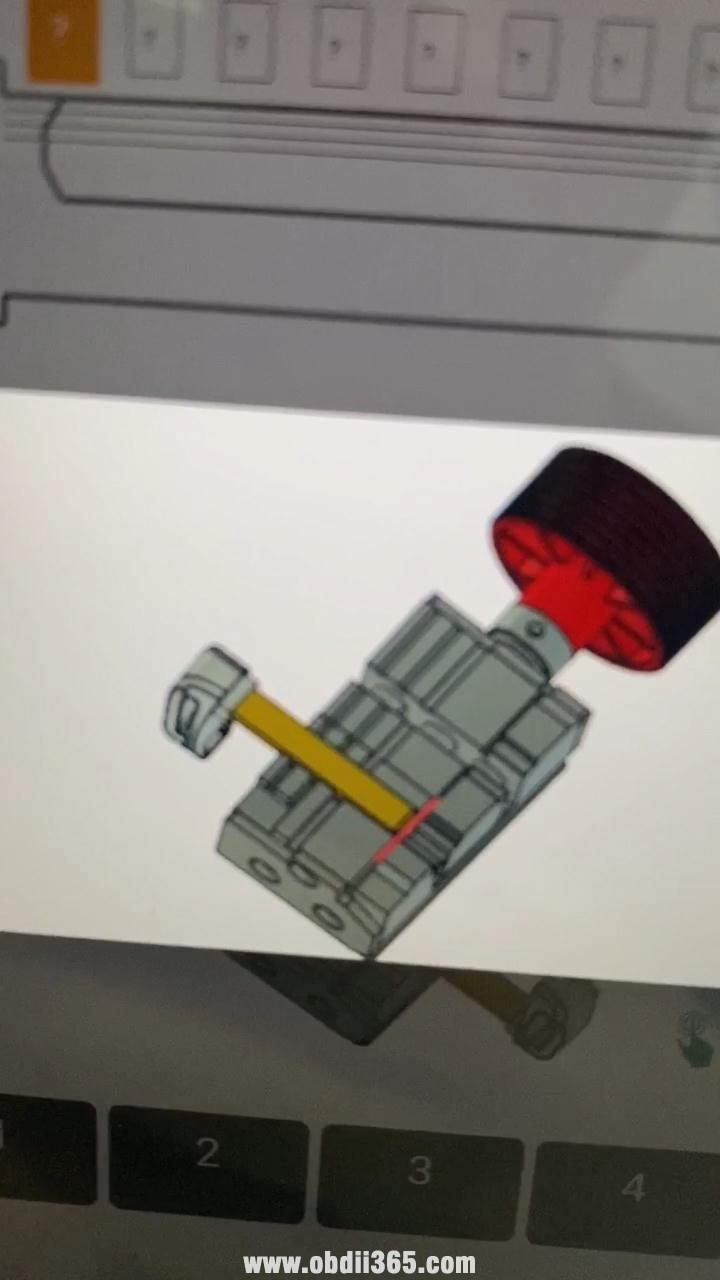
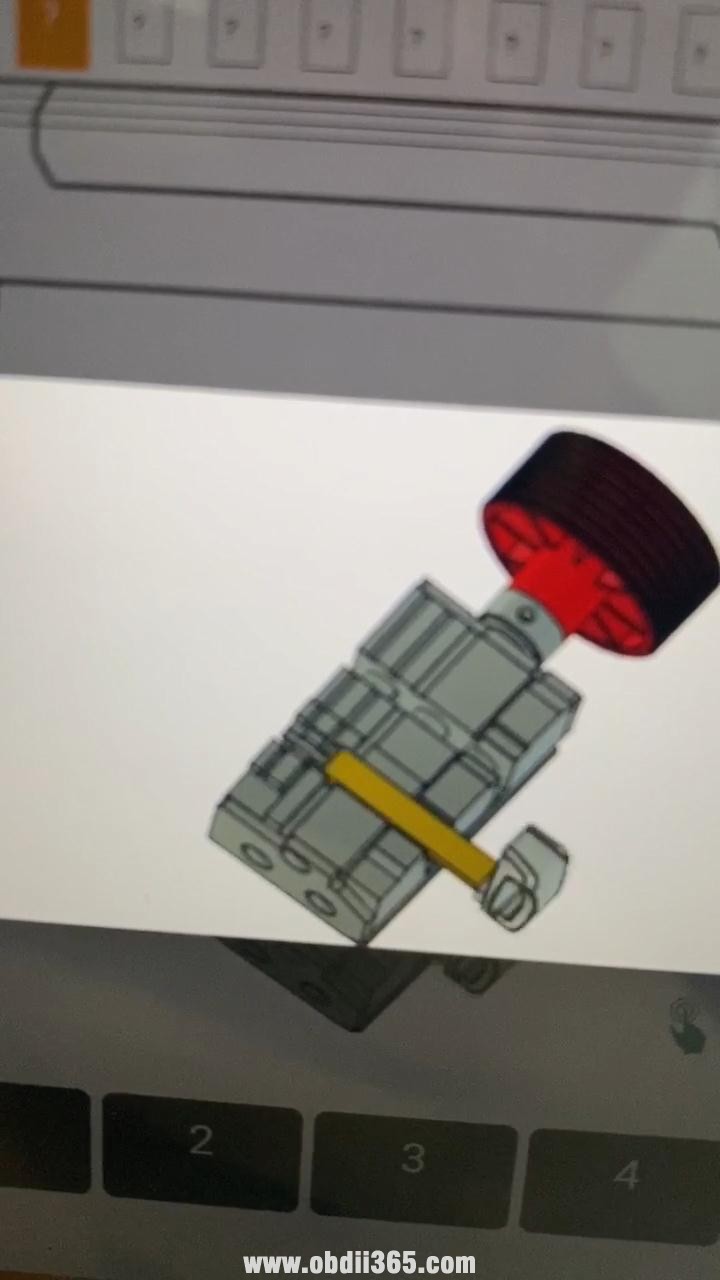
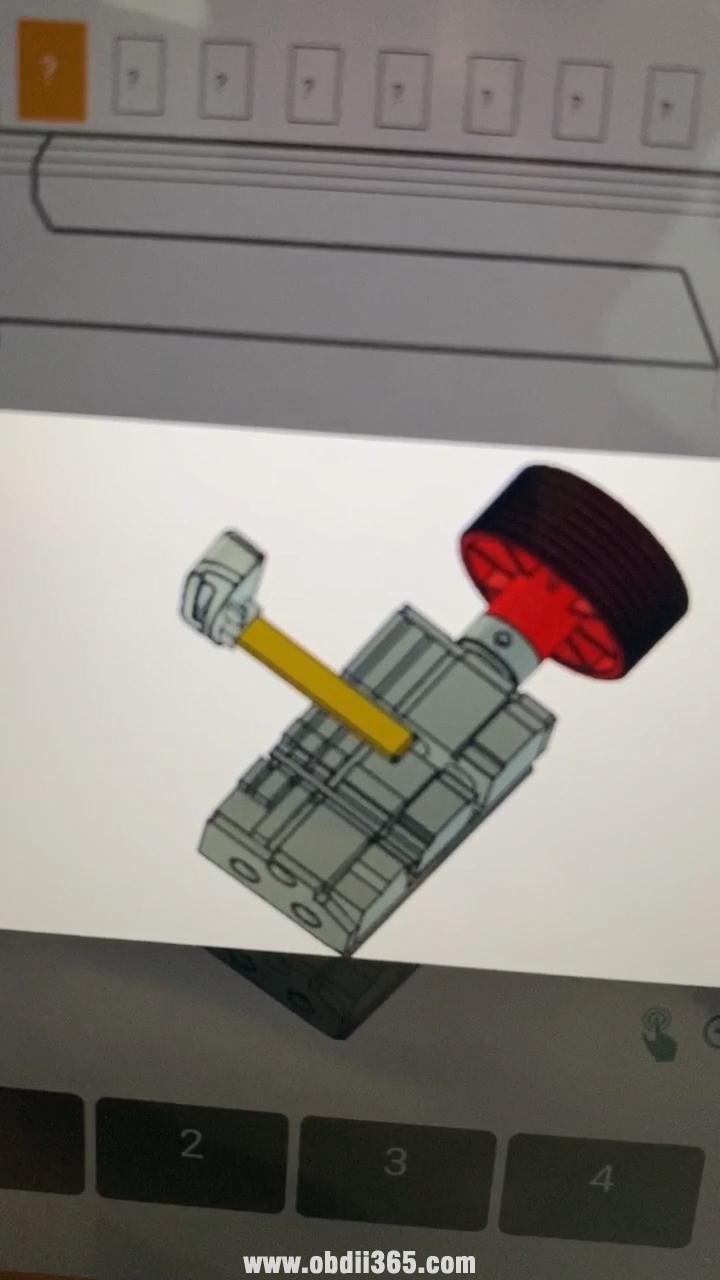
Please just choose Hu100 smart key, and follow the APP to operate.
Look at the images below that I screenshot from the APP.




2M2 Magic Tank tech support: www.obdii365.com
