Overblog Tous les blogs Top blogs Automobiles & Véhicules
Suivre ce blog Administration + Créer mon blog
MENU
Publicité
OBD2 Diagnostic Tools
Articles récents

Autel IM608 Read Mercedes W204 Password in 3 Minutes

9 Décembre 2019 , Rédigé par JTAC Publié dans #autel im608

New feedback: With Autel IM608 last Update Mercedes Benz Software do all key lost W204 C220 CDI with EIS W207 type succeed computing password in 3 minutes with G-BOX 1 and key programed correctly!
 

 Autel G Box connection:


k line of the gbox to the connector of the elv and relay of the gbox to the module Sam striker fuse 27 I think I remember and the gbox connected to the port obd2 of the car comes explained the scheme of connections
autel-im608-g-box-w204-akl-1


autel-im608-g-box-w204-akl-2
Get password:
Collecting data and calculating password is in progress. Please wait. The process takes 10-50min (it takes longer for part of vehicles). Please ensure that the device and vehicle battery are stable and sufficient during the process.
autel-im608-g-box-w204-akl-3


autel-im608-g-box-w204-akl-4
3 red wire:
2 goes to fuse in front sam fuse 27 and the other wire red goes to pin KLine on ELV connector


XP400 connection:
autel-xp400-w204-akl-1
Key info:
autel-im608-w204-key-info
Lire la suite
Publicité

Autel G Box adds Many Functions and Models in Dec. 2019

5 Décembre 2019 , Rédigé par JTAC Publié dans #autel im608

Here's the customer new feedback on Autel MaxiIM IM608 Benz software update v3.80.

Autel IMMO Benz Sprinter Update V3.80  (04/11/2019)
IMMO_Benz
1 Supports the following functions for G-Box: read lock information, repair hopping code, detect EIS status/working key, enable key, disable key, lock replacement (wipe, write, clear TP protection,
ativation, backup codes, write codes)
2.Support all key lost, all key lost (FAST) and key addition for Autel G BOX
3.Reads lock password (W203(K),W463(K),W202(K),W208(K),W210(K),W215(K),W220(K),W230(K)
4.Reads BE key password
5. Directional lock replacement (OBD): read, erase, write, synchronize, clear TP protection, activate/disable key, lock and unlock etc. Supports directional locks, W211(NEC), W209(NEC), W211(Motorola)
6. Fix hopping code, detect EIS status/working key, enable key,disable key, lock replacement (wipe, write, clear TP protection, activation, backup codes, write codes)
supports for no gateway completion(W164/-2008, W251/-2008, W164/2009-, W251/2009-,W169, W209/2006-,W211)

autel-im608-and-g-box-update


Mercedes update Feedback from Mr.Widlak‎.
Just finish testing 3 EIS AKL (all keys lost) with G-BOX:
W210- FAST MODE 4 MIN 
W211- FAST MODE 23 MIN
W209- NORMAL MODE 51MIN (did not communicate. under fast mode)

Before update I was able to communicate with all 3 EIS but failed to read a password.
So looks like Autel engineers fix some issues.
I will check some OBD all keys lost soon.
I hope that will help
 
autel-im608-and-g-box-benz-akl-1
 
autel-im608-and-g-box-benz-akl-2
 
autel-im608-and-g-box-benz-akl-3
 
autel-im608-and-g-box-benz-akl-4
 
autel-im608-and-g-box-benz-akl-5
 
autel-im608-and-g-box-benz-akl-6
 
autel-im608-and-g-box-benz-akl-7
 
autel-im608-and-g-box-benz-akl-8
Lire la suite

Ediabas/ISTA+ Voltage Control V3 Download + Installation

4 Décembre 2019 , Rédigé par JTAC Publié dans #INPA K+DCAN

Hi guys,
Node made a small utility suite which allows manual control of voltages which Ediabas sees from the interface such as OBD or CAN. It also includes additional ISTA+ support so it should work with ISTA as well. It’s not dependent on INPA or ISTA versions and should work with any version of INPA, ISTA+ and others as well as it integrates between ediabas and cable driver and is completely transparent to high level software. Additional support for ISTA+ should work with any modern version as long as internal code will not change much. My aim is to make it so all ABLs and other procedures work flawlessly.
The link:
V2:
V3:
 
 
Installation instructions:1. Go to Ediabas folder. For INPA its normally C:\Ediabas\Bin, for ISTA+ its in Ediabas\Bin folder with ISTA+ directory.
1. If you are using STD:OBD rename existing obd32.dll to obd32.ebas.dll. Users of other cable types rename respective dll (for example STD:CAN users rename can32.dll to can32.ebas.dll).
2. Extract the downloaded file.
3. Copy included obd32.dll to Ediabas\Bin. For other cable types rename it to respective name first (for example can32.dll).
4. For ISTA+ only: copy included NodeISTAVoltageControl.dll to Ediabas\Bin folder within ISTA+ installation.
5. For ISTA+ v4.05 (and above) only:
a) replace existing IstaOperation.exe within ISTA+’s TesterGUI\Bin\Release folder by included one (from respective folder based on ISTA+ version).
b) run included AllowFakeISTAOperation.reg file (choose x86 or x64 depending on your system being 32 or 64 bit respectively).
To manually control the voltage start included NodeEdiabasVoltageControl.exe application. This application can be placed in a different folder if wanted. Voltage can be adjusted by moving sliders or switched off using check boxes. Unchecking check box has the same effect as moving slider to 0V.
New features:
UPDATE V2.0:
Version 2.0 of this tool has been released.
 
New features:
1. It now checks the actual interface type setting in ISTA during runtime, so if you switch from Ediabas to ICOM it will stop interfering and resume operation as soon as interface type is set back to Ediabas.
2. It now supports K+DCAN cables which have an ability to detect clamp states (probably most higher quality cables). To use this feature control application should be closed. It will then read actual clamp states and update ISTA voltage states accordingly without any manual actions required. Starting control application will switch the operation to manual control. Closing it will resume automatic recognition.
UPDATE V3.0:Version 3.0 of this tool has been released.
 
New features:
1. Control application can now be minimized.
2. Support for ISTA+ v4.05 (and hopefully above).
System requirements:
Visual Studio 2015 x86 runtime must be installed (same as required for last versions of ISTA+).
P.S. This voltage control utility is not designed to and will not influence voltages reported by ICOM.
P.P.S. This utility works without any issues with original ISTA+, standalone not necessary.
 
 
Test report:
Tested with K+DCAN on ISTA+ 4.03.31, screenshot attached, works great.
ista-d-k-dcan
 
Thanks Node.
Lire la suite

How to Program Benz Atego Truck Key by Dump

2 Décembre 2019 , Rédigé par JTAC Publié dans #tango

Model: MB Atego truck
Megamos 13
93c86

Type : Atmel 93c86
Ym15 10cut
Device to use:
Tango/Orange 5 to read dump
VVDI Super chip vvdi key tool
Condor xc mini plus
Situation : all keys lost

benz-atego-all-key-lost


Tips:
Tango asked to save new dump
I saved then compared by orange.

I wrote back new dump to the eeprom
 
 
When the programmer write the information from the dump to the transponder
Then no new dump created.
 
the programmer wrote information from transponder chip to dump.  That's why the dump changed
And after programming the transponder
You can “explore key” by tango
To check if the transponder is bind with the dump or not...
 
 
Car started successfully.
 
Lire la suite
Publicité

BMW Rheingold INPA ISTA vs. Carly

1 Décembre 2019 , Rédigé par JTAC Publié dans #INPA

This is for those are researching what he should buy for his BMW.
The option is narrowed on BMW ICOM cable + Rheingold and Carly Pro for BMW + Carly gen2 adapter.
 
Carly can run diagnostics and code.
It can be installed only on tablets and phones. For what it does wireless connection is sufficient.
carly-bmw
 
 
Inpa from BMW standard tools can only run diagnostics.
It can’t code functions. I personally prefer ista-d.
inpa-software
 
Ncsexpert from BMW standard tools can only code functions.
It can’t run diagnostics. With Ncs dummy companion is very easy tool and error proof.
ncs-expert
 
Ista-d aka rheingold can only run diagnostics and is full repair manual for all bmw group vehicles.
It requires connection only for diagnostics. You can look up the manual without connecting to the car.
ista-d-bmw

Ista-p is THE programming tool.
It requires icom connection to run properly. Also requires battery maintainer. It can render the car inoperable if things with power go wrong. Never tried it personally.
ista-p-bmw
 
 
Summary:
 
For a code reader, it really depends on the what your looking for.
 
Carly is a great tool for diagnostics and coding.
Some of the cons of Carly are: takes a while to complete diagnostics on car, at least on the android system I use. Carly cannot do extensive coding, for instance it cannot code out tpms, edc, adaptive headlights etc.
 
If you want an extensive coding program and diagnostics tool get NCS Expert and Inpa. You can find the software free online.
Lire la suite

Scorpio-LK Tango and FLY TM100 - Both Are Valuable?

27 Novembre 2019 , Rédigé par JTAC Publié dans #tango

Here, have collected how people think of key programmers Scorpio Tango and Fly TM100.


  1. Tango is used for key making via eeprom & transponder generation


Maybe Tango is not in direct competition with Abrites. Tango is mainly used for key making via eeprom and transponder generation whereas Abrites is mainly for keymaking and other functions via OBD. The closest point they meet is with the Tag key tool been used as a eeprom aid.
Now it could be said that Tango could kick the ass of Tmpro, ad900, zed bull, and miraclone. but others would beg to differ.
I would say that Abrites is now becoming big competition to AD 100 Pro.


Tango kicks Abrites ass in RELIABILITY, QUALITY and customer support with ease. Obviously it cant do nowhere near as much as Abrites, BUT atleast it works first time and everytime and you can trust it UNLIKE Abrites


  1. Each programmer has its limitation


Tango, TMPro, Tag keytool, Arbrites are complementary.
Each has its limitations and it is designed in such a way by a team of designers.
And team designers come from the same group.

If you complain why tango does not support the type transponder xxx, then tmpro is the solution and vice versa.

So there will never be one tool that spans all the problems.


  1. Two Tango versions in China, FLY and Skorpio-LK


I have Tango from China upgraded to latest software on Scorpio-Lk Tango web-side no problem , Great Tool !
but you have two version available from china, the cheaper version about 200USD is clone/copy rubbish and will not update on Skorpio-LK ......
Original Tango price- over 1000USD and all is working fine you must register on Skorpio-LK with in one month of purchase and if you don,t connect to internet/server tool will lock itself , you can buy extra modules from Skorpio-LK no problems.


4.

I have tried new Fly tango V1.111, it does not work. Before update it worked little bit. For example I could red Skoda 1998 iD33 key. But after update nothing works. Except for documentation, that works. I am using it on windows XP, no yellow flags.When I check Fly tango software says everything is ok, but last line says some errors. I contacted Fly company, but they are not interested, probably because they know it does not work. Any suggestions, I be grateful. I think I have to buy original Tango. I was misslead because some guys on DK said it worked like original, but no updates. FLY TANGO V1.111 DOES NOT WORK


  1. Had a win with TM100


So I had a bit of a win today with this Tm100.
I can say that Fly 100% deletes your serial number, which inturn makes the software pop up a window to update etc as other people have said & posted screenshots of this.
After patching this little problem I was able to use the Tm100. but it's, not a permanent fix.
I'm actually very dirtly about this & I believe FLY should not kill peoples programmers even if it's a clone, which this is not a clone.
I'm waiting for an email back from them, & I will keep trying to contact them to fix this TM100.
But if I don't get a response, I will not stop reverse engineering this product until I have a 100% fix in which I will make sure other people don't have the same problems I'm facing.

You can see the serial number is all "000" & when I put back the serial number in the software I can read an H chip etc so it's working as the example etc.
Here are some screenshots.


  1. TM100 is bad


Tm100 was the worst equipment I had.
Biggest hit by the Fly team.
In addition to the equipment we lose purchased licenses.
Fly does not respect who bought their products.
Fly is very dishonest.


7.Bad experience with FLY TM100


Firstly why would FLY sell a Tango "Works just like original" for only $800 with full functions and still sell their TM100 over $2000 for full functions? Doesn't that tell you something? Because obviously if the Tango worked just like original and you got free updates and whatever then who in their sense is going to buy the TM100?

With regards to the SDD+, I asked them how much and they said Free only need to pay shipping. I asked how much shipping and they quoted a massive $67. So I said ok, rather ship to my agent in Shenzhen which is very near your office and MARY says $50 and the other Fly sales person says $25. Either way it's still alot. I agreed on the $25 and they sent me a paypal invoice of $27 and on there states

the goods ----SDD+ is free for the customer 27usd is only for the shipment or the delivery so we will refuse to accept any dispute of refunding"

So are these SDD dummy or faulty units or what and why the crazy shipping amounts? I mean shipping inside shenzhen isn't more than $5. So is it really free or they cleverly selling you some expensive paper weights?


Conclusion:

It’s hard to say which one is the best, the TM100 is a China brand, the Tango is a foreign brand, their functions are basically the same.

The TM100 functions: cover,read,write and generate transponders;read kilomoters,VIN,and transponder type;PIN calculation,62 key maker modules.

The Tango functions: cover,read,write and generate transponders;read kilomoters,VIN,and transponder type.

TM100 Transponder support: Philips transponders, Temic transponders, Megamos transponders,Texastransponders

Tango Transponder support: Philips transponders, Temic transponders, Megamos transponders,Texastransponders,Atmel

Note that, here i mean the original from Scorpio, not the cheap one from FLY

Maybe you would save some good $$$$ if you just bought the clone TM100 from the FLY company. But it has many bugs and sometimes goes faulty for no reason. Send it back for repair but a few months later, probably DEAD again. They cannot help resolve any bugs or issues with their devices

In summary, Tango is more stable than TM100.
Perhaps TM100 remains to be perfect.
but if you don’t venture to buy a new product, chose Scorpio Tango instead.

Lire la suite

3 Steps to Solve 2M2 Magic Tank Breaking Cutter Probe Problem

26 Novembre 2019 , Rédigé par JTAC Publié dans #2m2 tank

Follow 3 steps to solve the problem when breaking cutter and probe on the 2M2 Magic Tank key cutting machine.
 
Step 1:
Loosen the screws and disassemble the cover of the 2m2 machine
solve-2m2-tank-breaking-cutter-1


solve-2m2-tank-breaking-cutter-2


solve-2m2-tank-breaking-cutter-3


Step 2:
Check the line, plug and socket to see whether it is connected
solve-2m2-tank-breaking-cutter-4


solve-2m2-tank-breaking-cutter-5


solve-2m2-tank-breaking-cutter-6


Step 3:  Conductivity test
Open 2M2 Tank app
Select Conductivity test
solve-2m2-tank-breaking-cutter-7


solve-2m2-tank-breaking-cutter-8
 
 
solve-2m2-tank-breaking-cutter-9


solve-2m2-tank-breaking-cutter-10


solve-2m2-tank-breaking-cutter-11


1). If the App shows lightning sign, sensor touch is OK
2). If lightning symbol does not appear,  there is something with the sensor touch. Send an video to obdii365.com to analyze.
Whatsapp: +86 18259252285
Email: Sales@OBDII365.com
Skype: OBDII365.com
 
 
How to use 2M2 Tank Key Cutting Machine for the First Time?
2m2-tank-app
1. Download Tank 1.3.4 apk or  Scan the QR code here to download Android App:
2. Install 2M2 Magic Tank cutter & probe (Check video or App prompts)
3. Calibrate clamp (Check video or App prompts)
You have to calibrate clamp when:
1) Use the machine for the first time
2) After change the milling cutter and pin (i.e HU162T)
3) After change fixture/clamp (Ford FO21)
Lire la suite

How to install MINI VCI Honda HDS on Virtual Machine

24 Novembre 2019 , Rédigé par JTAC

The MINI VCI cable for Honda (also called mangoose for Honda) gives very good results for older Honda models, compared to expensive universal testers that usually do not produce conclusive results.  I failed to install software on Windows 7, but make it work on XP Mode on Windows 7 machines using VMware.  Check tutorial below :
mangoose-honda-cable-1
 
Connect mangoose Honda vci cable with laptop
Check MVCI firmware version. It is V1.4.1
install-mangoose-honda-software-1


install-mangoose-honda-software-2
 
 
StartHDS program shows software version 2.018.013
install-mangoose-honda-software-3
 
Try to run Honda Diagnostic System software on the desktop, Win7 reports an error  “The program cannot start because NPPTools.dll is missing from your computer.”
install-mangoose-honda-software-4
 
Power on virtual machine
install-mangoose-honda-software-5
 
install-mangoose-honda-software-6
 
install-mangoose-honda-software-7

Open software CD
install-mangoose-honda-software-8

Open HDS folder
install-mangoose-honda-software-9

Run Setup.exe
Install Wizard to HDS PC Ver.2.018
Accept license agreement
install-mangoose-honda-software-10

Select deationation, i.e USA
install-mangoose-honda-software-11

Select communication interface as GNA600
Press OK when system prompts interface device instruction message
install-mangoose-honda-software-12

InstallShield Wizard complete
Open software CD again
Open MVCI Driver 1.4.3 for HONDA folder
install-mangoose-honda-software-13

Install MVCI Driver for HONDA
install-mangoose-honda-software-14

Finish installing MVCI driver
Press Yes to confirm installer information
 
Software is ready to use
Run StartHDS to check software version
Exit StarHDS program
Run Diagnostic System software on desktop
install-mangoose-honda-software-15
 
install-mangoose-honda-software-16
 
Start vehicle diagnosis
install-mangoose-honda-software-17


install-mangoose-honda-software-18
 
 
Done.
 
Lire la suite
Publicité

Read Hyundai SANTA FE 2015 PIN and Program Key via OBD

20 Novembre 2019 , Rédigé par JTAC Publié dans #autel im608

How to read Hyundai SANTA FE 2015 ID47 pin code and program smart key with Autel MaxiIM IM508 (IM608) when all keys lost via OBD.

autel-im508-santa-fe-2015-akl-1

3-button smart key with ID47 chip


Step 1: Read Pin Code

Select IMMO->Hyundai->System Selection->Read PIN Code-> Read PIN Code (47 Smart Card)

autel-im508-santa-fe-2015-akl-2


autel-im508-santa-fe-2015-akl-3


autel-im508-santa-fe-2015-akl-4


Press the Start button. Turn on the Hazard warning light.
Reading password in progress

autel-im508-santa-fe-2015-akl-5


Read 6-digit pin code success

autel-im508-santa-fe-2015-akl-6


Step 2: Program new key 
Select Smart Key System

autel-im508-santa-fe-2015-akl-7


Select smart key type. If don't know which type, try them one by one.
We have tried several types, all failed to communicate. Finally the Smart type 7 (CAN) works.

autel-im508-santa-fe-2015-akl-8


Choose Immobilizer remote control learning

autel-im508-santa-fe-2015-akl-9


Press the Start button
Select Smart Key Programming

autel-im508-santa-fe-2015-akl-10


Perform this function requires all keys to be re-learned.
Turn off ignition Instrument screen is black.
Open and close driver door once.
Autel IM508 asks to enter 6-digit pin code to access.

autel-im508-santa-fe-2015-akl-11


Manually input pin code and confirm
Click OK to complete the following steps:
Within 5s after OK is pressed,  use the back or top of the smart key to hold down the START button for 5s until the immo lamps flash.
(If the operation failed with the prompts, remove the key case and re-execute the above steps so that the key chip can be successfully programmed)

autel-im508-santa-fe-2015-akl-12
autel-im508-santa-fe-2015-akl-13


Programming completed.

autel-im508-santa-fe-2015-akl-14


Test remote control and start vehicle with the new key.

autel-im508-santa-fe-2015-akl-15


autel-im508-santa-fe-2015-akl-16


Done.
www.obdii365.com

Lire la suite

Possible to Make KKL Cable work with BMW INPA?

19 Novembre 2019 , Rédigé par JTAC Publié dans #INPA

Here, you will get answers to questions below:
It is possible to use an “old” vcds or vagcom kkl cabel and use it for newer bmw (2004-2011) with the software inpa?
Only short the Pin 7&8 from my vcds cable, and use it for bmw?
 
 
This is a 100% compatible interface and the explanation + schematics over the BMW mods.
 
It could be your interface which seems not fully following the special modifications that an OBD serial INPA/GT1 interface should have on top of a standard serial OBDII interface. You can most likely do the modifications yourselves to the interface (if you know anything about electronics and have a Volt/Ohm meter to check for Voltages and contact over the pins)
 
100% compatible with INPA and DIS (actually with EDIABAS STD:OBD)
 
Here how a true KL interface looks (work for std OBDII serial diagnosis software (not ELM type software)):
click to enlarge
kkl-cable-pinout-1
 
Please observe the 1-4 OBD reference is for the internal connection card to the OBD socket, the schema below lists the corresponding OBD pins.
Here the mods a std OBDII serial KL interface needs to have to be BMW diagnosis compatible (works also with BMW scanner demo, would assume Carsoft would also work but have’n tried it as Carsoft doesn’t bring anything when you have INPA/NCS and GT1), as modified schematic and in words:
kkl-cable-pinout-2
 
Here the mods it has over the std interface above:
1. pin 7 and 8 of the OBD interface connected
2. uses DTR instead of RTS (pin4 on sub D RS232)
3. Pin 1 of OBD is connected to DSR (pin 6 of a sub RS232) over a 1k resistance (for shorts protection)
4. RS232 RI (pin 9 of sub D RS232) is connected with OBD pin 16 (+ battery feed to detect battery signal) over a 1k resistance (shorts protection, the diod is polarity protection).
 
Note:
most INPA cables from China are copies of this interface schematic (or a similar design), it is openly published so they use it. But you can not be sure that the chinese guys did all the 4 modifications as per above, if you want to be 100% sure order the kit and build it or have it soldered by someone who can. But the easiest way is perhaps to buy one off obdii365.com and check the 4 points above, if they are ok the interface is most likely ok as well.
Hopes this can help someone.
 
Lire la suite

Download File to solve Lonsdor KH100 Update Failure

17 Novembre 2019 , Rédigé par JTAC Publié dans #lonsdor kh100

Problem:
My Lonsdor KH100 remote maker failed to update. It always stay on the upgrading page.
lonsdor-kh100-update-error


lonsdor-kh100-update-2
 
 
Solution:
Download update tool here
 
Download the zip file and put it on the desktop of a computer. Unzip the file and you will get two files.
Power off the device and hold the arrow down button, the device will enter “USB mode” interface.
Connect the device to the computer and put those two files into the device.
Reboot the device and you will see a progress bar. The device will be updated automatically.
Check whether the device works or not after updating.
Check video operation here:
 
Lire la suite

Program Great Wall Wingle 5 All Keys Lost via OBD

15 Novembre 2019 , Rédigé par JTAC

Test report: successfully programmed a new key to a Great Wall Wingle 5 using EUCLEIA Tabscan S8 diagnostic and coding scanner when all keys lost.

Requirement:
New key to program  (you can also use universal remote key)
Tabscan S8 tablet
4-digit security code is required

tabscan-s8-great-wall-wingle-5-akl-1


Steps:
Connect Tabscan with vehicle
In Tabscan S8, select Great Wall->Great Wall Florid M4->Wingle 5->Wingle 5 (Basic)->IMMO (Immobilizer System)->Delphi Gas Immobilizer

tabscan-s8-great-wall-wingle-5-akl-2


tabscan-s8-great-wall-wingle-5-akl-3


tabscan-s8-great-wall-wingle-5-akl-4


tabscan-s8-great-wall-wingle-5-akl-5


Read Fault Code
2 fault code detected
B1002 Security Code not programmed
B1009 Transponder ID table empty

tabscan-s8-great-wall-wingle-5-akl-6


Select Immobilizer matching system->Match the whole system

tabscan-s8-great-wall-wingle-5-akl-7


tabscan-s8-great-wall-wingle-5-akl-8


Perform the "Match whole system" function only when the system is new
Insert the first key to learn and switch ignition on
Accessing to the immo system
Matching the key
Switch ignition off
Insert the second key to learn and switch ignition on
Accessing to the immo system
matching the key
Switch ignition off, press Confirm button

Then select Match Key function
Tabscan S8 will ask to enter 4-digit security code to access and confirm

tabscan-s8-great-wall-wingle-5-akl-9


Erase all keys

tabscan-s8-great-wall-wingle-5-akl-10


Programming the key
Turn ignition OFF
Insert the second key to learn and switch ignition on

tabscan-s8-great-wall-wingle-5-akl-11


tabscan-s8-great-wall-wingle-5-akl-12


accessing to the immo system
matching the key
Switch ignition OFF

tabscan-s8-great-wall-wingle-5-akl-13


Switch ignition ON

tabscan-s8-great-wall-wingle-5-akl-14


Clear 2 fault codes

tabscan-s8-great-wall-wingle-5-akl-15


tabscan-s8-great-wall-wingle-5-akl-16


Program key success.
Test the new key and remote control

tabscan-s8-great-wall-wingle-5-akl-17


Done.
www.obdii365.com

http://www.key-programmer.org/2019/11/16/program-great-wall-wingle-5-all-keys-lost-with-tabscan-s8/

Lire la suite
Publicité

Free Download Toyota Techstream 14.30.023

11 Novembre 2019 , Rédigé par JTAC Publié dans #Toyota techstream

Free download Techstream 14.30.023 dealer software for obd2 diagnosis and programming on Toyota, Lexus, Scion:
 
Release Date: 2019/11
Version: 14.30.023
techstream-v14-30-023
 
Multilingual (without Russian):
Chinese, English, French, Italian, Spanish, German, etc.
System requirements: Windows XP-10 x32 and x64
Minimum PC requirements
Supported OS Windows XP SP2 Windows Vista 32 bit (64 bit not supported) Windows 7 – 32 bit
Main memory 512MB 1GB 1GB
Display resolution Recommended: 1024×768 – Minimum: 1024×600
Available Hard Disk Space 256MB
Processor speed 1 GHZ
USB 1 USB 1.1 or 2.0 port free
Network Internet Connection required for software activation
 
 
Techstream activation: pls go to the thread http://garageforum.org/Thread-TS-All-Ver…on?page=98
 
 
Techstream software installation:
instruction:
install-techstream-v14
 
video:
 
VERY VERY VERY IMPORTANT:
 
If you cannot get Techstream activated and make it go, it’s your way to go:
Techstream inside the kit is confirmed to work well for Toyota customization, obd2 diagnosis and programming.
 
TIS is available in three different levels. The link above (VXDIAG VCX NANO Techstream) has the full functionality.
 
Subscription Level Features Techstream Standard Techstream Professional
Diagnostic
Techstream Security
Professional
TIS Library      
Service Bulletins Yes Yes Yes
Repair Manuals Yes Yes Yes
Wiring Diagrams Yes Yes Yes
Technical Training Yes Yes Yes
Other Technical Information   Yes Yes
Diagnostics / Reprogramming      
Techstream Scantool Software   Yes Yes
ECU Calibrations   Yes Yes
Identifix Direct-Hit   Yes Yes
Security
(U.S. and Mexico VINs only)
     
Key Codes     Yes
Immobilizer / Smart Reset     Yes
* Mini VCI J2534 cable remain untested. You are at you risk.
Lire la suite

BMW Explorer and Autohex II which is better?

10 Novembre 2019 , Rédigé par JTAC Publié dans #autohex ii

There are some people talking about BMW AutoHex II and BMW-Explorer
But actuallythis is unfair comparison.
 
Look at more details below:
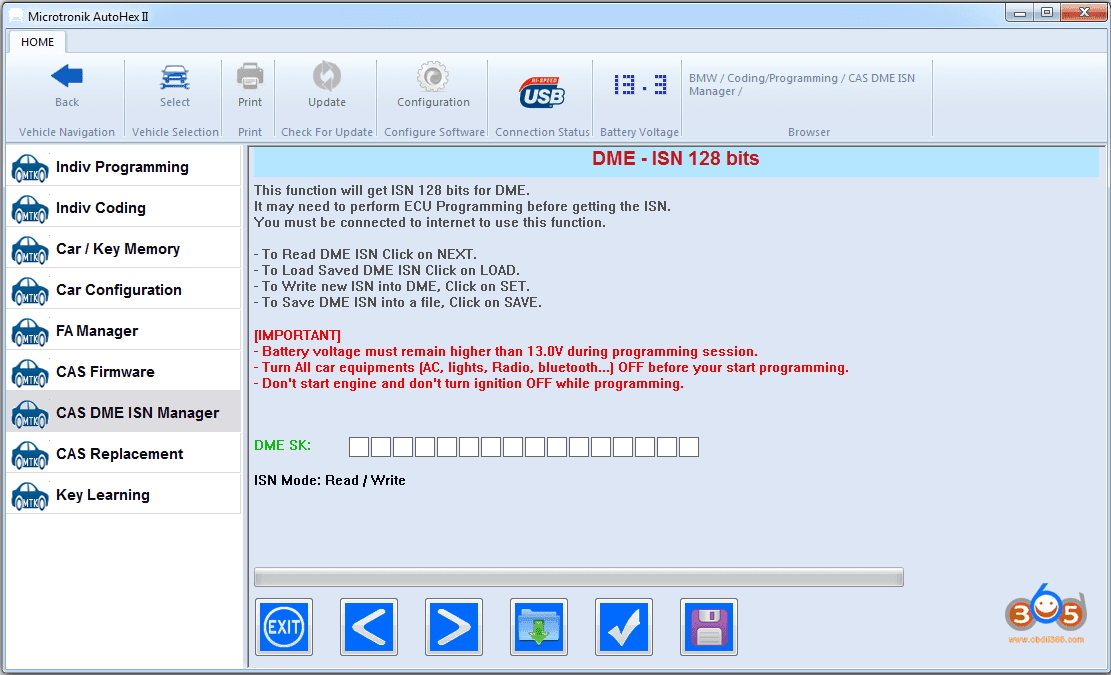
As we saw in the previous comments people are talking only on the  ISN function or the key programming feature. Although we believe Autohex II is more advanced in these 2 fields, please note that this is just 2 functions while Autohex II is a TOTAL SOLUTION for BMW.
 
I will sort some examples of what people missed to mention:
– Individual programing/coding (based on FA calculation):
When you do jobs in keys or ISN, problems may happen and I am sure you all faced such cases , you probably will need to reflash and encode the Ecu. Here Autohex can do the job precisely.
Using autohex is one of the safest way of flashing ECU’s in BMW models we have situations even when dealer corrupted ECU’s and autohex fixed it back to original state.
Also This function will let you replace not only used DME,CAS but any other module like KOMBI, NBT, EGS, ESP, Steering,… etc, I don’t think other tools have such features.
– Manual coding (also calculated from FA) and FA manager in autohex
helps to do retrofits  in E and F series and modify ecu configurations.
– ISN tricore boot mode:
Autohex II covers all DMEs/DDEs that are not supported by OBD in F series.
– BDM functions (for CAS read/write EEPROM/FLASH):
this is a new function comes with HexTag (new tool for key programming and BDM functions), we start delivering new orders of Autohex II with Hextag instead of HTag Pro key programmer. This tool will read all versions of CAS (including CAS4+) without removing any part from the CAS.
Speaking on ISN function we don’t think any of the tools in market can EDIT ISN for continental ECU’s like MSV90,87,85 etc. in F series. you can name tools which can read isn from these ECU’s but none of them allows you to edit ISN from these DME’s.so it shows Autohex covers a good number DME/DDE for ISN reading,writing even through tricore reading method.
Now on yearly subscription we are maintaining a good number of servers for online programming function and all other online functions in autohex, tools which misses online programming feature can avoid this.Through subscription renewal we are also giving extended hardware warranty which covers servicing of tool even after any number of years free of cost and about the technical support we don’t need to say anything customers has clarified it in previous comments.
With this yearly subscription we never charges even a single penny for each and every new features we release like EGS 8HP, FEM/BDC unlock, New DME ISN read/write etc etc, while other tools charge at least 2000$ of each feature.
so we believe all this clarifies what Autohex has when comparing with any of the tool in market.
 
 
Good to know: BMW AutoHex II Full Package
BMW Ecu Programming is an easy to use with Autohex II, it performs Flashing the Ecu with latest version,code it,Change VIN, and other functions in one step.
BMW ISN Editor Software in Autohex II lets you read ISN from DME, match it with CAS. This is essential for DME or CAS replacement, Autohex reads ISN from wide range of DME/DDE
Autohex II Ecu coding for BMW is a straight forward function, you can choose between Auto and Manual coding to encode the Ecu you wish
Autohex II BMW Software can do two methods of Ecu coding, auto coding which will be calculated from FA, and a manual coding for Ecu modification
Autohex II BMW Software can write FA into CAS from other Ecus,backup FA in other Ecus, also you can modify the vehicle order safely
 
Autohex II supports EGS EWS Reset for 6HP in E series and EGS EWS Reset for 8HP in F and G series, only few steps are required
For making keys, reading ISN and changing VIN for CAS which comes with specified part numbers, will not work just through direct reading, CAS Firmware function should be done to make it work
BMW Key programming by Autohex II is done by OBD, No dump is required. including CAS with latest update and all keys lost. it supports all BMW Models as well Mini cooper.
Autohex II is the only tool that can unlock FEM/BDC without soldering, and it is the only tool that regenerates a secret file, and the only tool that can restore FEM back
Lire la suite

CGDI Prog BMW adds G Series B48 B58 ISN Reading

8 Novembre 2019 , Rédigé par JTAC

CGDI Prog BMW key programmer software update to V 3.0.1 (Nov. 6th, 2019)

CGDI BMW Version: [3.0.1]
content:
1. Added G_B48 B58 read ISN
2. Added MSV80 read ISN
3. Added ICOM function (does not support XP computer system)
4. Optimize CAS4 Key Match(OBD) processes
5. Optimize BMW Key Match(OBD), CAS1-3+ Key Match, FEM/BDC Key Match interface

cgdi-prog-bmw-adds-icom-1


cgdi-prog-bmw-adds-icom-2


http://www.obdii365.com/producttags/cgdi-bmw.html

Lire la suite