Overblog Tous les blogs Top blogs Automobiles & Véhicules
Suivre ce blog Administration + Créer mon blog
MENU
Publicité
OBD2 Diagnostic Tools
Articles récents

How to Program Hyundai HB20X Remote Key with OBDSTAR X300 DP

22 Juin 2018 , Rédigé par JTAC Publié dans #OBDSTAR X300 DP

Just done key copy Hyundai hb20x in less than 10 minutes.

I used the Xhorse vvdi key tool only to read the transponders to show the difference between the programmed and the “Virgin” key, it clone keys too, via app by phone.
I did the remote and key programming by OBDSTAR X300 DP. Done in 10 minutes.
Picture attached

copy-hyundai-hb20x-key-1
copy-hyundai-hb20x-key-2
copy-hyundai-hb20x-key-3
copy-hyundai-hb20x-key-4
copy-hyundai-hb20x-key-5
copy-hyundai-hb20x-key-6

http://www.obdii365.com/wholesale/original-obdstar-tools/

Lire la suite
Publicité

Confirmed! CG Pro 9S21 Can Program BMW CAS4+ Smart Key

21 Juin 2018 , Rédigé par JTAC Publié dans #cg pro

CG Pro 9S12 is not only an eeprom/ecu programmer, but also mileage and key programmer.  Here’s is the new test report on BMW 525Li CAS4+ smart key programming using CG-Pro stand-alone.


Remove CAS4+

cg-pro-bmw-525-2

Connect CG Pro with CAS4+ via DB25 connector 

cg-pro-bmw-525-3

Open CG Pro software

Select Vehicle->Anti-theft->BMW ->CAS4-5M48H

cg-pro-bmw-525-4

Click on Read Key

Insert a working key into CG Pro

CG Pro will read vehicle VIN, CAS version etc

Select first option “Have a working key” to add key

cg-pro-bmw-525-5

Then insert a new key to be programmed into CG-Pro programmer

cg-pro-bmw-525-6

Write key

cg-pro-bmw-525-7

cg-pro-bmw-525-8

CG Pro adds BMW CAS4+ key success.


CG Pro Supported BMW Key Programming Car List:

BMW             CAS3             YES
BMW            CAS3+           YES
BMW        CAS4            YES
BMW         CAS4+           YES
BMW            EWS4
BMW          EWS3
BMW          EWS2
(Program key via eeprom data)


CG Pro can adds Benz and Porsche keys after getting eeprom data as well.


www.obdii365.com

Lire la suite

MB Star HHT-WIN Setup Guide on Windows 7

20 Juin 2018 , Rédigé par JTAC Publié dans #sd connect c4

Today, I’ll chip in some words with Windows 7 (XP Mode) installation of HHT – Hand Held Tester for Mercedes mb star diagnostic with SD connect C4 or Part D (C3).
 
Here you go.
 
How to add HHT shortcuts to All Users Folder in Windows XP 
 
  1. With the Windows XP Virtual Machine running, right-click on the Windows XP Start button.
mb-star-hht-win-on-win7-xp-mode-1
 
  1. Click Open All Users from the list.
 
  1. When the All Users window appears you will be able to copy and paste or drag shortcut icons from the Windows XP Start Menu to the All Users window. The same applies to application shortcuts on the Desktop and in other locations. The key to this tip is making sure that the shortcuts are saved in the All Users Start Menu folder.
 
  1. Close the Windows XP virtual machine.
 
 
How to copy HHT shortcuts of Windows XP Mode Applications to DAS\BIN:
 
Once the applications in Windows XP have been added to the All Users folder, Windows 7 Start Menu should be updated to include those shortcuts. Follow the instructions below to copy hht shortcuts to DAS\BIN
 
  1. In Windows 7 click on the Windows Orb to open the Start Menu.
 
mb-star-hht-win-on-win7-xp-mode-2
 
 
  1. Click All Programs to view the list of applications.
 
  1. Scroll down the list and click on Windows Virtual PC.
 
  1. You should see a folder in this directory named Windows XP Mode Applications, click on it.
 
  1. A list of Windows XP Mode applications (HHT) shortcuts will appear. Copy those shortcuts to DAS\BIN. Also copy files: hhtwin_vm_start.exe, , hhtwin_vm_start_pkw.bat, hhtwin_vm_start_nfz.ps1.
 
mb-star-hht-win-on-win7-xp-mode-3
mb-star-hht-win-on-win7-xp-mode-4


How to setup MB HTT software language:
 
you navigate to
 
C:\…\HHTwin.ini
 
parameters:
SPC=02
SPCN=02
SPCP=02
SPCD=02
SPCV=02
 
change to:
SPC=XX
SPCN=XX
SPCP=XX
SPCD=XX
SPCV=XX
 
 
or added to hhtpkw shortcut the language parameter (-L) e.g:
 
C:\HHT\PKW\HHTPKW.EXE -Lxx


where XX is:
 
 
Attachment: HHT-WIN on Windows 7 64 bit
hht-win-on-win7
 
http://blog.obdii365.com/2018/06/21/set-up-mb-hht-win-software-on-windows-7/
Lire la suite

Micropod 2 clone Review on PT Cruiser and Dodge

19 Juin 2018 , Rédigé par JTAC Publié dans #witech micropod 2

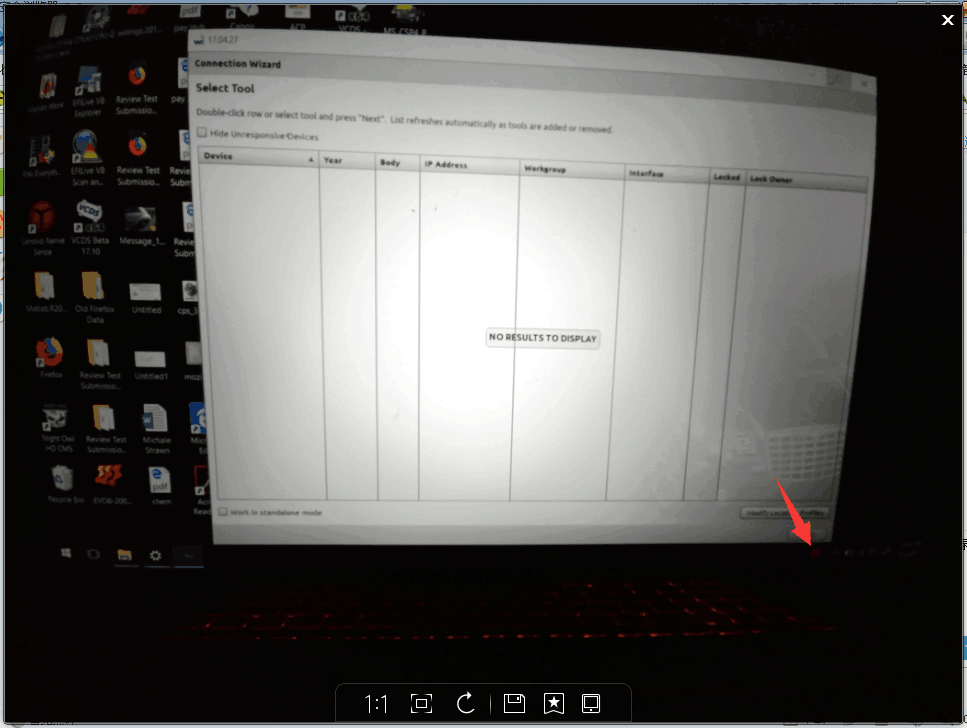
I’m happy to report that my clone wietch Micropod 2 off obdii365.com does work, this unit doesn’t use a HDD, just install witech natively, it comes with witech 17.04 and drb 3 as well. This is what I have.
 
Look here
micropod-review-on-dodge-1
 
It’s a small package, coming with a VCI pod, a usb cable and a CD inside software
micropod-review-on-dodge-2
 
Pins inside the VCI pod connector are built well and I’ve never had connection issues
micropod-review-on-dodge-3
 
Sticker lol…. put it on and it’s definitely same as the original
micropod-review-on-dodge-4
 
And also on the CD it has wiTECH software version 17.04.27 – it’s the newest version tested by their professionals.
and also it has the DRB stub, DRB emulator, Enhanced DRB Stub and three versions of the Enhanced emulator.
 
The wiTECH installation is easy with the help of a Youtube video they’ve uploaded.
And DRBIII emulator with Micropod 2 is an old topic on the web. This is the tutorial i’m using. http://blog.obdii365.com/2018/06/16/install-drbiii-emulator-for-micropod-2-on-windows-7/
This guy has the same Micropod as me. It did work!
 
So far, I have the Micropod 2 on three cars.
 
DRBIII emulator + 2003 PT Cruiser: works  (the main things lol)
DRBIII emulator + 2004 Dodge: works
wiTECH + 2010 Charger: works
 
Btw, Micropod 2 with DRBIII emulator work for old Chysler the year 1997 – 2004 (2005)
And with wiTECH only works for Chrysler made after the year 2003
 
First, I tested on a 2003 PT Cruiser.
 
Basically no other modules other than the Engine, work. I cannot connect to the transmission, ABS, VTSS, SKIM, radio, cluster, etc. But everything in the engine module can be tested, actuated, etc.
Luckily for me, I really only needed the DRBIII to write the Pinion factor for manual transmissions, which is conveniently in the ‘engine’ part which works.
Maybe I really need to invest in an older VCI pod so that everything else works.
 
Then, I also tested it on a 2010 Charger under witech and works flawlessly, and got a 2004 Dodge pickup and under the emulator worked perfectly.
 
 
Edit to update:
I already called my locksmith, who drives an 04 Sprinter to try it as well.


So I had a chance to test my Micropod II with not only wiTECH but also the DRBIII enhanced emulator. Both work good!
 
 
Say thanks if it helps 😀
Lire la suite
Publicité

Is it wiTech Micropod2 SP271-C1 worth buying?

18 Juin 2018 , Rédigé par JTAC Publié dans #witech micropod 2

This is for those who are looking for a decent wiTech Micropod 2 China clone.
witech-micropod2
 
 
It’s the best quality of Micropod 2 clone SP271-C1, quality as good as VCM2 clone SP177-C1.
 
BUT, WHY IT IS THE BEST QUALITY MICROPOD 2 FROM CHINA?
 
First, this Micropod 2 SP271-C1 can be connected to the NETWORK and NEVER LOCKED!
 
You could use the clone for ONLINE DIAGNOSIS for NEW CHRYSLER CARS.
If you have an account, you also are able to do ONLINE PROGRAMMING.
 
Second, the wiTech Micropod2 SP271-C1 is confirmed to WORK NO ISSUES WITH DRBIII EMULATOR as well as the original Micropod 2.
 
This is a test report from our customer @rcompart and it’s verified to get DRBIII with the clone Micropod 2. And, it’s kind of him share the tutorial in detail with you guys.
All can be found here:
 
With DRBIII emulator, you can have your Micropod 2 for old Chysler the year 1997 – 2004 (2005)
Without DRBIII, Micropod 2 clone only works for Chrysler made after the year 2003
 
 
That is, you have a way for old Chrysler with a cloned Micropod 2 unit.
 
 
Third, wiTech software is confirmed also no issues with this Micropod2.
It’s tested 100% by real professionals working for obdii365.com
 
Note: what is DRB3 and what’s wiTech? What’s the main difference The DRB3 emulator is part of Chrysler’s Witech software. The Witech software supports two different pass-through devices, The VCI pod which is sold with the Witech system and the Chrysler Starmobile. The DRB3 emulator is a convenience item for dealerships to allow the use of their current witech scan-tool on older non CAN bus vehicles. It is not by any means a cost saving option.
 
The last, PCB talks a lot
 
That’s all. Hope it’s helpful to you all.
Lire la suite

How to use CG Pro 9S12 to Program Key for Porsche

15 Juin 2018 , Rédigé par JTAC Publié dans #cg pro

CG-Pro 9S12 freescale programmer newly updated Porsche key read& write function for FREE..
 
How to Program Porsche key with CG-Pro programmer?
Select Model-> IMMO Key Programming
cg-pro-9s12-porsche-1
 
Click on “Open folder” and load eeprom data
Insert a blank key into CG-Pro programmer coil, click on “Read key”
Choose key position, then click “Write Key”
cg-pro-9s12-porsche-2
 
 
Select from chip
cg-pro-9s12-porsche-3
 
2. NEC
D70F3548
D70F3558
D70F3585
D70F3385
D70F3469
D70F3628
 
 
3. Motorola -9S12
cg-pro-9s12-porsche-4
 
9S12HA32-0M34S
9S12HY32-0M34S
9S12HA48-0M34S
9S12HY48-0M34S
9S12HA64-0M34S
9S12HY64-0M34S
9S12XHY128-0M23Y
9S12XHY256-0M23Y
9S12HZ128-3L16Y
9S12HZ256-3L16Y
9S12XEP768-4M48H
 
4. Models->IMMO->Jaguar & Land rover
BCM-XEP768
BCM-XEP100
cg-pro-9s12-jaguar
 
http://blog.obdii365.com/2018/06/15/program-porsche-key-with-cg-pro-9s12-programmer/
Lire la suite

OBDSTAR P001 Adds Free Toyota All Keys Lost Smart Key Emulators

14 Juin 2018 , Rédigé par JTAC Publié dans #OBDSTAR X300 DP

On the basis of original adapter features, OBDSTAR P001 programmer, integrated with the EEPROM adapter, RFID adapter and Key Renew adapter, is a multifunctional programmer.
obdstar-p001-programmer
OBDSTAR P001= EEPROM adapter+ RFID adapter + Key Renew adapter +Toyota Smart key emulators 
What device does P001 programmer work with?
P001 works with OBDSTAR X300 DP/Key Master DP/X300 DP Plus both full and standard version.  Cannot used with other OBDSTAR key programmers, X100 Pro/X300 pro3 etc. Please provide your X300 tablet Serial Number when purchase the P001 adapter.
 
P001 programmer (full package):
P001 programmer unit + C001 circuit board + C002 circuit board + W001 data cable + W002 data cable + W003 data cable + Toyota simulated smart keys (free);
obdstar-p001-list
Remark: Customer purchasing P001 programmer can obtain a set of Toyota simulated smart keys for free.
OBDSTAR P001 Programmer Accessories


Accessory 1: C001 circuit board
obdstar-p001-c001-circuit-board
 
C001 circuit board is compatible with old NO. 3 and 4 circuit boards, applying to EEPROM chip dismantling and reading, Tianjin FAW and VIZHI immobilizer coil initialization and other functions.
Accessory 2: C002 circuit board
obdstar-p001-c002-circuit-board
 
The newly developed C002 circuit board is connected by W001, W002 or W003 without welding the chip.
Accessory 3: W001 data cable
obdstar-p001-w001-data-cable
 
 
W001 data cable can read or write data by linking the chip with a bonding wire
Accessory 4: W002 data cable 
obdstar-p001-w002-data-cable
 
 
W002 data cable can read or write data by clamping the chip (SOP 8-pin) directly without welding EEPROM.
Accessory 5: W003 data cable 
W003 data cable can read or write data by clamping positive pole and negative pole with red and black clips and contacting the data interface with yellow and blue probes.
 
Wiring Instruction
To better understand the connection among P001 programmer and its accessories, examples for W001 and W003 wiring instructions are as below. (During the actual operation process, there is a diagram of wiring inside tablet)
Way 1.  W001 Connecting
obdstar-p001-w001-wiring
 
 
Way 2.  W003 Connecting
obdstar-p001-w003-wiring
 
 
About Toyota simulated smart key  
1.Why use a Toyota simulated smart key?
 
For the Toyota/Lexus 2007-2016 models, if all smart keys are lost, the instrument table must be removed and the ECU must be replaced. The cost is very expensive.
This Toyota simulated smart key can generate a Toyota key with our devices in the case of all keys lost, so the ignition switch can be turned on, and then a new smart key can be added and programmed with our devices.
2.What are the advantages of the Toyota simulated smart key?
 
  • Save costs;
  • Reusable.
3.  How many types of Toyota simulated smart keys in total? 
There are 4 types at present, and the 5th one is in development.
4. Which type of smart keys can be simulated?
 
Simulated key 1 applies to the vehicle with 94/D4 type of smart key;
Simulated key 2 applies to the vehicle with 98 type of smart key;
Simulated key 3 applies to the vehicle with 88/A8 type of smart key;
Simulated key 4 applies to the vehicle with A9 type of smart key;
obdstar-toyota-smart-key-emulators
 
5. Can i use these smart keys with other key programmers?
 
Yes.  Besides OBDSTAR X300 DP series, you can use these smart key emulators on Tango key programmer as well. But cannot be used with Lonsdor K518ISE.


Lire la suite

Free download Renault CAN CLIP V178 Crack torrent

13 Juin 2018 , Rédigé par JTAC Publié dans #Renault CAN CLIP

Renault CAN CLIP 178 software is tested and verified working successfully on 13-06-2018.


Free download Renault CAN CLIP v178 multi-language reprogramming interface:

https://mega.nz/#!EGgWiK4Y!HCsSj5UcsaD75ch4IFlhLcMKxNAz_rIUdLBfHgnbTx8

renault-can-clip-v178-1
renault-can-clip-v178-2

Renault CLIP 178 tested version:

http://www.obdii365.com/wholesale/cd-software-of-can-clip-v151-for-renault.html


Renault CLIP 178 released notes:

CLIP INFO 178

NEW FEATURES:


No new vehicles for this version.


GENERAL INFORMATION:


Starting with version CLIP 173, Windows XP is no longer compatible with CLIP.


Warning :


Maintenance of the PANASONIC CF19 MK3 ceased in March 2018 and they can no longer be registered.


Maintenance of the Tecra A11 and CF19 MK2 ceased in January 2017 and they can no longer be registered.


Since January 2016 the DELL E5500 units have no longer been serviced and cannot therefore be registered any longer.


Since August 2015 the PANASONIC CF19 MK1 units have no longer been serviced and cannot therefore be registered any longer.


Maintenance of the PANASONIC CF18s ceased in May 2014 and they can no longer be registered.


Starting with DVD CLIP 161, reprogramming with a battery tension lower than 13V is no longer possible.


You absolutely have to connect a battery charger to the vehicle.


Three charger are currently available:


- Ateq BC512 (with or without printer), link: https://www.renault-equipment.com/bc512-15a-automatic-charger.html


- Acctiva Fronius Professional Flash 50A, link: https://www.renault-equipment.com/fronius-automatic-battery-charger-approved-for-new-vehicles-preparation.html


- GYS Flash 50-12HF (rather favourable), link: https://www.renault-equipment.com/gysflash-50-12-hf.html


Please make sure you have this battery charger before starting any work.


Renault CLIP V178 operation system:

Windows 7 32 bit


CAN CLIP 178 diagnostic interface:

CLIP 178 is confirmed to work no issues with interfaces:

http://www.obdii365.com/wholesale/best-quality-renault-can-clip-update-to-latest-version-diagnostic-interface.html

http://www.obdii365.com/wholesale/can-clip-for-renault-diagnostic-tool.html

http://www.obdii365.com/wholesale/can-clip-c-for-renault.html

Lire la suite
Publicité

How to Read Citroen Elysees 2014 BSI M95256 by Xprog

4 Juin 2018 , Rédigé par JTAC Publié dans #xprog

How to: read Citroen C-Elysees 2014 BSI M95256 eeprom and change mileage with xprog mbox programmer.

Citroen Elysees 2014 running 232,235KM

xprog-citroen-elysees-change-km-1
 
xprog-citroen-elysees-change-km-2
xprog-citroen-elysees-change-km-3
Connect Xprog with BSI and read M95256 eeprom
xprog-citroen-elysees-change-km-4
xprog-citroen-elysees-change-km-5
 
 
xprog-citroen-elysees-change-km-6
xprog-citroen-elysees-change-km-7
xprog-citroen-elysees-change-km-8
xprog-citroen-elysees-change-km-9
 Desired mileage: 59,600KM
 
 
xprog-citroen-elysees-change-km-10
xprog-citroen-elysees-change-km-11


 www.obdii365.com
Lire la suite

Digiprog 3 V4.94 Success and Failed Ford Car List

1 Juin 2018 , Rédigé par JTAC Publié dans #digiprog 3

Here, obdii365.com has collected almost Digiprog 3 Ford test/feedback on the web. Have listred Ford models that Digiprog 3 odometer correction tool support and doesn’t support.
 
 
Look here:
Digiprog 3 on Ford: success
Digiprog 3 on Ford: failed
Digiprog 3 Ford Vehicle List
 
(Note that here all DP3 refers to the china clone)
 
Digiprog 3 on Ford: success!
 
Ford Focus 2005: (Model 2004>) OBD OK
 
Ford Transit: Just done a merc 204 and 212 Diagnostic mileage and assyst
 
Ford Focus 2008 to 2011 Diag
Ford Fiesta 2008 up Diag
Ford Mondeo 2008 Diag
Ford Focus diag
 
Ford C-Max and S-Max: work OK via OBD
Ford Fiesta & Focus: works OK via MCU, not Dash Connector ?!?!
 
Ford smax: work fine and i think with Fords work fine
 
Ford focus: 2007 ok
 
2011 Ford focus: works like a dream obd2
 
Ford focus 2010: OK
 
Ford escape 2008: OBD ok
 
Ford fokus 2002,read old km—-not write new km
 
Ford ranger 68hc05: ok
 
Ford transit 93c76 eeprom: ok
 
Ford fusion hc 12 plug: ok
 
Ford mondeo 2008: obd ok
 
Ford focus hc11: ok with plug
 
Ford focus 2006: obd ok
Ford focus 2004-2010: obd ok
 
Ford s-max 2009: obd ok
Ford Fiesta 2012: OBD OK (fiesta 2005 obd not ok)
 
Ford fiesta 2008-2010 red screen: obd ok
 
Ford Fiesta HCS12: ST48 Work
 
Ford Mondeo 2008: Full Colour Fis 24C16 – – – OBD diag Read – 0km,Write – OK!
 
Ford mondeo 2010: visteon dash with 9s12 read ok write ok via 4 wires on pcb
 
Ford mondeo 2004: st51 read ok/write ok
 
Ford Bantam 2006: need nec programmer
 
Ford connect 2008: obd not! fvdi obd, read km but not change! dp3 ,conector 48, 9S12read and write km!
 
 
Digiprog 3 on Ford: failed!
 
2006 Ford fusion: obd not work
 
Ford connect 2002 with 912 with cable 48/2 cluster: dead mcu not readable even with etl !!!
 
Ford Fiesta 2002: via obd not work
 
Ford F150 2002 with HC11: N O N E S !!!! wasted time… Not working… After try connection show E R R O R !!!
F150 2002: i have do 2 weeks ago with digiprog 3 clone and works fine. have you make wrong job
 
Ford Escape 2007: no work obd2, cable 16
error unknown dashboard
 
Ford fokus 2002,read old km—-not write new km
 
Cable Ford focus not ok.
Check with scheme or compare with other programmer.
 
2006 Ford fusion: obd not work
 
 
Digiprog III Ford Car List:
It is too long, please check original post:
 
Lire la suite

How to Program Audi A6 Q7 Smart Key with Lonsdor K518ISE Correctly?

29 Mai 2018 , Rédigé par JTAC Publié dans #Lonsdor K518

Audi A6/Q7 key learning correct procedure using Lonsdor K518ISE key programmer is provided below:
lonsdor-k518ise-audi-a6-1
 
Connect K518 host with vehicle via OBD socket thought OBD test cable
 
Step 1: Backup Immo Data
Select Immobilizer->Audi->A6L-> -2009->Immobilizer->Immobilizer/Smart key->Backup immo data
lonsdor-k518ise-audi-a6-2
lonsdor-k518ise-audi-a6-3
lonsdor-k518ise-audi-a6-4
lonsdor-k518ise-audi-a6-5


Turn ignition ON
Extracting the security code and configuration data from immobilizer
lonsdor-k518ise-audi-a6-6
 
lonsdor-k518ise-audi-a6-7
 
Save immo data
lonsdor-k518ise-audi-a6-8
 
Backup success.
 
Step 2: Learn Key
lonsdor-k518ise-audi-a6-9
 
To generate pre-code transponder use only PCB!!!
Insert PCB into K518 key slot
lonsdor-k518ise-audi-a6-10
 
Select immo bin file just saved
Confirm immo data
Lonsdor k518 read current key ID
Generate the dealer key and lock the key success
lonsdor-k518ise-audi-a6-11
 
To program the remote key, insert the PCB into the keybox
lonsdor-k518ise-audi-a6-12
 
Program all keys to immobilizer of the car
lonsdor-k518ise-audi-a6-13
 
Turn ignition to ON position
Insert key and switch ignition on in turn, after all keys have been replaced,
click OK to finish key learning.
lonsdor-k518ise-audi-a6-14
 
lonsdor-k518ise-audi-a6-15
 
2 keys have been successfully program.
Test the remote control. Working !!!
lonsdor-k518ise-audi-a6-16
 
 
http://www.lonsdor.org/
Lire la suite

Yanhua Mini ACDP Top 5 Advantages

27 Mai 2018 , Rédigé par JTAC Publié dans #yanhua mini acdp

Here we listed tops advantages of Yanhua Mini ACDP comparing other BMW key programming tools.


1.Built-in IMMO Help File

ACDP App providing connection wiring diagram and video guides

All no soldering/welding job.

No need to remove chip.
No need to cut the line.
No need to lift the pin.


yanhua-mini-acdp-immo-help-1


yanhua-mini-acdp-immo-help-2


2.Probe detection 

Yanhua ACDP comes with probe detection feature. If don’t connect the adapters/pins with BMW module properly, ACDP will not proceed to the next step which means you won’t lose data when you connect it in a wrong way.

Only when you follow the wiring diagram to connect the pins correctly, then you can move to next step.


yanhua-acdp-probe-detection


3. Recover FEM module 

3.1)

ACDP can perform BMW FEM/BDC module restore/reset/recovery function.

When reset BMW FEM module data, select the FEM data version. If you don’t know the database version,  please select the latest data version.

Then you can program FEM module with OEM device.

3.2) Backup FEM Immo data

You can backup FEM immo data when a old FEM module is damaged, then write back to a new FEM module.

Then reinstall new FEM module back to car (clear fault codes with bmw diagnostic tool if needed.)


yanhua-acdp-bmw-fem-reset


4) BMW CAS3+ CAS4+ Will not lost data

There are some key programmer that will program BMW CAS3+ CAS4+ key via OBD, such as VVDI2, Lonsdor K518ISE etc, but usually they will require to downgrade the CAS which will lead to data loss during the downgrading procedure.  With Yanhua ACDP, you don’t need to downgrade CAS and it will backup immo eeprom data. No data loss issue.

More importantly, no soldering as well.


5) Support All BMW CAS series and FEM/BDC odometer reset, no soldering.

Of course, no soldering and lift pins.

and many others feature, like read/write BMW 35080, 35160DO WT,  read/write Fujitsu CPU MB91F, read BMW ISN code when all keys lost etc.


http://www.obdii365.com/producttags/yanhua-acdp.html

http://www.key-programmer.org/2018/05/28/top-5-advantages-of-yanhua-mini-acdp/

Lire la suite
Publicité

How to disable BMW E90 TPMS and Activate FTM with Ncs expert?

24 Mai 2018 , Rédigé par JTAC Publié dans #INPA K+DCAN

Car:  BMW 2008 328xi e90

Purpose:

kill tpms and enable FTM


Procedure:

** Disconnect RDC Module above battery in trunk behind insolation **
1) NCS EXPERT, FILE, PROFILE, EXPERTMODE
2) F1 (vIN, ZCF/FA)
3) F3 (ZCS/FA F. ECU)
4) SELECT CHASSIS
5) CAS, (VIN SHOULD POPULATE), OK
6) F2, ENTER FA
7) SELECT CHASSIS, AGAIN
8) CLICK ON $2VB, HIT DELETE KEY ON KEYBOARD AND PRESS OK
9) F6, BACK
10) F4, PROCESS ECU
11) SELECT CAS, AGAIN
12) F2, CHANGE JOB, SELECT FA_WRITE
13) F3, EXECUTE JOB
14) F1, SG/SGEN, SELECT NFRM
15) F3, EXECUTE JOB

For e90 328xi 2008 i had to recode VO’s for NFRM and CAS

**TO WRITE TO ANOTHER MODULE,
-F1 (SG/SGEN), THEN F3, EXECUTE JOB.
_________________________________________
RECODE/RESET affected modules to enable FTM

1) For my car i had to reset BDSC, CAPPL (PRE LCI NAV CCC) AND KOMBI. Yours may include DSC/CIC (LCI NAV)

Module Reset Instructions
1 - Launch ncs expert and load the expert profile
2 - Press F1, then F3, choose your car chassis from the list and press ok. Next Press F6 to go back
3 - Press F4 and choose ecu/module you want to reset and press ok
4 - Press F2 and choose SG_CODIEREN and press ok
5 - Press F3 to execute job

2) USING EXPERTMODEN, CHANGE RDC_ALIVE TO NICHT_ATKIV IN KOMBI


http://www.obdii365.com/wholesale/bmw-inpa-k-can-with-ft232rq-chip.html


Lire la suite

Does Yanhua Mini ACDP support Bluetooth connection?

24 Mai 2018 , Rédigé par JTAC Publié dans #yanhua acdp

As titled, will Yanhua Mini ACDP key programmer connect to mobile phone via Bluetooth?


Solution:

No. Yanhua ACDP does not support Bluetooth connection. 

As we know, Bluetooth connection is very short distance and not very stable.

So ACDP is not integrated with Bluetooth. 


But you can connect ACDP with mobile phone via WLAN or router. 

Here's the demo video on connecting ACDP with iphone through WLAN.

https://youtu.be/k9TU1zGl2_I

You need to connect to network only when you download app at the first time or run an upgrad.  ACDP works offline at other time.  


Lire la suite

(05.2018) Free download BMW ENET E-sys 3.32.1 to do coding on F series.

21 Mai 2018 , Rédigé par JTAC Publié dans #BMW ENET cable

Big thanks to shawnsheridan
 
E-Sys_Setup-3.32.1-52333_32bit.exe:
 
E-Sys_Setup-3.32.1-52333_64bit.exe:
e-sys-3-32
 
BMW E-sys 3.32.1 Released Notes:
 
Current version:
PSdZ: 5.06.01
ProDiaS: 3.4.0
Jobs: 005_009_002
Template: PT01_template.003_000_228
EST_CM:1.5.0
KIS_AL:5.9.0
 
System requirement:
Processor: Intel Pentium 4 with minimum 1GHz clock rate
RAM: mindestens 512 MB
Hardware interface: (CAN/FD. Ethernet, …)
Java-Version (abgesichert mit): 1.8.0.121 64 bit
Operation system: Windows 7 (64 bit)
Driver for HW-Interface: for details please see information in ProDiaS Released notes
 
Info – Please note:
During the vehicle programming with E-sys, no further applications should be excuted in parallel on the flash processor. This includes, inparticular, background processes, such as the indexing service for desktop search or automatic deframentation services.
E-sys is currently not supported under Windows 10. workaround for display problems under Windows 10: E-sys.exe->Properties->Compatibility->”Override behavior at high DPI scaling”->Scaling performed by: “System”
 
Quality centre (processed items):
14269 – PDX-Charger – Removing of EE-Components from a Container
14271 – Coding Verification – Button ‘Verify All’ will not be activated when using FAs with a single entry
14293 – PDX-Charger – ‘Save As’ of a Container fails when using certain path names
14299 – PDX-Charger – missing SWEs after container import into PsdZ
14301 – Coding Verification – Function ‘Verify All’ can lead to an runtime error
 
Change requests and minor changes:
CR3304 – Certificate Management – Adaptations based on CR3135 AND 3178
KA3459 – Valid naming for RSU -specific ICs
CR3560 – E-sys – Conversion to 64 bit Java
CR2359 – Certificate Management – unitary form for result files
CR3681 – E-sys – Adaptations resulting from modified TAL-Schema (IDR for ISTA)
e-sys-3-32-release-notes
 
BMW Esys Coding: Confirmed by obdii365.com
  1. Lock unlock sound confirmation ( to prevent radio interference, add sound to confirm car locked when turn light confirmation inconvenient. This is setup in cic)
    2. Can operate the navigation menu including watching dvd when driving( for driving safety. Let the side driver operate the navigation menu )
    3. Display engine output and torque meter ( purely fun, look engine output )
    4. Cancel confirmation screen big screen boot delay
    5. Open the voice recognition function
    6. Three kind of bluetooth phone ringtones ( personality only )
    7. Increasing the cic memory address to 50
    8. The glass automatically rise to the top process is not terminated by the car door ( easy to get off to close the window waiting )
    9. The digital speed display ( fun only )
    10. Air-conditioned memory of the last off state ( without air conditioning season is more convenient )
    11. Indoor cycling memories of the last time the state when engine off
    12. A-pillar electric tailgate buttons and remote control a key to close the power tailgate. At any time terminate the reverse operation ( turn off 15 minutes or more reset )
    13. Increasing shift paddles
    14. The small screen to the large-screen display modify
    15. Pdc display vertical and horizontal
    16. Disable the seat belt status display – passenger seat
    17. Disable the seat belt status display – driver seat
    18. Disable seat belt reminder mistake ! The link is invalid. Device – passenger seat
    19. Disable seat belt reminder – driving position
    20. Disabled unfasten their seat belts voice prompts – passenger seat
    21. Disabled unfasten their seat belts voice prompts – driving position
    22. Intersection vehicle high beam automatic control ( no condition tested. Do not know if it is valid )
    23. Angel eyes open and cancel functions
    24 turn off the engine start-stop function turned on by default
    25, gps time synchronization
    26. Foot open the back cover
    27. Ds show s1-s7 selection
    28. Active sports gearbox program sport +
    29. Single microphone settings
    30. Engine off automatically unlock
    31. Internet applications
    32. Armrest usb playback video
    33. The maximum distance disable front camera view
    34. The maximum distance to disable the rear camera view
    35. Maximum speed disable front camera view
    36. The maximum speed to disable the rear camera view
 
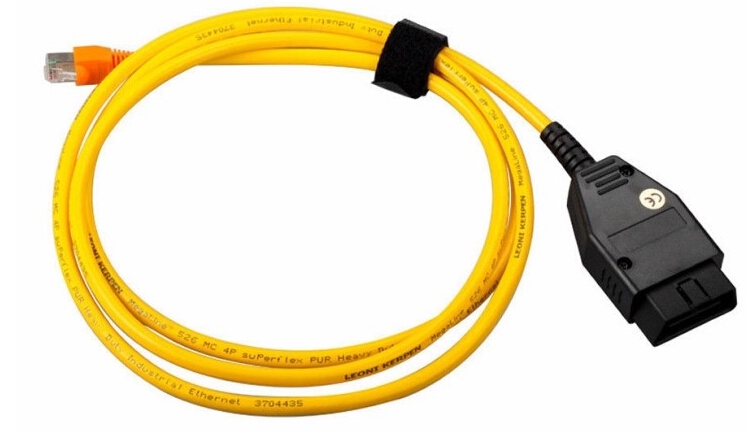
Note that functions are verified with TESTED E-SYS 3.23.4 with BMW ENET cable (Ethernet to OBD) Interface:
e-sys-3-23-4
 
 
http://blog.obdii365.com/2018/05/22/free-download-bmw-e-sys-3-32-1-for-f-series-coding/
Lire la suite