

/image%2F1896381%2F20151209%2Fob_cb2b49_obd365-com.png)
How to Program Audi A6 Q7 Smart Key with Lonsdor K518ISE Correctly?




click OK to finish key learning.


Yanhua Mini ACDP Top 5 Advantages
Here we listed tops advantages of Yanhua Mini ACDP comparing other BMW key programming tools.
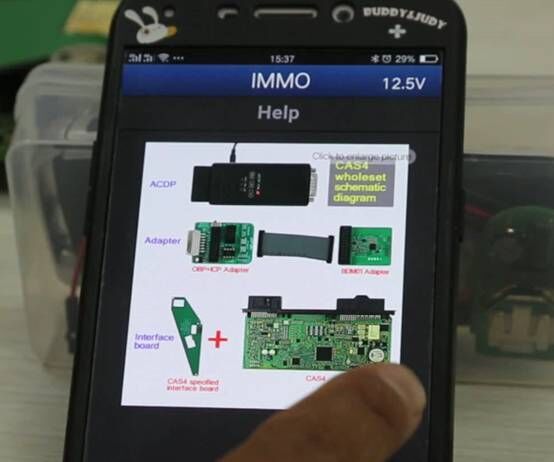
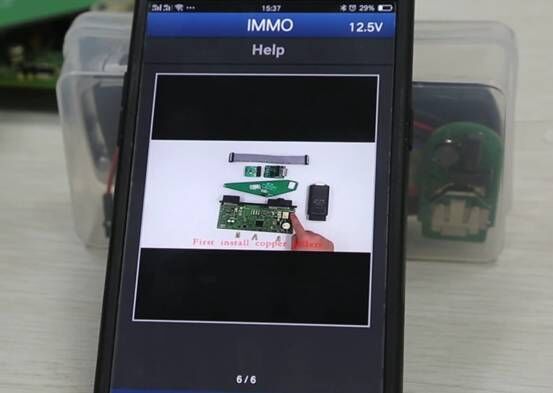
1.Built-in IMMO Help File
ACDP App providing connection wiring diagram and video guides
All no soldering/welding job.
No need to remove chip.
No need to cut the line.
No need to lift the pin.
2.Probe detection
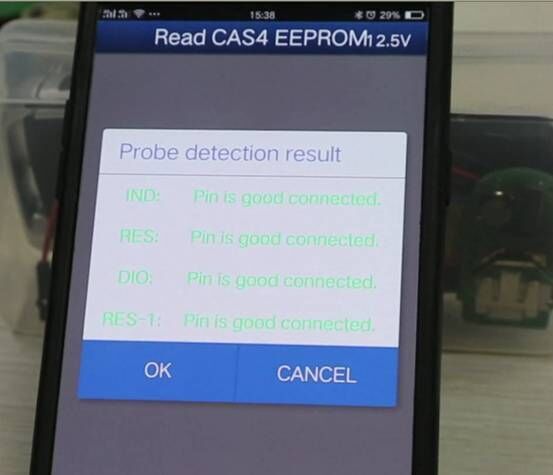
Yanhua ACDP comes with probe detection feature. If don’t connect the adapters/pins with BMW module properly, ACDP will not proceed to the next step which means you won’t lose data when you connect it in a wrong way.
Only when you follow the wiring diagram to connect the pins correctly, then you can move to next step.
3. Recover FEM module
3.1)
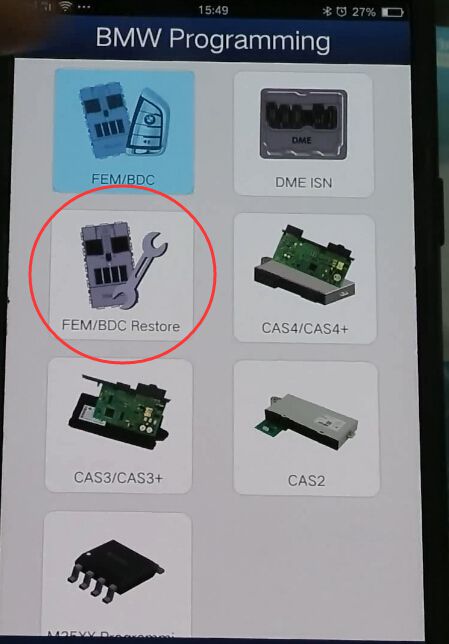
ACDP can perform BMW FEM/BDC module restore/reset/recovery function.
When reset BMW FEM module data, select the FEM data version. If you don’t know the database version, please select the latest data version.
Then you can program FEM module with OEM device.
3.2) Backup FEM Immo data
You can backup FEM immo data when a old FEM module is damaged, then write back to a new FEM module.
Then reinstall new FEM module back to car (clear fault codes with bmw diagnostic tool if needed.)
4) BMW CAS3+ CAS4+ Will not lost data
There are some key programmer that will program BMW CAS3+ CAS4+ key via OBD, such as VVDI2, Lonsdor K518ISE etc, but usually they will require to downgrade the CAS which will lead to data loss during the downgrading procedure. With Yanhua ACDP, you don’t need to downgrade CAS and it will backup immo eeprom data. No data loss issue.
More importantly, no soldering as well.
5) Support All BMW CAS series and FEM/BDC odometer reset, no soldering.
Of course, no soldering and lift pins.
and many others feature, like read/write BMW 35080, 35160DO WT, read/write Fujitsu CPU MB91F, read BMW ISN code when all keys lost etc.
http://www.obdii365.com/producttags/yanhua-acdp.html
http://www.key-programmer.org/2018/05/28/top-5-advantages-of-yanhua-mini-acdp/
How to disable BMW E90 TPMS and Activate FTM with Ncs expert?
Car: BMW 2008 328xi e90
Purpose:
kill tpms and enable FTM
Procedure:
** Disconnect RDC Module above battery in trunk behind insolation **
1) NCS EXPERT, FILE, PROFILE, EXPERTMODE
2) F1 (vIN, ZCF/FA)
3) F3 (ZCS/FA F. ECU)
4) SELECT CHASSIS
5) CAS, (VIN SHOULD POPULATE), OK
6) F2, ENTER FA
7) SELECT CHASSIS, AGAIN
8) CLICK ON $2VB, HIT DELETE KEY ON KEYBOARD AND PRESS OK
9) F6, BACK
10) F4, PROCESS ECU
11) SELECT CAS, AGAIN
12) F2, CHANGE JOB, SELECT FA_WRITE
13) F3, EXECUTE JOB
14) F1, SG/SGEN, SELECT NFRM
15) F3, EXECUTE JOB
For e90 328xi 2008 i had to recode VO’s for NFRM and CAS
**TO WRITE TO ANOTHER MODULE,
-F1 (SG/SGEN), THEN F3, EXECUTE JOB.
_________________________________________
RECODE/RESET affected modules to enable FTM
1) For my car i had to reset BDSC, CAPPL (PRE LCI NAV CCC) AND KOMBI. Yours may include DSC/CIC (LCI NAV)
Module Reset Instructions
1 - Launch ncs expert and load the expert profile
2 - Press F1, then F3, choose your car chassis from the list and press ok. Next Press F6 to go back
3 - Press F4 and choose ecu/module you want to reset and press ok
4 - Press F2 and choose SG_CODIEREN and press ok
5 - Press F3 to execute job
2) USING EXPERTMODEN, CHANGE RDC_ALIVE TO NICHT_ATKIV IN KOMBI
http://www.obdii365.com/wholesale/bmw-inpa-k-can-with-ft232rq-chip.html
Does Yanhua Mini ACDP support Bluetooth connection?
As titled, will Yanhua Mini ACDP key programmer connect to mobile phone via Bluetooth?
Solution:
No. Yanhua ACDP does not support Bluetooth connection.
As we know, Bluetooth connection is very short distance and not very stable.
So ACDP is not integrated with Bluetooth.
But you can connect ACDP with mobile phone via WLAN or router.
Here's the demo video on connecting ACDP with iphone through WLAN.
You need to connect to network only when you download app at the first time or run an upgrad. ACDP works offline at other time.
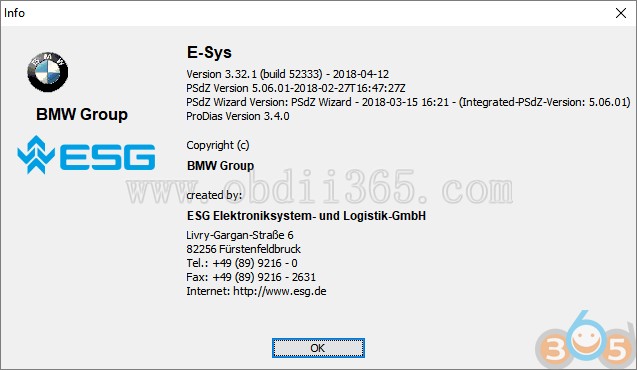
(05.2018) Free download BMW ENET E-sys 3.32.1 to do coding on F series.

- Lock unlock sound confirmation ( to prevent radio interference, add sound to confirm car locked when turn light confirmation inconvenient. This is setup in cic)
2. Can operate the navigation menu including watching dvd when driving( for driving safety. Let the side driver operate the navigation menu )
3. Display engine output and torque meter ( purely fun, look engine output )
4. Cancel confirmation screen big screen boot delay
5. Open the voice recognition function
6. Three kind of bluetooth phone ringtones ( personality only )
7. Increasing the cic memory address to 50
8. The glass automatically rise to the top process is not terminated by the car door ( easy to get off to close the window waiting )
9. The digital speed display ( fun only )
10. Air-conditioned memory of the last off state ( without air conditioning season is more convenient )
11. Indoor cycling memories of the last time the state when engine off
12. A-pillar electric tailgate buttons and remote control a key to close the power tailgate. At any time terminate the reverse operation ( turn off 15 minutes or more reset )
13. Increasing shift paddles
14. The small screen to the large-screen display modify
15. Pdc display vertical and horizontal
16. Disable the seat belt status display – passenger seat
17. Disable the seat belt status display – driver seat
18. Disable seat belt reminder mistake ! The link is invalid. Device – passenger seat
19. Disable seat belt reminder – driving position
20. Disabled unfasten their seat belts voice prompts – passenger seat
21. Disabled unfasten their seat belts voice prompts – driving position
22. Intersection vehicle high beam automatic control ( no condition tested. Do not know if it is valid )
23. Angel eyes open and cancel functions
24 turn off the engine start-stop function turned on by default
25, gps time synchronization
26. Foot open the back cover
27. Ds show s1-s7 selection
28. Active sports gearbox program sport +
29. Single microphone settings
30. Engine off automatically unlock
31. Internet applications
32. Armrest usb playback video
33. The maximum distance disable front camera view
34. The maximum distance to disable the rear camera view
35. Maximum speed disable front camera view
36. The maximum speed to disable the rear camera view
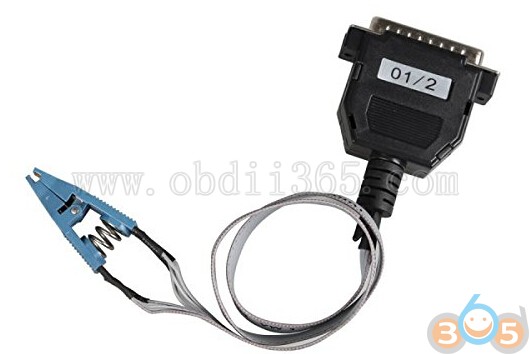
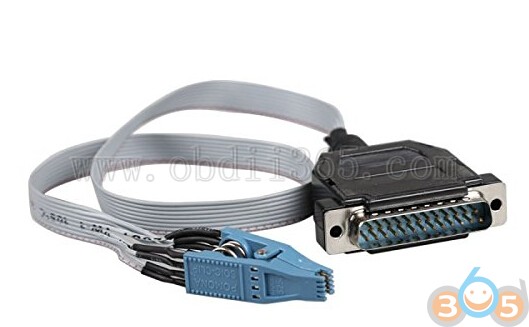
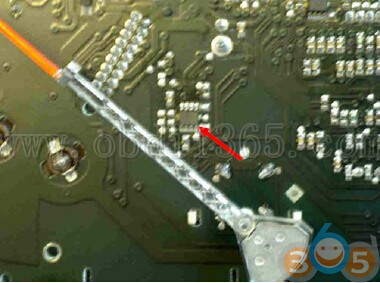
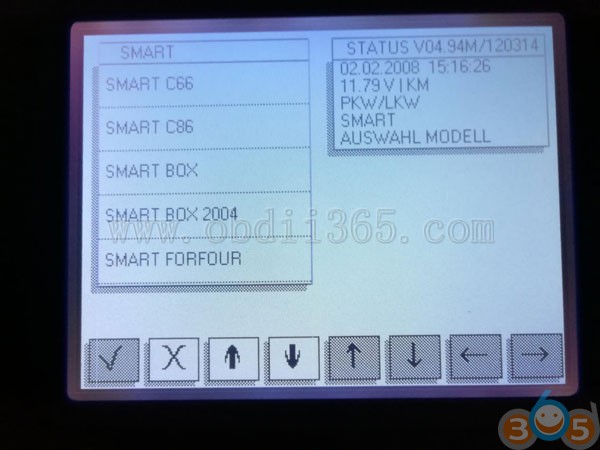
Digiprog 3 V4.94 Change Odometer for Smart ForTwo 2002
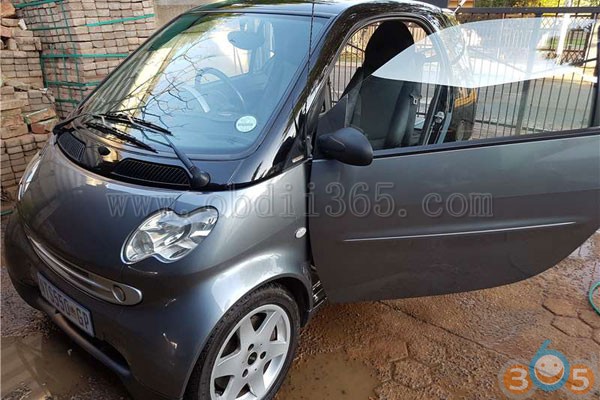
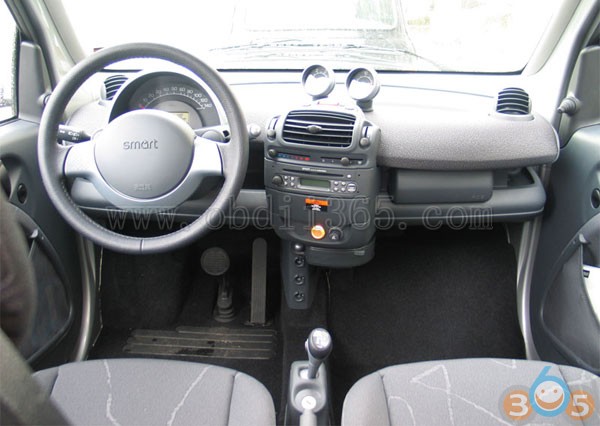
Setting the eeprom worked fine.
Here is the manual:
Xhorse VVDI2 BMW vs. Yanhua Mini ACDP BMW, which is better?
| Product | Yanhua mini ACDP BMW | Xhorse VVDI2 BMW |
| Image |  |  |
| Features | Has no issues in BMW CAS and FEM/BDC | Works perfect in VAG and BMW Immo |
| Operating System | PC/Mobile Phone (iOS/Android) | PC |
| Diagnostic | No | VVDI2 work for VAG diagnostic only , not BMW |
| Key Programming | CAS: YES! CAS1 CAS2 CAS3/CAS3+ CAS4/CAS4+ | CAS: YES! CAS1 CAS2 CAS3/CAS3+ CAS4/CAS4+ |
| EWS: NO! Yanhua ACDP cannot work with ESW modules | EWS: YES! EWS1 EWS2 EWS3 EWS4 | |
| FEM/BDC | FEM/BDC | |
| Odometer Correction | Yes | Yes |
| Module Programming | Yes | Yes |
| Data Backup | Yes | Yes |
| Soldering/welding CAS/FEM/BDC | No soldering | Yes |
| Host Price | US$249 | US$1,129 |
| BMW CAS1-4 authorization price | CAS1-CAS4+ authorization: US$359 | CAS-1-CAS4, EWS in deafult CAS4+ authorization: US$235 |
| FEM/BDC authorization price | US$415 | With Condor: US$600 Without Condor: US$1,000 |

How to Write VAG Megamos48 CS 7th Byte with TANGO V1.112
2-Toyota key maker: new menu item AUTODETECT
3-Key maker Kia Sportage 2008- (MPC5xx,HITAG)
4-Key maker Hyundai Sorento 2008- (MPC5xx,HITAG)
5-Key maker Renault Fluence III 2012- (NEC850,HITAG)*
6-Key maker Renault Megane III 2012- (NEC850,HITAG)*
7-Fixed some bugs, incl. PCF7930-35 recognition
The modern immobilizers of the VAG-group vehicles have such conception as “Component
Security” (CS). The CS is an array of 7 bytes length. Its role in a vehicle is to forbid a mixing of
electronic units from different cars. In terms of the immobilizer the CS is a “password” that used
in couple of the Motor Unit (ECU) and the immobilizer.
The protection scheme includes 3 components that share the CS, they are:
ECU
IMMO
KEY
The protection scheme allows the engine to start only in case when the CS is identical in all the
three components.
Key and CS
The CS is a part of the Crypto Key and fills its upper area Word9-Word6.
In common practice it is possible to get the first 6 bytes of CS. The last, 7th byte is unknown.
There are many ways how to find out the 7th byte. One of them is to pull out it from an existing
key. Thus, to use this tool, it is needed to have at least one valid key.
1. Running of the “Search Component Tool”
Click the appropriate button in the MEGAMOS-48 mode as shown on the picture:

Type the 6 bytes of CS that are known
Select Brand
Select method

3. Now all is ready to start searching.
Put the valid existing key into the programmer coil.
Click the “Start Searching” button:

valid, the process will be stopped. Operation takes up to 1 min of time.
The CS is a part of the Crypto Key and fills its upper area Word9-Word6.
ECU and CS
ECU uses the CS as a password. More modern ECUs contain only 6 bytes of the CS. In this case
the CS should be extracted from another devices, for example it may be a dashboard.
IMMO and CS
The vehicle dashboard usually has a role of an immobilizer. The IMMO always contains all the 7
bytes of the CS.
The tool “Write Component Security 7 Bytes” (Megamos 48 window) helps you to put the CS
manually into a transponder. Let’s see an example of ECU BOSCH Motronic M7.

To write the CS, invoke the tool and type the CS in the window:

How to Reset Toyota Tacoma 2017 Smart Box with Auro OtoSys IM600
Model: Toyota Tacoma 2017
Tool: Auro OtoSys IM600/Auro OtoSys IM100 tablet
Purpose:
Toyota Tacoma 2017 smart key all keys lost and smart box reset with otosys im600 in 16 minutes and RESET of modules and ecu was replaced (the smart box was damaged by other people).
Tip: Tcode + Smart Dongle can also reset Toyota smart box and add key in 16 minutes, but T-code does less than Auro diag tools.
Picture attached:


If you are interested in AURO OtoSys IM600, please contact us :)
Whatsapp : +86 18259252285
Skype: obdii365.com
E-Mail:sales@obdii365.com
Read PSA Bosch MEV17.4.2 with Ktag 7.020 on Bench
How to: read a Citroen C4 1.6 gasoline engine Bosch MEV17.4.2 from PSA group. And was read in boot mode using KTag 7.020.
Bosch MEV17.4.2 == MEV174 reading with Ktag
Open ECU


Follow wiring diagram to connect ECU with K-tag


Open Ksuite software
Select Bosch MED 17.4.2 Tricore


Select Plug 305 Bosch MED174/MEV174 IROM TC1767 PSA (P305)

Read ECU data

Ktag 7.020 read MEV17.4.2 data success. Save data.

Peugeot Bosch ME 7.4.9 Boot Pinout to Fgtech Galletto
We have one image Ecu Boot mode Peugeot 207 Bosch ME 7.4.9 (With ST10F275) and Peugeot 208 ME 7.4.9 R. (with ST10F276). Read OK with Fgtech Galleto 4 V54.

http://www.obdii365.com/wholesale/new-v54-fgtech-galletto-4-master-bdm-tricore-obd-function.html
How to read BMW MEVD1724 N20 ECU ISN and VIN with CG100
To program BMW CAS3+/CAS4+ all keys lost, you need decrypt ISN code from DME/DDE. Here’s the guide to read ISN and VIN on BMW CAS4+ MEVD1724 (N20) engine computer using CG100 Prog III full-featured programmer.
Remove ECU from vehicle
Open CG100 software


Related post:
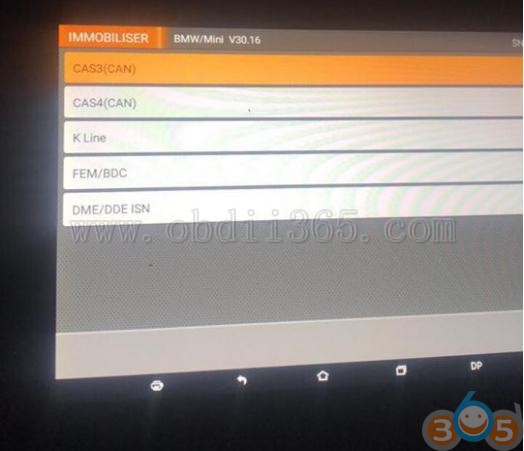
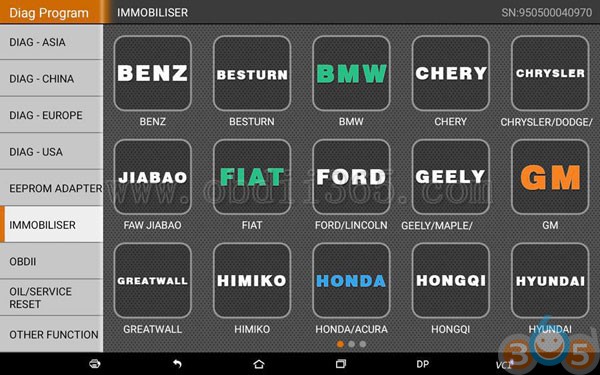
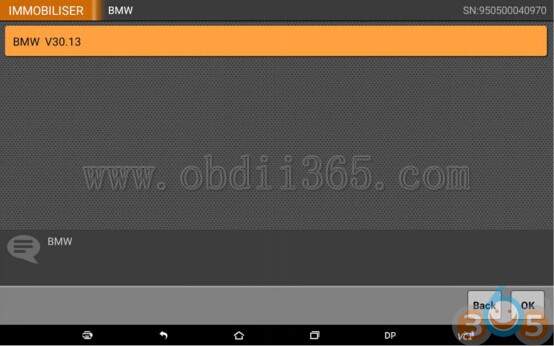
Will OBDSTAR X300 DP Program BMW CAS2 CAS3 CAS4 by OBD?

Original Scorpio-LK Tango Review
Genuine Tango Key Programmer Reviews:
Ori. Tango Review 1:
The Chinese sell genuine and original Tango. It is not a clone. I bought one. I am not an idiot. I saved a little money. I get one to one support from Scorpio, even on a Sunday morning. It is a very good tool. 100% original. Best tool I ever got from China.
Ori. Tango Review 2:
Tango has not been cloned. It does not have a dongle but the supplied software comes on a USB stick.
Scorpio have a Chinese distributor who supplies all Chinese sellers.
It is a 100% original tool which you must register with Scorpio for updates and support.
I have one and it is a great tool. I bought mine from obdii365.com and I am very happy with it.
Ori. Tango Review 3:
The Chinese sell genuine (OEM) and original Tango. The OEM one is from FLY and it is cheaper with poorer quality. The original is from scorpio. At that price it won’t be a clone.
Ori. Tango Review 4:
It is original and support from Scorpio is second to none. Got help on a Sunday morning from them!
Everything from Fly is rubbish. There has been enough posted about them and their products on this and other forums to make an informed choice and avoid their products.
Ori. Tango Review 5:
my advice is don’t buy any tango from fly, you never know what they send to you. I already damage a few keys and transponders for bmw and vw with tango from fly.Tango programed bmw key and after that I will even not aloud to read it same vw key… wtf?
Ori. Tango Review 6:
If Chinese seller says OEM Tango and it is cheap it is clone. They also sell genuine Tango for much more. Same for Orange5.
IMPORTANT NOTE: Tango original vs clone
Genuine Tango has basic software, made by Scorpio, price:949 usd
http://www.obdii365.com/wholesale/super-tango-key-programmer-with-basic-software.html
Clone OEM Tango has full software,made by Fly, price: 259 usd
http://www.obdii365.com/wholesale/oem-tango-key-programmer-with-all-software.html
In detail…
http://www.key-programmer.org/2017/11/27/tango-key-programmer-original-or-clone/
What is need when do GM Tech2 Service Programming?
To perform service programming with GM Tech2 scan tool, you need following:
1. Tech 2 scanner
2. 5 CDs (2 default CDs in package and 3 TIS2000 software CDs)
Tech2 User Manual CD


3. USB key security dongle

4. A RS232-DB9 adapter
5. Laptop/computer with COM Port
6. Connect RS232-DB9 adapter with Tech II
GM Tech2 scanner package without TIS2000 and USB key, cannot do service programming:

