

/image%2F1896381%2F20151209%2Fob_cb2b49_obd365-com.png)
Inline5 Cummins and Insite 7.62 Guide FAQs
In DDDL software select Tools – Options, the in dialogue box select the connection tab. From there click on SID configuration button. If your Inline driver is installed you should see it on the list in the SID configuration dialogue, select it the click OK.
That’s the basic way to do it in V 7.04 of DDDL regardless of adapter type.
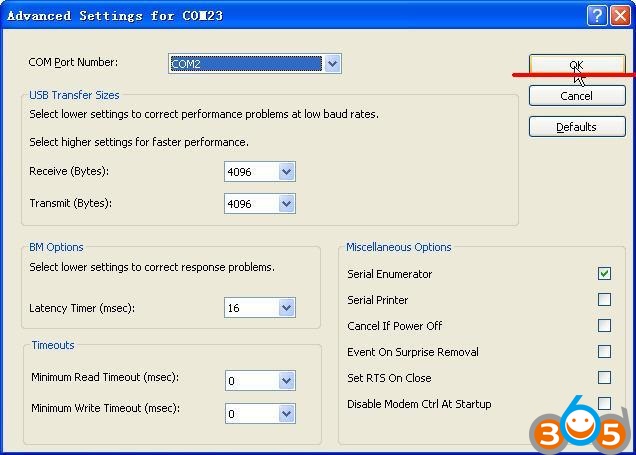
- You will get this windows to tell you need to activate it:
- Click “OK” and then you can get the ID, and then please send us @OBDII365.COM the ID
- We will send back the activation code to you, and then the activation is OK.
The path for the drivers is C:\windows\system32\drivers\uausb.sys


How to create FSCgen to update BMW navigation
Topic: How to create FSCgen, the opening code for upgrading the BMW F / G / I series navigation.
Tools:
1. BMW Enet cable
2. Laptop with E-Sys and E-Sys Launcher installed
3. Attach the FSCGen file (unzip it to C: \)
Extraction method
1. Running E-Sys
2. After cable connection (①), go to next screen by FSC_Extend ②

3. Enter 0x63 (③), click Identity (④), confirm that HU_NBT is coming up (⑤)

4. Enter 0xDE (⑥) and 0x1 (⑦) as shown below, then press StoreFSC (FSC Save, ⑧)

5 Click Read button (⑩) and press SAVE button to save as DE, fsc

6. Copy the attached file to 'C: \' and copy the above saved DE.fsc to C: \ FSCgen, then run the window command window and type 'cd \' to move to the root directory Then, enter 'cd FSCGEN' to go to FCSGen, which is the directory saved above.

7. Enter 'nbt, exe DE.fsc 0xA6 0x28 *******' (where ******* is the chassis number of your car)
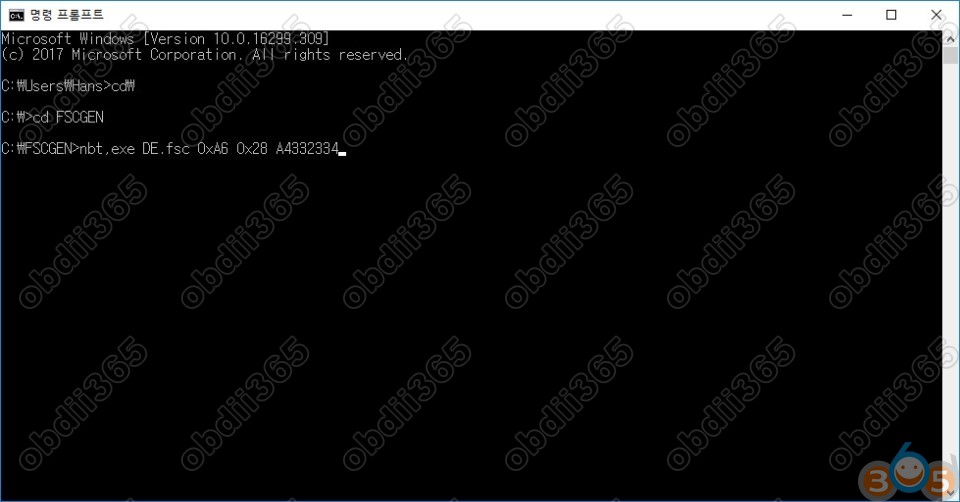
8. This will launch the program in the command window and generate the system code.
Remember this code and use it in your navigation updates to update your navigation on your own.
The vehicles that can be updated in this way are only available for vehicles with the H-NBT and later F series. The E Series can not be updated this way, and the navigation is actually annoying, but using WoW navigation or teeming is good for mental health.
Related post:
Download E-sys 3.26.1 to generate BMW FSC code
http://www.obdii365.com/
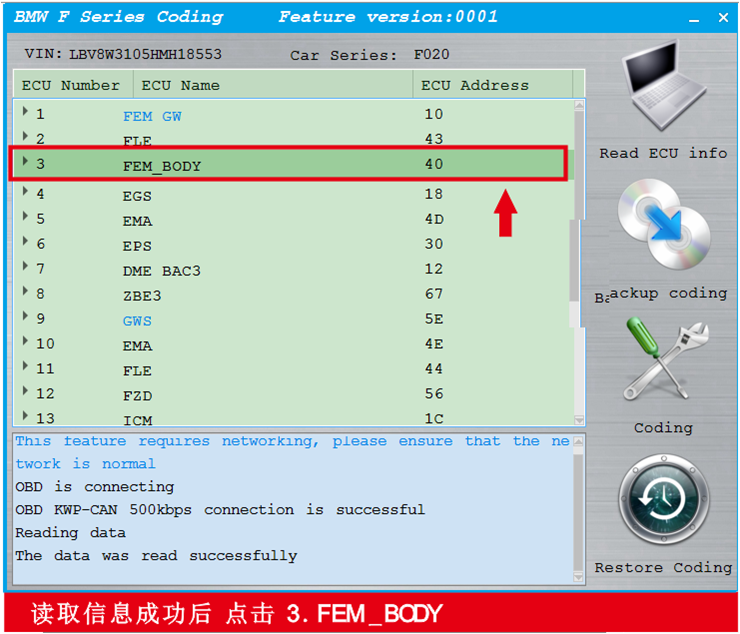
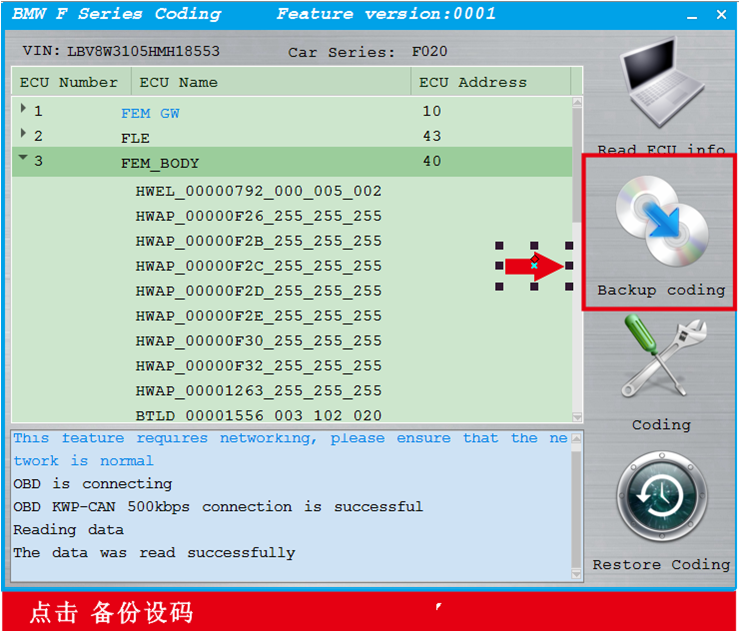
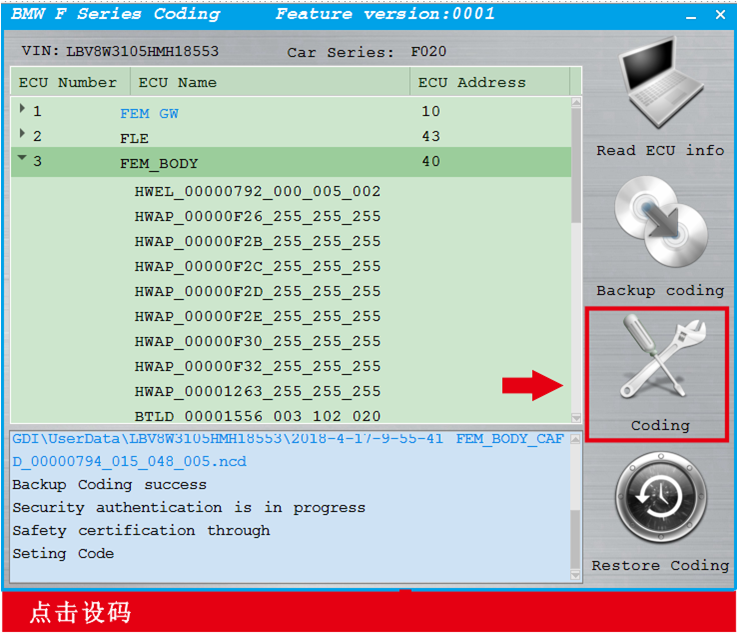
BMW F-series coding with CGDI Prog BMW Key Programmer





Auro OtoSys IM100 IM600 Upcoming Updates 2018
| Region | Make | Description ETA | Auro OtoSys IM100 | IM600 |
| USA | Ford | Support Key learning with C-MAX. Escape,Kuga, Expedition F-150 F-250 F-350 EcoSport ,and other models | YES | YES |
| GM | Supports key learning on 2017 Buick, Cadillac, Chevrolet and other models | YES | YES | |
| Australia | Holden | Support key learning on Astra,Barina, Clibra,Colorado. Combo, Cruze and other models | YES | YES |
| Ford | Supports key learning on Falcon,Fiesta,Focus,Kuga,Mondeo, Transit and other models | YES | YES | |
| Asia | TATA | Supports key learning on Arta, Indian, Vista, Manza, Zest, Bolt, Tiago and other models | YES | YES |
| Mahindra | Supports key learning on Scorpio, Xylo, XUV500,Quanto,NuvoSport and other models | YES | YES | |
| Maruti Suzuki | Supports key learning on Alto 800,Swift, Baleno.S-cross,Celerio and other models | YES | YES | |
| Hyundai/Kia | Support IMMO Password reading for 46,47 and 8A chip smart keys | YES | YES | |
| Mitsubishi | Supports all keys lost on models with CAN Protocol, such as ASX and Outlander | YES | YES | |
| Toyota/Lexus | Supports all keys lost for four smart key types including:94/D4,88/8A,A9 and 98 | YES | YES | |
| Europe | Volvo | Supports smart key programming, including smart key learning and all smart keys lost | YES | YES |
| BMW | Supports key learning, all keys lost and ECU renew for CAS4/4+system | YES | YES | |
| BMW | Supports key learning, all keys lost and ECU renew for CAS3/3+system | YES | Supports with UP400 | |
| Benz | Supports key learning, ELV read & write(OBD), ELV read & write(IR) for DAS3 system Supports IR key read & write for IR key system | YES | YES | |
| VAG | Support IMMO IV Megamos 48 key programming | Pay as you go | Pay as you go+ token | |
| VAG | Supports Read IMMO data for more Engine systems | YES | YES |

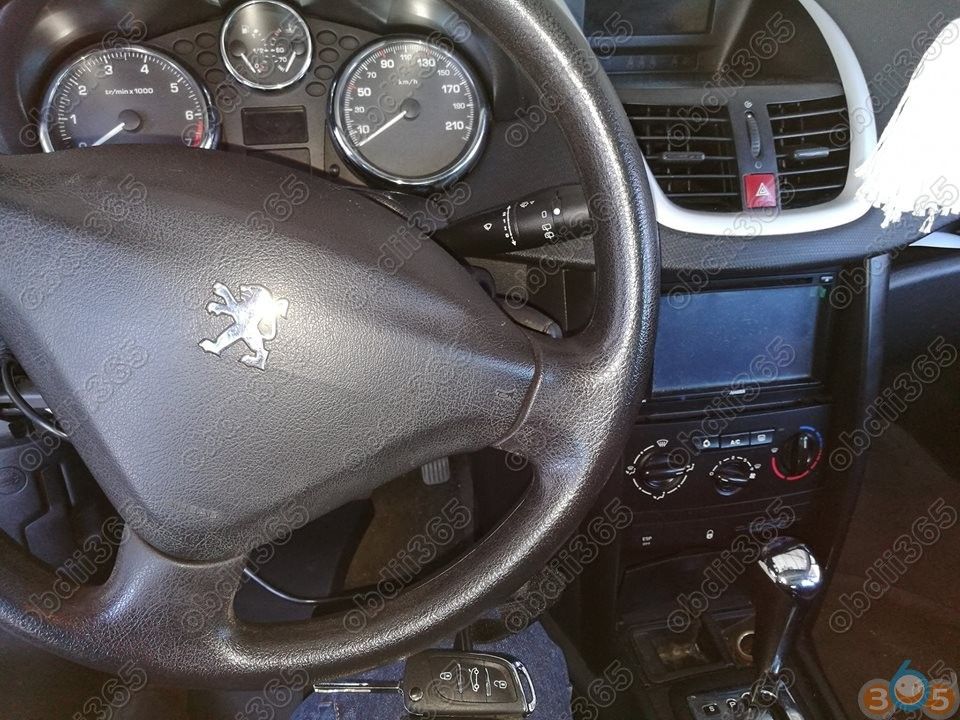
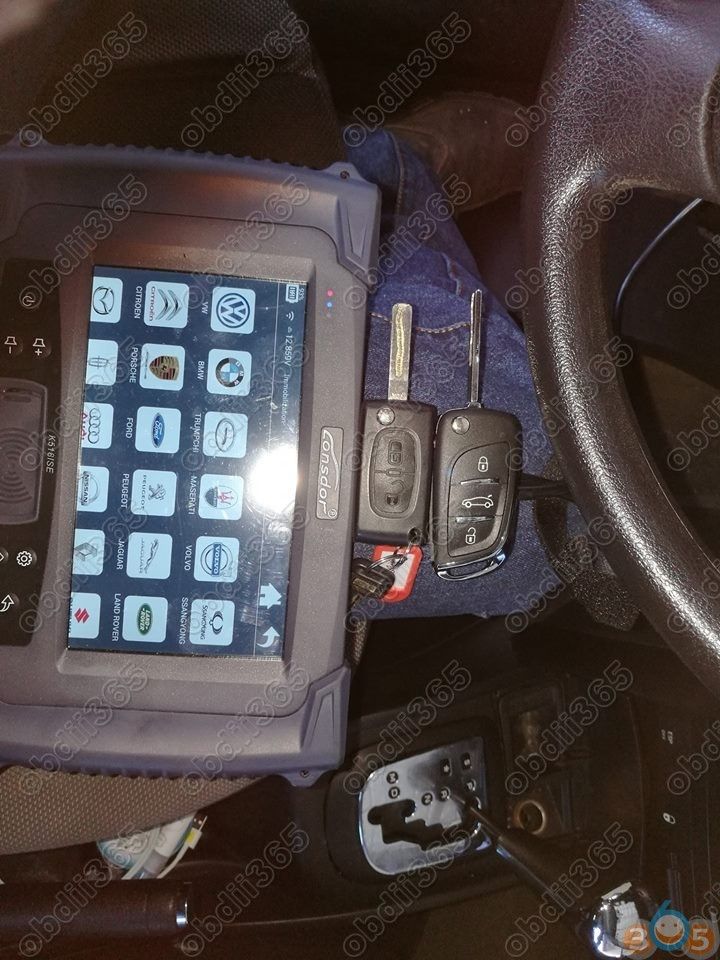
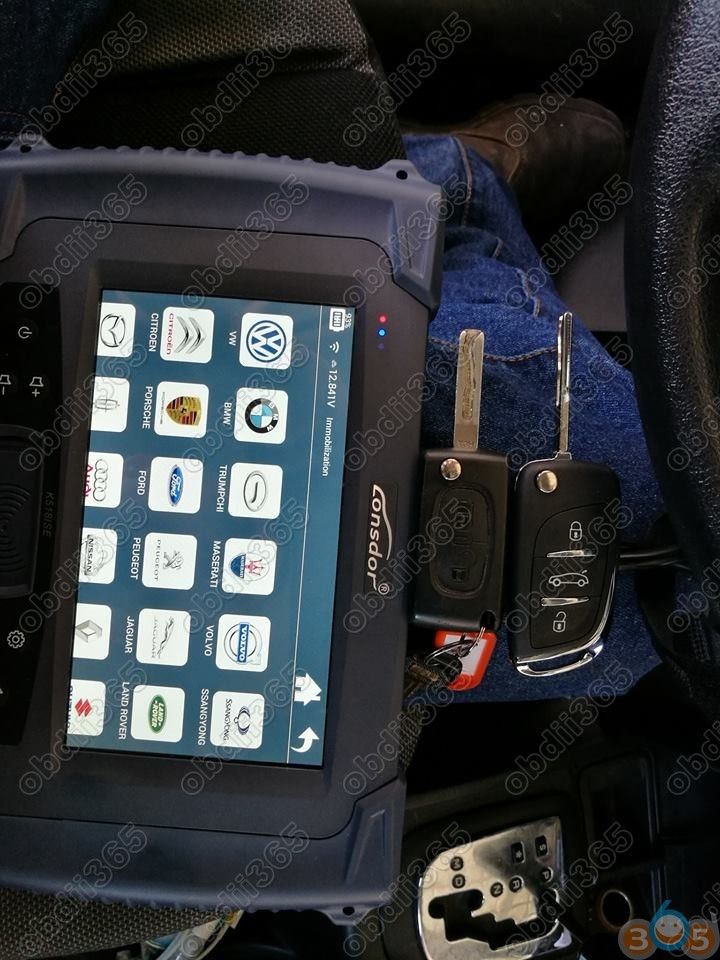
Lonsdor K518ISE Read Peugeot 207 2007 Pin Code and Add Key Success
Lonsdor K518ISE key programmer add Key Peugeot 207 2007 and read Pin Code All Fine.
Picture attached:
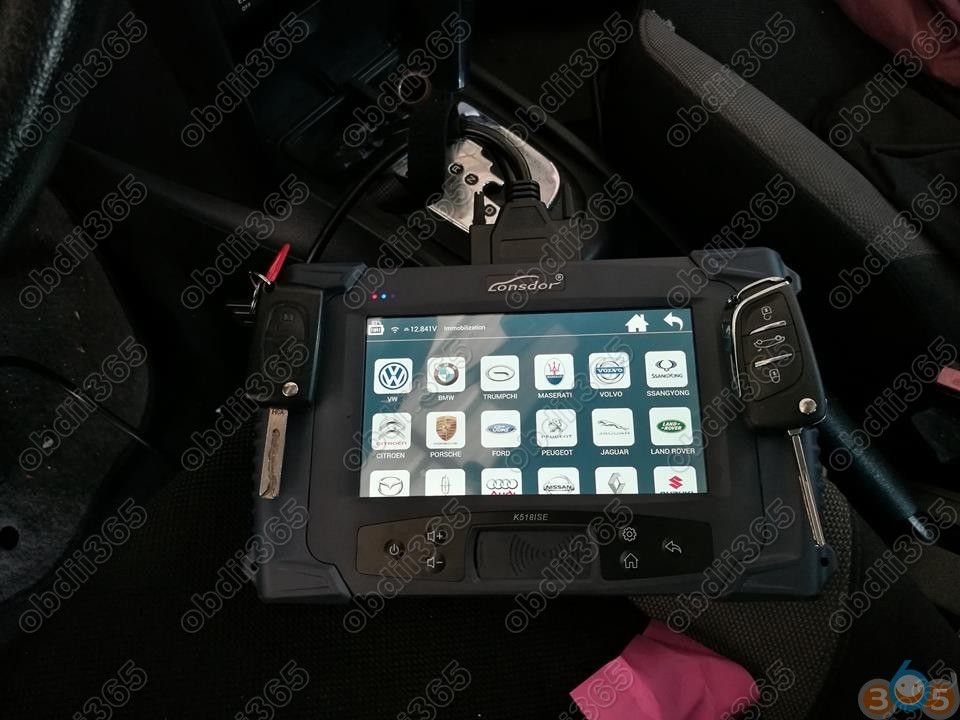
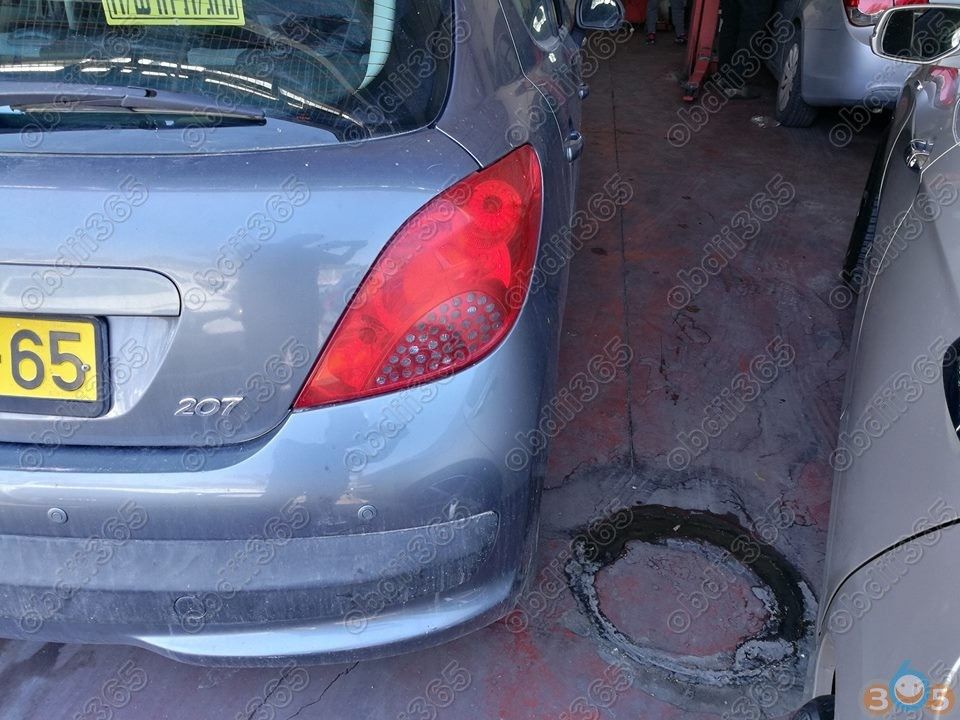
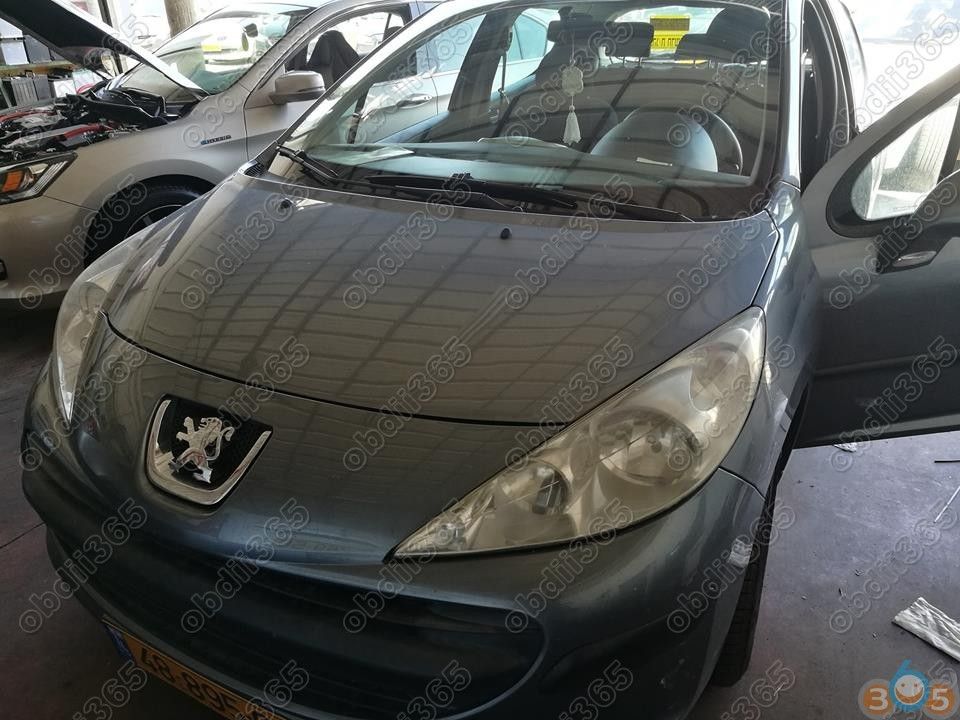
http://www.obdii365.com/wholesale/lonsdor-k518ise-key-programmer.html
How to change VIN after FRM2 update with Ncs Expert
2. Change FRM2 VIN to yours. Flash FRM2 with WinKFP comfort mode with your VIN. Or use Tool32 to change VIN as above.
2.5. Verify VIN change with Tool32.
3. Copy CAS VO (FA) to FRM with NCSexpert.
4. Change date with NCSexpert.
5. Code to default with NCSexpert.
2. Plug in cable
3. Press F3 and choose the FRM87.prg or whatever FRM you have (see from INPA uif)
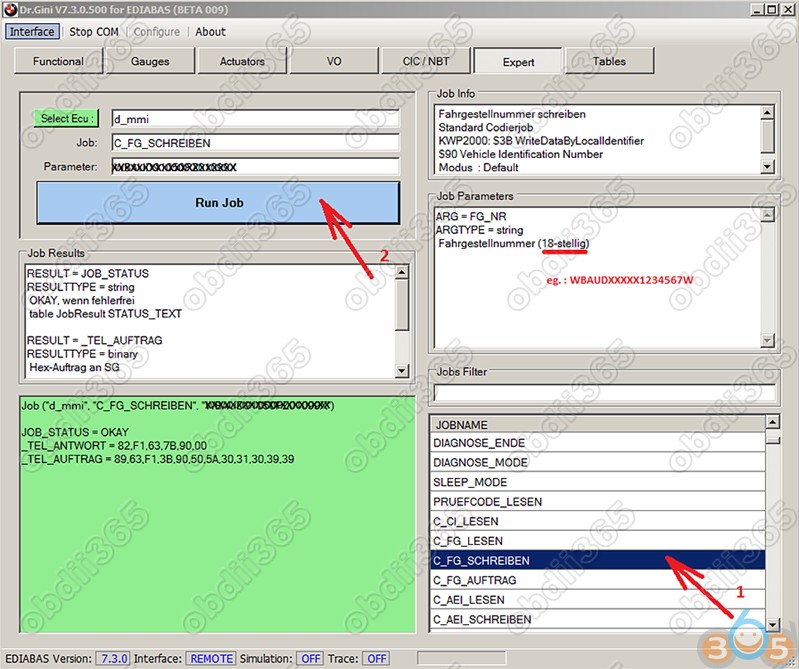
4.Select job c_fg_schrieben
5. Enter your FULL VIN (including checksum) into arguments field
6. Execute job
1) Remove FRM, install FRM2.
2) Use WinKFP to program the module, make sure to enter your VIN-number before programming.
3) Switch to NCS-EXPERT. Get your Vehicle Order from the CAS module (as we are unsure of what the FRM2 module contains.
4) Write the Vehicle Order to module “FRM” using job “FA_WRITE”
5) Go back to the main menu (or restart ncs-expert) and get the vehicle order from the “NFRM” module. Make sure NFRM returns YOUR VIN and YOUR VO. We want the VIN (FG) and VO (FA) to be the same in both CAS and NFRM.
6) You now need to do the trick described by 4711 a couple of posts back, i.e. change the production date in the VO to at least #0307. If you don’t do this, ncs-expert will not list NFRM (=FRM2) in the “Process ECU”-list and you won’t be able to code it. Change the VO using the “Enter FA” option – remove your production date and enter #0307 (meaning march 2007).
7) Now click “Process ECU” and select “NFRM”
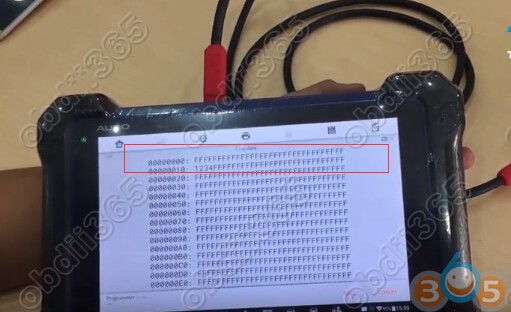
How to read and write 93C66 EEPROM by Auro OtoSys IM600
AURO OtoSys IM600 read and write chip EEPROM 93C66 success.
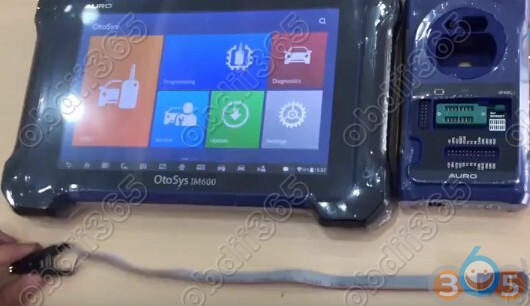
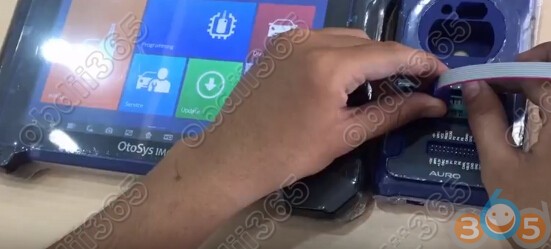


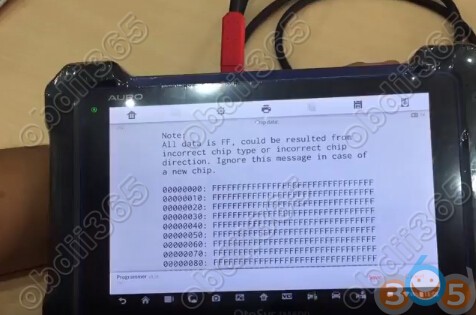


Check the eeprom data again
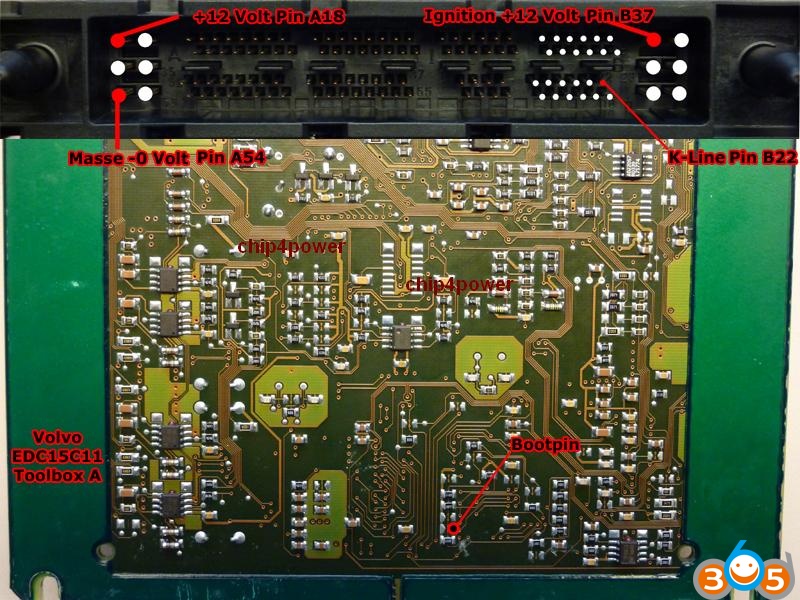
Which tool can read and write Volvo V70 EDC15C11 ecu
volvo s60 D5 163 hp euro 3 with edc 15c11.

I’ve managed to do it by a kess v2 as well
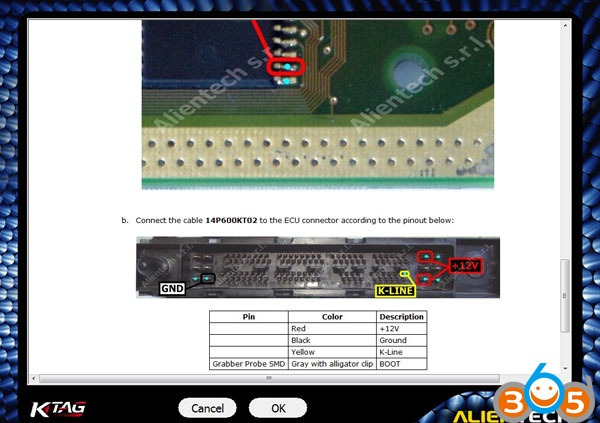
Connect ecu to the appropriate pins.
Put it into boot mode by grounding pin 24.
Open ksuite and in protocol menu select boot St… Once in there select Bosch MED 7 29F400. The protocol 114 and is the same for for 29f800 as well.
Just proceed to read and write as normal.
But beware the ksuite doesn’t do checksum this way so be sure to check your files.
Hopefully this can help a few ppl
never used i/0 terminal.
Another important note:
To tune the EDC15c11 you only need the 512kb file!!!! Also going through generic mode on mpps, kess, ktag with edc15c11 you must make sure cheksums are done as the software will not correct them!”
How to Update JMD Handy baby to V9.0.0
2.Increase unlock toyota smart key function.
3.Increase copy Honda 47 by king chipII.
4.Increase generate blank 47(just support king chipII)
5.Increase read/write hitag AES/PRO.
6.Distinguish 8A master key,support write or lock P4/P5/P6/P8/P10.
7.Increase unlock hitag vag(just support 754C and 754J of handy baby)
8.Decode 48 chip online, except MQB system.

1st: 8C copy by JMD handy baby use TK5561A chip! so easy and so quickly! use TK5561A blank chip !!
smart key ……) need extra payment each time!! just use assistant online !


How to Update Auro OtoSys IM600 and IM100 Tablet Software?
The updates can improve the OtoSys applications’ capabilities, typically by adding new tests, new models, or enhanced applications to the database.
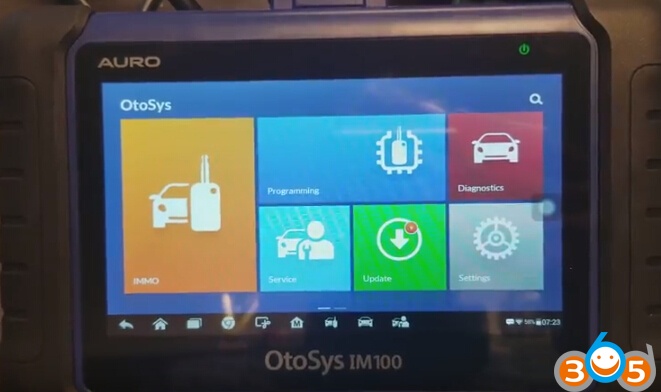
1. Make sure the Display Tablet is connected to a power source with stable access to the Internet/WiFi.
2. Tap the Update application button from the OtoSys Job Menu; or tap the update notification message when received one; or tap the
Update icon on Vehicle Menu in Diagnostics application. The Update application screen displays.

3. Check all available updates:
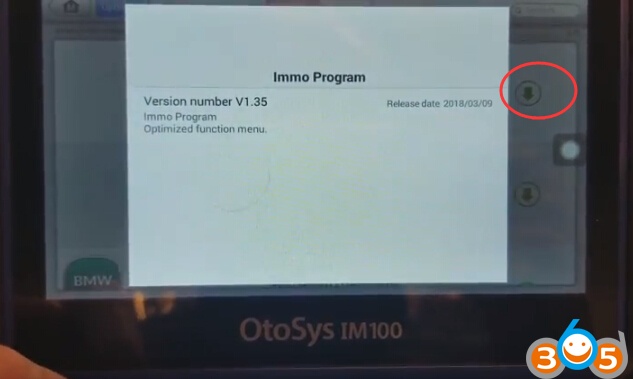
If you decide to update all the items of IMMO software, select IMMO Tab and then tap the Update All button; if you want to
update all items of diagnostic software, select Diagnose Tab and then tap the Update All button.
If you only want to update one or some of the item(s), tap the Update button on the right column of the specific item(s).
4. Tap the Pause button to suspend the updating process. Tap Continue to resume the update and the process will continue from
the pause point.

http://auro-otosys.blogspot.com/2018/04/update-auro-otosys-im100-and-im600-tablet.html
2014 BMW X5 F15 FEM Odometer Correction: Digiprog 3 Works?
Purpose: To do mileage correction
The car: 2014-2015 BMW X5 F15

Have tested most odometer correction tools popular in the market..
Some success and some failure
Here are the test result and suggestion. Hope it helps you out.
Digiprog 3: NO
Digiprog 3 v4.94 will not do bmw f15. Digiprog can not erase original eeprom
Eeprom: NO
You don’t need to buy eeprom (eraser can erase these eprom ) only can filter and install in dashboard or FEM and Avdi, BMW explorer or …….
Vvdi prog: YES
If it is cas4 you need to do cas and dash with vvdi prog
CAN filter: YES
If it is with fem you can use can filter and have also to do dash
R270: YES
You can use vvdi prog or r270
E-sys: YES
It can be cleared in custom kombi coding with esys
Cheapest way:
Program new EEPROM with Xprog, filter in Fem will be cheapest
Eraser is about $110
Easiest way:
X5 has fem
Can filter in dash is easiest.
Remove battery First
Btw, i think not possible change it in new type of key f15 without change to new key.
buy new bdc, then key will take km from there
You’d better read –
buy new FEM ( 490eu) , buy New Ecu if it diesel ( doesn’t matter which engine) , program the dash on new KM
update the car with ISTA ( latest version—- if you have) and car will get 100% new KM in all ECU
but if it diesel , then Buy New Engine Ecu also
but be careful because all Ecu and Fem come out from fabrik in latest version of ISTA , which can not be LOW DOWN with another tools,
if you have ISTA online , then can not be problem at all !!!
I know the guy who have ISTA online with own server , and never get problem ….ISTA online is cost for 1 year 1800 eu .
You might want to know –
OBD programming BMW FEM/BDC, Which tool is the best?
Which best for FEM/BDC mileage correction?
Which best for FEM/BDC key programming?
Look here:
OBDSTAR Tools Adds Volvo IMMO by OBD in April 2018
VOLVO AKL + Add Via OBD-II
Models covered so far as shown below + More to come.
Volvo IMMO update
Semi smart key pincode free programming via OBD
Support All keys lost and add key
No need to disaeemble CEM/KVM
S80 (2009-2016)
V40 (2012-2017)
V60 (2011-2016)
V70 (2009-2016)
XC60 (2009-2017)
XC70 (2007-2016)
Update your X300 Pro3 / KeyMaster Pro / X300DP Now

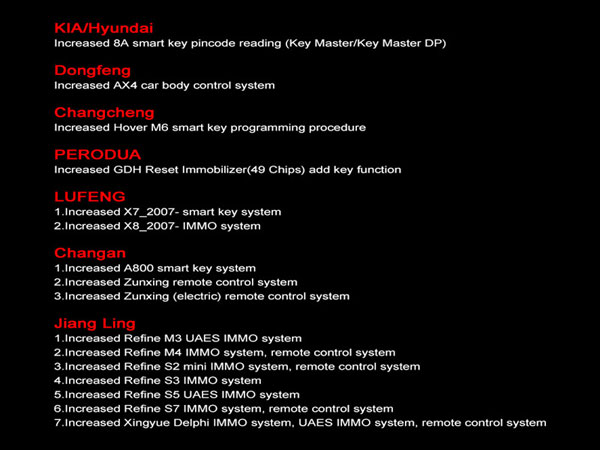
Kia/Hyundai:
Increased 8A smart key pincode reading(Key Master/Key Master DP)
Increased AX4 car body control system
Increased Havel M6 smart key programming procedure
Increased GDH Reset immobilizer (49 Chips) add key function
1.Increased X7_2007 smart key system
2.Increased X8_2007- IMMO System
1.Increased A800 smart key system
2.Increased Zunxing remote control system
3.Increased Zunxing (electric) remote control system
1.Increased Refine M3 UAES IMMO system
2.Increased Refine M4 IMMO system, remote control system
3.Increased Refine S2 mini IMMO system, remote control system
4.Increased Refine S3 IMMO system
5.Increased Refine S5 UAES IMMO system
6.Increased Refine S7 IMMO system, remote control system
7.Increased Xingyue Delphi IMMO system, UAES Immo system
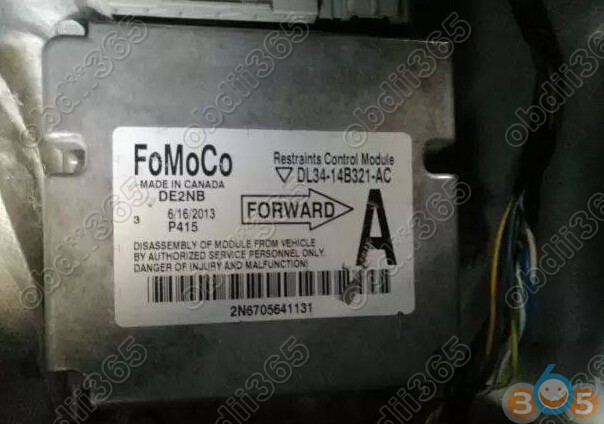
How to use CG100 to Repair Ford F150 Airbag DL34-14B321-AC
How to: repair Ford F-150 airbag control module DL34-14B321-AC XC2361B-40F using CG100 Prog III airbag reset tool.
Airbag indicator is on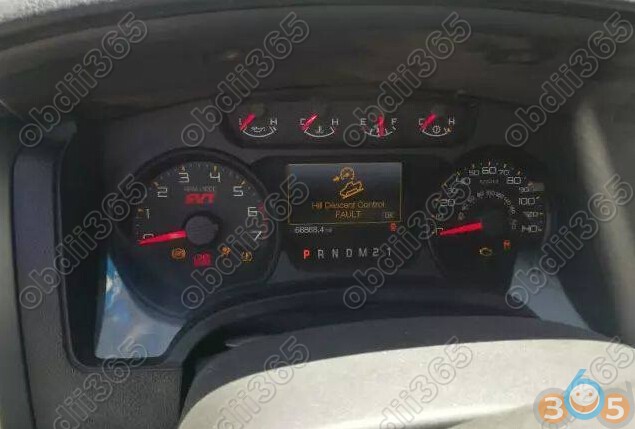
Remove airbag module and locate IC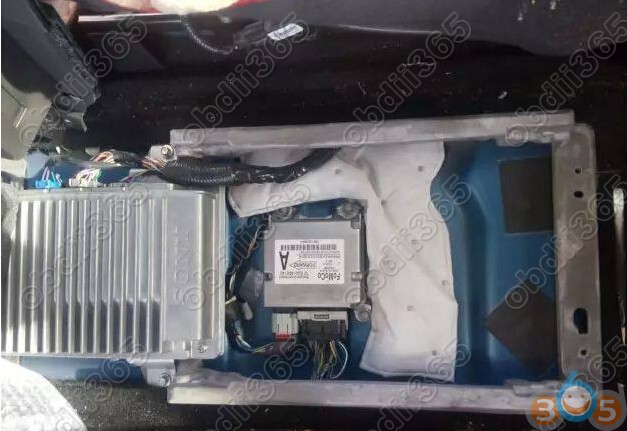
Open CG100 software
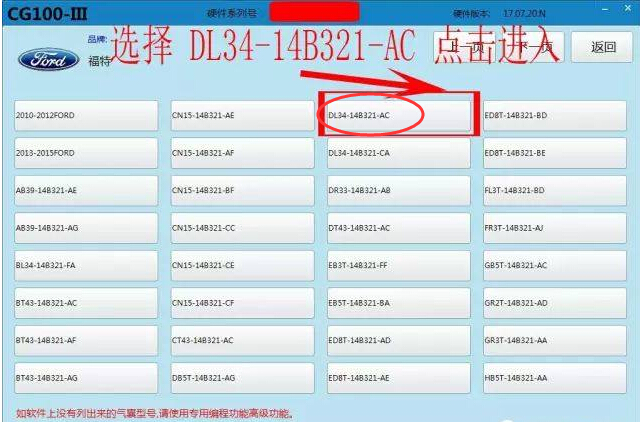
Select CG100-III->Airbag Reset->Ford->DL34-14B321-AC->CPU type XC2361B-40F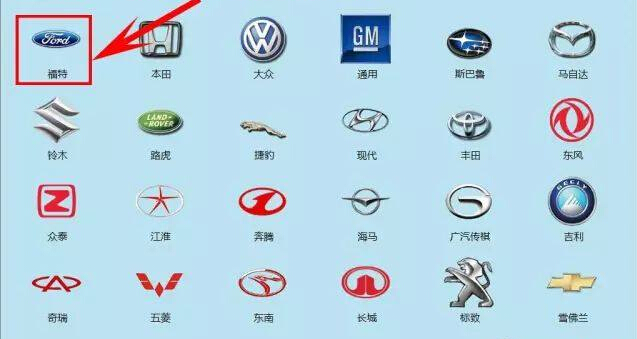
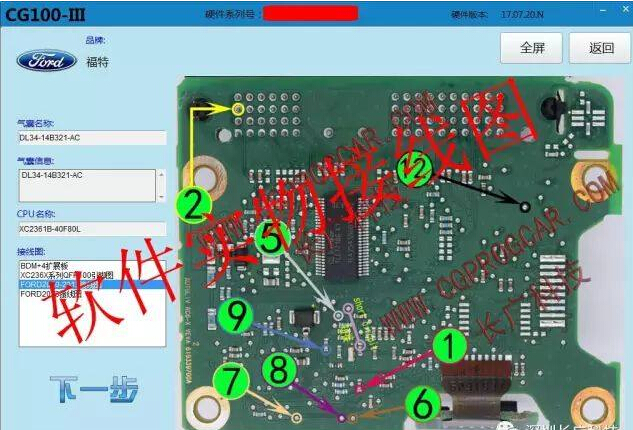
Follow the wiring diagram to connect CG100 programmer with airbag module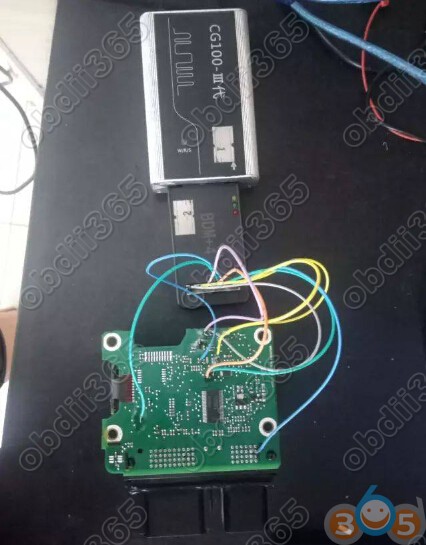
Click on Read to read airbag data and save it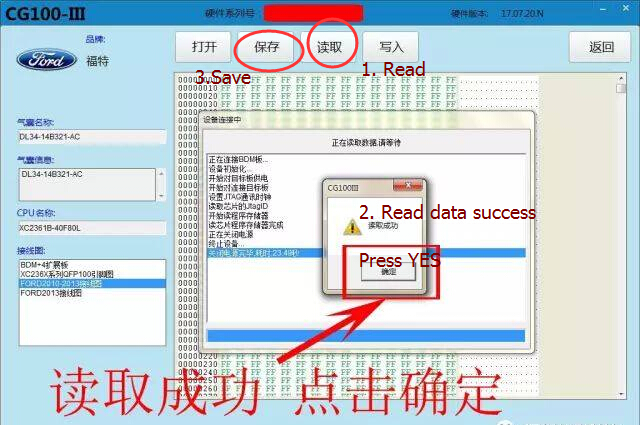
Send the airbag data to CG100 engineer to repair. They will send you back the fixed airbag data.
Open the repaired data and click on Write
Write data success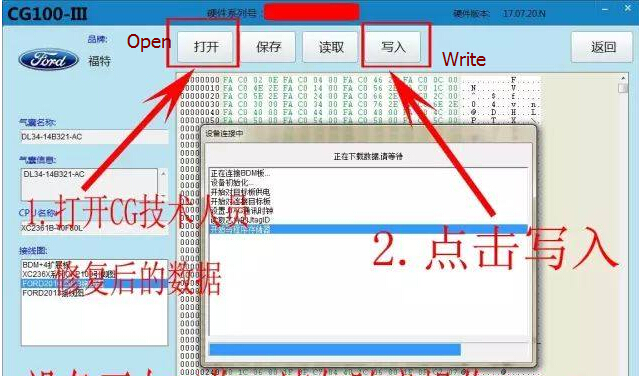
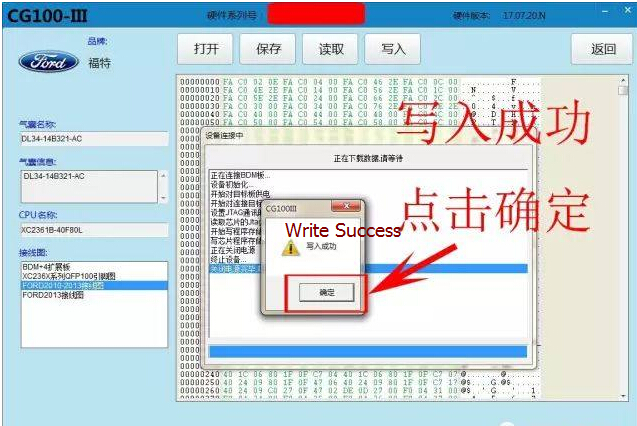
Ford F150 airbag reset successfully
Airbag light goes off.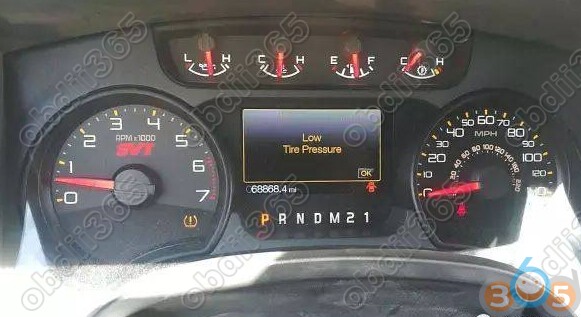
Dr.GINI B021 Coding Software and Function Explanation
The friend who made this is called Dr.GINI.
The advantage of this program is that can be used on both E-series and F-series.
https://mega.nz/#!Hp1mAaZS!EtNhwaSwVtpYHoSAVjNakuYjqPFU-zPrrzrDv_9DrmY
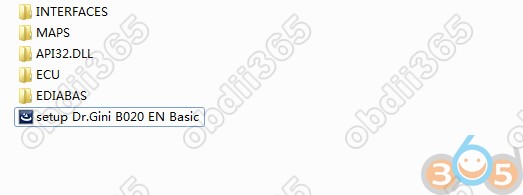
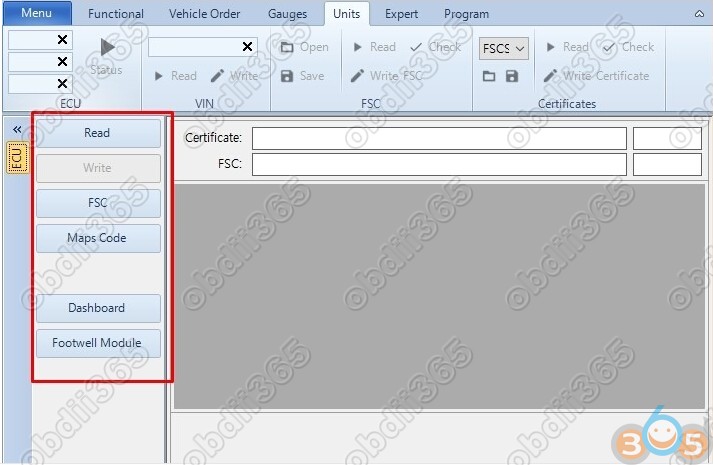
–ECU: Use in Expert menu
–EDIABAS: EDIABAS installation file
–INTERFACES: EDIABAS.INI file for each interface
–MAPS: Latest lookup.xml file for map updates
–setup Dr.GINI EN Basic.exe: B021 installation file based on B020
-Convenient to use ICOM in Interface



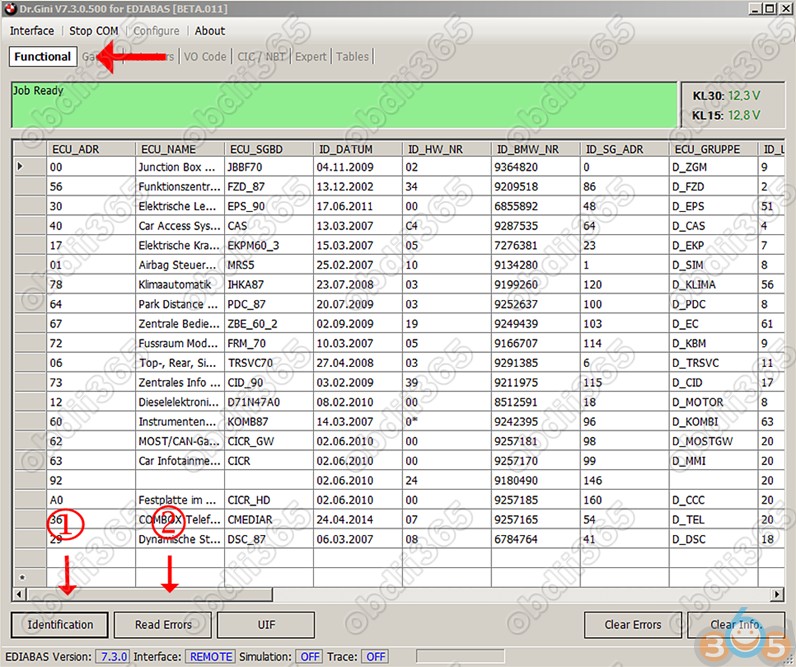
Delete Fault Code
Deleting fault code of module is very fast and quick
In the functional window, click 1.Identification 2.Read Errors at the bottom
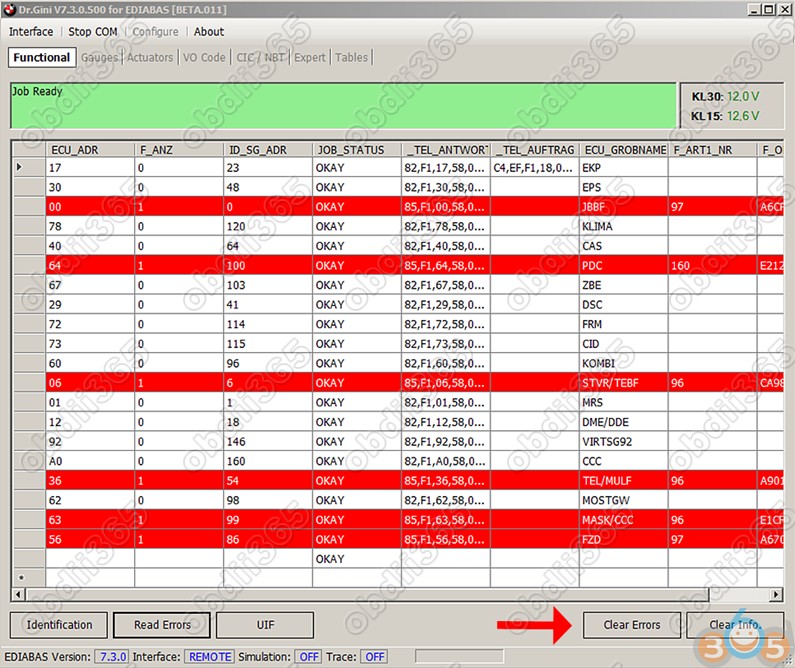
You don’t have to turn Rheignold to try to delete the fault code.
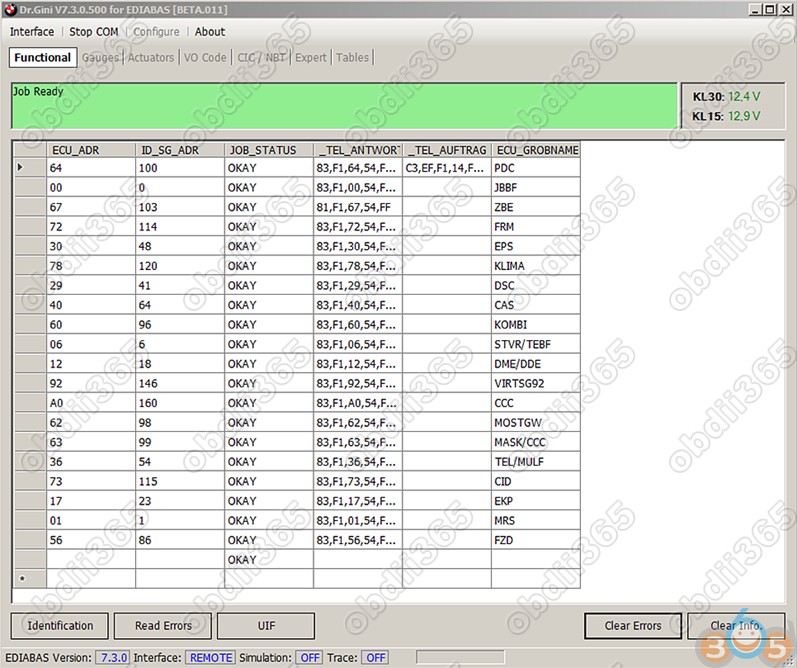


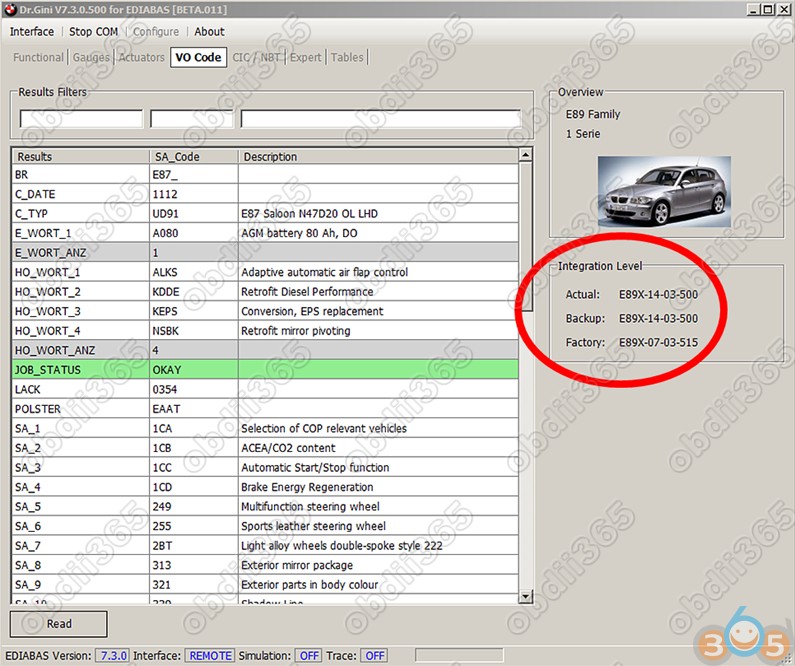
on the right side.

Dr.gini B020 BMW Manual: Download, Install, How to use
Cummins Inline 5 data link clone worth buying?
Can I buy a Cummins Inline 5 data link adapter from Chinese? Any reliable site to have it?
Yep. Look here – it’s for those who are looking for a Cummins Inline 5 China clone.
Anyone has a good experience of Chinese inline 5? working or not?
Chinese inline 5 adapter is working well for diesel truck
Compatible with both XP and win7
Needs active
Can update, so far the SW is 7.6.2.

I’m wondering if anyone has brought a Chinese inline 5 adapter and if it actually works.
Yes. i bought one about 2 years ago and have no problems…it cost 300 bucks Canadian….hope ya have better luck

What’s the difference of Inline 5 the original and the China clone?
I bought a Chinese Cummins Inline 5 very similar to original, tried both on 12V with cummins insite 7.5 and service maxx v41. Picture original versus clone (original have protective lack paint and stamp on both side)

Original

Clone

Original

Clone

http://blog.obdii365.com/2018/03/29/cummins-inline-5-clone-works-where-to/
